Notes from Zoom Meeting – 30th April 2020

Apologies for the slight delay; if you look on the Notice Board and the Guides Menu bar, you can see I haven’t been idle. All the guides are offered unread; I can’t recommend them as I haven’t looked at them yet, but I have used BDM publications on a few occasions in the past and they produce the “manuals” that you often see in WH Smith & Sons, and in their Motorway Service outlets. Pictorial and easy to read is how I’d describe them.

A good attendance again, up to 15 at one time – I was willing two more people to join to force the Gallery view to extend on to a fifth line; maybe next time.

A Review of items from the last meeting:

David H was happy to report that his issue with shielding and deliveries from Supermarkets was now resolved and that Tesco had offered to provide the service to them without the paperwork (as I understand it). Paul on the other hand described the trials and tribulations in getting Asda to amend their online order.

I reported back that I’d been unable to help Ann with her Nest problem, we’d given some suggestions to Margaret on WhatsApp about her router/printer problem, and to Christine (in the last notes) about her Digital TV antenna query. Jenny was going to follow-up her hardware issues with Neil next week.

Today’s issues:

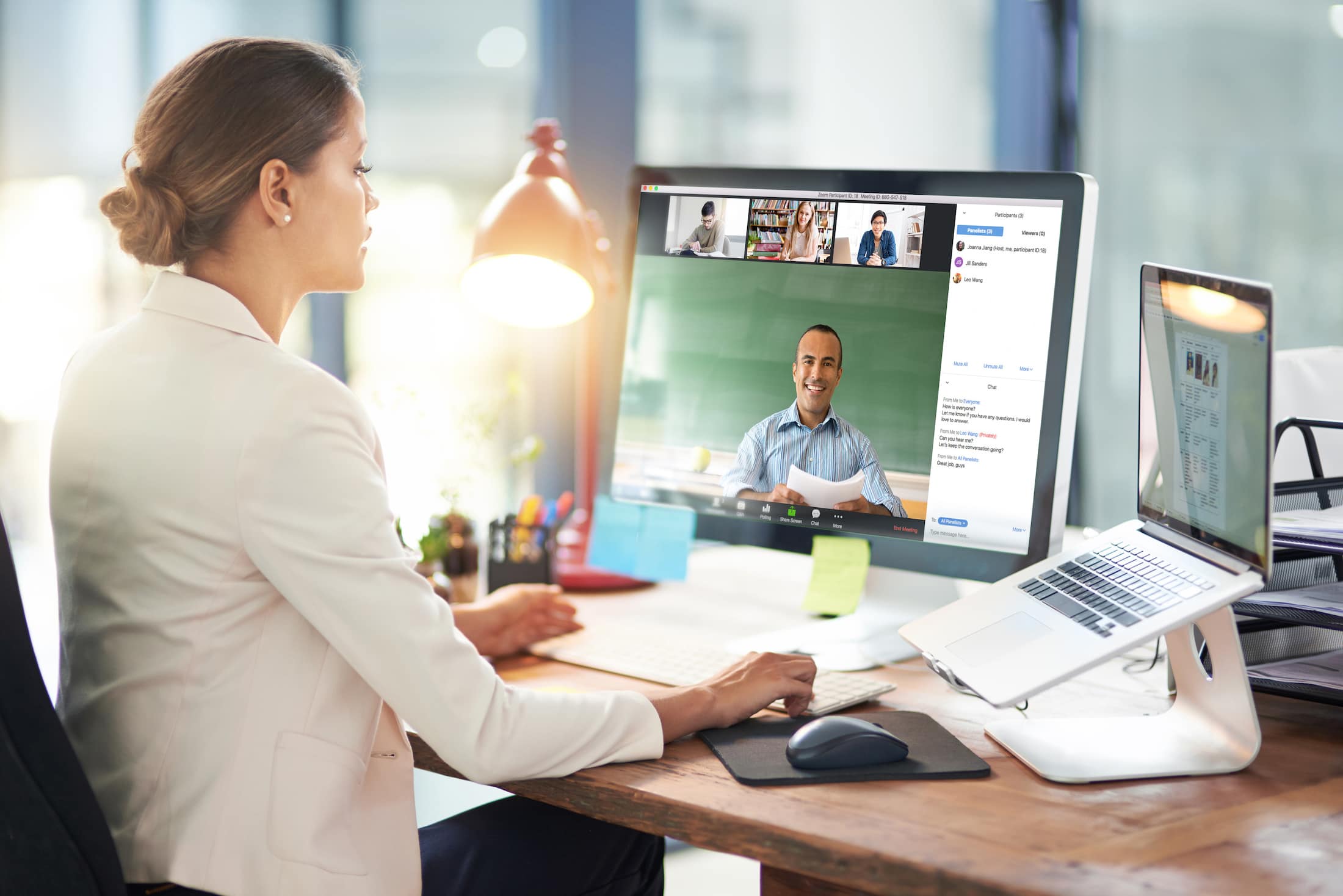
Owen gave us the good news that U3A had purchased a subscription for Zoom and that he was maintaining a diary for any group wanting to use it. I requested that our weekly meetings be put in the diary.

Renee had received her new iPhone SE (review from The Guardian here) but was having problems with her internet connection – someone will have to help me, I’ve forgotten what the problem was!! Duh!

John was experiencing a number of problems with his MacBook Air  with files being greyed out (presumably in Finder). He was going to do more research of the problem and get back to us. Perhaps Creating a Topic in the Computing Forum might be a good idea John? He was also disturbed that in setting up email for his wife on the computer that her email was now in the same system as his, whereas before it wasn’t. I suggested that this was almost certainly due to the necessity of them both needing to have separate Login IDs and accounts on the machine.

David H asked a question of Paul about the Honor phones, to which Paul replied it was wise to investigate whether they had the Google suite of programs available to them as Trump had barred the US from installing them – same for Huawei phones as well. If you bought an 8A (?) this would not be a problem as this model pre-dated the ban. These phones are available from Argos and Carphone Warehouse.

Jim showed us his new external DVD/CD Drive to replace one that had failed in his Laptop. [I forgot to write the model down – can you remind me] He also enquired whether anyone could help him preview photos on his Windows Laptop (outside his photo-editing software). The order in which the pictures occurred seemed to appear in different orders and so it was difficult to review to delete duplicates etc. Owen suggested that he might look at Irfanview. Someone else suggested that there were specific programs to sort out duplicates – indeed we dealt with that in an earlier meeting – dupeguru was used.

Marilyn asked whether it was safe now to upgrade to Catalina on her Mac. I agreed to check and for her, and did, and as she had no Legacy Software installed, it was now perfectly safe to upgrade.

Jenny gave an account of her work for the National Pensioners Convention (?) and asked members whether any of us had experience of providing training for older people. Some of us shared our rather jaundiced experience. We wish her good luck!

Christine alerted us to the fact that Ancestry was now available online through the Cardiff Library Service – but you had to have a current Library account, with a PIN to access it. I received an email alerting me to the fact that Kew was making a lot of its digital records available online during the Covid-19 lockdown – here’s a link to that. You need to have registered with them. Could be an opportunity for genealogy work?

Don gave a very positive account of his experience in using a TP-Link mesh network device to extend his WiFi network in his house. He also alerted us to a service available for Which? to sign-up for a Scams Newsletter. I told the group that I’d purchased another Trendnet WiFi extender device for outdoor use.

Ann thanked us for our advice to clean her Home button on her iPad with an alcohol-based solution to improve the performance of the button. She also enquired on whether anyone had experience of using any video-editing software. I thought I had some notes somewhere on the subject – maybe done for a Digital Group session, but I can’t find them currently. I did find however that I installed (and used) Shotcut and had also (but not purchased) Wondershare Filmora – these are cross-platform programs which work n both PC & Mac. I also mentioned that I thought you could do some basic editing in YouTube, and then download the finished work back to the home machine and delete the uploaded video(s). This feature of Windows 10 might be of use too. I can see that it might be an interesting idea to try a special Zoom meeting on video-editing – especially since I have to do some myself at the current time.

My notes:

Google (and Microsoft in recent adverts) is responding to the rise in the use of Zoom to extend the use of Google Meet (formerly just for business use) to everyone who has a gmail address. The problem with both of these is that you need to have a Google (or Microsoft) account to make use of the service. Zoom is service and platform independent as it’s web/cloud based.

Zoom has responded to security concerns and this article and video might be worth looking at. Those of us in the Apple camp might find this article interesting for group calls.

Google and Apple combine to provide indirect method of doing contact tracing, but UK government decides to go alone with another NHS IT project. [Watch this site for details if and when it appears – there are also pages on other NHSx Covid IT services.]

I mentioned that I’d found an app to help me tune my guitar (Fender Tune), and that I’d also purchased (£4.99) an app called SongShift to copy Playlists from Spotify to Apple Music (and many other services as well) and back again. It works very well!

Finally, we looked at Phil’s experiences of plumbing in a new dish washer, but more interesting than that was his work in installing Ubuntu Linux on an old laptop. Here’s an article that explains the key differences between Windows and Linux. Something that I’d been meaning to do for some time now and had always intended as a Digital Project. Quite a few members were interested in this as the subject of a Zoom Digital Project and Phil and I will be putting our heads together to try and set this up. Watch this space.



Microsoft re-enters the browser war!

After Netscape Navigator was eclipsed by Microsoft’s  Internet Explorer as the browser of choice for many – mainly because it was hard-wired into Windows initially – the world of internet browsers has seen first the rise of Firefox from the Mozilla Foundation as an alternative open source option and then the succession to Google’s Chrome and it’s huge market presence.
I’ve written about Google’s dominance and the alternatives to Chrome before in “Just Google it …
Now Microsoft has stirred from its inactivity in the browser market place. It has ditched its proprietary Edge browser and replaced it with … Microsoft Edge. No confusion there then!
It is interesting because it will run on MacOS as well as Windows, something the old Edge didn’t do, and will use the same open source code base – Chromium – as Google’s Chrome and of course Brave (my browser of choice). This allows them to use Extensions written for that code base. I already use many extensions written for Chrome in my Brave browser.
What will this mean for Google especially as Microsoft Edge will effectively have a built-in ad-blocker? Who knows. It’s certain that as more users decide to use the Microsoft version of Chromium, so Google’s business model and revenue stream will come under attack. Will they retaliate in some way? Probably not. Interesting times.
Here’s an article that describes keyboard shortcuts that you can use with Microsoft Edge.

Sound session – 25th July 2019

Boot-up
Renee has asked a question about PDF converters. I’ve attempted to answer part of the question, but have not come up with any answer yet on electronic signatures – any thoughts, anyone? A former colleague has suggested that OpenOffice might provide the solution that Renee requires. I haven’t had the time to test that idea, but if it works – it might mean that this software is a better choice than LibreOffice which we looked at earlier in the year but you’d have to forego the ability to read AND write in Office formats (.docx and .xlsx), I believe.

The other thing I wanted to raise with you was how I was going to decide whether to use Apple Music (rather than Spotify, Google Music, Amazon Music, or whatever). I really haven’t had the time to give it a serious tryout but I can see that there’s some music available that I haven’t seen anywhere else – compilations of live music for an artist, for example – which looks very interesting. So I’ll subscribe for a while, see how the breakup of iTunes this autumn works out and then make a decision about whether £9.99 a month is a worthwhile subscription cost.

There was no interest from my family – I could have added them at an additional cost of £5pm – they’re all Spotify users. I guess that’s the issue. If you’re a user of another service and have set up Playlists, or whatever, and know the interface – why would you change? Me … I’m very slow into digital music. I’ve always wanted to hold the CD, and before that the vinyl/cassette, but as I have no interest in the latter anymore, perhaps it’s also time to ditch the former too!

Whatever I decide to do, I must remember to back-up my iTunes Library and iTunes Media Folder before I do anything – and that includes cancelling my iTunes Match subscription, which I’ve not been totally sure what it gives me, but which I know now is unnecessary if I have Apple Music.

Anything else anyone?
News
Continuing our paranoia theme of the year – ways in which to find out if accounts are linked to your email or phone.
How to avoid fake ads disguised as fake download links.
An unexpected upgrade for old iPhones.
Sound
So this part of the session is a bit of a “digital project”, but one where I have very little expertise, so I’m hoping (praying) for some help from Jim and anyone else who knows something about this area!

The challenge was thrown down by Renee. To paraphrase what she said: “How do I get music off old analog devices” (ie cassette recorders and record decks). I knew I had a a device to help in that – it was just a challenge to find it, to see if it would still work and more importantly whether it would work with current hardware PCs and Macs.

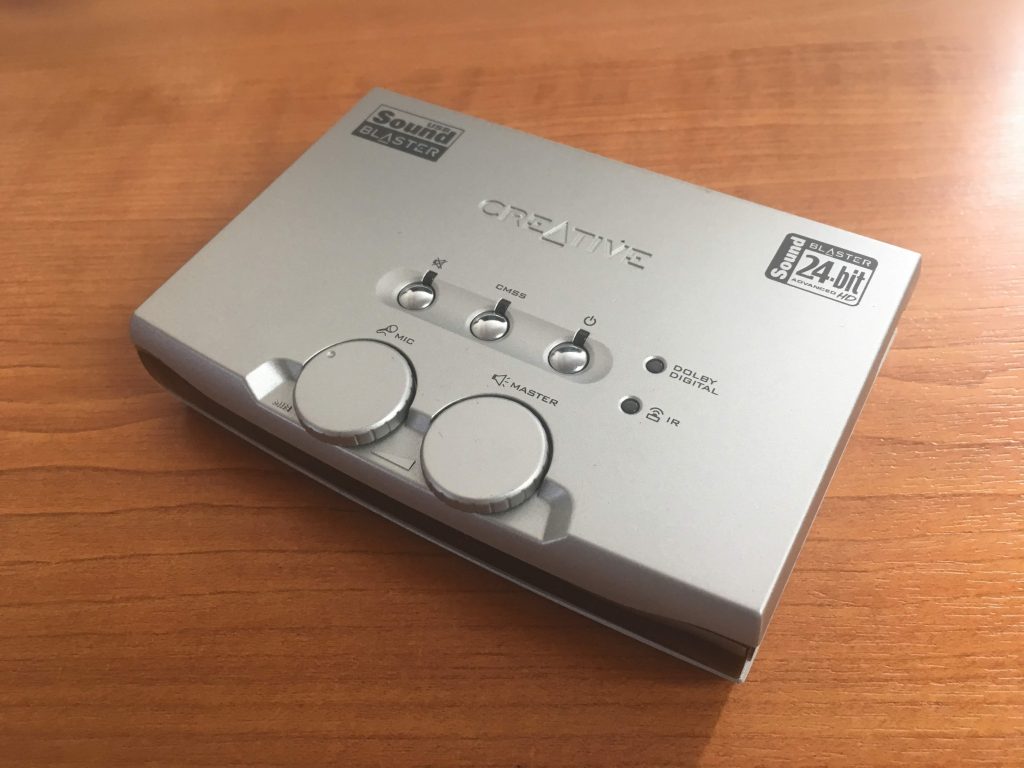
I’m delighted to say I found it (in the same box as my record deck); it appeared to be still working; which was then confirmed when I connected it to both a PC and my Mac running the latest versions of Windows 10, and MacOS (Mojave). So as long as I didn’t want to use the software provided by Creative – which I didn’t – all was ready to go.

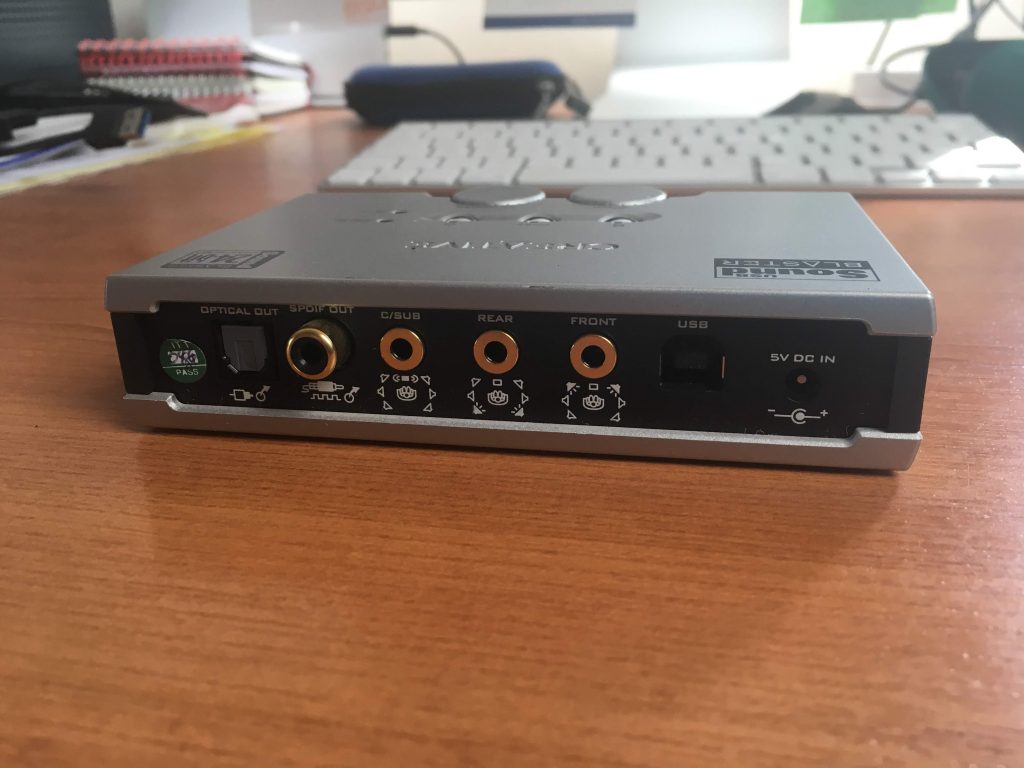
Here’s the Creative SoundBlaster Audigy NX-2 external sound card – to be found in every home … NOT, just in a geeks home, like mine!

On the back you have a number of ports and the power connection, but most importantly the USB port.


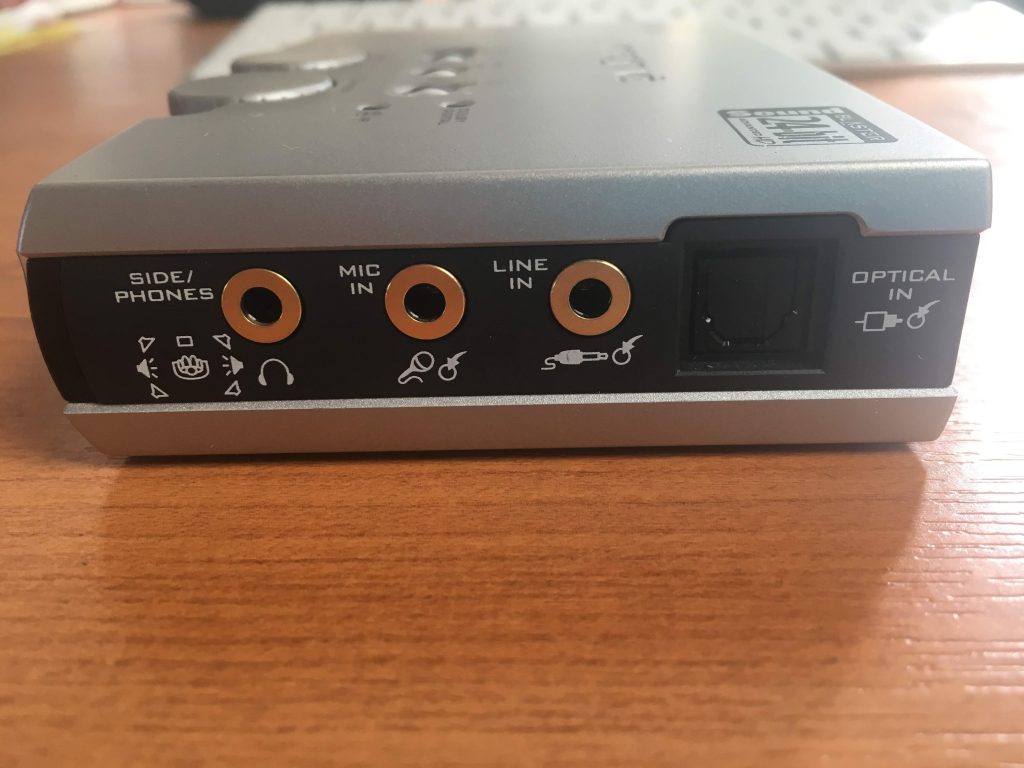
On the side you have the port I’m going to use for input (Line In) – but you can see also a port for Mic In.


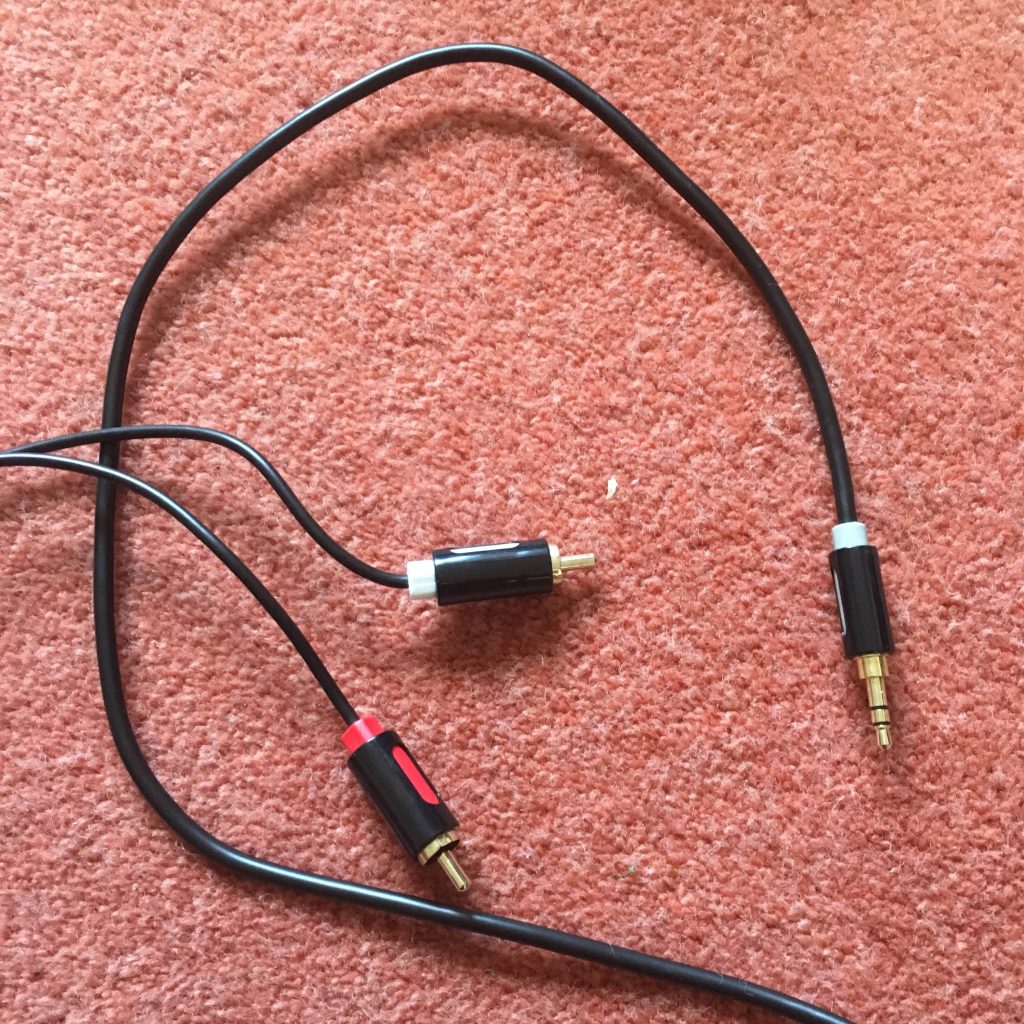
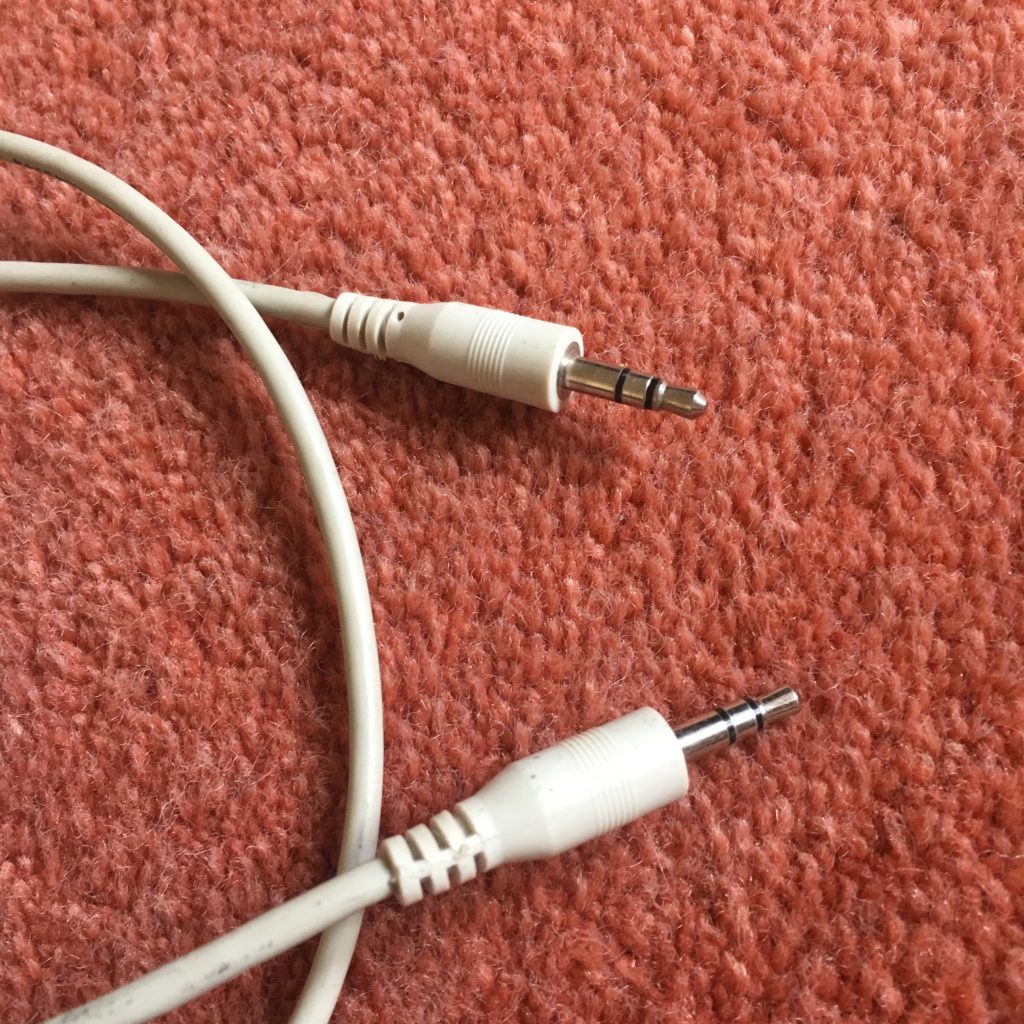
So having connected the power cable, and the USB cable to the SoundBlaster and the computer, it’s now time to connect the sound source cables. For that you’ll need either a cable like this …


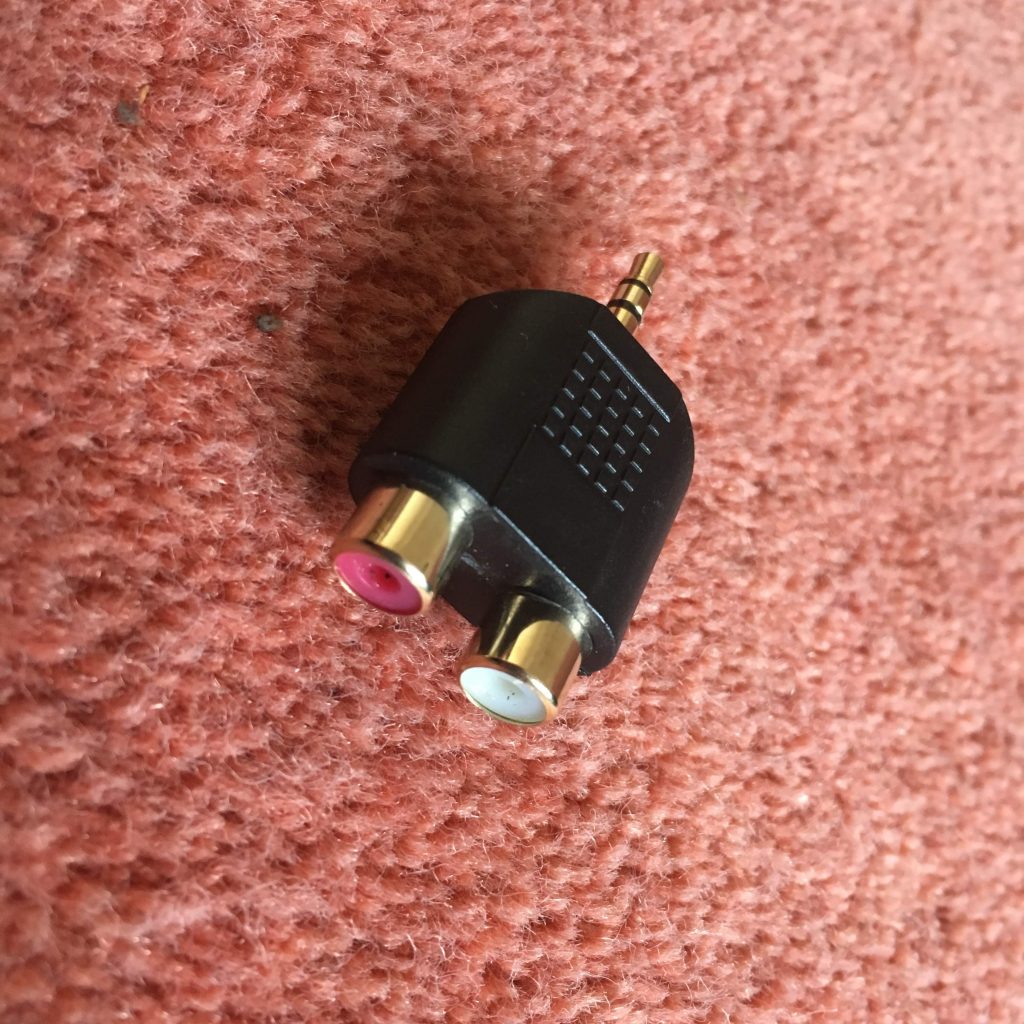
… or have a splitter to join two red and white hifi cables to the Line In …


… or in my case for testing only, a cable like this …


… so that I can connect my iPhone to it! Yes, I know that’s totally pointless as the music on that device is already digital BUT I wasn’t going to lug a cassette deck in today, let alone a record deck! I haven’t tested output from a headphones socket into Line In which would use a similar cable. I can’t see any reason why that wouldn’t work as well. [NB This won’t work with more recent Apple devices than the iPhone 6s which I had at this time, as Apple have discontinued the headphone jack on their devices.]

You might also be able to connect another music device – keyboards or whatever using this method.

There is one caveat if you’re using the red and white cable connectors. You may well (certainly in the case of a record deck) need to take the feed from an amplified source as the sound output is unlikely to be sufficient for the software on the computer to pick-up. So you may need to take the feed from your hifi amplifier rather than the decks. Which neatly leads us to the software we’re going to use. Which is called Audacity …


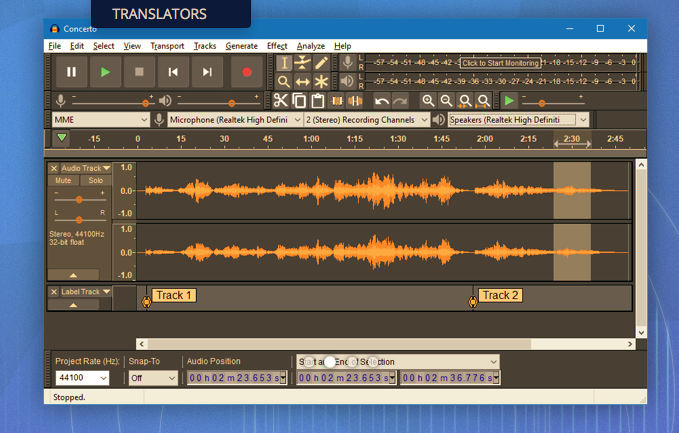
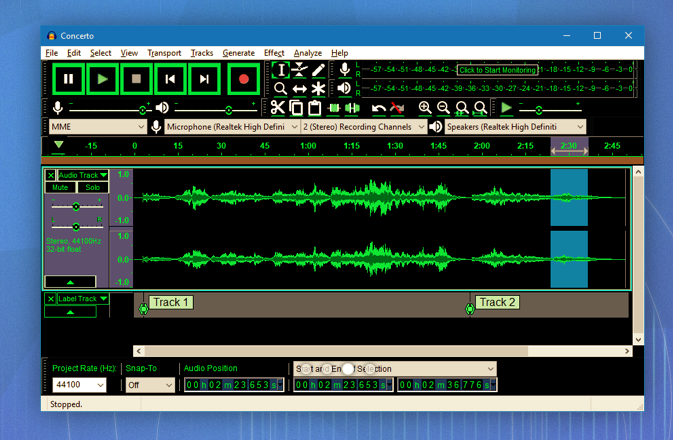
and which can be downloaded from this link. Make sure you choose the right format – Windows or Mac. Below are a couple of screen shots of the software in action, but now (drum roll), I’m going to try another live demo, which I have absolutely no confidence of achieving success, whatsoever!

However, hopefully, Jim will have helped me a bit and it’s not been a complete disaster and it’s good to know that the software is well documented here.

I’ve got a printout of the instructions on how the SoundBlaster card works, and I can make them available if anyone wants to borrow the device and cables.


Difficulties/problems of running Google’s Backup and Sync as a Service

I shared with the Tuesday group some of my difficulties/problems of running Google’s Backup and Sync as a Service which runs at Start-Up. It appears that this is not a problem, but a design feature – no doubt created by Microsoft. You can do this on the Mac, but apparently not on a Windows 10 machine.

The article below explains how you can get round this difficulty. For myself, I’m just going to have to remember to right-click the Backup and Sync Icon and run the application as Administrator every time I login. Sometimes, the simple solutions are the easiest!!!!

https://www.coretechnologies.com/products/AlwaysUp/Apps/RunBackupAndSyncWindowsService.html

Windows 10 Backup and Restore

Having fumbled around for a couple of sessions, learning a lot more about Windows 10 Backup and Restore, and Recovery and Reset, facilities in the process, I’ve found this article that I think explains it all quite well.

In attempting to get Google’s Backup and Sync working on the U3A laptop this morning, I also, eventually decided to do a System Restore to before the Tuesday Group session … it’s just finished, having taken probably an hour for a relatively unchanged system. Be warned and prepared (I checked the web for info on why it was taking so long) … this could take a very long time and would probably be best done overnight!!!

https://www.howtogeek.com/220986/how-to-use-all-of-windows-10%E2%80%99s-backup-and-recovery-tools/