Owen led the meeting as David was on holiday. We did the usual round table followed by short presentations on Windows 11 and the Cardiff U3A website.
Fred: reported continuing problems with TalkTalk especially their email offering.
David H: David has bought a Samsung TV but struggles with multiple remotes. Jim mentioned an article in ‘Computer Active’ magazine describing an app to handle all TV activity.
Barbara: had an issue with her iPad failing to change screen orientation on rotation. There is apparently a ‘setting’ option to handle this but well hidden. She closed down the machine and restarted to solve her problem. [Jim chatted: To control the orientation of my tablet’s screen I use an app, Rotation-Orientation Manager, available in the Android Play Store. Jim]
Renee: was supposed to give a Zoom presentation but ended up in A&E! She has taught herself to use PhotoBooth to video herself and WeTransfer to send the file to others.
Don: is getting used to his new Dell PC. DH has encouraged him to use LibraOffice but every time he uses it he gets a popup about MS Office. He also wanted to reorder the email accounts that he uses to see a particular one first. No obvious solution was suggested except that he might remove all the accounts from his email client and re-add them in the order he wanted, but there was no guarantee this would actually work.
Sianed: asked for advice on the Brave browser as when trying to login to her online banking she receives a message which prevents her progressing. Others mentioned similar issues with other browsers.
Paul: has continuing battery drain problems on his phone. There appears to be an app or service ‘RCS’ which takes most of the charge. It was noted that the NHS Covid app also takes considerable battery usage as it is constantly scanning. [Renee chatted: iPhones don’t support RCS. They use iMessage instead.]
Jim: has been attempting to control his camera using his phone. He noted that when images are transferred to disc they no longer contain some of the desired information embedded in them.
Steven: Looking into removing duplicate files. Jim recommends ‘AllDup’.
Ann: mentioned that Zoom options seemed to have changed and her camera comes on automatically rather than asking her first. Owen said he would check if there had been any recent updates which might have altered this.
Christine: mentioned that emails don’t seem to archive properly. She has had a message from a spoofed email address but realised it in time and did not open any links. Celebrated receiving a date to have an extender from Virgin.
Owen then walked the group through the recent announcement by Microsoft of Windows 11 which seems to have a style revamp and the addition of a number of tools and features. Link is https://www.microsoft.com/en-gb/windows/windows-11 .
Owen then followed on with a demonstration of some of the features of Google Sites which is the software he uses for the Cardiff U3A website. He demonstrated layouts, images, formatting text, the inclusion of calendars etc. In response to a question, he indicated that one shortcoming was the inability to give editor permissions at page level and had therefore had to restrict editor to himself until Google changes matters.
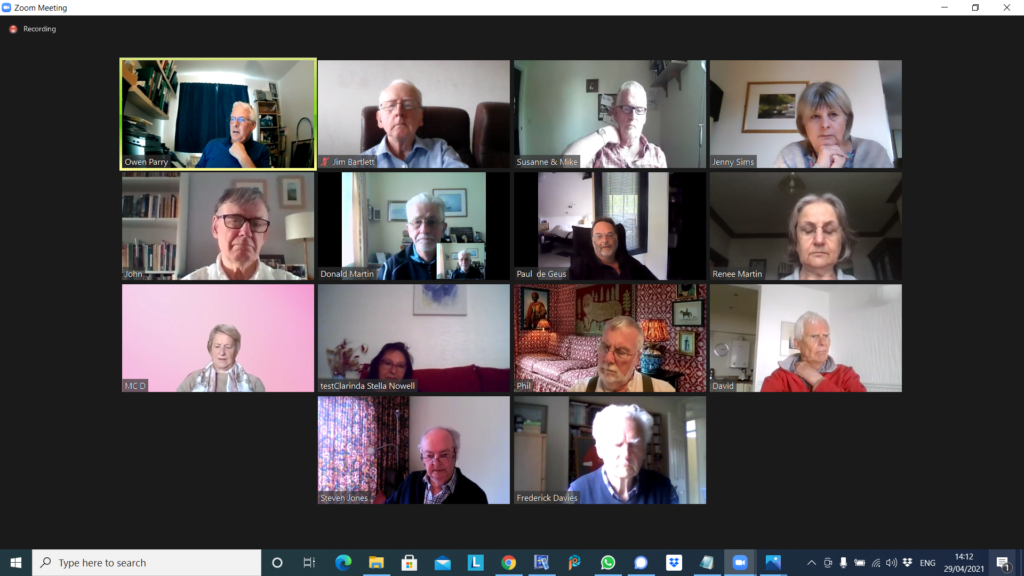
All looking very serious – and I wasn’t disinterested … honest!
In addition to the serious looking faces above, Barbara joined us for a short while until Geoff switched-off the ring main!! We had apologies from Jonathan, Sianed and Christine. We welcomed back Stella who had been suffering from the after effects of her Covid jabs.
We also agreed to experiment with a voice-to-text transliteration system to assist folk who were finding it difficult to follow the audio in Zoom meetings.
I started the meeting by explaining the changes to the website, and doing a quick demo. [I further made some more changes the following day – I note that some of the Help screens, now need new images. They’ll have to wait …] I also was pleased to report that I’d sorted Fred’s Signal installation out, and had finally managed to reply to Phil’s Signal message on using Thought grazing. I offered to help anyone having difficulties with either the website, or Signal, to get in touch.
I then highlighted a few items that I’d added to Flipboard – a lot of them connected to Privacy, which seems a very live issue currently. Apple, after it’s developer’s conference is certainly focussing on privacy, including traps of pixel trackers, it’s intentions to move away from passwords and the addition of FaceID and/or TouchID to Google’s Authenticator – increasing the security of this means of connecting to websites. The EU appears to be going after the way multi-nationals (Google, Microsoft, Apple, twitter and Facebook) export data – an issue I’ve been mentioning for a while – watch this space! The UK’s Competition & Market Authority are also going after Google because of its use of cookies to track users, and usage, in Chrome. Google says, don’t worry we’re going to stop using cookies, and we’re going to give the industry an open-source alternative – FLoC; but it doesn’t appear that anyone else wants to follow. The US Congress is also looking at introducing anti-trust legislation and this is causing the multi-nationals to be a little bit more than concerned and they are lobbying hard against it. Here’s Apple’s plea to Nancy Pelosi. Apple take Privacy very seriously and they have released this white paper which you might care to read.
Mike was delighted with his new speakers which had improved his music listening (from the computer) as well as the quality of his Zoom calls.
Owen reported that he could not recommend the cookie-completion software he’d mentioned four weeks previously. In a test of at least 100 websites, he’d found that it had only worked with 7 sites and in some cases had stopped the websites working. Back to the drawing board! He also reported that the Committee was contemplating a reservation system for when we return to face-to-face meetings to cope with any constraints in numbers and/or social distancing in certain venues. I indicated that I was not too happy with such a proposal. It may not come to pass, however Owen has been charged (or volunteered) to see if the current systems can be tweaked to facilitate this. Zoom has now introduced ‘Live Transcript’, an automated subtitling system. It is by no means 100% perfect, but it should enable those who find it hard to follow in Zoom meetings an enhanced opportunity to hear and see what is spoken. Further information is to be found here. We then discussed how best we might extend the Group to those not participating via Zoom, and I agreed to try to see if any members wanted to join the Signal group.
David H mused on the death of John McAffee (as did Jim later); he reported that the barn was being converted as per his CAD drawings; that he had solved a Samsung phone problem with the radical solution of turning it off, and then switching it back on again; and enquired as to whether anyone had advice on purchasing a new TV. There was a lot of discussion; Steve commended 4K; Ann mentioned the Which? tool to assess size of TV vs size of room, viewing angle and distance from the screen; I asserted that most reviews appeared to favour LG’s OLED technology over Samsung’s QLED technology; we all agreed it was important to assess what we wanted, before we made a decision.
Paul was having problems with rapid battery drain on his Android phone; unfortunately no one had a concrete answer to the problem other than ditching unwanted, unused apps; enquiring whether an update had recently taken place, and again (radical thinking) – switch it off, and back on again!!! Here’s a link that might be useful too.
Don had bought a new Dell G3 system from JLP and it had arrived very quickly. It was so fast, it was like driving an Audi after the Vauxhall he’d had previously (no disrespect intended). He enquired about installing the security package from BT – I suggested to wait awhile before doing that – to try using Windows Defender first. He was going to investigate how to transfer his data from the old laptop. Neil (We will fix your PC) would do it for £30, or put the old hard disk in a caddy for £20. He also enquired about how to get his Gmail onto the new machine – I suggested using Windows native email client and offered to speak to him offline and provide some assistance [which I’ve done].
Phil drew attention to something he’d written about Podcasts which he and many of us use and like and commended CyberClean as a product to clean keyboards. Following the meeting he added another Topic to the Genealogy Forum on one of his ancestors which I recommend you read as a great multi-media experience.
Steve had brought his Sony HX90 camera to show Ann, and she was delighted that after visiting the Camera Centre, she’d plumped for a Sony HX99 for her carry around take pictures of birds camera. A great choice! That or the Panasonic TZ200 would have been my shortlist. He also commended BBC Sounds for Podcasts – good recommendation, thanks! He also enquired whether we thought showing a YouTube video on Zoom infringed copyright – we thought not.
Renee was wanting to look at Tasks in Google but couldn’t find it; we suggested it was included in one of the other members of the Google Office Suite – maybe Calendar. Hopefully this link will help – you access it from either Mail or Calendar.
Finally Ann just told her of her experience (very good) of visiting Camera Centre to purchase her camera which she expected to pickup after the meeting. She was buying a refurbished (but guaranteed unused) model at a discount. All the best – I suggested that she might like to consider joining the afternoon Photography group.
Apologies (yet again), I seem to have a spurt in getting the notes out quickly, followed by a delay so that they become almost useless – except as a historic record – by getting them out “just in time”!!!
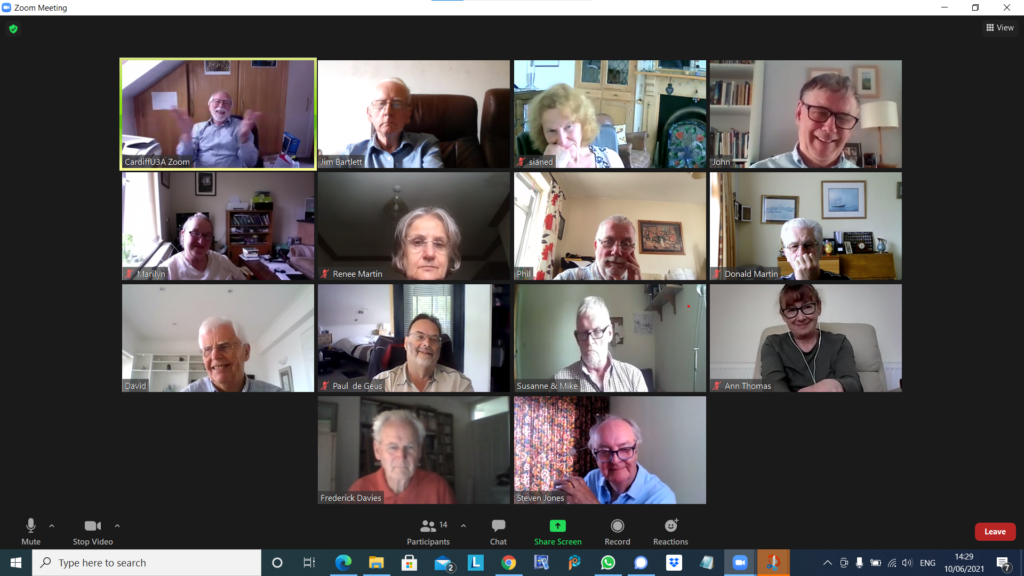
Anyway thanks to Jim for the photo above, one of the best and shows we manage to have a bit of fun! Apologies from Jonathan, Margaret, Barbara, Christine and Owen – who were unable to join us.
I’m pleased to be able to report that Fred and I finally managed to hook-up and have a chat about connecting to Signal, and I did manage to reply to Phil about his message on sending a post to this site. So, it’s not been a complete lack of activity. The other thing has been the stylistic changes to the website that I mentioned at the meeting. These have now moved on again, and I’ll talk about that this afternoon, coupled with a demo of accessing the website, as it’s apparent a couple of you have not managed to login.
So what did we discuss. I went through a number of links which I’ve put on Flipboard – I’ll highlight some of them. The cookie pop-up problem brought to our attention by Owen – which we’ll return to this afternoon as well.
The sharing of patient data by NHS England caused some discussion – it appears now that this does not effect us in Wales – they’ve put off the implementation date now to September 1st. This led on to a discussion on Patient Records in general and the workings of the Patient Information System in Wales – perhaps not working as well as it should with many disparate GP systems not working closely with any centralised system. Also noted that you are entitled to get a printout of your Patient Record, but the practice is also entitled to ask you for an administrative charge in providing it. Then we diverged into discussing Lateral Flow Tests, and I described how I’d been able to receive the test kits within 24hours from a website. It’s unlclear whether we (in Wales) are able to upload the results due to our NHS numbers not being in the same format as the English ones – and the same problem arises with the vaccination passports now being launched in England as an app. In wales there will be a website you can register your vaccination history, etc.
Ann asked about Two factor Authentication, and how it worked – especially with the banks. I explained that the addition of a metric such as FaceID or TouchID (both Apple trademarks) the banks were ensuring much better that the person using their apps were the actual customers. The organisation trusts the device provider to ensure that the person is who they are through their personal credentials – face or fingerprint. If working on a browser they will challenge you to provide a code they send to the registered device they have for you. This is obviously not as secure – remember my SIM swap scam episode of 2019. The other way that the organisation you’re connecting to can ensure it’s you they’re providing access to is by using an Authenticator app, that sends a code to your phone that you then type into the box in your browser. Hence two-factor – the code (or Identity features) on a device different from the browser.
Sianed advised us of the Census scam that had been going the rounds.
John told us about an interesting photography programme he’d been watching – the Great British Photography Challenge – now available on iPlayer.
Renee advised us that the NHS app discussed on the TV was not available in Wales.
Phil had a Victor Meldrew moment and lamented the lack of telephone numbers on websites that made it almost impossible to connect to a person to discuss an issue. Fred suggested keeping a list of CEOs to address complaints to. Someone else suggested using the Companies House website – a good idea!! Someone then recounted the recent case where a worldwide undercover operation had revealed criminals.
Jim wondered whether everyone was having as many Signal updates as he was, and on all devices – we are, and all is OK!!!
David H was pleased to announce that his CAD system was now working and enquired about whether there were any recommendations about property contents only insurance. I’ve also noted that there was discussion on harvesting data from browser searches, and a comment “Zoom and the Arts” – but I have no idea what either of these referred to!!!
Paul had some issues with Google accounts (again I can’t remember what these were); and advised that he had tried out Reader View (as discussed at the previous meeting).
Mike was having problems with the volume on his equipment and I hope the advice we provided has helped in some way.
Steve said he’d setup ICE and enquired about the website What 3 Words to provide exact locations. We experimented!!!
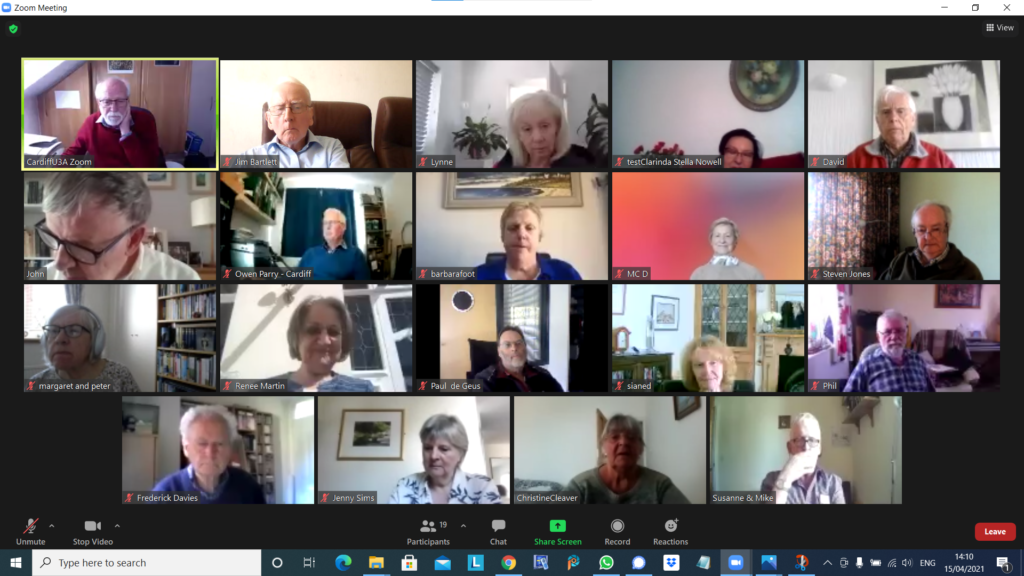
Some very laid-back and happy folk – and you weren’t asked to smile by Jim!
Apologies for the delay in writing the notes. I’d forgotten it was half-term this week with additional grandparent duties … no comment!!! Unfortunately Barbara and Jonathan were unable to be with us and sent their apologies.
Thanks for the screengrab Jim – I don’t think I’ve ever seen as many of us smiling as this shot – someone must have said something funny, and it wasn’t me because I’m laughing more than most, and even I don’t laugh that much at what I say. My guess it was Phil.
Anyway, I promised and failed to get another post out about Google and it’s changes to Drive storage. I did manage to get a link out to the Signal Group “just-in-time”, but only just, so I hope you managed to get Photos uploaded in “high quality” before the June 1st deadline. Any photos uploaded in this quality (ie not Original Quality) won’t count towards your 15Gb of free storage on Google Drive after that date. All photos, of any quality, will count moving forwards. To manage your Google Drive storage, I’m pointing you at this link – How to delete data and Free up Space in Google Drive. I hope it helps. Any problems let me (or Paul) know on Signal.
And for a couple of you Fred and Jenny I think, you were having problems with Signal. It has to be linked to a smartphone app (iOS or Android phone). Install the app from Apple’s AppStore, or Google PlayStore and then see if you can see me amongst the Contacts that will probably be added automatically to your account. If not, add me, telno. 077 8552 4683, and send me a message. I will then be able to add you to the Group.
Following-up from the last meeting – thanks to Steve for adding a post to the blog on Photo Albums. I followed up the future of meetings email I’d sent out to non-Zoom attendees and three responses indicated that they hoped to be able either by getting the time back, or with new equipment, to join us after the summer on Zoom if we were using it. However, a generally held opinion was that a split between in person and Zoom might be the way forward, and that we couldn’t really go back to the URC room we’d been using.
I quickly ran through the articles of note on Flipboard, highlighting the numerous posts from Google that arose out of their Google I/O virtual meeting. I mentioned the advances in Digital Music that Apple’s Lossless Audio stream (to be followed also by Spotify at some later date) would bring, but noted that not all equipment would be able to make use of it. I commented on my problems with getting Apple CarPlay to work, including formerly the regulkar drop-out in service as I passed Cardiff Prison!!! I also commented on the closing of the Apple vs Epic courtroom drama in the US which could prove detrimental (imho) to the integrity and safety of the iOS experience – but that’s perhaps just me. [Spotify have also recently grumbled as well.] Then some good news – a recent courtcase in the UK means that McAffee will not be able to impose a renewal subscription upon a user who might have inadvertently chosen to install software (usually for free) at the time of hardware purchase. Then a couple of articles on GDPR – what it is, and NFT (Non-Fungible Tokens) – the latter being something that Steve told us the Discussion Group had mentioned that very morning! Finally an alert about the sharing of NHS data (in an anonymised form – but not apparently if criminal enquiries were being requested) – which had not been at well communicated to the UK population with your rights to opt-out!
I also tried to put people’s mind to rest about the WhatsApp “scare” message about changing person’s privacy settings. I’d researched this, found my settings HAD NOT been changed, and that the “scare” went back a long way – you can read this article to see the substance behind the “change”. I encourage you to search Snopes whenever you want to find out whether something is “fake news”,or not!
Then we had an interesting discussion (arising out of the GDPR issue) on the problems of clicking on pop-up screens just to get rid of cookie permission requests. Owen came up with an interesting article that had references to a couple of apps, or strategies, to avoid these. He was going to look into this more. I had independently discovered SpeedReader or Reader Mode which seems to work on all the main browsers – Chrome, Brave, Firefox …
Jenny seemed delighted to announce she now had a part-time job from June to September editing a website that was connected to healthcare – policy and strategy. Whilst ticking all the boxes in the person specification, she was not confident of meeting the website matters so might be in touch …
David H was enjoying his experiments with his free CAD program but had drawn some diagrams for the barn conversion … just in case!
Don requested an update on how to get images and videos from wildlife and vehicle cameras. Paul suggested that the software provided by Garmin would probably do the trick, and I suggested that taking the SD-Card out of the camera and uploading to Google Photos using an SD-Card/USB reader should work.
Owen (as previously mentioned) had come across software for controlling Cookie Popups and would report back on how he found it. Coincidentally, it looks as there may be legal challenges ahead as well!
Margaret told us about the Hay Festival online. She also reported a recent case of two people having all their digital devices taken away by police on the basis of their IP address (taken from their router – which had been hacked) pointing to them being “guilty parties”. A wake-up call to us all to change our Router Passwords!
Jim was still proceeding with his duplicate files purge. It was taking a lot longer thatn he’d anticipated, but the software (last meeting) was working well. He also reported on his experience of having hearing-aids fitted and the “magic” that seemed to be employed to detect what was required. Other reported similar experiences with NHS hearing tests and appliances.
Phil had changed his broadband from VirginMedia to BT [I hope he doesn’t regret that decision]. All went smoothly except that he had to spend sometime reprogramming smart bulbs and Alexa. He also reported that he had a new car – a Toyota Yaris Hybrid – Paul suggested that he investigated the MyT app for Toyota to see if he could do “smart” things with that as well!
Steve told us he’d now got both ICE and Libby set up and so far all was working well.
Fred reported that anyone who was interested in vintage cars should make a point of going to Broadway this weekend.
Ann updated us on her experience of using her USB Dual-drive gizmo. All was working well. She’d managed without doing almost anything to download (or upload??) stuff (technical term) from her laptop to her phone (or was that vice versa). It was a bit slow, but very handy for quick backups from her phone. She was interested in recommendations for a telephoto (zoom) camera for photographing birds for later identification at home. This prompted some discussion. I just summarised by saying that look for the quality in the lens as the foremost criteria, and the amount of optical (not digital) zoom that was available. Members noted that Panasonic, Canon and Sony did good cameras that might fit the bill, and more than one of us recommended going to the Cardiff Camera Centre in the arcades to try one out.
Renee had installed the Libby app and had was reading magazines using it. I must try it out!!!
As always, please advise if I’ve mis-reported!!!!
There was no further time for me to talk about Google Drive management (see link at top of Notes) and Facebook Privacy settings – I will do a post on this asap.
I’m indebted to Jim for remembering each meeting to take these screenshots, this one is a particularly good one of the 15 of us meeting virtually yesterday. Christine, Marie-Christine, Jenny Sims and Phil had let me know they would not be attending.
I’m also indebted to you all for your kind words and welcoming back, and can I thank Owen and Phil for stepping in to take the last meeting.
I started the meeting by giving an account of the procedure I’d been subjected to at UHW. I won’t say more. The matter is now officially closed! Owen gave an update on Beacon, and told us the new system (Beacon 2) was now not going to happen, and he was working out how best our Cardiff U3A website could work with the existing old Beacon membership system. I then talked briefly about changes to the website to make the Search box (for Posts) more prominent; a subtle change to the placement of the Flipboard link to make it easier to find; and a brief introduction to the Guides that were available to read online. I also encouraged members to look at the Forums and Topics area of the website and to add their own Topic, or Comment upon an existing one. It’s a much better way of recording help required and advice given than Signal (or WhatsApp for that matter) can provide. Please consider using it.
I then went through the Latest News items I’d stumbled upon and uploaded to the Flipboard magazine. I’m not going to mention any of them in particular again – go and look at the articles on Flipboard, and perhaps browse through old ones – I’m sorry there is no Search facility for Private magazines. The only drawback to a really good magazine interface.
We then went “round the screen” …
Barbara had taken her errant drive into the Apple store, having not had a satisfactory outcome from her visit to JLP (where she’d bought the MacBook as I recall). Success this time and she now had an external connector that had cost a bit, but which now enable her MacBook to read/write to her external disk. She also had a problem with her iPad seeming to shutdown when there appeared to be sufficient power – another trip to the Apple store was suggested as no one seemed to have a possible solution.
David H retold his latest adventure … the re-discovery of a former life. His daughter had asked him to draw up plans for a barn refurbishment. He wondered whether he could find the CAD software he’d been used to using, was nearly scammed but had now found LibraCAD and he was working his way through the instructions/manual to find out how he could use it.
Renee had downloaded and installed Libby (ref. last meeting) and had accessed the Library for her first book.
Jonathan had no issues/problems – but his wife had! We then discussed the problem of an iPad either being too sensitive, or not accurate enough to record the correct key presses. Many of us seemed to have a similar problem. Some suggestions – clean the screen very thoroughly; the screen might be heat sensitive and this might be throwing the keypress off (we thought eventually this was unlikely to be the problem given the number of long figure-nailed folk using mobile devices); the co-ordinates might need to be recalibrated and Ann suggested that this could be done at the Apple store; we all thought it would be a good idea before any visit to accurately record where the problem on the keyboard was occurring. We hope Jules has success in finding out the problem, and for Jonathan reporting back on the solution!
Don had proceeded with his creation of new Gmail accounts for his wife. Hopefully this will resolve any issues with her old account being “pwned”, and the AppleID issue. [Phil (from the previous meeting) felt that a password change on the old Gmail account would probably be sufficient for the first problem, and he suggested that the appearance of the Gmail address in the AppleID might not have been a case of someone having the account, but might have been that the email address had been given by Don or his wife when purchasing an earlier Apple device.]
Steve had also downloaded Libby and was evaluating it. He’d prepared some text on photo books for the group, and I encouraged him to try and add the text as a Comment in this Topic.
Fred reported that he was getting “end of life” warnings on his HP “all-in-one” desktop machine. We re-assured him that this was quite normal and he should only worry when things stopped working, and then then Neil at We Will Fix Your PC might be able to work wonders. [He fixes mobile devices and Macs as well.]
Jim was working his way through old USB sticks, making sure he’d got the contents on his new laptop before discarding them. He was using a piece of software called AllDup to check whether the files already existed on the laptop.
Finally Ann told us about her experiences online shopping from Curry’s where they would bring the goods to your car, in the car park, outside the store; but more particularly she told us about an initial purchase to buy a cable to re-charge her phone (which was unsuccessful as she’d got the wrong USBs (remember my last talk on USB cables – the links to read are at the end of the Meeting Notes – but then told us about a Sandisk Dual Drive USB Type-C device which could store 16Gb and which was only a few pounds and which might prove useful in transferring photos from her phone to the computer as long as she installed the correct software. We look forward to hearing the results!
I contributed a rather interesting feature of Gmail which allowed you to create multiple addresses from your original address, and for adding an identifier to the end of the address that might be useful for filtering Junk mail when you have to provide an email address you don’t really want to have to. These links (on Flipboard as well) are How to create a Gmail alias and How to use Plus addressing in Gmail.
I also mused over whether I’d been wrong NOT to use the email service offered me by Apple as my primary email account and have Gmail as my second account, rather than my primary address; no right or wrong, just a thought. The same would of course be true if I’d been a PC/Windows user – perhaps I should have been more actively promoting Outlook/Hotmail as the primary email service. Who knows!! The one thing I’m sure of is NOT to use an ISP service such as Virgin, TalkTalk, BTInternet etc.
We closed the meeting by discussing what format meetings might, could and should take when Covid restrictions were lifted. It was felt that Zoom had worked well and that a regular cohort of members had experienced and got benefit from virtual meetings; it was a good tool for a digital group to use; that we ought to try and present any face-to-face meetings in the future in the same way as we had for the virtual (Zoom) meetings; that social (face-to-face) contact was equally as important and that members benefited from casual conversations outside the meetings and from being able to bring machines in with them; also the serendipity effect of the added things you can do in the city alongside a meeting – once you’re there; that we had a duty to consider those members who hadn’t felt they wanted to attend Zoom meetings; [I advised the group that I had sent an email to those members to try and find out if there was any reason why they hadn’t joined]; but above all we agreed that a return to the old room at URC was just not practical for large numbers, and that the quality of the WiFi just wouldn’t permit any pleasurable experience. We all agreed that possibly a hybrid-solution – one meeting Zoom, the next face-to-face, might be the answer.
… Ann mentioned an app that the Emergency Services like you to have installed on their phones which is called what3words as it enables them to pinpoint quite accurately where you’re contacting them from. You might like to consider installing it on your phone as well as following the advice contained in the link at the bottom of the post I wrote …
Thanks Owen and Phil for holding the fort for me. I understand that you had a great meeting and that Phil gave you a presentation on the subject on Online Reading and using the Library service, the PDF of his talk (with notes) is available here. Owen had to handle a number of “strange” Zoom problems. Beyond the call of duty – many thanks!
Jenny opened the meeting with a report of the NPC’s Response to a House of Lords Select Committee – the Covid-19 Committee- and she advised that they will be lobbying to make sure that they are not by-passed in consultation in preference to the usual suspects, ie AgeUK. The report is on the Cardiff U3A website at this link – https://data.cardiffu3a.org.uk/documents/groups/computer/HoLReportBeyondDigital.pdf – I’m sure Jenny would welcome comments on the Report.
Don needs to buy a new computer and hoped to view a Which? report at a neighbour’s house. He was also hoping that he could persuade his wife to get a new email address as it had been “pwned” and also that there was a problem with her AppleID – she needed to change it urgently!
Paul then had problems with his audio.
Renee had some success at date-stamping her photos for the iPhone – she had found an app Date Stamp Camera – which gave location, time and date on the photo. This might be of use to the Photography Group as well. The basic version is freel!
Marie-Christine had no progress yet with BT and her “deliberate feature” problem. Owen commented that he thought all keyboards should have a key “Just Do It!”
Stella advised that she was having problems with highlighting links so that she could highlight, copy and paste. Owen then shared his screen to demonstrate how that could be done.
David H was thinking of re-furbishing his flat and was waiting for the Conservative party to offer the funds.
Steve had prepared something on Photo Books for the website and was wanting to post it to Thought grazing. [I obviously had forgotten to give him rights – slapped wrist!] Owen thought he might have rights to post, and would look into to it. He also wondered about Chrome Books as a possible replacement for a Laptop – had Don thought about this as a possibility? Phil advised that they had been around for 8-9 years, operating system always up-to-date; data stored in the cloud. He thought at first they might be a good idea for us, but actually a laptop not much more expensive. Not a replacement for a tablet – a very different type of machine! Paul backed this up!
Fred still “bouncing along” and visiting family in England; not much computing in terms of computing needs.
Paul (after re-booting his machine) had reduced his Google Storage, and seen that he could reduce the amount stored as attachments to Gmail reasonably easily. Most of them advertisements. Photos for instance were still in gmail even though you’d saved them to Google Photos. Jenny asked how she could see how much of her storage was being used. Paul said that you could click on an image and select “Manage Storage”; the other alternative was to look at the bottom of the Gmail window – Owen suggested that perhaps he could do a presentation for a future meeting.
Owen reported that quite a few members were not urgently requesting face-to-face meetings before the autumn. There was an “in memorium” page now on the Cardiff website.
Phil then commented on Stella‘s “copy and paste” problem; he was a strong advocate of the MacBook Air (supported by Renee); he also suggested that the AppleID problem might be down to the Gmail account provided to Apple at the time of buying an Apple product; also a simple change of Password might solve the Gmail “pwned” problem. He then led a presentation on On-line Reading, which is referred to at the top of this post. You need to download an app called Borrowbox – but this has been superseded by a different app which you can use for magazines as well called Libby. He then went on to describe buying books for the Kindle, and he told you that you could load some books for Apple devices as well, [DIH: you don’t need to buy a Kindle device to read Kindle devices – you can just load them into the Kindle app which you can download to your mobile device – and buy them from Amazon]. Audio books can be obtained by subscription using Audible; Apple books can be bought as single purchases, some “classic books” are free.
Owen reported that he was an Audible subscriber and it costed £7.99 a month which allowed access to one book a month, but you can for £6 get more. Renee advised that she thought the Library system seemed not to be working just yet. Jenny also reported that Grangetown Reading Club was able to lend books. Paul was quite excited by the prospect! Don advised that he’d been able to download old Parish maps through Llanishen Library, and Owen reported that the National Library had an online collection of Newspaper Articles.
Owen then indicated that the group would send “good wishes” to me!!
Belated notes from our meeting, I’ve been unavoidably occupied elsewhere – thanks for all your kind wishes.
I started the meeting by reminding members that using the Forum/Topics was a good way of recording issues/problems that you might wish to look-up at a later date. That’s what we used to do when we had the Google+ Community available to us. I then said (incorrectly, and I’m grateful to Jim for the correction) that it was impossible to search on WhatsApp and Signal. It is, possible, but it’s not easy, and certainly you can’t pick-up a topic raised and discussed in a thread easily. I had added a few items as a result of queries raised at the previous meeting as Topics in the Photography and Computing and all things Digital Forums. I also noted that Marie-Christine had raised a Topic, which I’d been unable to answer – but during the course of the meeting that followed, Owen, and others, came up with a possible answer to her question. I also drew attention to a slight correction to my notes from the previous meeting that Paul had made on his TalkTalk Broadband contract.
Owen who noted that the Committee had discussed mixed-mode meetings but there was nothing much further to report, but our comments had formed part of that discussion. He also noted (worryingly) that URC now did not have a working lift, so use of it as a venue for future meetings must be under threat.. He noted that the Third Age Trust were offering online IT “tutorials” in conjunction with Barclays’ Digital Eagles. He gave a doubtful update on any future version of Beacon for our membership system [this was later updated by email to … “not in the near future, if ever and legal process was being followed with the contracted supplier”]. In the meantime Owen was putting his coding-skills in operation to look at ways of enhancing the interface between Beacon and the Cardiff U3A website.
David had recently done a switch from O2 to Sky on his mobile services. Not sure whether that included broadband as well?
John reported that he used Google Photo Books, and was pleased with the results, he thought that 144 photos cost in the order of £79 for a book (soft cover) and £99 (hardback).
Steve informed us he had been loking at Google Keep, Trello, and had starting using Flipboard. I agreed with him that Trello was a very good app to help with planning and organising things – my son relies on it a lot.
Paul was looking at his Google storage plan and advised us to go to Google Drive on the web (through a browser) to do the deletions. He also wondered how to delete Google Accounts AND delete content. That’s not so easy as it sounds as Google likes to hold on to information. On the other hand Google is very good at passing content on to others when your account has become dormant because of death. We suggested that the “simplest” solution to an unwanted account might be just to delete the content and change the password.
Because of an issue with RAW photos in the Photography group, Jim had researched ways of changing RAW images into JPEGs, and discovered MS Photos (and RAW Image Extension) as an easy way of doing that. He’d also discovered that his installation of the Outlook mail client had a very long safe senders list and he was looking at ways of “pruning” it, as well as adding certain users to it (ie me!!!!)
Jenny updated us on the submission she’d been working on for the National Pensioners Convention to OFCOM on the switchover from copper to fibre, representing the need not to leave a vulnerable community excluded on the basis of cost, or availability. She had also been involved in a letter from the Gen Sec of NPC toOliver Dowden on the need for more skills training, and updated us that Jenny Philips (Digital Communities Wales) had recently given a talk to the Wesh NPC.
Christine informed us of a scam text message she’d received – I advised the meeting that typing a telephone number in a browser search box would ofter give a quick indication of whether the message (or call) was a genuine one, or not.
I then gave a presentation on types of USB cables, interfaces and standards. The relevant links to videos I showed are given below …
I thought I ought to write a very brief post to outline my position on WhatsApp now that the deadline for accepting their Terms and Conditiond os Use (Ts & Cs) is fast approaching. You almost certainly, if you hadn’t accepted them earlier, will have begun to receive reminders to accept them or have your rights to use the app withdrawn. They are quite within their rights to enforce acceptance, you/we have no rights in this matter. It is a free app which we have free access to use under the Ts & Cs that Facebook choose to offer the app to us for use.
As explained in an earlier post, my immediate worries and concerns have been mitigated for the moment – and I most certainly will not want to conduct transactions with businesses through WhatsApp – so I will decline that option, and I will accept the new Ts & Cs next time I open the app. For how long my acceptance will be relevant will depend upon Facebook. Should they procede to withdraw their data centre from Ireland, to remove legislative scrutiny from the EU – which we currently, and fortuitously, gain benefit from as part of Facebook’s “European Region” – then I almost certainly will cancel my membership of all Facebook services, including Messenger and Instagram as well. I just can’t trust Facebook Inc. That’s for another day, and for the moment I will just try and ensure my Facebook app privacy settings are to my liking!!