Notes from Zoom meeting – 2nd July 2020

I’m late again, writing up the notes, so it will be interesting to see whether my memory is better than the last time when this happened. My writing is worse than a doctor’s so that can tell you how bad it is, so between that, and my memory, please excuse me if I’ve forgotten something. In my defence however, I did all the actions required of me before I went for supper last Thursday, so I got them out of the way! You can see them in the WhatsApp group, and Paul added an item there as well about Printer Ink – of which more below …

Paul mentioned his Zoom quiz, and it appears quite a few of us are taking part in these; he also asked whether there had been any solution to the Google Mail problem which he’d raised a fortnight before (and I can’t remember what it was …) and which Owen had kindly “volunteered” to look into.

Fred (a self-confirmed “zoom virgin” – his words) had been mainly involved with various DIY projects around the house, something which I reluctantly have been engaged with as well!

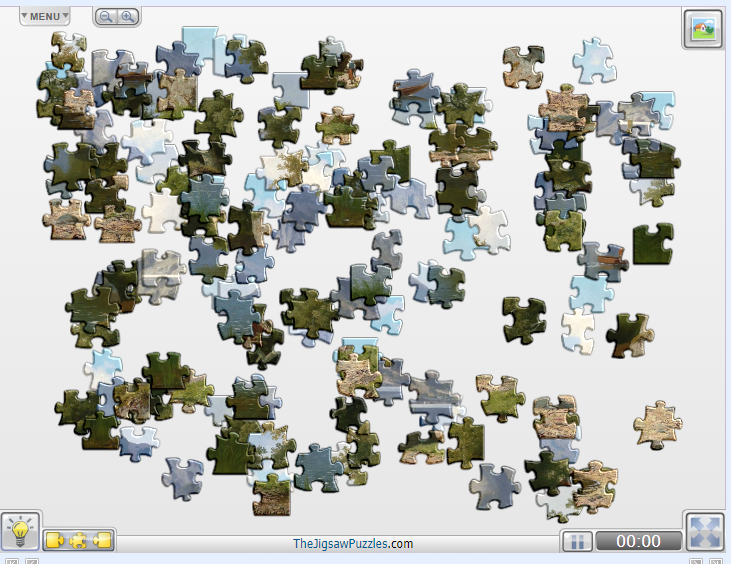
David H told us about the preparations for his Vale of Glamorgan Planning Appeal video-conferencing session – we look forward to the report of how it went. He also let us know that for £3 his daughter had allowed him (legally) to piggyback on their Netflix account. [ Me, I’d have said thanks very much and then forget to pay :-)] Phil reported that he thought Netflix were reducing the number of films they were streaming in 4K due to bandwidth demand, but there’s plenty of 4K content on YouTube such as watching the BBC Tuning Page of years ago. [I wonder whether the reduction of 4K content on Netflix is related in any way to the tiers of bandwidth service that are being marketed in the US – something that the Internet Society campaigned strongly against as it heralded the introduction of two- (or multi-) tiered services which was against the philosophy of the Internet as being an equal service to all. I’ll look up a bit more on this before the meeting as it relates to the theme of Corporate Control of the Internet in a way as well.] David H also recounted his pleasurable engagement with computerised jigsaws and has written an article here – many thanks.

Stella recounted how her conversations with BT about upgrading her broadband were proceeding – they weren’t; every time she called them the price of what she was already getting was going up. We had a general discussion about broadband providers and I created a Topic on the subject here, that you might be interest in reading, and contributing to.

John advised us about an offer pushed through his door of his apartment in a group of flats inviting him to get broadband collectively for the residents for £39.99 each. We all thought this was a bit expensive. He also told us that he’d done a full migration to Win10 now on his desktop, had shed MS Office and was now using LibreOffice. He also told us that he had a new Covid-Project – taking pictures of clouds. Very restful. I look forward to seeing some of the outcomes if we ever get the Lightroom Pantry group going again.

Jim had bitten the bullet and decided to subscribe to Flickr Pro (£55.88pa, but reduced for 2-year subscription), and was pleased that there were no adverts as a result. He continues to weed his photo collection providing tags to them to assist in search recovery.

Renée was engaged in more and more Zoom meetings (3 that day) and all was going well.

Don had discovered an old Logitech 300 camera he had which he’d connected to his computer and which was improving what he could do because he could move the camera rather than rely on the built-in one. We then had a discussion about HP providing an email service (£3.50pm) to monitor ink levels and send out replacement cartridges when they were needed. Paul told us about IJT (details in WhatsApp group) who he’d found very good to provide replacement ink cartridges.

We celebrated with Ann her backup of the BIOS on her Lenova IdeaPad 320 (4Gb) before upgrading the BIOS and all the other work she was doing on the machine.

Phil told us about his latest project – a computerised (Raspberry Pi) microscope and showed us a picture of a dead fly to prove his success. He also entreated us to support a campaign he was thinking of setting-up to get things (what???? – my notes fail me) in the right order. He recommended a channel UKTV Play to watch loads of old TV. What he failed to tell us (perhaps he didn’t even know) was that he was to appear on a five-year old re-run of the The Chase that evening!

Christine recounted the sad demise of their TV which broke as it was being replaced by their new Cello set – perhaps it was trying to tell us something? Anyway, it’s in the skip now!

Finally, I talked about the installation of a new Netgear Orbi Mesh router and WiFi system which took up most of Father’s Day – the best use I could imagine for such an artificial American concoction. I also talked a little about the new Edge browser and difficulties a member of the Photographic Group had using it with Flickr, and I explained that this often happened with new browsers and old web pages which didn’t keep pace with technological change. His problem was solved by using Firefox. I expressed the view that I thought Firefox might be making a comeback as a secure and privacy-focussed browser and promised to look more into it for a meeting at some point in the future.

A couple of members (Mike and Marilyn amongst them) had nothing to report.

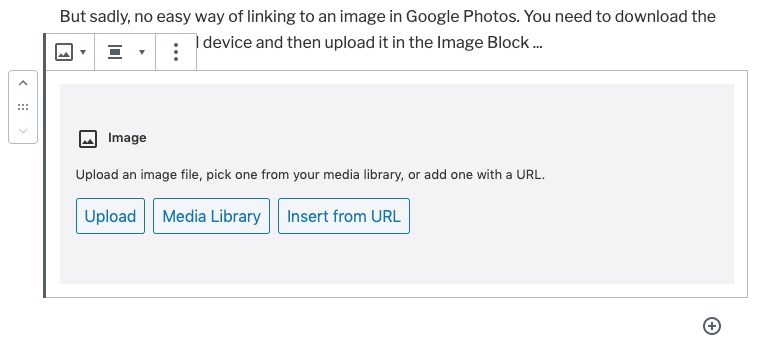
After the round-the-screen session I gave a brief demonstration of using the Block Editor to create posts on the site – I was delighted to see David H had used it in the last week.

Jigsaws

I purchased a 1000 piece jigsaw just before lock-down from a charity shop for the princely sum of £2. It appeared to be complete, but after a week of frustration, I concluded there was a good reason why it only cost £2. So in the bin it went, and I thought of buying one online from Amazon. But at £15-£20 I decided to look elsewhere and found this free site, which gives you free access to a vast number of jigsaws.

You will not find any 1000 piece puzzles, but a lot of 100, 150 and some 200 pieces, which will provide some variation in your lock-down status.

HAVE FUN !

Demo of Gutenberg Block Editor

Watch this video from YouTube – amazing driving!

Below is an embedded link from Flickr …

Flowers-20200524-10247.jpg

But sadly, no easy way of linking to an image in Google Photos. You need to download the image to your local device and then upload it in the Image Block …

There are more links and videos which you can read, and look at, from links in the Help menu item – How to write an article.

Notes from Zoom meeting – 18th June 2020

I’ve learnt my lesson from last week and am writing up the notes immediately. First a set of topical points/issues, and then a report on “What we do with our computers”.

Paul reported that he’d been experiencing Gmail opening, closing and then re-opening when using a browser on Windows? Is this a Windows thing, a browser thing (Chrome), or what? Owen was also experiencing it (but Renee on a Mac using a browser wasn’t). Owen undertook to investigate. Paul also asked whether anyone knew whether there was any advantage in responding to the request to Archive when prompted from Photos, or Mail on Google. I promised to look into this.

Renée reported that her Zoom meeting (one including participants from Italy) had been a great success. She wondered whether being “upgraded” to be given more time, when she thought she was only going to get 40mins was a standard thing. Group members seemed to think that maybe this only happened on a first call, others seemed to think if there was less than 3 participants the “upgrade” was standard; others thought the “upgrade” to more than 40mins could happen at any time – perhaps this is a factor of what the demand at any time might be?

Owen commented that some Zoom meeting hosts had implemented Mute participants on entry when it was a talk (History Group). I discovered that I could Mute All at any time – if I wanted. We’re all learning about this new technology!

Stella was still investigating a dongle, or method for connecting her TV to headphones using BlueTooth. We talked around the issue, resolved that if the BT version was higher than the device version, it should work; but then decided that actually what Stella required was a device similar to the one that Paul/Jim had researched for Marilyn – Paul suggested this one back in October (the Search facility in WhatsApp actually works!!!). I wrote then “I did a bit of googling on the bus on the way home, and all I would (probably stating the obvious) say is that what you should be looking for is a device that attaches a Bluetooth TRANSMITTER (or one that handles both Transmitter and Receiver states) to the Headphone Jack” and I sent this link to Marilyn in addition to the one Paul had sent.” In the meeting Phil suggested that Stella also look at this page.

Phil told us about a website he’d created for a Music application. You can see it, and try it out from this link. He also told us about the book he’d just finished – Teething Troubles – and which was available in eBook and print (from Amazon). More information about it is to be found here. He also invited us to use the quiz he’d prepared for his family, which is available on his website here with the answers here. He also thought you might like to see this from twitter.

Ann told us about her need for an Office application as she had misplaced her licence key for MS Office. She’d looked at Google Docs and OpenOffice but because she thought the documents were always stored in the cloud (they aren’t) she’d taken out a subscription to Office 365. I suggested that she looked at LibreOffice –  a successor to OpenOffice, and one that works better with PDF and .docx files (imho); it has the following components – Writer (word processing), Calc (spreadsheets), Impress (presentations), Draw (vector graphics and flowcharts), Base (databases), and Math (formula editing) all of which (to the best of my knowledge) are compatible with Microsoft’s packages.

Don told us about the positive experience he’d had using software from Wesley Media to attend an ex-colleagues funeral. When working on a tablet he was able to pinch the image to feel more intimately connected to the ceremony; something he couldn’t do on his laptop. He also reported that he’d tried using Brave, but had been a bit disarmed by the security controls which also incidentally prevented the software just mentioned from running on anything other than Chrome. I reported that this was quite normal and that some pieces of software are written just to run on particular browsers. Although Brave uses the same engine as Chrome (called Chromium) developers write code for specific browsers and so I often found I needed to use Chrome after I’d also tried it first on Safari (for the Mac). I also reported that I’d read some good reviews on Firefox recently, and this one too, and this might be an alternative to Brave if the security controls were too restrictive.

Christine reminded me that she was still researching a TV replacement and looking at 4K. The advice remains the same, it has to be a large display to make 4K useful and worthwhile. Also the quality of the display is related directly to the price you pay. Whether a less-costly option, such as Cello, is worth looking into – I wouldn’t like to say [Amazon]. My criteria would be as little SMART as possible (use a secondary streaming device, eg NowTV or Roku, or Amazon Fire, or Google Chromecast); as many HDMI ports as possible; optical output for sound (if you want to connect to a soundbar, AV system or HiFi) and the correct display size for the room – not in that order!! She also enquired whether anyone had used Jitsi Meet for video-calls. I said I hadn’t but I thought sticking with something I knew, Zoom, would suit me for the time being. I did say I would look into it though, as I would look into Cello.

We then had a general discussion about what applications we used on our computers.

Jim used some photo-editing software (Paintshop Pro, and ImageGlass – which was looking promising). He was a Fb user and used Flickr a lot as well.

David H valued the computer for access to online newspapers and apart from the Office applications he also used it for shopping and banking. He was a born again LastPass user!

Christine used her computer for general organisation – meetings, searches etc as well as buying/selling on Gumtree/eBay, printing labels and genealogy.

Don also used his computer for genealogy and printing (including labels) as well as the office apps and banking.

Ann (aside from her iPhone/iPad) used the computer for backing-up photos and music, ripping CDs, and doing office apps (eg accountancy). She particularly enjoyed watching the video content from the Hay Festival on her laptop.

Phil has an involvement in his websites, and uses Fb and twitter – which he said was valuable in times of crisis – I’m sure he has a keen and acute Fake News detector employed!He does online banking. We talked about the risks of online banking because Ann wouldn’t do it. With the recent enhancements to the web browser access to banking, it was probable that there was little difference in safety between mobile apps and the web browser access method.

Stella enjoyed music and DVDs on her machine as well as buying and selling. She also liked to be able to read foreign (Italian) newspapers which kept her in touch with events there.

Marilyn used her machine for photo-editing and had an Adobe Creative Cloud subscription. She watched quite a lot of YouTube videos to further her knowledge of photography, and followed a Welsh duo-lingo course online.

Sianed used her computer for banking, duo-lingo French and some proof-reading of documents sent to he by her children.

Owen was rarely far away from his computer with the U3A website, Beacon administration, Zoom administration and Writers Group internet presence to manage … but he did find time for Fb and banking!

Renée had discovered Zoom to be a pleasurable experience with friends and bookclubs. She loved the fact that you could attend conferences and take part in webinars without having to travel to London! She was also enjoying being taught IT by her grandchildren – Giffy. Another online banking user.

Paul did most of the above but enjoyed using the internet for researching prospective purchases. He also told us about a Dutch news aggregation site – DutchNews.nl which looks rather interesting.

And me … websites, photography, banking everyday (takes seconds and I remember the credentials to login because I do it all the time), researching (RSS reader – Feedly), bookmarking research (Pocket), publishing (Flipboard), music (iTunes -> Apple Music), etc etc.


My first encounter with computers – notes from meeting

Ted told us he’d managed to avoid computers until he started work then it was a PC – a heavy laptop which he took home (possibly a Compaq) on which he used spreadsheets like Lotus 1-2-3.

Judith came across computers first when she started doing office work as a “temp” then later in the 60’s and 70’s she learnt how to use a word processor that led to her having an Amstrad PC at home eventually.

Phil told us his involvement with computers started in the mid-10980’s through the Micro-electronics Programme for Schools (MEP Cymru??). he went on courses; then got involved with using a BBC-B in school and we shared a laugh at the way it loaded programmes from Cassette tapes and how you could type-in programmes from magazines such as BeebUser. Two he remembered were Base Invaders and Flight Simulator.

Christine first encountered computers when she started working in a bank and saw a machine room; that persuaded her that this environment wasn’t for her and so she moved to a local authority computing and schools where, like Phil, she used a BBC-B.

Ann also used a BBC micro in the late 1980’s. She went on several courses, leant quite a few pieces of application software and then went on to learning more advanced computing topics such as Oracle Database, C++ programming and learning about computer security.

Marilyn didn’t use computers in work but did buy a Tiny PC fro a shop in town, She has been amazed at how much she has learnt from her use of computers including finding out that from a BBC website that there is a recording of Tennyson speaking his works online that was originally recorded to wax cylinder.

Stella attended a Beginner’s Course in Computing when she was living in London. She had an Amstrad PC 1512 and thinks she probably worked on an IBM machine as well at that time. She’s impressed (like Marilyn) in what she can find online and cited the Enigma Machine in the National Archives (at Kew) as being a great example of a resource.

Mike didn’t use the computer much in his work until it was necessary to complete MoT work (garage). His claim to fame is that he had three Sinclair ZXs and broke all three of them.

Thanks to you all, and of course the others who talked about what they’d written here …

Notes from Zoom Meeting – 11th June 2020

The meeting had a theme … “My first encounter with computers” and I’m really grateful to those members who applied fingers to keyboards and wrote something. You can see the list of submitted articles, and my notes from the contributions at the meeting here …

… but first we went round the screen finding out if there were any issues, or updates on issues from previous weeks.

David H. reported on his rather slow Broadband. There was general agreement that 13Mbps Download, 1Mbps Upload could be improved upon.

Paul (and Sianed as well) reported that the Windows Bluescreen that had been reported the week before had now spread to his machine which had necessitated a re-installation of his printer drivers. A general feeling that if you have the option to Click (to get round a warning message) this should be taken – several members had done that recently. Paul later reported that the problem had seemed to have “gone away”.

Renée asked for advice on Zoom as she was about to host a meeting. I pointed her to a webpage I’d written, and also sent her some screenshots which I also copied to Jim as he was going to do the same shortly for the Photographic Group.

Don was experiencing a Norton ant-virus Pop-up message in Gmail. It was felt that this was a scam, and should be ignored. Phil suggested this was a phishing scam and that we should all look at our browser extensions to see if there were any installed we didn’t ask for, or weren’t using. Good advice! I mentioned that it might also be a good idea to look at using another Browser such as Brave, or Firefox.

Margaret was having a struggle getting all her old WhatsApp chats onto her new Galaxy S Tablet. She’s used SmartSwitch to do most of the transfer but WhatsApp was not behaving in a friendly manner (probably due to it not being a Tablet application) and had needed many keys and tokens to do the transfer(s). However she’d found a way around the problem and hoped to have finished the transfer soon.

Ann was going to do a BIOS update on her Lenovo – my notes don’t tell me why and I’ve forgotten. We suggested finding a BIOS update program. Again my notes fail me but I seem to remember someone (Owen??) found a solution.

I must have been asleep. I’ve got a note that says Christine – mail/TV Cello – what does that mean?!!

Phil went through a number of things. He recommended that 4K was great for watching hi-res You-Tube videos, Paul remarked it’s only of value if you’ve got a large screen. He recommended a video to watch from Michael McIntyre – he later sent the link to the WhatsApp group. He’d setup a Netbook with a slideshow – why?? [My notes again let me down!] Also I’ve written Family Zoom and webpage??

Judith was getting an error on her Virgin Home Page and we recommended she should look at the Status page perhaps for some further information.

Ted talked about how you could get better quality audio for people with difficulties in hearing and there was a prolonged discussion about using AV Receivers; and also different modes on the TV set itself.

Apologies for incomplete notes. I’ll try and do better next time.


My first encounter with computers

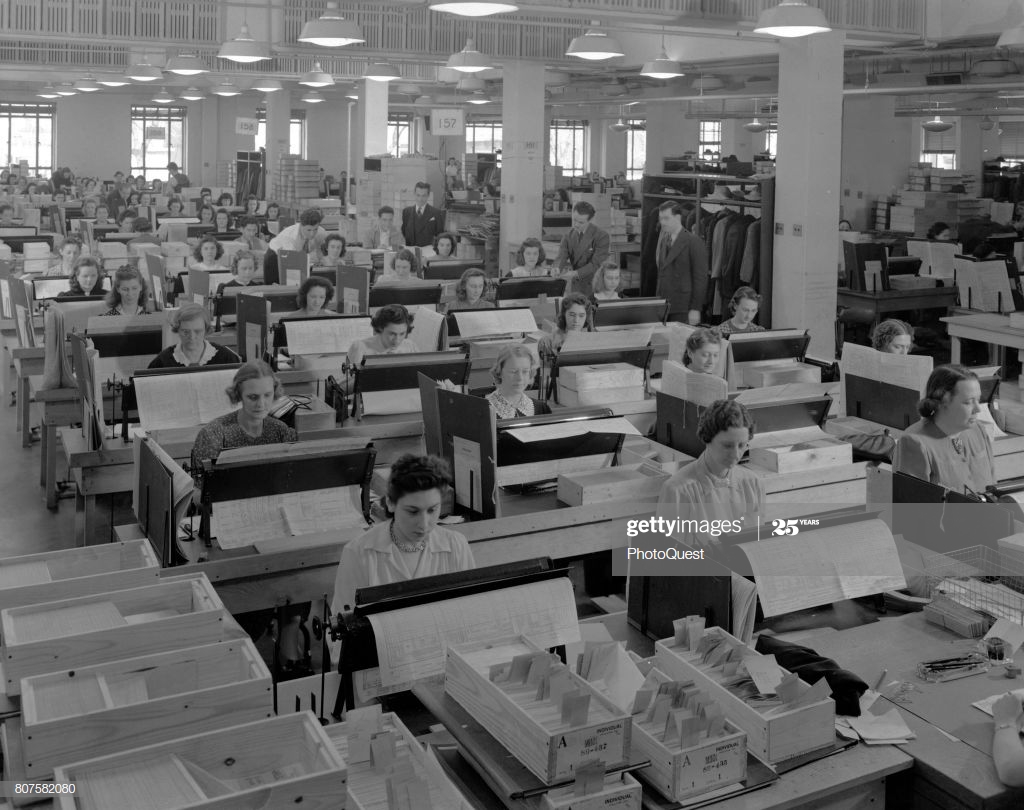
When I went to work in the Royal Insurance in Liverpool in 1962 they had installed  a computer system to the building I worked in.

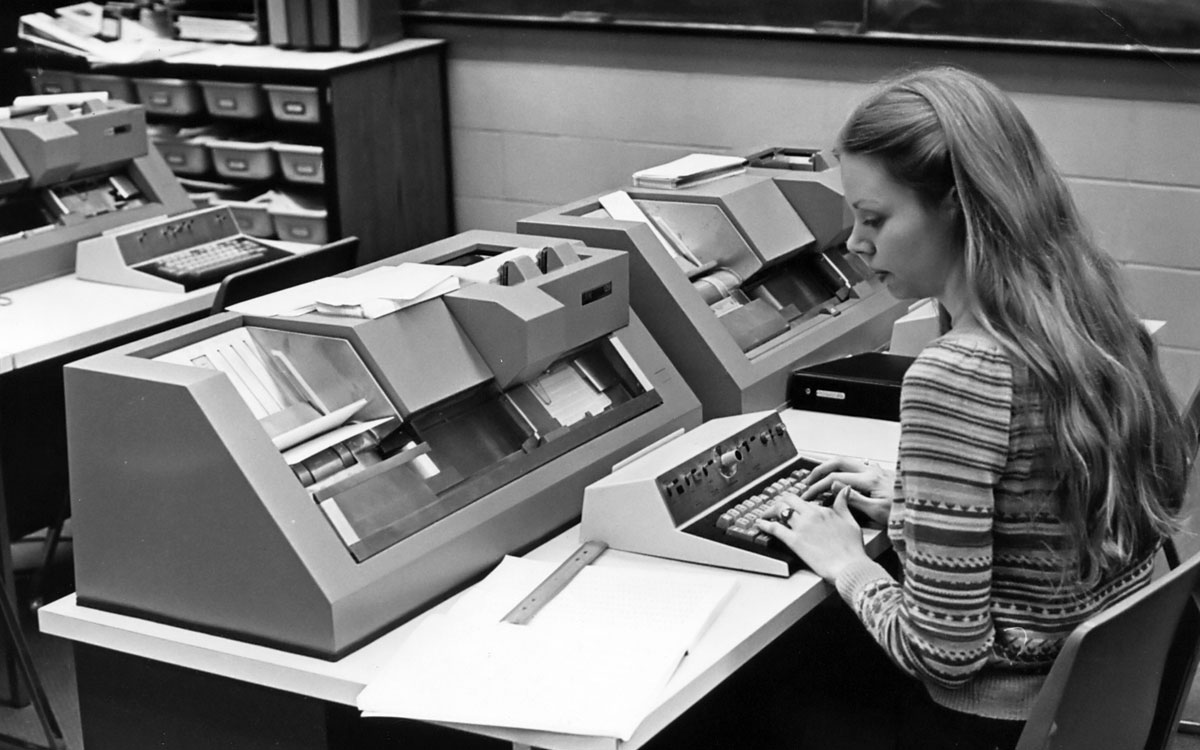
More than fifty people, mainly young girls, would enter information on punch cards in a large office on the first floor. These would then be taken to the computer room. This was a big room, which was kept at a certain temperature. There were no windows and it had a viewing gallery around it, as we had many visitors, who came to see what we were doing.

The room had a bank of collating machines, which sorted  the punch cards and also a lot of printers. Off the main room was an office with some engineers, who serviced the machines and dealt with any problems, which were fairly frequent!

In a separate room there were about 20 programmers, who did the programmes for the machines and who thought of themselves as being a class apart!

I think that there were other machines in the main computer room but at a distance of over fifty years it is difficult to remember.

Anne Martin U3A, June 2020

My first encounter with computers

It seems I was relatively late entering the world of computing.  For Christmas 1993 I treated myself to a Psion 3A, from Argos.  This little marvel taught me about word processing, databases, spreadsheets, and even basic programming.  The screen was black and white of course, and there was no web browser, but still…  And the RAM? 256K! Not enough for even one small image these days.

I don’t remember when I first got to use a PC, but my first email, internal to the BBC and using my department’s log-in, was in April 1995.  I got my own log-in two years later.  In 1996 I got interested in writing web pages with HTML, which led to me having some formal training, getting involved with BBC Wales’ first web site, and then looking after my department’s pages on the Beeb’s intranet.

I didn’t get my first laptop until October 2007.

Jim Bartlett, June 2020

My first encounter with computers

For me it would be being introduced to an ICL 4130 (formerly an Elliot Computing 4130) mainframe and the use of punch card decks. I was instructed on how to program the computer using the computer language Algol-60 and I had to write the code on sheets that were then punched by punch card operators. Somewhere, I have a booklet which describes the machine … somewhere!

Anyway, by the time I’d got started on my computing life the 4130 was getting a bit long in the tooth and the form for Universities in those days (remember everything was centrally funded by the Universities Grant and Research Grant Committees of the Education Department then) was to get a visit from the Computer Board – a group of the wise and worldly (it must have been, I went on to serve on its successor body much later on – the Joint Information Systems Committee) who would adjudicate whether an institution needed a new computer or, if it was between its regular visits, whether the Computer Centre needed new peripherals such as disk drives, printers or plotters. As a research student (at UCW Aberystwyth) I, along with my other researchers were fully prepped to be able to say the right thing just in case one of these visiting folk asked a question. What fun! The preparation must have paid off because we got a new machine.

The ICL 4130 was replaced by an ICL 1900 series machine running George 3 – a proper operating system [I think a second machine was purchased later on and they were linked so that one could handle batch punch card jobs and the other handled teletype terminals and possibly output]. Of course this was the time when Computer Operators were needed and they ran jobs (including back-ups) overnight and had to be in attendance to change magnetic tapes, and handle printed output – a lot of which was created by me!

I was teaching myself multi-variate statistics, mainly based on linear and multiple regression models, but also principal components and factor analysis and using standard programs which I modified in part to my research subject because I needed mapped output, on a line-printer! The main program I worked with however was written (in Fortran IV) by David Wishart from St Andrews for Cluster Analysis, so I learnt to program in Fortran and this soon replaced Algol-60 as my preferred programming language. This program and its adaptation to spatial analysis (in which I followed the work of a fellow researcher called Stan Openshaw who was using the technique in human geography to group together similar grid cells from maps) was to take up a huge part of the next 10 years of my life as I worked hard to avoid actually going out to do any field work on my research topic “Contemporary Erosion in mid-Wales”. Most of my jobs were by now being run by remote job entry at the Manchester Regional Computing Centre as the size of my data set was too large to run in the UCW Aberystwyth Computer Centre.

It was an exciting time to be a geographer and books and monographs were being published on quantitative geography amongst which were ones in the Institute of British Geographers CATMOG series, still in my possession, by a certain John Silk. A lovely coincidence that brings John and myself together and allows us to reminisce on the early 1970’s and “the quantitative revolution” as it was called by some!

Through the 1970’s I returned every summer holiday to Aber, and camped at the top of Penglais Hill to get time on the mainframe. In between these visits I would sit at a teletype at Doncaster College of Education, where I was now a Lecturer in Physical Geography, and submit jobs to the IBM 360 mainframe at what was then Sheffield Polytechnic. It had to be said that by 1978-9 my main interest (apart from the family that was now arriving on the scene) was in computing, not geography, and so when a friend asked me to put my knowledge to work in programming some engineering design problems, I accepted the challenge, set up my own consultancy (with my HoD’s approval) and started programming an Olivetti P6060 desktop computer using Basic. Having it at home to do the work allowed my eldest daughter (44 yesterday) to have a go at programming …

So now the link to geography had begun to be broken. This was severed by Shirley Williams decision in 1978 to close the Teacher Training part of the College where I worked. I bravely, one of my colleagues thought foolishly given that we had by now three young children, decided to opt for voluntary redundancy on the basis of being given a year’s fully-paid retraining. I went to Bradford University and did a one-year MSc in Computer Science giving me letters after my name to go with my 10+ years programming experience. Here I was introduced to the DEC PDP-11/60 mini-computer – a lovely machine running Unix, which was a lovely operating system which I continue to use in it’s Linux incarnation, to this day. I wrote my thesis on building a disk operating system (Modus) for a PDP-8 using a high-level structured programming language (Wirth’s Modula) on the PDP-11. I could now program in Algol-60, Basic, Fortran iV, Fortran 66, Cobol, PDP Assembler, Pascal and Modula.

It was the latter language (the first concurrent programming language and the precursor of first Modula-2 and then Ada) that enabled me to get a job as a Systems Programmer / Computer Lecturer at South Glamorgan Institute of HE at Llandaff. I was returning to Cardiff and HE. Not a very bold move and “only for 4 years max” (which is what I said to Jenny). That was not to be! At SGIHE/CIHE/UWIC I oversaw the introduction of a mini-computer service based initially on a Prime 550, then Prime 750 and so on, initially writing the systems programs for its operating system – Primos in Fortran, PL/P and SP/L, and then becoming Head of the Computer Centre where I dabbled in producing the first website for the institute, which has since been a continuing interest for me.

Here are a few pictures of the Computer Centre at UWIC taken before I left for UWCM at UHW (The Heath) …

The Operator’s Consoles for each system are on the left, the tape rack for the day’s tape back-ups are in the background, a terminal room with micro-computers was alongside the Computer Centre …

The original Line printer (orange) was till in service, the Prime 750 is in the background …

I’d become a manager, and the rest is another story, which I’ll record another day!

At home we’d purchased one of the first BBC-B Computers – the first of a long series of domestic computers which again is another story, which I’ll record another day!

David Harrison, June 2020


My first encounter with computers

I first became aware of computers in 1964 in the sixth from.  As well as A level studies my school insisted that all sixth formers did a selection of other subjects according to their interests, abilities and possible usefulness for further studies or work.  Those subjects, each two periods a week, were non specialist and usually an introduction to topics that one not otherwise cover. 

One of my chosen subjects was ‘Maths for Sixth Form’ – don’t ask why.  Amongst other things, now forgotten, we did Venn diagrams, unheard of until then but now I believe staples of school maths, and touched on Boolean Algebra (not much idea then and none now!) and the binary system.  As part of all this it was decided we should go on a ‘trip’ to the County Council Treasurer’s department in County Hall just down the road to view the computer.  This was a main frame machine handling all the financial transactions, payroll etc.  As I remember, there was not much to look at, just a big apparatus in a large room.  We were given an explanation, pretty meaningless and long forgotten, and also a basic introduction to very simple Fortran, the machine’s programming language.  We were each given a print out card to keep and I think I did hang on to mine for some time as a souvenir of seeing something very exciting and which would never concern me as it was clearly only for very clever, and probably male, boffins.  More than the computer my clearest memory of the day is having a rather good free lunch in the staff canteen whilst my Father, an employee in a different department in County Hall looked across with his more staple paid for fare.

My university geography degree required passing a compulsory statistics course in which computing played no part.  All calculations were done with books of log tables and working out formulae by paper and pen.  I then became aware of computers in use when working as a local authority planner but in the 1970s they were not for us and a closed book being the concern of the highways engineers with whom we worked closely in the same building.  My passive brush with computing continued, awareness but no involvement. 

In the late 1980s it was decided that a home computer would be an asset for our secondary age children to assist with schoolwork and my husband selected and bought an Acorn BBC computer.  I had no interest in it or knowledge, it was just something that sat in the spare bedroom on a special little computer table bought from Argos.  I didn’t even know how to switch it on.  It used discs, square hard things that lived in a special plastic box.  I don’t think it was much more than a word processor – my husband typed out a Master’s degree thesis on it.  I am informed that it may still be in our loft! (why?!).    

It was then time in the 1990s for me to learn how to use computers as they would be playing a more significant role in planning work.  We were all sent on Council courses, at first for word processing only.  I returned from my first stressed, vowing that I would never use one again as I couldn’t get the hang of it all and this thing called a mouse seemed to shoot out of control all over the place.  Personal computers on desks were being rolled out gradually and you were given one when you were deemed able and responsible enough and your line of work merited it.  Until then you had to go to the computer person in your department and ask them to do what you needed.  Eventually computer use was second nature to us all for report and evidence writing, bypassing the typing pool into which work would disappear for days, statistical projections, site histories, e mails (internal only!), databases on numerous matters, and GIS (geographic information systems) and mapping applications.

I have now retired but enjoy using several computer devices for administration, social contact, photo processing etc.  I have travelled a long way in 50 years from visiting my father’s work location to simply view a computer to seeing my children’s focus on computer and IT ability and use in their careers whilst my own ability and interest in computer use has developed.       

Margaret Lewis, June 2020