My first encounter with computers

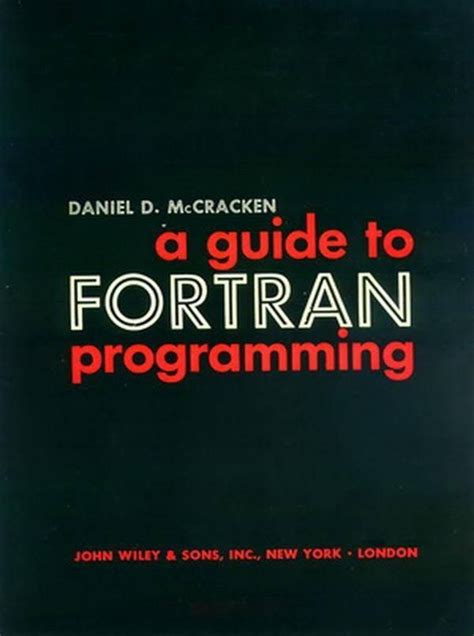
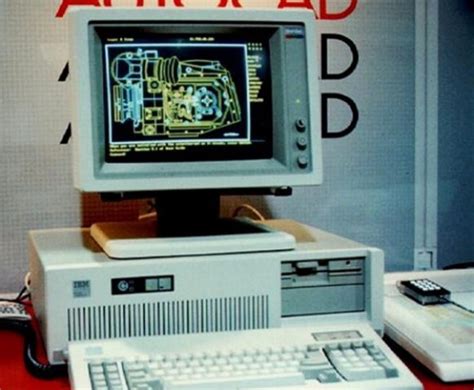
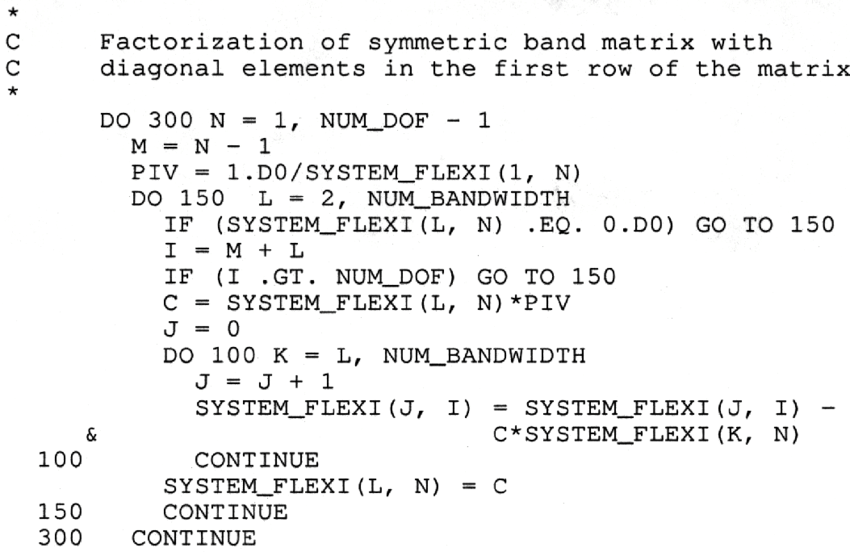
My first encounter with computers was in 1975. I was then working as a highways engineer for Mid Glamorgan County Council. My team had an ICL mainframe computer which was housed in a very large room in County Hall, some 10 minutes’ walk away from our offices in Greyfriars Road. Our terminals in the office had no screens, so we had to send someone to fetch our print-outs from County Hall twice a day. This created a mountain of paper, and much of it was wasted because of simple errors. In those days we had no bespoke computer packages, we had to write our own software, and if we had a comma in the wrong place or a digit in the wrong column we had to start all over again. The first programming language I learnt was Fortran.

One of our routine tasks was to collect traffic flow data from the entire highways network in the County. This was done by sensors on the road, such as pneumatic road tubes, or piezoelectric sensors or magnetic loops embedded in the road which transmitted the data to roadside cabinets. Every few weeks one of our team had to go and collect the punched tapes from the cabinets and bring them to the office to be analysed. The data obtained included traffic flows by hour, day, direction of flow, type of vehicle etc. This enabled us to design new roads using traffic flow projections some 30 years into the future. 

This is just one example of programming developed in those early days of computing in the field of highways and transportation.

Renée Martin, June 2020

Notes from Zoom Meeting – 4th June 2020

Sit still, adjust your hair, mute your microphone …

As well as a once round the participants opportunity for members to say what they’d been “up to” in a computing sense the past week, I asked them in the light of Margaret and Lizbeth’s moving posts on WhatsApp (see below) today to give examples of “a good use of technology”.

Mike chipped in immediately to say – Zoom Meetings; so I had to admit that yes, it was a very good use of technology and it has the unforeseen benefit in getting more members participating in the meeting. So much so that I’m wondering whether ALL meetings of the Group should now be held using Zoom. [Don’t worry, I’m not!]

John then added that Zoom as a one-to-one instructional assistant had proved to be very useful to him as he and I worked out a problem he was having with some software. This is indeed true and I can see that once the Covid-19 crisis is over we can all examine whether we can help solve each others problems with one-to-one Zoom calls.

Sianed told us about virtual tours of properties up for sale, and Mike told us his last home was sold solely through a virtual tour, no home visit was undertaken by the purchaser. I thought this remarkable!

I can’t remember who it was who said Wildlife Cameras (it might have been Jim) and yes, for us the purchase of such a camera has been very interesting, to say the least.

Don came-up with an idea for a device to alert a household to the fact that a gas ring had been left on. In our house that would have saved a couple of saucepans over the years, especially those boiling eggs!

Marilyn told us she’d been looking at triptychs and using the software Photoscape – another project for a rainy day, me thinks!

Renee told us about meeting-up through Facebook/Messenger with an old school friend she’d not seen since she was 15 and what joy that now communicating with WhatsApp had brought to them. I related how I’d used Fb to track down a friend for a re-unuion that all my friends had lost contact with using Fb. Yes, Facebook is good for some things!

Stella was interested in finding out whether she could connect her Bluetooth headphones to her TV and to her laptop. We pointed her to the work that Jim had done for Marilyn in setting that up for her TV. This then morphed into a discussion on whether using a 4G router in a house (as Jim has done) was a good alternative to a wired broadband connection. I think this needs more research, but it could be a horses for courses thing as much as a cost issue.

David raised the problem of transferring large files that couldn’t be sent by email. Two solutions were offered (or three if you count sending the file on a small USB-stick by post). One was to use cloud storage as an intermediary, sharing a link to the file with the recipient in an email. This would work with Google Drive, One Drive, and Dropbox et al. The second option was to use a file-transferring service such as WeTransfer. For both situations, perhaps you also should consider zipping (compressing) the file as well. This can often be done by right-clicking on the file and saving the compressed (zip, or other format) file to send.

Then we had a comfort break, and when that was over a large number had excused themselves as they had limited interest in video-editing which I went through using the post I’d written, ending with another one of my knee-shaking live demos which this time, I even recorded!

This left the remaining 5 members with a lot of questions which I attempted to answer, one of which (from Don) was about using non-copyright music in videos. Ann answered this question with a reference to this website – Freeplay Music.

Next time it’s “My first encounter with computing“. Even if you don’t want to join the Zoom Meeting, I’d love for as many of you as can to record their memories, either in a post, or in the Topic I’ve just created, or by sending me an email.


Margaret & Lizbeth’s WhatsApp thread. Margaret wrote …

I have had a different computer experience this afternoon although am not sure I would recommend it. But I report it for “technical interest”, if you can call it that.

By invitation we attended a funeral transmitted from Cardiff to geographically distant family who are not allowed to travel here at this time and any friends such as ourselves who cared to ‘tune in’. It was done by webcam by a company doing this with entry to the service at a given time with ID and password that the family or its contact gives you.

It was good that someones full life did not just drift away when more meaningful methods are not permitted but it was so sad to see just the next of kin and his household, outnumbered by the necessary staff. The tribute, music, homily and commital were all as one might expect but experienced virtually in a physically empty situation.

In this case the deceased was elderly, in poor health for some time and like so many had succumbed to covidn19 in a home. I am sure that in his long and productive life he could never have dreamt of a televised end!

Lizbeth replied …

I was the celebrant at a similar ceremony a while ago. Very difficult for all concerned. But there will be another ceremony in the autumn when we can properly celebrate that life.

This is certainly a time when technology serves us well.

I replied …

A lovely couple of messages. I’m sure you’re right. Your friend would not have expected such a ceremony, but it’s good that you’ll all meet to celebrate their lives when life gets back to “normal”. We had a different experience recently which was rather lovely in a strange sort of way. The husband of my son’s next-door neighbours, who we’ve got to know quite well, passed away from cancer and though it was a sudden ending to his life, his neighbours and friends lined the streets of the route to the crematorium and clapped the passing of his hearse. His son said his father would have been tickled pink to think he’d been treated as royalty.

We also had the opportunity of attending our late dear uncle’s ceremony whilst we were on the other side of the world. Not the same, but we were pleased to be able to hear my sister deliver my words of tribute to him. Then again, whilst Jenny actually flew to Australia to be with our son when he became an Australian citizen, I was able to watch the proceedings from Cardiff and actually talk to the mayor who was the officiate.

Yes technology can be a wonderful aid to life as we know it, and as we hope it will be.

It was this conversation that gave me the idea of asking members “What’s a good use of Technology?”


Video-editing for Dummies

… and I am talking about myself here!

If I wanted to do video-editing and wasn’t doing “this U3A stuff”, I’d use Apple’s iMovie which is a “really nice and easy lemon squeezy” way of producing videos, but I can’t because for the Group it has to be cross-platform, and it has to be FREE!

I have suggested using YouTube for simple editing and indeed with the new YouTube Studio that may be your best solution – especially if you’re intending to share the video on YouTube through your Google Account; Google provides some Help & Assistance on how to do some basic video-editing and provides a useful help page with a short video on how to do video-editing using YouTube Studio, and there’s a load of other YouTube videos on the subject as you might expect.

However, not all of you have Google/YouTube accounts, and not all of you would want to “edit in the cloud”, so we need to find another solution that ticks all the boxes.

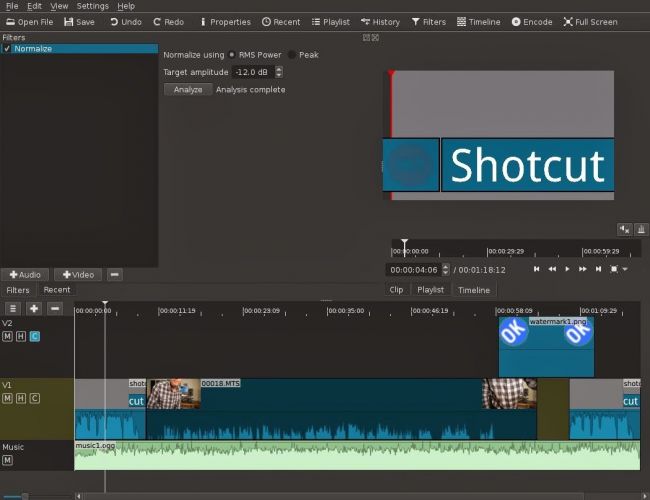
The one I found that does just that, and which also has a substantial amount of Help and Support documentation and video tutorials is Shotcut.

It’s a bit daunting when you first start it up; so many controls, icons, sliders, windows, options – but don’t let that put you off. Just try the basics to get started and then go back to learn more as you need it.

Here’s a link to a “Getting started …” video, and here’s one to a “manual” which tells you more about video-editing and using Shotcut. If you want to print something out to have beside you as you learn how to navigate the interface, you might find this short (3-page) guide useful.

Having created your video masterpiece you’ll want to save it in a format that is playable on most online services and applications – choose MPEG4 from the Export option – and then decide what you want to do with it. You can of course upload it to Google Photos – there’s no size limitation on videos you upload apart from the 15Gb per week that you get against your free storage limit – which is 15Gb!!!! You could use YouTube of course (see above) – but the quality of the video may be downgraded as you upload it; but I’d recommend you also look at Vimeo as it’s a more privacy-orientated platform for sharing videos and has a better-quality of video playback too. You can do quite a bit with a free subscription, but if you’re into video-production in  big way it might be worthwhile paying  £72 for an annual subscription. Alternatively, you could decide to host your own videos, on your own website – but that’s for another day!

… and that’s about it – except for the dreaded live-demo!

Recorded from Zoom, my first attempt. Not all the panes were showing, so I’m afraid the Timeline pane is not to be seen – it’s at the bottom of the screen. I’ll need to see if I can record the whole screen – not just the Window.

[PS: I’ve now found out how to share the Desktop, rather than just a Window, so there’s no stopping me now. Next time, next time …]


The Demise of Flash

Back in 2003 I was involved in a government project, The National Grid for Learning-Cymru. Our brief was to improve the use of I.T. in schools right across Wales. One of our main activities was to create a fantastic online learning repository, creating websites that were interactive and worked well on an interactive whiteboard. To that end, it felt as though every Monday morning, we were asked to leave our brains on the table whist our bosses sucked out all of our ideas. Seriously though, we actually created some quality material.

Sadly, most pages were created using a technology called Flash. Back in 2003, Flash was indeed the bees knees. However, as the years have gone by, Flash has fallen out of fashion. It is to be taken off line at the end of the year and along with it, we will lose so much of the N.G.F.L.-Cymru material.

During lockdown, I’ve been trying to ‘hoover up’ some of my best websites/ I’ve tried to re-present them for posterity in a non-Flash form. I’ll be honest, they aren’t a patch on the Flash versions but at least I have something to keep the memory alive.

One of my best efforts was Frankenstein’s Model Theatre. This was a modern take on the old Victorian toy. Using it, you could create a play involving four moveable characters complete with special effects and sound effects.

I’ve created a non-Flash version of the theatre here.


http://www.tattyjacket.co.uk/Theatre/theatre.html

Question is, does anybody know whether there will be a method to keep these old Flash sites alive after November?

Gr gr gr gr granny Rebekha

Thought you might enjoy this story. My gr gr gr gr granny Rebekha lived on a farm right next to the site of these shipwrecks.

https://theedwardsfamilytree.blogspot.com/2019/06/granny-rebekhas-shipwreck.html

Phil

— Forum Responses —

Yes, I enjoyed reading your account. Like you, I’ve enjoyed “constructing” stories around events in my ancestor’s lives – filling-in the gaps so-to-speak. Factumentary you might call it, or Life Stories.

David Harrison June 4, 2020 11:03 am

Cleaning-up your PC or Mac???

Try dupeGuru – it’s very good at finding direct matches of files on your machine even when they have different names. It also provides a matching score so that if it’s not exactly sure that it’s found a match it will score it and you can then make a decision after inspection. Otherwise you can delete or move it to an archive folder – just in case!

Upgrading the RAM on your Laptop PC

This is all you need

The only tool you need is a Posidrive #0 screwdriver for this laptop, I bought a set of six small screwdrivers made by Black & Decker some time ago; if you’re going to do more of this sort of thing, you might need to buy a more sophisticated toolset. I also attached an earth strap – just to show you how to the job properly – but to be perfectly honest I don’t usually bother.

But I’m jumping ahead. You first have to find out what upgrades you can do to your PC. I recommend using Crucial as the supplier of both RAM and hard disk upgrades. When you land on the site, you will see a screen something like this – it will change as new products are introduced …

… you click on Select Computer (you can download a tool to scan your computer, but that shouldn’t be necessary as all the information you need is usually on the bottom of the laptop) and supply the information required about your computer …

… and the following information should come up.

I’ve selected the Upgrade I want, but I’m also offered different DRAM memory choices, as well as SDD hard disk upgrades …

… from this I get the Part No. and then see if I can purchase it cheaper on Amazon – for old memory I usually can …

… so that’s saved £10. Now we turn to the removal of the old 1Gb DRAM module and the insertion of the new 2Gb module. Turn the laptop so that it’s back is facing upwards …

… take your screwdriver and unscrew the screws which are holding the back panel in place.

On this model the screws don’t totally come away from the panel which is great as there’s less likelihood of losing any of them. Unscrew them all, and slide the panel off …

… the DRAM is right in front of you on the left-hand side of this picture. All laptops have different layouts, but the DRAM modules are very easy to pick out! Next comes the first tricky bit (not really). You need to prise the two clips holding the module in place on either side of it. Here’s me prising one clip away …

… you have to do them together of course, but as I don’t have three hands … the module will pop out and swing upwards so that you can easily remove it, which you should do and place it on an electrically inert surface – just in case you have to put it back! You then get your new module and slip it into the space vacated by the old one at an angle. [My apologies – I should have taken a picture of this.] Most problems occur at this point as it can be tricky to insert the new module in firmly enough. You then gently push it down so that the clips re-engage with the module.

Nearly finished now. The new DRAM module is in place and you just have to replace the back panel, tighten the screws and hope that the new memory will be recognised when you boot-up the computer. You may be advised that the Memory Configuration has changed when you re-boot, just ignore this the first time you attempt to re-boot your computer. Check the memory has been recognised from the Windows System Panel …

… and you’re good to go. Any problems, first try and check the module has been inserted firmly and far enough into the slot, and then if necessary run the System Configurator when asked to when you boot up. I’ve never had to do the latter, I have had to unscrew the panel and re-insert the memory module though.

And that’s it. It took me about 10mins, but I have done it before. Still 30mins tops will see you with more memory in your old laptop and hopefully improved performance.

Google Home and Nest Devices

In December 2019 we bought our first Google Nest Mini. It was just a fun experiment but we enjoyed using it to play music from Spotify (free version) and to get answers to random questions – from currency exchange rates, oven conversion temperatures, to bus times and weather forecasts. We later bought an additional Nest Mini for a different room and a Nest Hub so that we had a viewing touchscreen. Using the Google Home App the system was easy to set up and the devices straightforward to connect and use.

Home Assistance Devices

View Home Assistance Devices

View Setting up your Google Nest or Home Speaker/Hub

Nest Hello Video Doorbell

We then decided to invest in a Nest Hello Doorbell for security and to help with home deliveries. This was when things started to get more expensive. In addition to the actual device we needed to purchase a transformer and an indoor chime and, as far as we were concerned, to arrange installation by an electrician! The installation was completed several months ago and we are very pleased with the quality of both the video and audio, I am able to see and speak clearly to a visitor from my mobile phone (Android).

View Nest Hello Doorbell

Technical issue

I recently was spending some time away from home (6 weeks) when suddenly and without warning all of the Google home devices stopped operating – including the video doorbell. The ‘Home’ I had set up on the Google Home App disappeared and I was unable to obtain any access to the system from my mobile phone. The Internet connection was tested and the devices rebooted but to no avail. I was unable to make any progress remotely and had to wait until I returned home to try to solve the problem. I was hoping that on my return and re-connection to the original WiFi router that the system would reset itself but this did not happen. The only way I could resolve the issue was to start from scratch – set up the original ‘Home’ and then one at a time individually reconnect all of the devices – including the video doorbell which involved re-scanning the original QR code – take care to keep this safe! Once I had reconnected I found messages from Google stating that there had been 2 system ‘outages’ on two consecutive days. It stated that the problems had now been resolved.

My main concern about this situation is that the doorbell was bought as a security device so that we could see people visiting our front door whilst we were away from home. Clearly we would like to have a way of resuming the alert and image recording facilities without having to return to the premises. In spite of research I have not yet resolved this issue. At present Google phone support is not available.

Below are a couple of screen shots I took. First this one …

… and this one.

Notes from Zoom Meeting – 14th May 2020

Not much to report, but we had a good chat – eighteen members attended (according to Jim) – thanks for the photo.

I encouraged members to take a look at the Flipboard magazine where I’m trying harder than I had been to curate articles that I think might be of interest to you all. There’s a link on the Blog (Home) page of this website, but here’s a link as well. One of the links I mentioned was this one on an AR app which I invited members to investigate and feed back to me what they thought of it!

I raised the fact that Google Meet was now available and invited anyone who had a Gmail account to take part in a test with me. I haven’t followed that up yet! It’s a direct competitor to Zoom and has been brought out of the Business suite that Google has because of the success of Zoom’s free offering which gives 40mins of video-calling.

We also briefly discussed Google Lens which is certainly available on Android, but I wasn’t sure whether it worked on iOS/iPadOS – it is as part of Google Search and Google Photos, but not as a standalone app. It also works with the Google Assistant on Android as well. Shame! Google Assistant is available on iOS/iPadOS though.

I mentioned that I’d been asked about Jamkazam as an alternative to Zoom by the convenor of the Recorder Group. It’s probably very difficult to make sure the latency of all the participants are kept in sync, but it might be a bit of fun. I suspect some expensive equipment might be needed to make it work successfully. I also suggested that Phil (as a member of the Group) might offer his technical expertise!

I advertised the Which? Scam Service and encouraged members to have a look at it. I started a new Topic in the Computing and all things Digital which I’ll retitle Scams and keep an update on ones that I come across.

I gave a demonstration of my new personal family website which I’ve been working on through early May and explained some of the design issues in building a private members-only website which incorporated a social-media element for closed family chats incorporating threads (which WhatsApp doesn’t) and embedded images (which again WhatsApp has difficulties with).

Ted expressed his pleasure with his new Huawei Honor 8A smartphone and explained he now had to work-out linking Spotify to it, as well as transmitting to his Chromecast machine and integrating with his HiFi. Several members had suggestions and I think that’s a good idea for a topic in the Computing and all things digital forum.

Postscript: This website, and all the others I have hosted with TSOHost went down for approximately 4hours on Friday – that wasn’t the reason why I didn’t get round to writing-up the notes until this morning though! I’m a bit disappointed they haven’t published a reason why they had “network issues”. Yes, I know they happen, but when they do the educated user would like to know what happened, and moreover what they’re doing to mitigate the problem in the future. I don’t depend on my livelihood for income from my websites, but others do. They (we/I) deserve better.

This was our attendance the previous week …

… again – thanks to Jim.