
Notes from Zoom meeting – 17th February 2022

No photo of attendees this time as Jim presented his apologies as he was attending a re-scheduled and re-arranged Poetry and Prose group. I will need to find a “deputy” for those meetings he can’t attend, or alternatively Owen perhaps could prompt me to take a shot myself 🙂 I also had apologies from Ted and John who were not able to make the meeting.

We started with a quick review of the last meeting. Renee had downloaded Trello, and was going to look at using it, as was Jenny – who hadn’t yet had time to download it. Thanks Steve for the presentation again. I’m looking for more offers but during the meeting Stella told us about MapQuest which certainly is worth a look. I believe I’ve got it on my phone, but I also have Strava, PlotaRoute and Walkmeter, for walking – none of which I use to much I’m afraid to say.

I mentioned that I’d seen an item on the Welsh News on the “disappearance of copper from Ceredigion” – a reference to the PSTN switch-off and move to digital. I also mentioned that I’d move the post under Jenny‘s authorship to the public Thought grazing site where I will try and keep news up-to-date as the project proceeds. I also referred to Jenny‘s article in the Magazine (Page 81 she tells us).

Then we had a reference to Sianed‘s article on Printing Digital Photographs – which I found very interesting and which left me wondering how and why they do it for free! Finally I welcomed Jim‘s amplification as a Comment under the Notes on what he’d described at the last meeting in reference to deleting items from trash on external hard disks. I asked everyone to look at my notes and correct them in a similar way. Thanks.

I then reviewed a more interesting set of News which I’d sent to the Flipboard Magazine. I encourage you all to take a look occasionally.

We then went round my screen – I’m just picking up those that contributed in this part of the meeting.

David Hughes told us about his travails in negotiating anew contract with Sky, which ended with an upgrade to his Broadband speed from early March without an increase in cost. S0mething others (including me) commented on with VirginMedia and TalkTalk as well. He then told us about an interesting issue/problem the residents of his apartment block were facing – how to get EV charging points in shared landlord-owned buildings. He referenced this website which provided some guidance, and he’d been in touch with someone from Pontyclun who had some knowledge of installing EV-points in similar situations. Someone mentioned that there might be a WiFi solution that linked back to your apartment. Definitely a case of “watch-this-space”. He then finished with a mention of his grand-daughter’s website that worked perfectly on his phone and web browser, but not his iPad. After a bit of scrabbling about, I advised that he need to tell her to investigate Responsive web design technologies – this is often a feature of themes in WordPress for instance.

Owen advised us that his wife was recovering well after the shock of a hospital admittance at the time of the previous meeting. He had progressed with his investigations of using WordPress for the Cardiff u3a website, was re-visiting his knowledge/use of PHP as a programming language and had come across a piece of software called LocalWP that allowed website developers to build a fully-blown WordPress website on a local machine without need for hosting. I offered when he wanted to trial a hosted site that I could provide a sub-domain on my hosted account for testing purposes. This environment might be of interest to Ted and Philip as well as me. I saw the possibility of archiving all my sites onto a machine for posterity!!!! [Or at least my family’s attention]

Paul had been “hit” by a scam suggesting he invest in Anti-virus software – that didn’t go too far!!! He then advised us that within the browser-version of Gmail, you could click on the three dots above a message and Report it as a Scam. This could be very useful to members. In similar vein (but later) Don told us he’d used the Print function under the “three dots” to print an email out, rather than get a screenshot with sidebars added.

Steve updated us on his “negotiations” with TalkTalk which had also led to the cancellation of his NowTV. He had also spent sometime looking at LastPass.

Stella was beaming!!! She’d purchased a replacement 2-in-1 machine from eBay but it had come without being cleaned-off and she found out she would need to re-set it back to Factory Settings. This she had done successfully and she thanked members of the group for giving here the confidence to attempt it herself. She then did the same thing to an older machine. It took longer but she was impressed at how easy it had been to do the task just by watching a YouTube video. Well done Stella.

Renee had a conundrum which hadn’t been resolved by Apple. The number of photos on her phone and laptop didn’t coincide. This was disturbing because sjhe wanted to move the photos off her phone and through the laptop to an external hard disk. I said I’d had a similar experience recently but couldn’t for the life of me remember what I’d done to resolve the problem – but I had. I said I’d try to get the little grey cells working a bit better and let her know if they came back with anything of any use!!!

Don told us he’d been reading a Customer Satisfaction report from Which? on Broadband suppliers. He noted that some of our members would not be that impressed by some of the suppliers (no names, no pack drill). He’d also come across a definition of phishing and had been amazed by the different flavours and terms used.

Christine had also been talking to their broadband supplier (VirginMedia) and had been advised to change their mobile contract (part of the package) to O2 – which were partners of VM to get a better deal – you can’t make up these stories can you! She had also pulled-out of a Lloyds Bank scam when it asked her for the “number on the back of the card” – no, that’s not right!!!!

Ann reported that she’d solved the camera on her Lenovo not working. She inadvertently must have toggled the F8 key on the machine which is a “privacy feature” to switch-off the camera. Glad that one’s been resolved.

Fred reported that he’d been puzzled by a GreenCard Travel email that would appear to be a scam. Something to look out for now that we were all perhaps looking to start driving abroad again.

We then had a discussion on the LastPass video which Sianed thought had been quite good. Several questions were asked and I attempted to answer them as best I could. Some of these I answered subsequently (mainly on subscription costs) on Signal. I refer everyone to their website which has a quite good set of FAQs.

Lastly we went round the screen again to find out if anyone had used, or discovered, useful speech-to-text applications. Owen reported that he’d discovered the wonders of CarPlay on their new car. Messages went from the iPhone to appear as text on the screen of what we used to call the SatNav – but it’s far more now. Paul told us he used the microphone in Text, WhatsApp and Signal (and Notes and Word, etc) to prepare messages, which were surprisingly accurate. I tried to do a demonstration, but failed – I must do some revision on how you can switch to share an iPhone screen over Zoom. That was not the case for Sianed. She found the speech-to-text failed miserable with a Welsh accent. Ann agreed. I suggested they try speaking in Welsh as there might well be a more accurate result. It will be interesting to see. Steve on the other hand was more interested in text-to-speech and he’d been looking at Speechify, but it was costly. I investigated other options and sent a message to Signal. Renee had tackled Siri – she’d meant to do that for some time and found it acceptable, and did arithmetic well!! She also advised Steve to have a look at text-to-speech on Safari – one for me to check out as well. That plus Reader View is making Safari my browser of choice at the moment. Finally, Don had been trying out talking to Google (using the Google Assistant) – we must have another go at this really useful tool again.
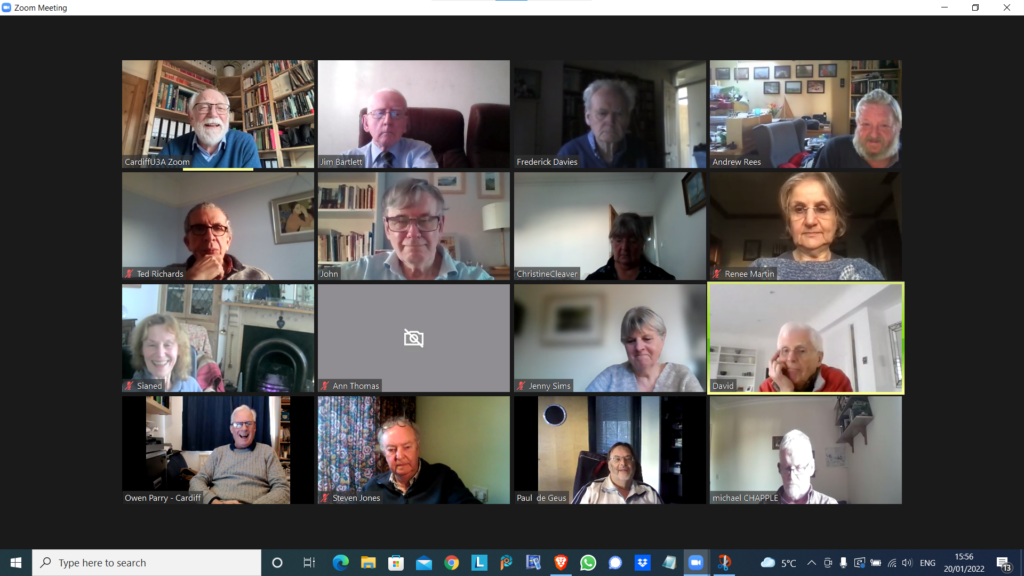
Notes from Zoom meeting – 20th January 2022

We received apologies from Ann, Margaret, Jenny ( who arrived later) and Don.

I asked if anyone would be willing to share their favourite app with the group bu way of a demonstration. Steve offered to do something with Trello – a work organisation application, and I asked Ted whether he’d be willing to do something on Ancestry. Steve also asked me whether I’d do something on LastPass – so I said that I’d do that as a return favour for his offer which we agreed he’d do at the next meeting.

I then did a demonstration of flickr and will write an article up on what I’ve found out in doing the preparation for it! This will be on my Just thoughts blog in due course!

Owen reported that he’d been working on ways to move the Cardiff u3a website over to WordPress, in conjunction with some other local groups which were doing the same, and away from the SiteBuilder software he’d been using to date. They all needed to find a way to get it to work with the Beacon membership system, but there was a problem that there was no api (application programming interface) for Beacon that would allow easy import/export of information between the two systems. As a first step a read-only access api would be valuable and would allow the two to be linked together. Owen was now learning how to use WordPress, and I offered to provide help if required.

Mike has discovered the the iPlayer app on his desktop which he is very happy with. Steve suggested he looks into the Sounds app as well. I queried whether people listened to Podcasts much – quite a few members did.

David Hughes recommended the Sounds app and podcasts and said he’d just recently been listening to one from a family memberJon Ronson – I for one, will try and catch-up on this!. We then started a discussion on David’s IT-phobic friend who lived in the Marina and somehow was receiving more than one incoming call on two handsets – that’s different calls!. It appears his son had purchased broadband and OpenTReach had installed a landline and a router. His landline is now digital (see Jenny’s article) and it appears he can use two handsets off the broadband landline for incoming calls. Renee reported problems with interceptions, and conversations being repeated on her landline. VirginMedia engineers had replaced the the handset to a broadband connected router. Maybe (she suggested) David’s friend had a legacy connected analog line? Owen offered the information that you could buy two-line cordless phones, but they did have separate numbers. [In later conversations on Signal it was mooted whether it was possible to put n answer machine on one of the lines, or not.] I can see us returning to this one.

Sianed advised us of a scam asking a user by TEXT to update their PayPal account. Watch out for that one.

Paul reported that Amazon and Visa had come to an arrangement so that Visa Credit cards could be used with Amazon. Good news. He also recommended All 4 as another possibility for streamed TV. I mentioned BritBox as another source of good binging boxset TV.

Steve had started using LastPass and wondered whether I could do something on using it, and was also looking at Flickr. He reported that he wouldn’t have problems with Chrome updates as the renewal date was 1st March. [I think this note needs reviewing.]

Ted was off to Rwanda. I won’t say more, just read his wonderful blog post on this site, and go look at his website for more information. He had us all in stitches describing his challenges with getting Banana Beer and doubts as to whether his payment using PayPal had been a scam because of links to a sister company offering him handbags and selling chilli paste. The mind boggles, or at least mine did!

Jim was transferring information from photos that went back to the early 2000’s into a Comment field in the EXIF data held on the photos. He also reported the problems that American airlines were having with 5G and their altimeters s they approached airports. The switch-on had been delayed until problems were resolved. Apparently 5G in the US is on a higher frequency than in the UK and transmits more power. Whether the problem is in the airports, or the planes is uncertain.

John reported that Flickr was working well. He’d uploaded lots of p[hotos of clouds and created a few albums of them too!

Christine was now a happy Real Bridge user. All her difficulties had been resolved [insert solution here as note not clear] She, like others, had been finding the process for getting a digital Covid Pass from the NHS website, more than challenging and was now printing off a paper version.

Renee had solved the problem with her landline; she said she was receiving emails from Royal Mail re. tracking deliveries that she was uncertain about. We suggested that they be best ignored.

Ann had updated her Zoom software. She had looked at her Firewall settings and chose to view blocking and now video not showing in Zoom. It was suggested that she look at her firewall settings and review Allow/Deny options. Jim suggested looking at the choices with Zoom itself that might be causing the problem. Owen suggested looking at another app that uses the camera to see if the problem was replicated.

Jenny (having managed to make the meeting after an earlier appointment) wondered whether she should get a replacement battery for her laptop – depends on whether she thinks £100-£140 is a good investment and whether she can do the replacement herself – perhaps get a view from Neil (our helpful IT fixit man!) and also said tht her external monitor was not working as well as she’d hoped.

Starting to Blog with WordPress.com

I promised a tutorial on how to setup a WordPress account and create your own website. Here it is. It doesn’t cover writing posts and the like, that is covered elsewhere in the WordPress tutorials, where you could start at Lesson 5,  but it does get you to the point when you can begin to be creative. Hope you have some fun!

Step 1 – Go to WordPress.com and click on Start with Free …

Step 2 – The following screen will show …

Step 3 – Click on Get started, and you will be presented with a choice, to setup a WordPress.com account, or create one linked to your Google (Gmail) account. I will do the former …

… and supply an email address (it happens to be a Google one) and then a Password. I will then be asked to supply a Username. A Username can only contain lowercase letters and numbers …

You’ve setup your WordPress.com account – remember those details – UserID and Password (as well as the email address you used).

Step 4 – You are now asked some questions to help set up the website.

I suggest you choose the first option for now …

… and then maybe the last one on the next screen …

… then click on Continue with Free on this last Setup screen …

… before you give your website an address – a URL …

Step 5 – I’m not expecting that you’ll own a domain yourself at this stage, so just click on Continue …

WordPress will then check to see whether it can find a unique URL for you to use. There will be one in the list that is Free – select that one …

… ignore all others. You can see I’m going to grab cardiffu3acg.wordpress.com – which is quite a nice one …

… so I’ll Confirm my choice!

Step 6 – I’ll change the name of the site on the next screen from cardiffu3acg to …

[NB – This website was not created with this URL, it was used purely for demonstration purposes and does not exist.]

That should then be accepted and you’ve got a website. Congratulations! You can then go on to supply a little more information before you start to write your first Post …

… perhaps do the first one which explains a little more what your site is all about, and then start “playing” with the menu bar on the left-hand side of your browser screen …


… or even Add a New Site!

Settings I (Facebook) – April 25th 2019

Boot-up
Any progress with websites?? Here’s a reference that tells you more about Domain names, URLs and protocols. I’ll look at alternatives to the “official” WordPress (.com) tutorials and try and write some notes if I can’t find an alternative. I mentioned wpbeginner.com which on inspection is also closely tied to using wordpress.org on a self-hosted platform – which is what I do. Therefore I’ll also look at a WordPress.com alternative. In the meantime, here’s a link to a page that explains the difference between the two – https://www.wpbeginner.com/beginners-guide/self-hosted-wordpress-org-vs-free-wordpress-com-infograph/
Presenter for 13th June; and early warning about next year and start to sessions in September/October.
Support for General Meeting 9th July,
Chris Higley: Maps of Wales and Maps of War.
Anything else, issues, problems.
News
Virgin Media’s Intelligent WiFi – everything you need to know
How does DuckDuckGo protect your privacy?
Apple updates (25th March)
What is the Dark Web? linked to Six reasons why you should avoid the Dark web!
Alternatives to Word on the Mac, but also see this choosing between Libre Office and Open Office.
I’ve talked about my use of Plex as a media player – an alternative I use to iTunes, here’s an article on another alternative – Kodi.
The EU, Copyright and Article 13.
Backing-up your iPhone or iPad and then restoring an iPad or iPhone from a backup.
Apple wants to create a “synthetic selfie” app!
Wondering whether to use Google photos or iCloud photos – here are five reasons to use the former.
The last version of Windows? Not really, just a change in strategy, but good news – you can now choose when to install Windows upgrades, and how to make Windows 10 run faster
WhatsApp to get its own iPad app???
I must do a session on IFTTT some time, here’s how Google Assistant could work with it.
Rumours, rumours – but I like this one. Apple to give the iPhone 8 an SE-type overhaul.
Apple and Qualcomm agree to love each other … and surprise, surprise the next iPhone gets 5G!!!
“Essential” apps on Android and iOS for photographers.
Spear phishing – I hope I didn’t get caught this morning.
Facebook settings
Facebook settings – the official version!
Changing Facebook settings – a generic, should match all devices approach
Facebook Privacy settings you should do right away – probably!
The complete guide to Facebook privacy – possibly a bit involved, but comprehensive.
Opt-out of Facebook Platform sharing – this was the advice that came to the fore when the Cambridge Analytica scandal came to the fore.
Essential Facebook Privacy settings – a good sound approach to what to do, and how to do it.
How to change which Facebook Friends can see you online


Creating your own website – April 18th 2019

Boot-up
Follow-up from Paul’s discussion on WiFi
Anything else, issues, problems
Paul advised that you can add a mobile to your Telephone Preference Service  – something I didn’t know(TPS)
Presenter for 13th June; and early warning about next year and start to sessions in September/October
Support for General Meeting 9th July,
Chris Higley: Maps of Wales and Maps of War.
News
Deferred to the next session, unless members have some news they want to share, which I’ll record here.
Last session ended with – Getting into the Web
Here is the text copied from the March 14th post.
Creating a website, the easiest way possible, using WordPress – Getting started tutorials.
Let’s setup a website in WordPress, that you can all play with. We’ll call it CFU3APlaySite, I’ll create a single user (who will be an administrator – so you’ll have all the powers to do anything and everything with the site – even delete it!) called DIHU3A, with the password Ca3rdyddU3A – that should be familiar. Let’s set it up and import some content from the old Google+ Community – which has now been imported into this site (hurrah!!!!).
Your mission (should you choose to accept it) … create a website in WordPress for four weeks time!
I then sent round this email revising the above instructions …
I really didn’t have enough time on Thursday to tell you too much about how to “do your homework” for my next session with you on 11th April. I managed to demo creating a website (blog) on WordPress.com, but really nothing much more than that. If you want to “play” with the site created – here is the URL for it, and a UserID and Password you can use.
https://cardiffu3a.wordpress.com 
[NB This is different from the address I created in the demo.]
with a UserID of ‘dihu3a‘ and a password ‘Ca3rdyddU3A‘ which you can use to login to the Dashboard for the site at https://cardiffu3a.wordpress.com/wp-admin
The only thing I’d ask you not to do is to change the Password for this User, as that will prevent anybody else from using the site. Otherwise, edit posts, add tags, change titles, delete posts – anything you like, realising that anybody else can do the same!!!
It’s a play site. The content is safely stored on the Thought grazing site, so you can’t damage anything.
Then if you’d like to try and set up your own website, just go to https://wordpress.com and follow the prompts. At this stage, just look to create a free site, you can always change to a paid-for site at a later time.
Somebody had a try at adding content to the play site – last night – really confused me because I’d forgotten the email I’d sent round (duh!!). Well done, whoever you were, but now it’s time (with a little more time to take it gently) to …
Let’s do it!
Volunteer step forward please!

TV choices, and Getting into the Web – Mar 14th 2019

Boot-up
Google’s apps to help the hard of hearing [Ted, Jim, Martin]. Unfortunately (and as I clarified at the meeting) – it’s not possible for me to check every link for accuracy or relevance. All I can do is point you in possible directions. I will only make recommendations when I actually use the software, or hardware, that I write or talk about. Thus it’s unfortunate that Ted wasn’t able to test the apps referred to in this piece from the previous meeting. One because it wasn’t in Google’s Play Store, the other because it required a more recent Android device than the one he had. Such is life! Martin however brought in some information that I found on the Internet as well, and I’m pleased to be able to provide the link here.
Jim, has also installed Live Transcribe on his Android device and states that it works surprisingly well …
Mesh networks [Paul]. Paul was so impressed in the process of doing his research he even ate his own dog food and purchased a system. He’s going to discuss it, and other ways of improving your home WiFi in the session he’s going to lead on March 28th.
Any other member issues?
Well … David Hughes’ impassioned plea for guidance on buying TV systems, was met with much agreement so I’m going to do a session on that next time, as well as a bit more on websites – following on from todays’ session.
Jim thought I’d not explained a couple of things particularly well last time, in particular I perhaps didn’t distinguish clearly enough the difference between the Internet and the World Wide Web. This is almost the same problem as distinguishing between a Search Engine and Google, or as I think you all know now – the difference between a Browser and Google. Such is their dominance of the use of the Internet. So as Jim has stated in his Comment under the notes of the last meeting – the Internet is just a wire, or a radio signal; it’s the medium of communication; it’s essentially hardware. However it’s useless without applications to run on it, and there’s a plethora of those, as you well know! These applications need protocols to transmit the information across the physical medium, ie the Internet. The most ubiquitous application is the World Wide Web which has made use of a number of protocols in its development, but which now is almost universally using HTML (with programming add-ons such as Javascript, Ruby on Rails, etc etc – don’t worry about these!).
I was negligent in not showing you what an HTML representation of the webpage looked like – I just showed you the Mark-up created by the application I was using – WordPress – an intermediate stage in creating the HTML. To rectify that, here’s an extract of HTML from the same page I showed you …

… we’ll pick-up the story later on!
News
Best Android Apps on the Google Play Store
The world of USB changes to follow Apple’s lead – USB-C and Lightning
There’s another browser that doesn’t get mentioned a lot, but it’s been around for quite a while – Opera – here’s some tips and tricks, and here’s some more.
Response from Google to Australian government’s thoughts on restricting their default browser use of their search engine in Chrome browser.
Zuckerburg (Facebook) plans to create a ‘privacy-focussed’ world.
Adobe is finally killing Shockwave.
What Google knows about you.
Save the Webhelp Tim Berners-Lee.
Digital TV
I think it’s going to be best if we leave this as a discussion session, with each and all of you chipping-in and sharing experiences. I will lead-off with a few comments – some provocative maybe, and some guidance – hopefully not provocative! Then I’ll leave you with a plethora of articles and links which I researched for the last time I did this session about 12 months ago.
What size of TV do you need?
What is Smart TV?
Do you need a Smart TV?
Freeview or FreeSat?
Is the built-in Smart TV provided the best way forward?
Do you need a TV at all, or could you just use your laptop/tablet instead?
What do you need, do you really, really need?
My notes from the last time I did this session …
You don’t need a Smart TV – OK
A couple of weeks ago I shared a link in our Flipboard magazine [NB you need a Flipboard account which you can create from this link – http://flip.it/3.ybs4] to a post which suggested that you don’t need Smart TVs
http://www.makeuseof.com/tag/buy-roku-not-smart-tv/
… and this article is even more troubled by Smart TVs and even suggests you should switch off their functionality because they might be spying on you …
https://www.howtogeek.com/176392/smart-tvs-are-stupid-why-you-dont-really-want-a-smart-tv/
In preparing this session, I came across this article from The Guardian from last year …
https://www.theguardian.com/technology/askjack/2016/sep/08/can-i-still-buy-a-dumb-tv
… admittedly there are not many!! You can be assured however, if you go for one of these you won’t be buying something (Smart) that’s not better provided by a standalone set-top box from your Telecomms provider (Virgin, BT, etc etc), or the new range of add-on boxes which I’ll discuss later.
So we’ll  start with the three Free-to-Air services
FreeView – https://www.freeview.co.uk/
FreeSat – https://freesat.co.uk/
YouView – https://www.youview.com/ – but not available from Virgin.
All of these offer multiple channels and for the first two you might find your TV already has a tuner which supports one, or the other, or even both! Since their original launch these services when bought with a set-top box have other services added including recording and playback, and streaming of Internet content, eg Netflix.
Streaming services
The new one on the block so-to-speak is NowTV which starts with the offer of streaming Sky Channels without the need for a subscription, but for only a little more in cost can also add the FreeView channels, and more.
Here’s a comparison of the NowTV offers – http://www.nowtv.com/best-tv-boxes – click through from Devices Tab to see their boxes rather than just sticks.
And it comes with some really attractive introductory offers (which I’ve taken advantage of)
But that’s not all, NowTV also comes as an app to add to other platforms as well, as we’ll see a little later, and just note that the Now TV devices are “powered by Roku” – that’s a name we’ll come back to!
What are the alternatives to a NowTV box?
Here are some reviews of media streamers that are worth reading …
http://www.independent.co.uk/extras/indybest/gadgets-tech/tv-entertainment/best-tv-streaming-boxes-sticks-reviews-sky-sports-netflix-apple-amazon-fire-google-chromecast-a7185261.html
http://www.techradar.com/news/television/best-streaming-video-player-1275853
http://www.techadvisor.co.uk/test-centre/digital-home/16-best-media-streamers-2017-uk-best-media-streamers-you-can-buy-3580569/
… and then there is …
Amazon Firestick
Google Chromecast but maybe not the  Chromecast Ultra ???
… and if you choose Apple TV (4th generation) you can load Apps onto it to tailor your viewing options, including the NoWTV app, which also allows you to watch on up to four devices …
… the list of devices supported by NowTV is quite impressive …
http://www.nowtv.com/devices
You want to record and playback as well as watch?
These reviews are a good place to start …
https://www.whathifi.com/best-buys/digital-tv-boxes/best-digital-tv-boxes
https://www.cordbusters.co.uk/best-freeview-boxes-recorders-tv-2017/
Ending with this …
http://www.expertreviews.co.uk/tvs-entertainment/1405950/best-freeview-box-2017-the-best-set-top-boxes-for-viewing-and-recording
… which bring us back to NowTV boxes again, which are built on the Roku platform
https://www.roku.com/en-gb/index
… and which should benefit from everything Roku do in the future.
What other alternatives are there to watching streamed digital content on your TV?
Well the most obvious one is to use your PC/Mac as the TV and use software on the PC/Mac to record Free-to-Air content. You will need a digital tuner for the PC/Mac to get the content. The best known company in this area is Hauppage and you can see a list of their products here …
http://www.hauppauge.co.uk/site/products/prods.html
There are other companies in this field but I can only vouch for Hauppage. I once installed a card in my Windows PC, and I still use a USB Tuner with my MacBook Pro to watch TV.
Postscript. The DIY streaming solution – Plex server
I’ve known about Plex for quite a long time but have never done anything about it. I’ve used iTunes essentially as a media server built around a MacMini that sits under the TV with all content that I can record from Get iPlayer Automator and my media that I’ve digitised including my CD collection, as well as the streamed versions downloaded from iTunes/Amazon.
I hate iTunes with a vengeance. I spend countless hours sorting it out – admittedly I do have a rather complex way of sharing my iTunes media and libraries but I also just know there must be  better way. Perhaps, now’s the time to try Plex.
So I set about a project to install Plex on the MacMini (which I’ve just upgraded with a new SSD drive, an extra 4Gb of RAM and an install of the latest MacOS – High Sierra. Here are a few links to show you my direction of travel.
Plex now lets you stream and record live TV—if you have an antenna and tuner
How it works
Working with my Apple TV and Sonos
And I’ve signed-up for a lifetime subscription to Premium services so that I can …
Record free-to-air content … I’ll let you know how it goes!!
I forgot to mention new display technologies from LG/Sony/Panasonic called OLED, and Samsung – QLED. This article explains what these are.
https://www.howtogeek.com/327047/whats-the-difference-between-oled-and-samsungs-qled-tvs/
I also didn’t touch upon curved screens, nor 3D. I’ll leave those up to you!
Other links (useful if you have an online Which? account)
http://www.which.co.uk/reviews/internet-tv-boxes/article/recommendations/which-best-buy-internet-tv-boxes
http://www.which.co.uk/reviews/pvrs-and-set-top-boxes/article/recommendations/which-best-buy-pvrs-and-set-top-boxes
Some more links to make you think and help your choices … maybe!
Best TVs of 2019 ????
Watching Sky TV without signing-up to a long-term subscription service
If you’ve got a Mac you can download programmes from ITV Hub and BBC iPlayer and keep them forever using Get iPlayer Automator
Then there’s TVCatchUp – watching TV “on the go”
OLED, QLED, 4K, Curve-screen and more – notes from the last time I did this topic, here and here (two different links).
Postscript …
And now (with a Roku device) you can also use Apple’s Airplay. as well as control it with your Amazon Echo (if you have one) …
https://www.makeuseof.com/tag/control-roku-using-amazon-echo/
Getting into the Web
Creating a website, the easiest way possible, using WordPressGetting started tutorials.
Let’s setup a website in WordPress, that you can all play with. We’ll call it CFU3APlaySite, I’ll create a single user (who will be an administrator – so you’ll have all the powers to do anything and everything with the site – even delete it!) called DIHU3A, with the password Ca3rdyddU3A – that should be familiar. Let’s set it up and import some content from the old Google+ Community – which has now been imported into this site (hurrah!!!!).
Your mission (should you choose to accept it) … create a website in WordPress for four weeks time!