Notes of Hybrid meeting – 13th October 2022

The meeting opened with a welcome to new members – Ian, Kate, Sue, Fred and Marion Poyner, and to Mike Payne making his first meeting (if my memory serves me well). We had David Hughes, Paul, Renee and Ralph join us on Zoom. John, Jonathan, Jim, Don, Stella and Fred were with us as well. Tony, Marilyn Barrack, Linda, Mike Chapple, Christine, Sianed, Margaret, Jeanette, Seifi and Sally presented their apologies.

I started by explaining that we had been overwhelmed by the interest in the group shown at the “Meet the Groups” meeting the previous Tuesday where 20 members, or prospective u3a members, had expressed an interest in attending group meetings. I felt duty bound to admit 12 members as we had no Waiting List policy in place at that time – this has now been introduced and some of the prospective members of have now been placed on that list. With a membership approaching 40, I felt it was necessary to review how we operated. I thank Pat, Marilyn Guest, Owen Parry and Phil Edwards for stepping down as active members – they do however continue to have the ability to use this website, the Signal group and have access to the Flipboard magazine.

I reiterated that we don’t attempt to resolve members’ hardware issues – other than perhaps problems with printers, or connectivity issues, eg routers. We do recommend using “We will fix your PC” – Neil has done a wonderful job in supporting and helping us by resolving problems for several years now. It might be worth mentioning Cardiff u3a and the Computer Group should you chose to use his services. I also repeated what I’d said to many at the “Meet the Groups” session … namely we are not a training group. We cannot train you how to use Word, Excel, or whatever. We DO however focus on internet issues, applications and anything that is not machine/device dependent. In that way all meetings are usually accessible to all users who have access to a web browser (Chrome, Firefox, Brave, Edge, Safari, Opera, etc.).

We are fortunate in that we have established, quite quickly, a workable hybrid (ie Zoom) meeting format. This is in no small way down to the excellent technical support offered by Craig at Sight Life, and the overall welcome and excellent facilities they are offering us.

I am proposing, and circulated a pro-forma to start the ball rolling, to allocate members to either a 2nd or 4th Thursday preference group, with them being able to attend via Zoom on the alternative Thursday. Hopefully, this will keep the in-person group a manageable size whilst we still struggle with Covid-related issues. Some members who are essential contributors to the group will be able to attend in-person all meetings, if they are able to.

To that end, I gratefully acknowledge the assistance of Sianed who will facilitate the “issues round the table/screen” part of the meeting; Don who has taken on the meeting attendance/subs task; Jonathan who will help me by screening Windows/PC news and issues; Paul (via Zoom currently) who will do the same for Android matters; and Jim – our official photographer and my adviser, proof reader and frequent contributor to the website.

We’ll just need to see how this plays out. Hopefully, in time I will be able to remove restrictions on in-person attendance, but please be supportive of the difficult situation we have put ourselves in, by virtue of meeting a need. Perhaps a second group is the answer, but that would mean finding another facilitator.

Starting the meeting proper, I explained to new members how we usually operated, the way the Thought grazing website operates, the benefits of the Signal group and the existence of the Flipboard magazine that I encourage all members to browse occasionally, and contribute to if they so wish (after creating an account).

I then launched into a description of the theft and fraudulent event that I’d mentioned at the previous meeting and had written up as a blogpost earlier that day. I won’t repeat what I’ve written, I’ll just repeat the warning and the recommended action you should take – don’t keep your credit/debit cards near to your phone, and seriously consider activating a SIM-lock to lock your SIM to your phone – so that it can’t be taken out and put in another phone on which a banking app can be downloaded and possibly a password obtained from your bank. The case in point here was Santander.

The issue of reporting scams to ActionFraud was mentioned, and the action you might wish to take if you receive a phishing phonecall is described here. Otherwise, I recommend you subscribe to the free Which? email scam alert service, and to look at other advice on the Which? website, and the Citizens Advice website.

Turning to members issues …

Fred reported the latest fortunately unbelievable text scam he’d received. I think as group members we’re getting much, much better at identifying these – the parcel that couldn’t be delivered, the transaction that know we couldn’t have made, the offer that seems to be too good to be true, the offer to help with obtaining a refund/grant/subsidy/entitlement which wouldn’t come via a text message. Just stay alert everyone, and remember … if it’s really important, the organisation will contact you again and not usually by text!

Paul reported issues with TalkTalk and their new website. Sue had a similar issue (see below). it is disappointing that he may need to change the settings on his talktalk.net email account to get it to re-direct (as it had done previously) to his gmail account where he aggregates all his emails.

Sue had a similar problem. The old TalkTalk website from which she’d accessed (occasionally) her email had stopped working. She hadn’t received any emails since before July. The solution hopefully, would have been to “upgrade” to the new website, but unfortunately as she’d moved to Sky (??) it was unlikely that she’d be receiving any emails from her talktalk.net email address anymore. This highlights an issue we’ve discussed before. It is advisable to move to an email provider that’s not connected to your Internet Service Provider (ISP). I used Google (and Gmail) for many years and have never used VirginMedia – my current ISP – to provide an email service for me. I migrated all my old BT email messages away from that service to avoid paying an annual charge for retaining the account after I stopped using BTinternet. I now aggregate most of my emails on iCloud – Apple’s service, as it is EXTREMELY unlikely that I’ll ever move away from them, but I retain my Google email accounts … just-in-case. Ian and Sue both used aol and asked whether this was a viable service. It was confirmed that now aol was owned by Verizon, it’s future was probably very secure.

John wondered whether the increase in “promotional” messages he was receiving was connected to his use of his Kindle advice. You can set your communications preferences from Amazon here.

Kate raised an issue of connecting to iCloud to delete “stuff”. I described (and demonstrated) how to login to iCloud.com using your AppleID and password.

Ian asked the question on whether stuff deleted on iCloud was also deleted automatically on a device. I had to admit I wasn’t sure. I’d written a blogpost on the situation with Google Drive (particularly for Google Photos), but had to check-up on the situation with Apple, which I reported back to him here. I told him that I needed to do further tests to satisfy my own curiosity. I can confirm that deleting a file on iCloud Drive from the Files app on an iPhone will delete it from icloud.com and your iCloud drive on MacOS as well – which is what you would expect should happen. He also asked (after the meeting) whether his daughter could change the account name/details on an O2 account, since she was now in a position to pay for it herself. The issue being she would want to keep the phone number. I had to admit that I didn’t know, and the O2 website was less than encouraging for what seemed to be a reasonable use case, so I recommended visiting the O2 shop in St David’s Centre (I believe). I also suggested looking at GiffGaff (operating over the O2 network and owned by the parent company of O2 – Telefónica UK) as a good pay-as-you-go (PAYG) alternative. She might be able to port the number to that network (or any other network) after obtaining a PAC or STAC code.

Here ends nearly the most rapid Notes I’ve ever written up – have to impress the new members.

Notes from Zoom meeting – 28th October 2021

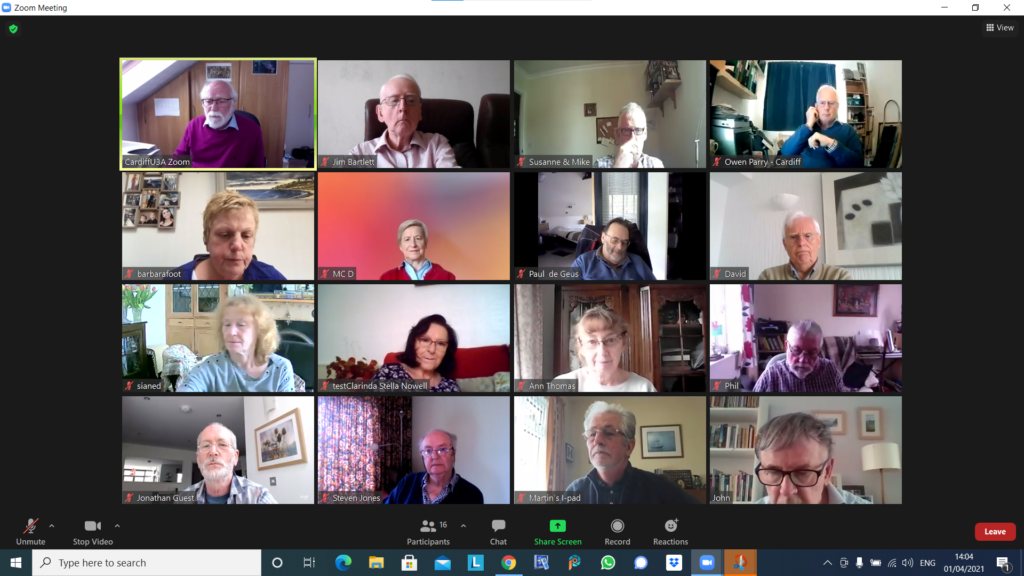
The last shot of me in the loft!

Thanks Jim for the screenshot. One to treasure as I’ve now moved into new luxurious accommodation! The small front bedroom!

Apologies for the delay in posting these notes. I’ve been rather busy on multiple fronts. Hopefully things will begin to settle down now that holidays are out of the way, new Macs, new office setup, etc will become distant but pleasant memories.

We started the meeting reviewing the experience of the History Group’s Hybrid (face-to-face plus zoom) meeting. Generally felt that it worked reasonably well, and once the issue of microphones and cameras were resolved and the need for an external zoom admin added, the format could work well for presentation-style meetings. This raised the possibility of attempting similar meetings for this group, which we discussed and agreed to try after Christmas. The format to be trialled would be a monthly hybrid presentation meeting with a zoom meeting in between. Ann offered to help anyone after the first hybrid meeting try and join the zoom meeting afterwards. Paul offered some help as well, I believe.

Margaret had been experiencing frustration with TalkTalk (Tiscali) and as of the meeting her contract was not to her liking. This seems to be a perennial problem with broadband suppliers.

Owen had been struggling with Google’s changes to the way it enables publishing of Calendars to web pages, but thankfully this had now been resolved.

David had been caught in the gas/electricity supply problems and was now looking at Octopus as a possible supplier. He’d also been caught in the Tesco outage. Apparently that hack had cost the company £16m!! He’d also been engaged in trying to help an IT-scared person attempt to use new equipment. He also asked for advice on cataloging art material. Currently using Powerpoint, and after discussion we agreed that although a database would have been the most suitable platform, the number of records probably didn’t justify changing, or indeed using webpages – my suggestion (of course). Steve also mentioned using Imobilise as a possibility which was linked to insurance, but there might be a registration fee.

Paul quoted his TalkTalk experiences of late which meant that he would be moving to Fibre 150 for £28pm once OpenReach had installed a new socket and modem (£42). He also reported on a recent Gadget Shop programme that had reviewed Mesh systems ranging in cost from £100 to £350. The cheapest came out the best. TPLink was recommended.

Stella had been having problems with email with attachments, realising that she needed to change the message once she’d started it. Paul suggested right-clicking on the attachment to copy and paste it to a new message.

Sianed advised that booster jabs could now be sought by contacting CAVC on 02921841234.

John told us about his saga with using Trainline to book rail tickets and the scandalous £3.60 a minute phone charges he would have had to pay to get a refund on tickets. General advice from the group was to use a train-operating company rather than a ticketing company. So GWR, TfW or VirginRail are good alternatives.

Christine is trying to make their house eco-friendly had been switching things off. The surprising by-product had been that her Powernet devices seemed to work as they were supposed to. However she now felt that the problem with her and her husband playing bridge(?) in different rooms with other remote participants might be due to using the same email address. This she was going to investigate further.

Don told us that he had a TPLink system and that he was satisfied with it.He’d been trying out Alldup (advised by Jim) and had so far saved 28Gb of disk space. He was unsure of the interface and I suggested that he contact Jim offline for a chat. He also requested advice on a USB adaptor for different sized SD-cards. These would tend to be better than the micro-SD to SD-card convertors you usually get with the smaller format cards.

Jenny‘s mouse was broken! She’d had some discussions on Covid-Passports, and had been asked to give some advice to some journalists in Northern Ireland on the subject. We felt that it was up-to-them to investigate this as their local position was different to us in Wales.

All I have recorded for Ann is “booster letters” and “energy advice” – I’m afraid the “little grey cells” can’t translate that into a meaningful note!!

Jim reported that he’d learnt something about the way that Dropbox shared folders worked. The size of them was added to both the host and the users’ local storage allocation.

Steve added to the TalkTalk discussion. He was going to pay £27pm as opposed to Margaret’s £26pm. He was also looking at the possibility of getting a Chromebook as his PC was 8 years old and might be needing a rest!

I then went through the Flipboard articles I added highlighting Apple’s new machines, operating systems and the like; the controversy surrounding Facebook after the whistle-blower episode (still ongoing); and the proposal to block scam calls coming from overseas hiding behind UK mobile phone numbers.

Notes from Zoom meeting – 8th July 2021

Owen led the meeting as David was on holiday. We did the usual round table followed by short presentations on Windows 11 and the Cardiff U3A website.

Fred: reported continuing problems with TalkTalk especially their email offering.

David H: David has bought a Samsung TV but struggles with multiple remotes. Jim mentioned an article in ‘Computer Active’ magazine describing an app to handle all TV activity.

Barbara: had an issue with her iPad failing to change screen orientation on rotation. There is apparently a ‘setting’ option to handle this but well hidden. She closed down the machine and restarted to solve her problem. [Jim chatted: To control the orientation of my tablet’s screen I use an app, Rotation-Orientation Manager, available in the Android Play Store. Jim]

Renee: was supposed to give a Zoom presentation but ended up in A&E! She has taught herself to use PhotoBooth to video herself and WeTransfer to send the file to others.

Don: is getting used to his new Dell PC. DH has encouraged him to use LibraOffice but every time he uses it he gets a popup about MS Office. He also wanted to reorder the email accounts that he uses to see a particular one first. No obvious solution was suggested except that he might remove all the accounts from his email client and re-add them in the order he wanted, but there was no guarantee this would actually work.

Sianed: asked for advice on the Brave browser as when trying to login to her online banking she receives a message which prevents her progressing. Others mentioned similar issues with other browsers.

Paul: has continuing battery drain problems on his phone. There appears to be an app or service ‘RCS’ which takes most of the charge. It was noted that the NHS Covid app also takes considerable battery usage as it is constantly scanning. [Renee chatted: iPhones don’t support RCS. They use iMessage instead.]

Jim: has been attempting to control his camera using his phone. He noted that when images are transferred to disc they no longer contain some of the desired information embedded in them.

Steven: Looking into removing duplicate files. Jim recommends ‘AllDup’.

Ann: mentioned that Zoom options seemed to have changed and her camera comes on automatically rather than asking her first. Owen said he would check if there had been any recent updates which might have altered this.

Christine: mentioned that emails don’t seem to archive properly. She has had a message from a spoofed email address but realised it in time and did not open any links. Celebrated receiving a date to have an extender from Virgin.

Owen then walked the group through the recent announcement by Microsoft of Windows 11 which seems to have a style revamp and the addition of a number of tools and features. Link is https://www.microsoft.com/en-gb/windows/windows-11 .

Owen then followed on with a demonstration of some of the features of Google Sites which is the software he uses for the Cardiff U3A website. He demonstrated layouts, images, formatting text, the inclusion of calendars etc. In response to a question, he indicated that one shortcoming was the inability to give editor permissions at page level and had therefore had to restrict editor to himself until Google changes matters.

Notes from Zoom meeting – 1st April 2021

Another full screen with 16+ of us spurring the lovely sunshine for a chat! I started the meeting off by talking about the changes to Google Photos that will occur on June 1st and the 15Gb of free storage you get with Google Drive. I’ve written about these separately, so won’t include that content with these notes.

I also touched upon the deletion of photos from Google Photos, on computers, the cloud and mobile devices, but again, I’ve written a separate post on that so won’t repeat anything here.

I rushed through the new content on the Flipboard magazine, highlighting the post on Reddit, which was a response to the question Steve asked at the last meeting (he also asked about RSS feeds but I responded to that one in the last notes); the iOS 14.4.2 (or 12.5.2 for older devices) that Owen had alerted us to; and articles on the latest update to Audacity and a review of the “best” photo-editing apps – I can recommend Snapseed for anyone using Google Photos in particular.

We then went round the screen (although not in the order of Jim’s screenshot above – many thanks again). I’ll only mention things that people raised …

Owen opened a discussion about the possibility of mixed media (in person, face-to-face PLUS Zoom) that the Committee was going to discuss in the near future. The following suggestions were put forward, and Owen would welcome any further ones as well. Don suggested Alternate Meetings rather than joint ones. Jim suggested that there might be challenges with getting the sound quality right.I said that I thought the management of the meeting might prove challenging, and in particular Screen Sharing might be difficult. Steve commented on the number coming into such meetings. Paul highlighted the issue of remote attendees being able to see in person attendees. Phil suggested the setup would have to be – two laptops, two screens, two cameras and a high quality WiFi!!! We all agreed this would be unlikely at the URC 🙁

Barbara would be grateful for any information on Google Photos and I promised to make available some links to articles I’d written in the past. [This prompted me to think that a lot of what we’d got on the old Google+ platform would still be relevant, and caused me to look after the meeting at this presumably underused resource.] After the meeting I resolved to do more actively with the Forums and Topics area of the website – so watch out, you’ve been warned – another place for you to look!!

Paul retold his recurring story of negotiations with TalkTalk suggesting he was thinking of moving to Sky Central. He managed to reduce his fee to £22 for Broadband, TV – no premium channels, free calls and overseas calls) from £27pm. Seems like a bargain!!!

David H had been alerted that his Google Photos account was at 85% storage capacity and he’d been asked to consider upgrading to Google One (Jim and I both have such accounts) which would give a total of 115Gb of storage. He’d started looking round for a method of transferring photos from the Google Photos Cloud to his desktop and had settled upon using the Mozilla Foundation’s free email client – Thunderbird to do that job. [Personally, I’m not sure why David couldn’t have just downloaded the photos, but perhaps I’ve forgotten to note something he said.]

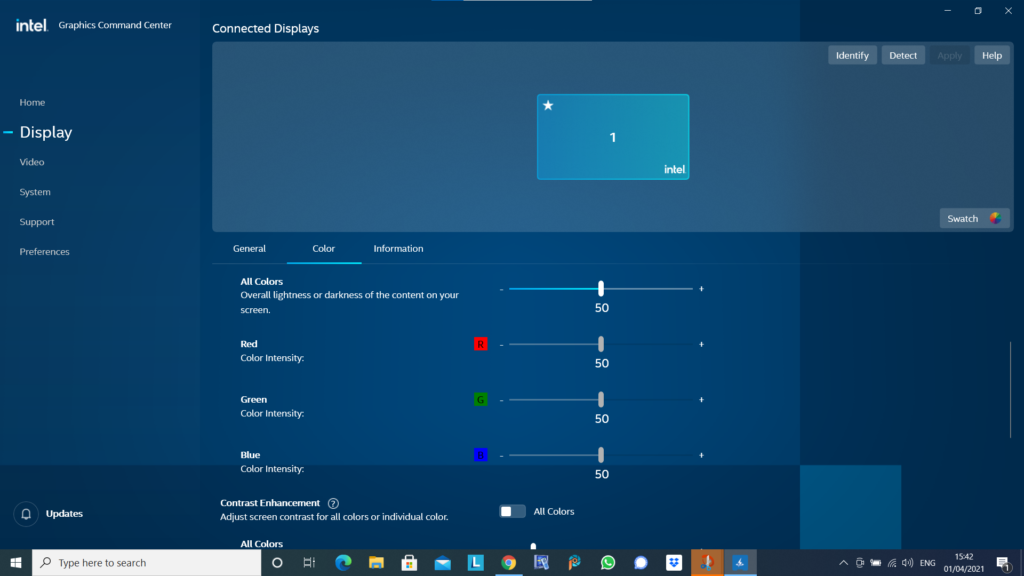
Jim mentioned that he’d been experimenting with the Intel Graphics Command Centre (see below) …

… as a means to calibrate the displays on his devices so that the colours were comparable. I commented that I’d spent some time recently trying to do the same with a Samsung TV and after some time had completed the calibration, only to end up with a Profile that I couldn’t detect a difference from the supplied one!!!!

Jonathan mentioned he’d recently been working on Photos Books using a process he’d been introduced to by Jessops (now sadly going into administration for the third time). The system he’d used was from a company called Cewe – I will include the details he supplied to me in a Forum called Photo Albums, and add a few other possibilities there as well – please feel free to add any you have chosen with a brief review of what you like, or dislike about it.

Steven was interested at Paul’s TalkTalk pricing – he might be taking that further as it’s approaching his contract renewal time. I mentioned that anyone thinking of changing ISP should very seriously consider opening a Gmail, Yahoo mail or Outlook/Hotmail (Microsoft) account and use that as it would ease the pain of moving away from one ISP to another. You can setup forwarding from your ISP’s mailer to the chosen one before you move (or even if you don’t intend to move at this time), and inform everyone (I did so by putting a note in the Signature of my email) of your new email address.

Don was doing just this email accounts thing at this very moment, and I quickly showed how to add a Google account to an existing account from the Icon displayed on a Google Chrome (or Gmail, Drive, or Photos) page.

John also commented on Photo Albums, but I didn’t note down the one he was using. Perhaps you could add a Comment/Reply in the Photos Albums Topic? I have recorded he said it cost c.£30 for 28 photos, and you could get both hardback and softback editions.

Phil noted that in his research recently for a new computer he’d realised that cloud storage was cheaper than hard disk storage. [My comment: you need to get the right balance. Cloud storage is slow – it’s OK for archiving stuff. I’ll set out my thinking/strategy in a Topic at a later date.]