
Creating shortcuts – to Thoughtgrazing in particular

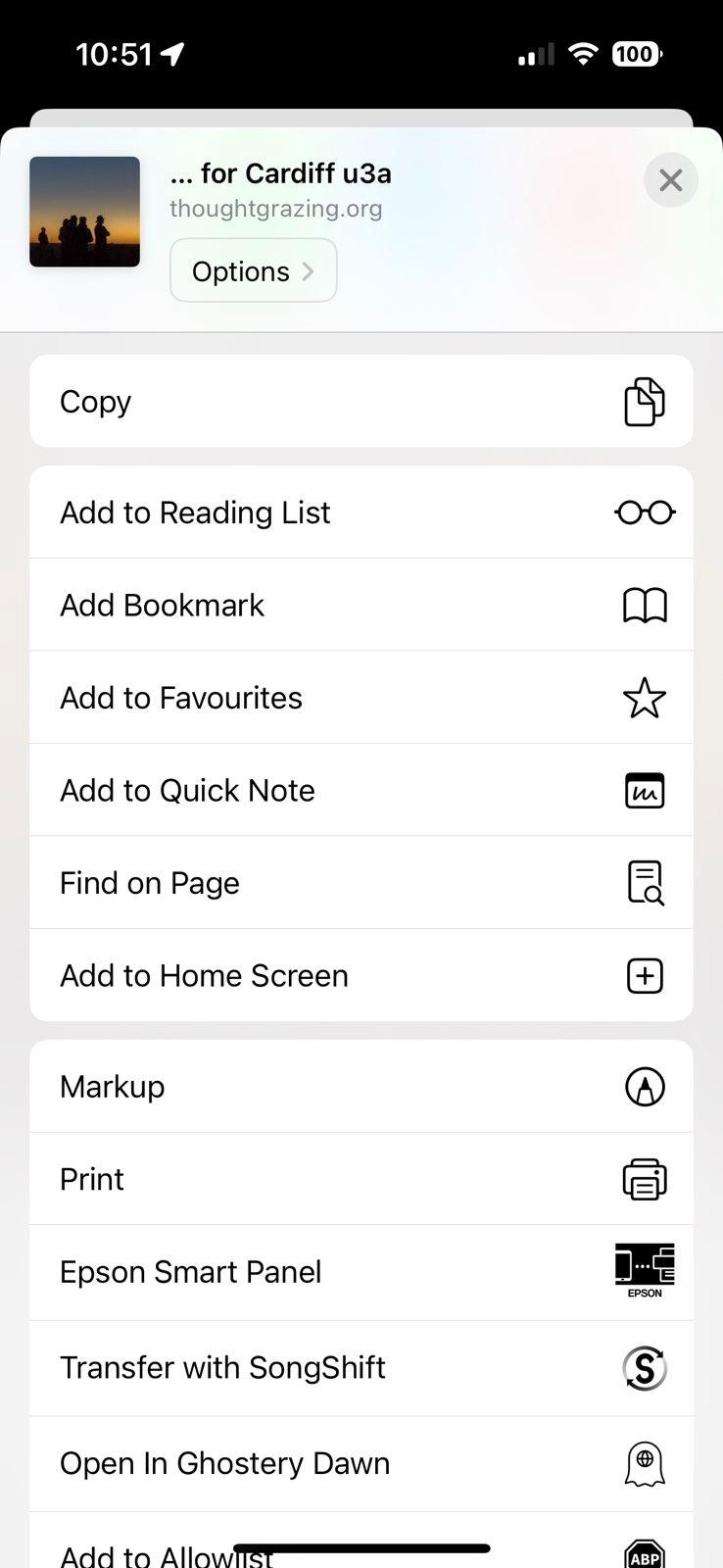
Image of iPhone Share

Did you know … you can create a shortcut to Thought grazing on an iPhone (probably similar on an Android phone) by pressing the Share button when you’re on a page you want to have a quick link to; and then selecting Add to Home Screen and possibly editing the suggested name; then moving it to where you can easily find it on your phone Home screen. You can setup any number of shortcuts this way to any website you frequently use.

How safe are iPads and other tablets without additional software protection?

A good question! I certainly can state that mobile banking is safer from a mobile device than from an internet browser because the latter can be compromised because it’s more open to the internet and issues that you install anti-malware software to protect you.

I would judge that the fact that as all software downloaded onto these devices go through a “shop” maintained and supported by the hardware vendor that they have done checks on the software and the supplier before releasing it through the shop. That’s a very powerful first step and is why I’m a strong supporter of these “shops” and would be distressed if some alternative means of downloading software onto a mobile device was allowed.

However, nothing protects you against yourself and that’s where the hints and tips in the third part of my “Protect yourself online” talk come into play.