
Notes from Zoom meeting – 8th July 2021

Owen led the meeting as David was on holiday. We did the usual round table followed by short presentations on Windows 11 and the Cardiff U3A website.
Fred: reported continuing problems with TalkTalk especially their email offering.
David H: David has bought a Samsung TV but struggles with multiple remotes. Jim mentioned an article in ‘Computer Active’ magazine describing an app to handle all TV activity.
Barbara: had an issue with her iPad failing to change screen orientation on rotation. There is apparently a ‘setting’ option to handle this but well hidden. She closed down the machine and restarted to solve her problem. [Jim chatted: To control the orientation of my tablet’s screen I use an app, Rotation-Orientation Manager, available in the Android Play Store. Jim]
Renee: was supposed to give a Zoom presentation but ended up in A&E! She has taught herself to use PhotoBooth to video herself and WeTransfer to send the file to others.
Don: is getting used to his new Dell PC. DH has encouraged him to use LibraOffice but every time he uses it he gets a popup about MS Office. He also wanted to reorder the email accounts that he uses to see a particular one first. No obvious solution was suggested except that he might remove all the accounts from his email client and re-add them in the order he wanted, but there was no guarantee this would actually work.
Sianed: asked for advice on the Brave browser as when trying to login to her online banking she receives a message which prevents her progressing. Others mentioned similar issues with other browsers.
Paul: has continuing battery drain problems on his phone. There appears to be an app or service ‘RCS’ which takes most of the charge. It was noted that the NHS Covid app also takes considerable battery usage as it is constantly scanning. [Renee chatted: iPhones don’t support RCS. They use iMessage instead.]
Jim: has been attempting to control his camera using his phone. He noted that when images are transferred to disc they no longer contain some of the desired information embedded in them.
Steven: Looking into removing duplicate files. Jim recommends ‘AllDup’.
Ann: mentioned that Zoom options seemed to have changed and her camera comes on automatically rather than asking her first. Owen said he would check if there had been any recent updates which might have altered this.
Christine: mentioned that emails don’t seem to archive properly. She has had a message from a spoofed email address but realised it in time and did not open any links. Celebrated receiving a date to have an extender from Virgin.
Owen then walked the group through the recent announcement by Microsoft of Windows 11 which seems to have a style revamp and the addition of a number of tools and features. Link is https://www.microsoft.com/en-gb/windows/windows-11 .
Owen then followed on with a demonstration of some of the features of Google Sites which is the software he uses for the Cardiff U3A website. He demonstrated layouts, images, formatting text, the inclusion of calendars etc. In response to a question, he indicated that one shortcoming was the inability to give editor permissions at page level and had therefore had to restrict editor to himself until Google changes matters.
Notes from Zoom meeting – 22nd October 2020
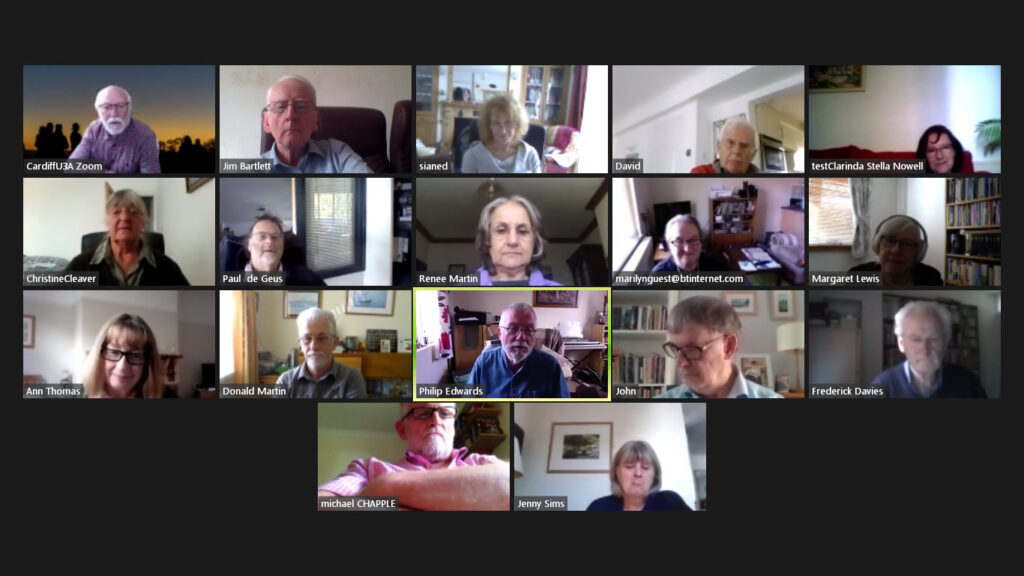
There’s a direct inverse correlation (I used to teach statistics) between the amount of talking we do, and the amount of notes I take. Whether that translates into a direct positive correlation between the value of what we say, and the amount of notes – I leave you to judge. Anyway, somehow with a good attendance admittedly of 17 (thanks Jim for the screenshot above) we managed to talk for over 90 mins and I didn’t have time to present what I’d prepared on Open Source and Free Software, although an article I prepared on the subject is available here, and my “Top of the Pops” for free software is to be viewed here.
Hopefully I’ll have made you feel “right guilty”, and I can write up the few notes that I’ve got 🙂
I started off with a review of the Notes from the last meeting – I don’t think there was too much to add to them; Paul will hopefully add an image of the day-time capture from his CCTV to his notes from his presentation last time; he also reported that his Vodafone phone had returned from its enforced holiday and was now working fine and no worse fro its swim; Jenny reported that she’d setup her first Zoom meeting fine and that it had been a success; David was ploughing his way through the massive manual for his new Tesco phone; and I reported that problems with Virgin Media seemed to be occurring in other parts of Cardiff as well.
I then turned to News items which I’d loaded into Flipboard and quickly went through them. We spent a little while in looking at the changes to the PayPal Terms of Business which for once needed to be looked at as they’re introducing a charge of £12 if you don’t access your PayPal account in a 12 month period. I’d already deleted an inactive PayPal account, and you’re advised to just check you haven’t got one too. You don’t need to do a transaction using the account (thanks Christine for clarifying that) – you just need to access it.
We started the meeting with a rendition from our very own “tattyjacket” – Phillip who demonstrated that time has not been wasted during lockdown because not only has he managed to find, purchase and re-acquaint himself with a childhood love – an identical bassoon – but also he has learnt how to use a piece of software – Acapella [iOS Download] [Android download] – to create multi-instrument recordings. Here are a couple …
As Phil himself said to me (about the second one) … “I’m improving”. Most certainly he is. Thanks for sharing with us.
Sianed had been having problems with her WiFi which were eventually resolved by a visit from an engineer who reset her router {I hope I’ve got that right}. We had a brief discussion about what you can do if your WiFi seems to be running really slow. The advisability of getting baseline figures of performance for both wired and wireless connections when your network is running well; and also the first port of call – switching your router off and leaving it for a few minutes before switching back on again. [Often the IP-addresses of your devices and the cache get muddled – a reset quite often sorts it out.] She also advised that there were some very acceptable “AirPods” earphones currently available in Lidl.
David told us that he was finding it as difficult to get an online booking to play a game of golf as I had to get a concert ticket from TicketMaster. Strange world! He also pointed us to Wales Online where the latest Covid-19 rules and regs were well explained.
Stella appears to have a rather strange problem with her Samsung TV in which she’s being asked to upgrade her Browser (Chrome ???) so that she can continue to watch YouTube videos. This is a bit of a problem with Smart TVs – they become increasingly non-Smart with age as software is not updated. A solution might be to look for a native YouTube app for the TV, rather than use the browser. Also updating the software on the TV might be possible. Alternatively you can see whether adding a dongle to enable streaming from the service might be possible. She also seemed to be having difficulty with the sound on her Mobile Broadband (from Three).
Christine reported that she was now having problems with household appliances and we all bemoaned the really long wait times that we were encountering during the lockdowns. The problem with her Beko dishwasher was causing the power circuit to drop out. Not a nice thing to happen – see Renee’s item below. I mentioned my problems with Dyson, and Renee reported similar problems with Anglian Windows.
Jim felt that he might need to research getting a new laptop because more problems seemed to be occurring, other than the colours of the screen which he’d previously reported.
Paul enthused about a Google Chromecast TV device – something like this, or a Firestick, or Roku, or … might be the solution for Stella??? He was not sure yet whether it was value for money but it looked a very professional piece of kit and it allowed him to “throw” what he was watching on his Android tablet onto his TV screen (a Sony Bravia I believe).
Renee raised the subject of surge protectors – a very good topic and one that I wholeheartedly support. I must have at least three multi-socket extension towers with surge protection built into them. They’re more expensive than a normal multi-socket extension but they’re really worth their weight in gold when there’s power problems around. She updated us on the “phishing saga” which without any intervention by herself went through the complete gamut of customer service steps! She resisted clicking on any links at each step.
Marilyn has a strange problem with her iMac not waking-up from sleep. I’ve sent her an email with some suggestions about what she should try, but it might be worth getting on to Apple Support as I believe the machine is still under warranty.
Margaret praised the information on the Cardiff U3A website – a BIG SHOUT-OUT here for Owen who’s improved the website immensely. Many thanks. She mentioned in particular the links to talks.
Ann taxed us with the problems a friend was having with McAfee software and Windows 7. We advised her that in all respects whether she liked Windows 10, or not, she really ought to take the machine to Neil and get him to do the upgrade and add any RAM that might be necessary to make the machine run well.
Don told us about unused Currency Cards being “absorbed” by the issuer and people losing funds. This may or may not be related to Britain leaving the EU – certainly Brits abroad will lose the capability of having British bank accounts. A possibility I’ve used is Revolut – a multi-currency debit card. You load it up over the internet from wherever you are, or before you go abroad, spend in the local currency, and then reclaim the remaining funds when you return to the UK. We used it on our trip to Norway and it worked very well.
John had a new iPad Pro and was loving it complete with it’s keyboard. He felt that it meant he wouldn’t need to have a laptop. We look forward for further updates as he gets to grips with it.
Fred and Jenny will get together through email to discuss the issues of online Covid access to those in care, or who are vulnerable at home. They may have something to report back on next time. Jenny also told us that it was Get Online Week – an initiative to attempt to get more older people using the internet.
Mike didn’t have anything he needed to add at this time.
We mentioned URL shorteners and I said I used bit.ly – I may try and write a short note on that; I also asked whether folk knew how to take screenshots – we’ll cover that next time, and I also thought it might be worthwhile re-visiting WiFi network problems in the loight of Sianed’s difficulties.
And that was that – unless, I’ve forgotten something, which If I have, please add in the Comment box below.
Notes from Zoom meeting – 8th October 2020
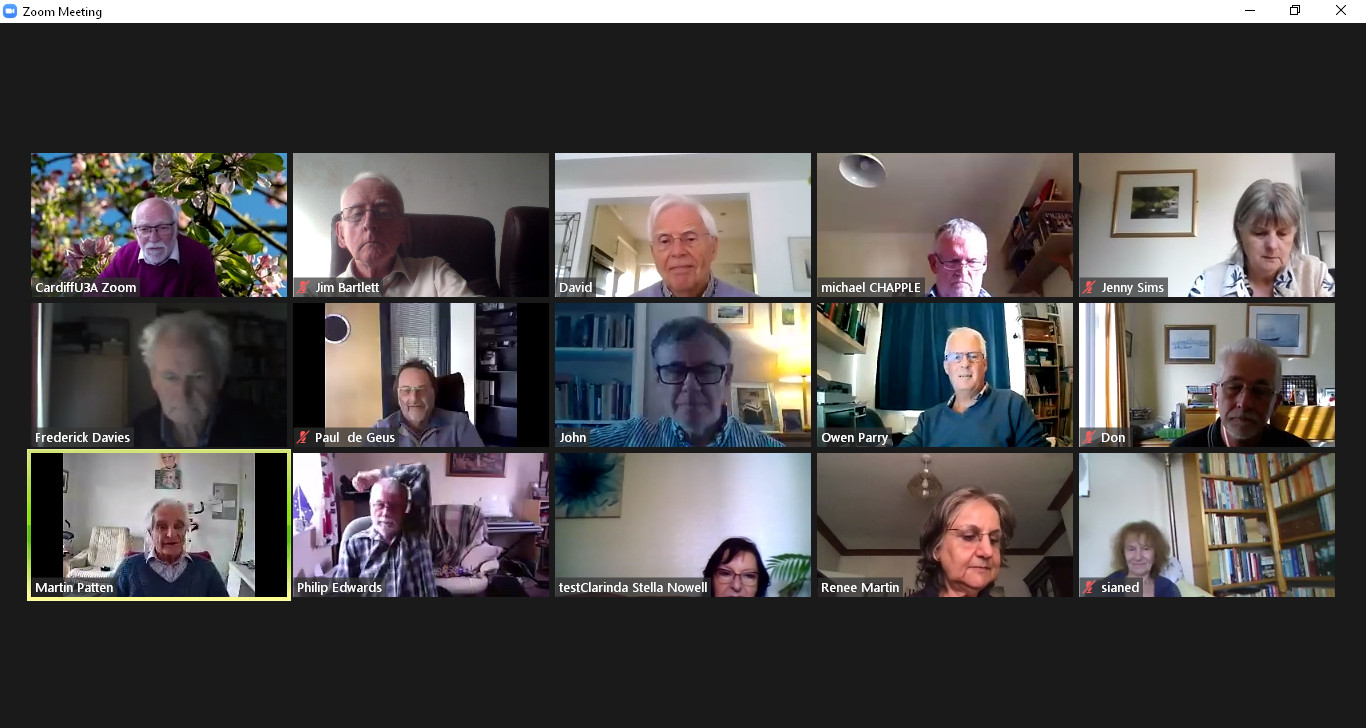
A good attendance to our meeting of 15 members, plus 1 guest – the convenor of Porthcawl U3A Computer Group, Martin Patten (a former work colleague of Paul).
We started by me doing a quick review of the last meeting with a couple of updates from the Meeting Notes, and also the Topics created on the Forums. I urged all members to make use of them. Then I did a run through of what I’d sent to the Thought grazing Flipboard magazine – news so-to-speak – accessible also from the Thought grazing “home” page. In particular I highlighted the NASA daily photographs, which are spectacular, and which you can now set to be your homescreen on an iOS device – something I’m definitely going to set up. I mentioned that Microsoft will be trying to persuade users of Windows 10 to move to the new Edge browser more – as it has “settled down”; and I referred to the article about the NHS App – which I will also link to from the post that I wrote after the last meeting.
I ended this part of the meeting with a short video of a new Ring (Amazon-owned) security drone that flies around your house – which was by way of an introduction to Paul who took over the next part of the meeting to talk about CCTV and his experience of installing a system recently.
Here is a post of Paul’s presentation with links to further information.
So then we turned to members issues, concerns and questions.
Phil had been on holiday in Builth Wells (having left pre-lockdown lucky couple – we were unable to go to Raglan, so had to cancel our short break). He reported on hospitality venues use of the Track’n’Trace QR code (or not) which was a bit hit and miss in Powys. He also reported use of a bread-maker, but I’m struggling to see the relevance. As this was the first mention of the NHS App, a lively discussion and debate ensued on the appropriate use of an Excel spreadsheet which was out of date – probably by a factor of 13years plus as the .xlsx format replaced .xls in 2013. More important was “why use a spreadsheet?” Phil has sent me this graphic which is lovely …

Sianed reported a recent HMRC scam she’d received – wanting to give her money back … as if!!! This prompted me to mention the scam I’d heard of recently which attempted to extort £900 from a person who’d crossed a “county line” – the first offence apparently would result in a £90 fine. However, this is disturbing in that it would indicate that someone must be watching CCTV cameras on the A470, and then doing a check back (somehow) on the DVLC database of car registrations and ownership. Watch-out, there’s a scam about! Sign up for the Which? Scam Alert service as well. Following the meeting I received this on my phone …
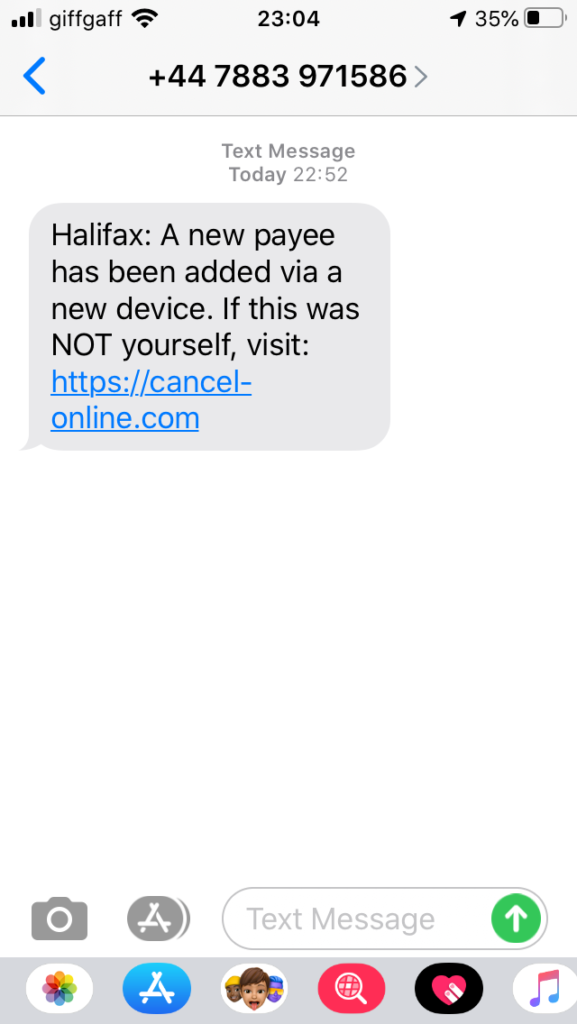
… which is totally believable isn’t it. Just type-in the URL above and if your browser is working properly you’ll get an alert.
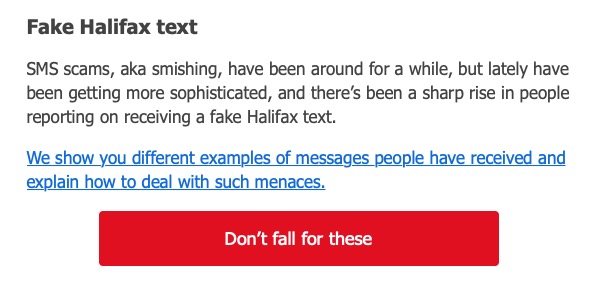
Following this I noticed that this one had appeared in the Which? Scam Alert Service
John reported his gmail problem from the previous meeting had been resolved by the classic uninstall/reinstall procedure. One that we can all do well to remember.
Don told us about his experiments using a Logitec 300 camera as a wildlife camera. This seemed to be work OK, but he was having problems mailing the resulting file using Gmail. It seemed that Outlook was necessary to do this. I promised to look into this. He also mentioned that Flash was possibly involved, and I alerted users to the perils of Flash and the fact that Adobe had stopped supporting it as had most web browsers. He also had come across a Raspberry Pi online course from the University of South Wales, which reminded me that I’d not mentioned the large number of online courses available from FutureLearn and the Open University.
Owen reported on his experience of having to learn Python so that he could attempt to create a link to the Cardiff U3A website from the online calendar in Beacon. He’d also had to move from Access to SQL Server as a database platform. [If Cardiff U3A members know the difference between a database and a spreadsheet – why doesn’t Centrica, or whoever Track’n’Trace had been contracted out to!!!]
Paul had offered his Vodafone phone the chance to learn to swim, it had declined and was now on an unintended holiday with Vodafone for repair!
Fred and Jenny had a conversation about the issue that Fred had raised at the previous meeting. I’m afraid my notes were a bit sketchy and incomplete so I don’t want to attempt to re-produce them – on the subject of IT assistance to residents in care facilities during the pandemic. Jenny, felt that a considerable amount of money had been offered, £800K. Fred was unsure whether it was going to sheltered housing as well. Anyway, I agreed to send them, their email addresses so that they could correspond offline.
Jenny reported that she had a complete new suite of kit – laptop, iPhone and BT fibre but was now a bit daunted at setting-up a Zoom conference. Owen pointed her to the Cardiff U3A webpages which might be of help.
Jim updated us on the trials and tribulations of his Broadband problem, and offered the theory that perhaps performance was in some way affected by the school gate times. It might, as students leave school each afternoon. At other times the bandwidth is acceptable. He also mentioned he’d been using Audacity. Both of these items he’d added as a Comment after the last meeting. You’re all encouraged to do likewise!
David Hughes thanked us for the suggestion of going to Tesco to get a new phone – he now had two Samsung A21’s. He also told the group about his horror story of trying to get rid of malware and crashing his computer. Luckily a local repair person (in Penarth) had been able to restore the machine and he’d got a more recent copy of Microsoft Office in the process. [NB You better just check that it can be upgraded – ie, do you have a licence. Worth a phone call.] He also advised us that subscribing to online concerts from the Barbican (and perhaps elsewhere) can be a bit “iffy”; but he reported that he had been able to get his money back.
Renee reported that she was having trouble with her Virgin Media connection and that it was not just her in the neighbourhood. She also reported her experience of using the NHS app and wondered whether people had looked at the Settings to see what could be gleaned from the Notifications. Furthermore it would appear that if you got a notification from Google (ie from an Android phone) you should wait for the second notification before getting alarmed.
Any amendments or additions, please let me know.
Organising and tidying-up – Part 2 – 20 Dec 2018
Boot-up
Google and Browser – OK?
“Short for web browser, a browser is a software application used to locate, retrieve and display content on the World Wide Web, including webpages, images, video and other files. As a client/server model, the browser is the client run on a computer or mobile device that contacts the Web server and requests information. The web server sends the information back to the browser which displays the results on the Internet-enabled device that supports a browser.
Today’s browsers are fully-functional software suites that can interpret and display HTML Web pages, applications, JavaScript, AJAX and other content hosted on web servers – this makes a browser a platform for running web-applications (like your banking application) in its own right. This means that some websites stipulate which browser you must use to access their services. Many browsers offer plug-ins which extend the capabilities of the software so it can display multimedia information (including sound and video), or the browser can be used to perform tasks such as videoconferencing, to design web pages or add anti-phishing filters and other security features to the browser. When used like this it is a fully fledged application environment in much the same way as Microsoft Office, or Adobe Photoshop is.
“The three most popular desktop browsers, according to Net Marketshare, are Chrome, followed by Microsoft Internet Explorer, Firefox and Edge. Other major browsers include Apple Safari and Opera. While most commonly used to access information on the web (or internet), a browser can also be used to access information hosted on Web servers in private networks or intranet.”
I hope that helps. You’ll notice that the word Google isn’t mentioned at all!! However Google does provide us with Chrome. As we discussed (and as I demonstrated) you can decide which search engine to use – this could be Google, or Bing, or Yahoo, or DuckDuckGo – which I am currently using. You decide this in the Settings of your browser.
News
Wikipedia -I won’t be donating to them anymore!
The usual Facebook story – this time about disillusioned journalists employed to fact-check pages …
“They’ve essentially used us for crisis PR,” said Brooke Binkowski, former managing editor of Snopes, a factchecking site that has partnered with Facebook for two years. “They’re not taking anything seriously. They are more interested in making themselves look good and passing the buck … They clearly don’t care.”
Google is above the law – in NZ it seems
Google Lens appears on the iPhone (iOS) – here’s Google’s update report, and Google Maps tells you where to go, not just how to get there.
File Organisation
The problem … duplicates, versions all over the place, unable to find “stuff”. No escape from the problem – it has to be sorted out. However help may be at hand.
Using DupeGuru for both documents and photos – https://lifehacker.com/the-best-duplicate-file-finder-for-windows-1696492476 and https://home.bt.com/tech-gadgets/computing/how-to-find-and-remove-duplicate-files-and-photos-on-your-pc-11363985986930and https://dupeguru.voltaicideas.net/