
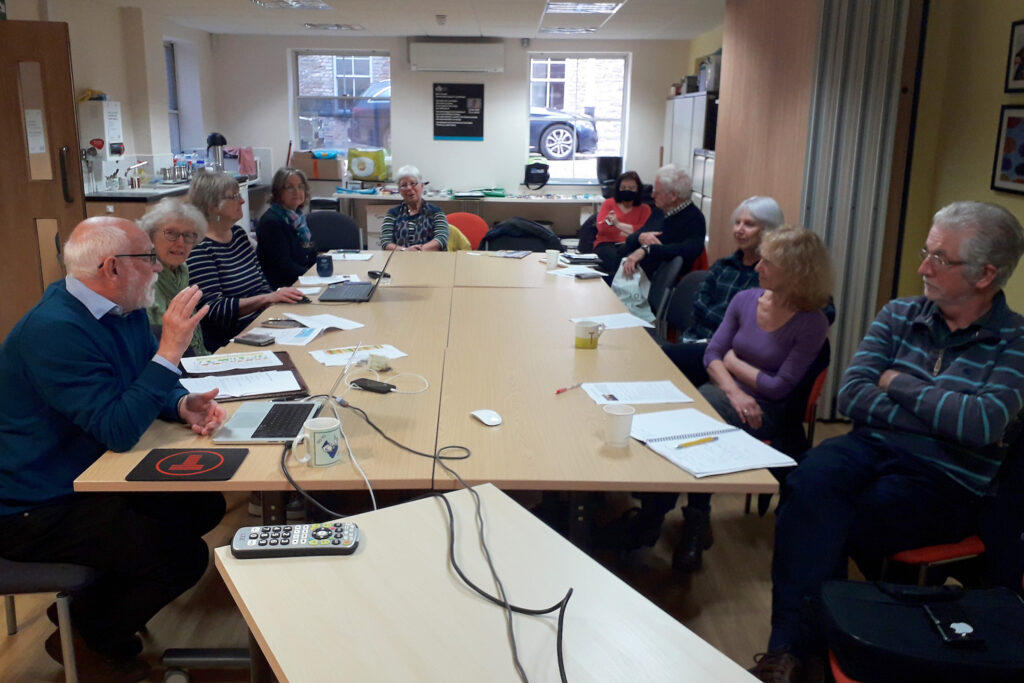
The meeting started with a welcome to new members – Anne, Kate and Mo (in-person) and Martin, John, Lynette, Yvonne and Linda (over Zoom, with 5 others). I asked the new members to introduce themselves and tell the group what they hoped to get from their membership of it.
I sought to clarify the arrangements where people had been allocated to groups. I do not want this to be prescriptive. If you know you can’t attend a meeting in-person, just let me know that you’d like to come to the one before your scheduled Thursday, or the one after.
It would seem to me that there is room for at least another 5 members in-person at Sight Life from this meeting, so I’ll be monitoring attendance and perhaps inviting people to move to “the attend all meetings in-person” category. Similarly, if people would like to change their preference for the meeting they would like to attend in-person, just let me know. Finally, if people would like to join the Zoom-only category, please let me know that as well.
We had some difficulties with the audio for the Zoom attendees at this meeting. My apologies. I’ve ordered a table microphone to use at Sight Life and this (hopefully) will solve that problem. I had been using the microphone integral to the camera, and this was apparently not picking-up all that was being said in the room. Kate and Mo wondered whether they might have trouble in using Zoom. I suggested they wait behind at the end of the meeting and I’d talk them through setting-up Zoom and using it. There a couple of useful documents about using Zoom on the Cardiff u3a website, and I’ve added a guide to setting-up meetings on Zoom on this website.
I then repeated a few things I’s said at the previous meeting about how the group is run. I referred to the fact that generally we don’t try and solve hardware/software problems on members computers, but we do recommend and refer members to “We will fix your PC” as an excellent resource and repair one-stop shop. I shared the “Toolkit” handout to a few members who’d not picked it up from their email. I explained and demonstrated how the Thought grazing website works and some of its features, its origins as part of my pre-retirement role at Cardiff University, and the public version – which is where Jenny (with my assistance) had recently posted an article about the switch-off of the analogue PSTN (public switched telephone network). I wondered whether Jenny might review the article to see whether it needed any additions to it?
I also suggested (and strongly recommended) that members join the Signal group we’ve set up to assist in giving support/advice between meetings. You need to download an app to your smartphone, connect your phone number to the Signal account. You can then download an app for your tablet, or desktop/laptop and view messages from these devices as well.
I went on to promote the Thought grazing Flipboard magazine – the place where I and a couple of other members add articles they have come across that they think might be of interest to the group. I also mentioned that anyone could be a contributor to the magazine. They would need to have a Flipboard account (which you don’t need to just read the magazine) and let me know; I can then add them to the list of contributors.
I concluded the introductory remarks by mentioning what I’d found to be the most common misconception for new members. What is an internet browser, and what is a search engine. I’ve written before about this – here, here and here. My most recent post however compares and reviews the various most common browsers and search engines available. I also stressed my preference (wherever possible) to use Open Source software, or to pay a subscription for software (rather than get free software with advertisements, and all the targeting and spam that involves).
I then reviewed the news that caught my eye in the previous two weeks, with links and comments to articles on the Flipboard magazine. Jonathan had posted this article on Windows Security, for instance, whilst Paul had found a nifty desk tidy device that could also charge your phone. I rushed through a number of Apple related articles which have my comments attached to them. This one, on sharing an iCloud Photo Library will be one I certainly want to follow-up, and then there were a few articles on the new Apple devices just announced, and the new versions of MacOS (Ventura), iPadOS and iOS. I cautioned (as I always do) against rapid adoption of an operating system, and referred members to an issue with Malwarebytes (for the latest MacOS release), but celebrated the fact that Dropbox had finally (after a year) released a native application for MacOS M-series machines.
There’s a lot of information in the above, so please get back to me if you want any clarification – preferably on Signal.
I finished my spot by detailing how I’d spent some time trying to subscribe a friend to use an upgrade to Apple’s iCloud system, but had found out – after nearly three months of trying, and having had finally to admit defeat and use Apple’s Support service – that the problem was that payments wouldn’t work because the software on her phone and MacBook was too out-of-date. The security system just wouldn’t allow payments to be made successfully. A very good reason to keep your operating systems up-to-date … even if you don’t rush to upgrade them!!!
Sianed then took over the facilitation of the meeting so that members could raise issues, and for existing members – how had they benefited from membership of the group. She stated that she’d benefited from learning from everybody else
Don described the Computer Group as a life-jacket. He’d taken over responsibility from some computer activity with hsi church and this had forced him to learn. He mentioned the recent scam whereby someone had lost their house through identity theft. This was discovered when it was found a person was trying to sell that property online! Apparently the identity had been stolen through a replacement driving licence that the estate agency had accepted as valid ID. Apparently there is protection from the Land Registry for a £40 fee. He had downloaded and installed Norton Anti-virus for his new machine – mainly for the internet banking security window. It provided him with re-assurance, even though I suggested that Windows Defender was probably as good as anything, and free!
Fred queried the strange URLs he’d recently seen – I explained these were URL-shortners. Often I use bit.ly.
Jenny described her work as a campaigner for Digital Inclusion, and mentioned specifically that she’d just become involved in lobbying for the Social Tariff for broadband more widespread, not something people had to opt in for. I had shared a link after the meeting on Signal, and she would be working on an article soon. She admitted to real problems with too much disorganised email from Gmail. I offered to do a session on Google settings, but in the meantime this page on the website might be a start.
Anne had a new laptop and it was running Windows 11. She was concerned that some of the software, especially that which she used for photography, might not run on the new machine. I responded (after the meeting) with this reply …
I’ve done a bit of searching around. It would appear that Picasa can still be downloaded and at least works with Win 10, so it probably works with Win 11 as well. Can’t confirm that.

Here’s an article that explains the status of Picasa, with a download link in it, which looks OK.

You might instead consider using Google Photos

… where your earlier photos may already be. Google Photos is an Online Editor - I’ve covered its use a couple of times in the Group and there are posts on the website.

Alternatively you could look at Microsoft’s Photos app

… or an open source alternative such as Gimp …

… hope this helps.
She also asked whether she needed to take out a fresh licence for her Kaspersky Anti-virus software. Apart from the questionable source of the software (Russia), I suggested that this would not be the case, she needed to register her new machine. I also mentioned (as I had above) that Windows Defender was probably as good as any anti-virus software for our type of computer use.
David Hughes described the frustration in not seemingly to be able to switch off his Facebook Portal machine. [No comment – perhaps its spying on him :-)]
John Silk was interested in what I’d said about the iCloud Photo Library and reminisced on how it used to be the practice to just save photos on a USB-disk, or memory stick. How can you do that from your photos app on your phone now. I offered to write something about this workflow.
John Mitchell had a most interesting problem. It appeared that a lot of files (photos) had vanished from the folders they used to be in. The group discussed several possible scenarios where this might have happened. After the meeting I sent this email to John …
I’ve been puzzling over your missing files issue, and found this link

… which seems to suggest that you might have dropped into an issue that is not unique. I wouldn’t recommend trying to solve this one yourself, but I would recommend you taking your machine (esp. if it’s a laptop) to the guy we show hardware problems to; We will fix your PC

Neil is really good and I’m sure he’ll give you good advice. Mention the u3a Computer Group.
… and that was about it. If I’ve forgotten anything, my apologies. Please add to the Comments below the post.
Until the next time when I’ll revisit (again) privacy and security. Cheers.