
Best kept secret

The Best Kept Secret.

Philip Edwards.

A few weeks ago during one of our regular meetings, somebody brought up the topic of Apple News+. One of the features of the service is that it gives you access to over 400 magazines to peruse at your hearts content. This made me sit up and listen, because I knew of a service called Pressreader. This provides access to 7,000 newspapers and magazines from more than 120 countries in over 60 languages, all for free.

How do you access this service? It might involve a trip to your local library.

First, you need a library card. You might already have one, but to make this work, you need to ask your librarian for a P.I.N. number. Both are free. Make sure you keep your details of your library card and P.I.N. You will need them to sign up to the service and you really don’t want to suffer from a nasty case of Passworditis do you.

Next, go to pressreader.com and sign up. You’ll be asked to select your local library…probably Cardiff. You’ll also be asked for your library card number and P.I.N. number. And that is it. You can then browse the catalogue, check the news in the latest newspapers or find absolutely anything from their huge range of magazines….and I’ll say this again, all for free through your local library membership.

If you’re new to the world of on-line reading, you might want to check on another service, free through your library card membership. Visit libbyapp.com

This is a more general library service, giving you access to thousands of electronic books and audiobooks which you can borrow, again, all for free; all part of the library service.

Probably best to load the libby app onto your laptop, tablet or wherever you think you’d enjoy sitting back to read your recently borrowed Agatha Christie

https://www.amazon.co.uk/photos/share/fhBBthPO3m4twXjknStaWcvSZS045foqnjpQifTqApD
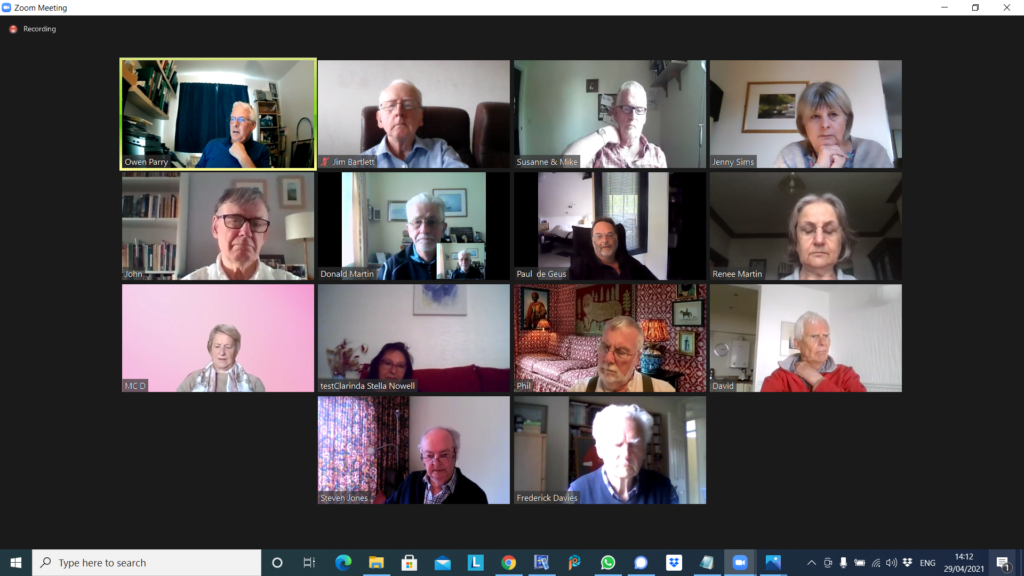
Notes from Zoom meeting – 29th April 2021

Somebody’s missing

Thanks Owen and Phil for holding the fort for me. I understand that you had a great meeting and that Phil gave you a presentation on the subject on Online Reading and using the Library service, the PDF of his talk (with notes) is available here. Owen had to handle a number of “strange” Zoom problems. Beyond the call of duty – many thanks!

Jenny opened the meeting with a report of the NPC’s Response to a House of Lords Select Committee – the Covid-19 Committee- and she advised that they will be lobbying to make sure that they are not by-passed in consultation in preference to the usual suspects, ie AgeUK. The report is on the Cardiff U3A website at this link – https://data.cardiffu3a.org.uk/documents/groups/computer/HoLReportBeyondDigital.pdf – I’m sure Jenny would welcome comments on the Report.

Don needs to buy a new computer and hoped to view a Which? report at a neighbour’s house. He was also hoping that he could persuade his wife to get a new email address as it had been “pwned” and also that there was a problem with her AppleID – she needed to change it urgently!

Paul then had problems with his audio.

Renee had some success at date-stamping her photos for the iPhone – she had found an app Date Stamp Camera – which gave location, time and date on the photo. This might be of use to the Photography Group as well. The basic version is freel!

Marie-Christine had no progress yet with BT and her “deliberate feature” problem. Owen commented that he thought all keyboards should have a key “Just Do It!”

Stella advised that she was having problems with highlighting links so that she could highlight, copy and paste. Owen then shared his screen to demonstrate how that could be done.

David H was thinking of re-furbishing his flat and was waiting for the Conservative party to offer the funds.

Steve had prepared something on Photo Books for the website and was wanting to post it to Thought grazing. [I obviously had forgotten to give him rights – slapped wrist!] Owen thought he might have rights to post, and would look into to it. He also wondered about Chrome Books as a possible replacement for a Laptop – had Don thought about this as a possibility? Phil advised that they had been around for 8-9 years, operating system always up-to-date; data stored in the cloud. He thought at first they might be a good idea for us, but actually a laptop not much more expensive. Not a replacement for a tablet – a very different type of machine! Paul backed this up!

Fred still “bouncing along” and visiting family in England; not much computing in terms of computing needs.

Paul (after re-booting his machine) had reduced his Google Storage, and seen that he could reduce the amount stored as attachments to Gmail reasonably easily. Most of them advertisements. Photos for instance were still in gmail even though you’d saved them to Google Photos. Jenny asked how she could see how much of her storage was being used. Paul said that you could click on an image and select “Manage Storage”; the other alternative was to look at the bottom of the Gmail window – Owen suggested that perhaps he could do a presentation for a future meeting.

Owen reported that quite a few members were not urgently requesting face-to-face meetings before the autumn. There was an “in memorium” page now on the Cardiff website.

Phil then commented on Stella‘s “copy and paste” problem; he was a strong advocate of the MacBook Air (supported by Renee); he also suggested that the AppleID problem might be down to the Gmail account provided to Apple at the time of buying an Apple product; also a simple change of Password might solve the Gmail “pwned” problem. He then led a presentation on On-line Reading, which is referred to at the top of this post. You need to download an app called Borrowbox – but this has been superseded by a different app which you can use for magazines as well called Libby. He then went on to describe buying books for the Kindle, and he told you that you could load some books for Apple devices as well, [DIH: you don’t need to buy a Kindle device to read Kindle devices – you can just load them into the Kindle app which you can download to your mobile device – and buy them from Amazon]. Audio books can be obtained by subscription using Audible; Apple books can be bought as single purchases, some “classic books” are free.

Owen reported that he was an Audible subscriber and it costed £7.99 a month which allowed access to one book a month, but you can for £6 get more. Renee advised that she thought the Library system seemed not to be working just yet. Jenny also reported that Grangetown Reading Club was able to lend books. Paul was quite excited by the prospect! Don advised that he’d been able to download old Parish maps through Llanishen Library, and Owen reported that the National Library had an online collection of Newspaper Articles.

Owen then indicated that the group would send “good wishes” to me!!

On-Line Reading.

From the presentation used on April 29th, 2019. Philip Edwards.

You can find a .pdf version of the presentation here.

Just a quick word of warning. I originally wrote this article on my old laptop. I wiped that machine without taking one last look to see whether there was anything of value stored on its drive. Lesson learned. That’s why I’m writing this out again.

You probably know this, but just in case you don’t, if you love reading, there is a wealth of reading material available on-line which can be read on a desk-top, lap-top, tablet or mobile phone. This is what you do.

Ebooks and Audiobooks from Cardiff Library.

This is not straightforward, but once you have the system up and running, everything works like a dream.

  1. You need a library membership card. Make a note of your membership number.
  2. You also need to ask the library to issue you with a PIN number.
  3. On your tablet or phone, download the Borrowbox app. This will be in the App Store for iPads and in the Google Play Store for Android devices.
  4. Open the app and login, providing your account number and PIN number. You’ll only have to do this once.
  5. You can then borrow eBooks and Audio Books for free. You can also reserve real books for collection. You can keep the borrowed eBook or Audio Book for up to three weeks. If you forget to return it, your tablet will do that automatically.

Magazines

This is a very similar procedure. You need the same account number and PIN number, but a different application.

It used to be that you needed the RB Digital app but it appears that things have changed. You now need an app called Libby (from April 30th.) RB Digital app goes offline on April 30th.

It is being replaced by a new app called Libby.

It is already available and very easy to use.

It also appears to be able to find ebooks as well as magazines:- a one-stop shop.

The home page is simply a joy:- far more inviting than either Borrowbox or RB Digital.What if you want to buy reading material?

Things you should know.

Kindle ebooks will play on Kindle devices, on any type of tablet or mobile phone.

You can also read Kindle content on a desktop or laptop by using the Kindle Reader application.

Is it possible to buy and read Kindle content without purchasing a device?

Things you should know.

As far as I know, Apple ebooks will only play on Apple devices.

Well, actually it might be possible but it doesn’t look easy.Another thing you should know.

Audio books are available for Kindle, P.C.s, laptops and non-Apple devices.

You have to buy a subscription for £7.99 per month but then have access to their whole library.

Another thing you should know. Apple audio books are available individually.

Just one more thing you should know. You usually have to pay for Kindle classic novels. Apple classic novels are free.