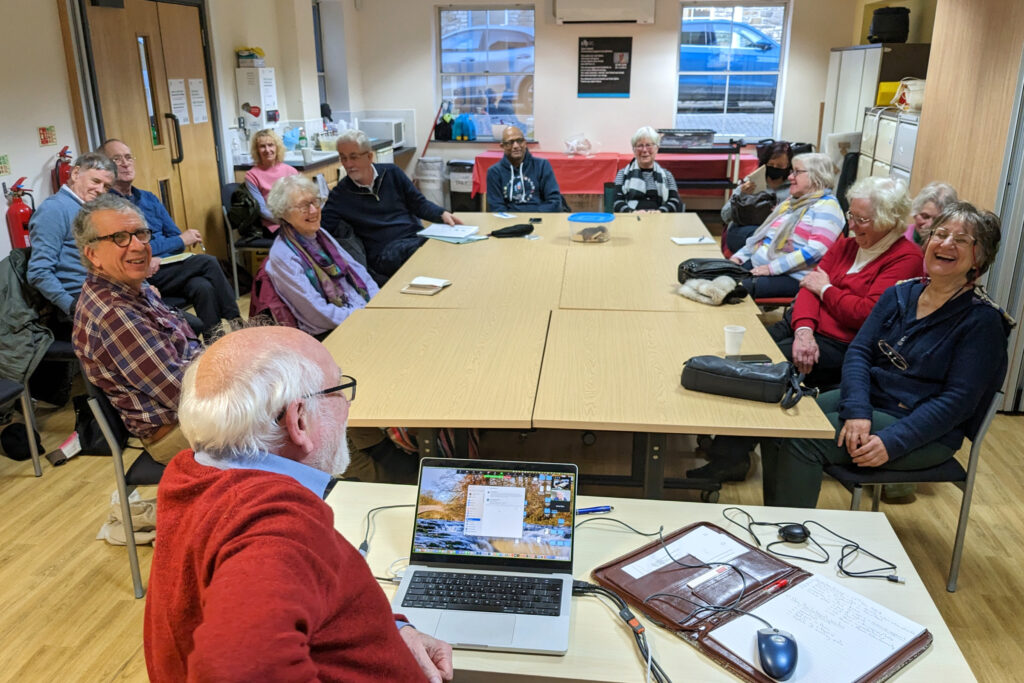
First of all my apologies to anyone who turned up at Sight Life on the 7th March. I was as surprised as anyone when I discovered that the shortest month in the year was going to have 5 Thursdays in it. We of course meet on the second and fourth Thursdays of the month, so a gap of three weeks between meetings!
I rapidly went through the new Topics I’d added to the various Forums, reminding those present that this was the place I’d be putting links to items of longer term (reference) interest and/or hints and tips, leaving Flipboard to be the place where news items of shorter term interest would be posted. I thanked Iain King for becoming a Flipboard contributor – the more the better.
We noted this article from Scientific American that highlights just how much electricity will be needed as we continue with our quest for artificial intelligence; a theme built on by Iain and Ian in their recent posts on the Signal group.
First Iain King presented some slides and led a discussion on his visit to the Google Accessibility Design Centre (ADC). He stressed that Google didn’t just look at issues of accessibility in IT, but in all design areas including spoons!
I then re-visited the presentation I’d done last year on How does the Internet work? I’ve edited and updated the blog post and so it should be reasonably up-to-date. I highlighted however the following webpages and videos.
First the BBC Bitesize webpage “What is the internet?” It contains a brilliant video which uses pigeons and nests as analogues for the internet and its users. A must watch!!
I then showed this video which explains very well how the internet works, but towards the end betrays the fact that it’s really, really in favour of scheduling and prioritising of traffic and moving away from the long-held philosophy of the internet – net neutrality. The importance of net-neutrality – the fact that all users should be deemed to be equal, and all content providers the same – should not be taken lightly. If this principle falls then you will find investment in the internet for everyone will decline, and those that get the faster internet will have to pay for it. Please watch the Vimeo (a streaming service) video to see the other point of view.
I then showed this video from TED talks. [I mistakenly said that these talks were available from a Smart TV app – that used to be the case, but maybe not now.]
It’s a really enlightening story from an architect who got curious and wanted to discover the physical manifestation of the internet.
Finally I showed this video, one of a series that are worth watching, produced by one of the “fathers” of the internet. Someone who was in at the beginning …
[Revised 17th January 2023 and February 22nd 2024]
Now there’s a question. Once upon a time it was a little easier to answer. You connected your computer with a piece of wire to a socket in the wall and beyond the wall was ??
So perhaps it’s never been easy to answer that question. It’s not magic, it’s not fluffy, it’s actually really complicated technology which works in a relatively simple way to make things relatively easy for us to use it. Let’s start with a few videos …
How does the internet work? – This [updated] BBC Bitesize page (produced for children) is a really good starting point to help you understand how the internet works and introduces some of the terminology (ie protocols, packets) that will be useful to you to understand the other videos.
How the Internet Works in 5 Minutes – the internet is not a fuzzy cloud. The internet is in effect a wire (or a fibre-optic cable), actually buried in the ground or carried as wires between posts. Computers connected directly to the internet are called Servers, while the computers you and I use are clients, because they are not connected directly to the internet, but through an Internet Service Provider. Mobile devices away from the home, connect to the internet using radio-waves to connect to cell-towers with increasing capacity being generated by increasing the frequency modulation of the waves (ie 3G, 4G, 5G and even 6G). Mobile devices in the home or in the office, or in public hot-spot spaces, use WiFi to connect to the internet using two frequencies – 2.4GHz and 6GHz. All of these require Routers to shuttle packets of information across the internet, and transmit e-mail, pictures, and web pages. Although this video is a little dated, it really does explain the process of what happens when you connect to the internet …
A more recent video and the ones that are referenced at the end of the video will get you a long way to understanding the technology that makes up the Internet.
How Does the Internet Actually Work? – this discusses how internet traffic can be labelled to ensure that packets of data can arrive at their destination with the minimum amount of disruption [- but it is a biased view in favour of scheduling]. However for an impartial point of view of Net neutrality, you should probably look at this video produced by Vimeo – strong supporters of Net Neutrality …
Finally a couple of alternative views of the internet. First, Andrew Blum (in a TED Global talk) philosophically examines What is the Internet, really? A journey that started for him when he found out a squirrel had chewed through a cable led to him exploring trans-ocean cables and the very physical nature of the internet – a wire! Then this rather entertaining video …
… takes us from very local internet and cell-phone technology, through an examination of data centres such as the former Western Union office at 60 Hudson in Manhattan, to laying ocean cables and the future with balloons acting as transmitting stations for low-density inhabitation, or remote areas.
You might also be interested in seeing a Google Data Centre, in particular the pieces on security and cooling are interesting. [However, all of this increasing use of the internet comes at a cost to our environment as the advance of Artificial Intelligence and its huge need for energy for increased computing power comes at a cost.]
I started off the meeting with an apology for not doing the notes from our last meeting on the 8th December. I had the beginnings of a cold on that day, and the notes I took were indecipherable by the time I had recovered after Christmas.
I briefly went through the latest News – not that there was much as Jonathan and Paul attested to as well. Their additions to Flipboard and mine can be found here.
I then asked the group to consider using the Forums/Topics area on the website as an addition (not a replacement) to using Signal for issues that might be of interest to reference in the future. I suggested that Signal might best be used for getting quick responses to issues, and then copied to the most appropriate Forum as a Topic later. Or … perhaps just add them as a Topic if no response was immediately required and you just wanted to promote discussion on a Topic. I stated that I’d be reviewing the structure of the Forums and the Topics within them [Update: now completed], and that I would also be looking back at posts on the website that I thought ought to be promoted more for easy reference and access [Update: now done under Blog posts menu item].
I proposed to the group that we might review the way the group was working, and to discontinue doing hybrid zoom meetings which I was finding quite stressful. The group agreed with my proposal which I later circulated as an email …
I am grateful to those of you who attended the meeting yesterday and who accepted my suggestion to re-structure the programme of meetings for the Group.

We will still meet on the Second and Fourth Thursdays of the month at 2:00pm at SightLife, but without a Zoom hybrid component. Doing this was becoming a stressful addition to the meeting that I was finding it hard to work with, so I felt that if the group was going to flourish in the future we had to find a different way of working.

What I came up with, and which was agreed by the members present, was the splitting of the discussion/advice/issues component from the presentational/information component, so that the first will take place on the Second Thursday of the month, and the second will take place on the Fourth Thursday of the month. Doing this will mean that I don't need to prepare stuff for more more than one meeting a month - and I am keen to encourage others to "present" also; and I need not "chair" every discussion-style meeting - concentrating just on taking notes and inputting thoughts, inmformation or even sharing advice!

To support the Zoomers and maybe even extending the online community, a Zoom meeting will take place on the First Thursday of the month. This will essentially be a discussion-style meeting, but it's up to members to take it in any direction they wish. I will host this meeting from the comfort of my own home, with technology I'm more confident with.

Yesterday, I talked about "How the Internet works", and I'll be sharing an updated post on the subject, on the website asap. At our first proper "presentation-style" meeting in a fortnight I will be talking about "Home networking" - updating the various sessions we've had over the past 6 years or so. There should be time for anyone to raise a pressing issue/problem at the end so we're not dispensing with that and we will still do a News and Follow-up bit; we just won't go "round the table/screen" seeking input as we've done in the past two years (plus).

I'm looking for suggestions for other "presentation-style" subjects. I have it in mind to do one on photo-sharing in February, but any other ideas are welcome. Just drop me a line.

Finally, I'll be providing a bit more structure to the website so that the more useful posts are more easily found; and I'm also encouraging members to use the Forums and Topics, and you will see some changes to the Forums provided over the next two weeks. I don't want to replace our use of Signal. It's brilliant for keeping in touch and getting instant answers to problems; but I am keen to capture some of the issues/solutions as Topics so that they can be more easily retrieved. I am also keen to encourage members to start their own Topics and for all members to participate with Comments and Replies.

Apologies for the length of the message. I hope you all understand where I'm coming from. I'm confident that with these changes the group will be invigorated and work even better than it has in the past.
Then after totally confusing some of you in attempting to describe how I’d sorted out my son’s network (changing a router to a bridged connection, and creating a single WiFi network with one SSID is the quick description of what I did), I moved on to showing three short videos which aimed to explain “How the Internet works” …
These three videos I think provide a sound basis for understanding how information gets to you when you send an email, or do a search from your browser, or use an app on your phone to buy something. An earlier article on the public Thought grazing covers the ground too – I aim to update it shortly. This forms the basis for helping us to start looking at our Home networks and how they work, how they perform, and whether there is anything you can do to make them perform better. That’s for the next session – our first presentation-style meeting, on the 26th January.
Vimeo video on Net neutrality which they are supportive of (unlike Google & YouTube)
As the meeting closed Ian asked about Backups on Apple Mac kit. I strongly suggested there was an inbuilt, free, solution offered by Apple called Time Machine which he should investigate with an external hard disk. I offered the opinion that this was much better than cloud backup solutions which were slow and which would slow down other internet activity you might be doing. This is not to say that cloud storage is not important – I use iCloud, Google Drive and have used Dropbox and One Drive in the past – but it should be mainly thought of (imho) as a way of sharing documents (in the widest sense) between systems, between users and for long-term storage (archiving) of important documents.
Something I’ve only just recently become aware of is that people don’t know the difference between Google and an internet browser. Now this is a spectacular success for Google (the company) and drives their revenues up a lot, but means that users are potentially missing out on a lot in terms of their internet experience so this short note attempts to address that balance, albeit in a very small way!
How did this come about? Well principally because Google introduced an app for the iPhone and other smartphones and tablets called (unsurprisingly) … Google. It presents in a nice easy to use interface a way of searching for information on the internet – that is how Google started after all, which is how they also managed to corner the term for searching the internet – “just google it”. [You don’t hear many people saying – “just bing it”, or “just yahoo! it” – in fact in the case of the latter they just gave up and decided to use the Google search engine and ditch their own one.] So … at a stroke, new users to digital devices thought that the way to connect to the internet was through their “Google” app.
No, no – there is another way that presents you with so many other possibilities and no, no – you don’t have to restrict yourself to using just Google as your search tool. [In an earlier post I described some experiments with using DuckDuckGo and other search engines and I will return to that subject at another time.] So … what might you use?
Well even using Google’s Chrome browser is better than using the Google app on your smartphone or tablet. It probably uses the same software “under the hood” based on Google’s Open Source Chromium code base but it does offer the possibility of adding extensions, and allowing the use of alternative search engines.
But what else could you use? On my iOS (Apple mobile devices) I tend to use Apple’s Safari browser. On my desktop/laptop I tend to use Chrome, or Firefox (another Open Source project) from the Mozilla Foundation. Then there’s Microsoft’s Edge – supplied with Windows, or Opera (a lean, clean browsing machine), or I could be really radical and use something like Brave (and I am) which doesn’t track my browsing history … but I’ll leave that for another day, and for another post.
For today, the message is simple … don’t use the Google app as your main internet browser, just use it if you want to for simple searches. Find a browser you like and use that … and maybe even choose which search engine to use, it doesn’t need to be Google – I’m using Chrome with DuckDuckGo as I write this. You won’t regret making a change to your internet browsing/searching experience – believe me!
One of our own, a Brit – John Oliver, makes the case very persuasively on Late Night Tv in the States – if a bit foul-mouthed and OTT in places – so this balances up the Cisco video I shared with you in the blog post. They would of course want a fast lane, so that they can make more money from the communications companies by selling more kit. Then of course the big players (Amazon, Netflix) want Net Neutrality for a completely different set of commercial reasons – reducing their costs. So where business is involved, the argument is skewed by whatever camp you are in – communications company (network equipment or ISP), or information provider. However the balance of the argument goes in favour of Net Neutrality because a) this is a form of control that is not for the benefit of the consumer – it takes the pressure off the cable companies to improve their overall level of service, b) the consumer hasn’t asked for it – the market is rigged against us in any case in terms of the level of service provided by our ISPs, and c) this was the way the Internet was designed, by a Brit and by academics, and this is the way it should stay.



 Chrome