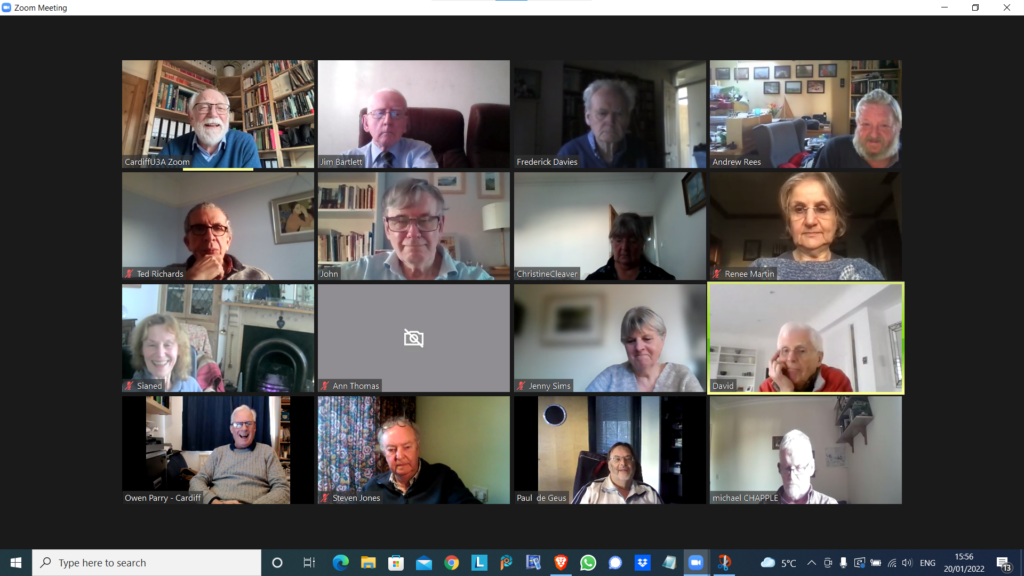
Notes from Zoom meeting – 20th January 2022

We received apologies from Ann, Margaret, Jenny ( who arrived later) and Don.

I asked if anyone would be willing to share their favourite app with the group bu way of a demonstration. Steve offered to do something with Trello – a work organisation application, and I asked Ted whether he’d be willing to do something on Ancestry. Steve also asked me whether I’d do something on LastPass – so I said that I’d do that as a return favour for his offer which we agreed he’d do at the next meeting.

I then did a demonstration of flickr and will write an article up on what I’ve found out in doing the preparation for it! This will be on my Just thoughts blog in due course!

Owen reported that he’d been working on ways to move the Cardiff u3a website over to WordPress, in conjunction with some other local groups which were doing the same, and away from the SiteBuilder software he’d been using to date. They all needed to find a way to get it to work with the Beacon membership system, but there was a problem that there was no api (application programming interface) for Beacon that would allow easy import/export of information between the two systems. As a first step a read-only access api would be valuable and would allow the two to be linked together. Owen was now learning how to use WordPress, and I offered to provide help if required.

Mike has discovered the the iPlayer app on his desktop which he is very happy with. Steve suggested he looks into the Sounds app as well. I queried whether people listened to Podcasts much – quite a few members did.

David Hughes recommended the Sounds app and podcasts and said he’d just recently been listening to one from a family memberJon Ronson – I for one, will try and catch-up on this!. We then started a discussion on David’s IT-phobic friend who lived in the Marina and somehow was receiving more than one incoming call on two handsets – that’s different calls!. It appears his son had purchased broadband and OpenTReach had installed a landline and a router. His landline is now digital (see Jenny’s article) and it appears he can use two handsets off the broadband landline for incoming calls. Renee reported problems with interceptions, and conversations being repeated on her landline. VirginMedia engineers had replaced the the handset to a broadband connected router. Maybe (she suggested) David’s friend had a legacy connected analog line? Owen offered the information that you could buy two-line cordless phones, but they did have separate numbers. [In later conversations on Signal it was mooted whether it was possible to put n answer machine on one of the lines, or not.] I can see us returning to this one.

Sianed advised us of a scam asking a user by TEXT to update their PayPal account. Watch out for that one.

Paul reported that Amazon and Visa had come to an arrangement so that Visa Credit cards could be used with Amazon. Good news. He also recommended All 4 as another possibility for streamed TV. I mentioned BritBox as another source of good binging boxset TV.

Steve had started using LastPass and wondered whether I could do something on using it, and was also looking at Flickr. He reported that he wouldn’t have problems with Chrome updates as the renewal date was 1st March. [I think this note needs reviewing.]

Ted was off to Rwanda. I won’t say more, just read his wonderful blog post on this site, and go look at his website for more information. He had us all in stitches describing his challenges with getting Banana Beer and doubts as to whether his payment using PayPal had been a scam because of links to a sister company offering him handbags and selling chilli paste. The mind boggles, or at least mine did!

Jim was transferring information from photos that went back to the early 2000’s into a Comment field in the EXIF data held on the photos. He also reported the problems that American airlines were having with 5G and their altimeters s they approached airports. The switch-on had been delayed until problems were resolved. Apparently 5G in the US is on a higher frequency than in the UK and transmits more power. Whether the problem is in the airports, or the planes is uncertain.

John reported that Flickr was working well. He’d uploaded lots of p[hotos of clouds and created a few albums of them too!

Christine was now a happy Real Bridge user. All her difficulties had been resolved [insert solution here as note not clear] She, like others, had been finding the process for getting a digital Covid Pass from the NHS website, more than challenging and was now printing off a paper version.

Renee had solved the problem with her landline; she said she was receiving emails from Royal Mail re. tracking deliveries that she was uncertain about. We suggested that they be best ignored.

Ann had updated her Zoom software. She had looked at her Firewall settings and chose to view blocking and now video not showing in Zoom. It was suggested that she look at her firewall settings and review Allow/Deny options. Jim suggested looking at the choices with Zoom itself that might be causing the problem. Owen suggested looking at another app that uses the camera to see if the problem was replicated.

Jenny (having managed to make the meeting after an earlier appointment) wondered whether she should get a replacement battery for her laptop – depends on whether she thinks £100-£140 is a good investment and whether she can do the replacement herself – perhaps get a view from Neil (our helpful IT fixit man!) and also said tht her external monitor was not working as well as she’d hoped.

You, groups, flickr and privacy

Most of the time people join flickr to showcase their photos, to get faves, and to get comments (hopefully both positive and constructive) to enable them to improve their photography. The photos you upload are shown in your flickr Photostream (or Camera Roll) which you can browse and put into Albums. You can create your own Galleries of your (and other people’s) images; Fave images that appear in your Activity stream (see later) and Follow people whose photos you like.

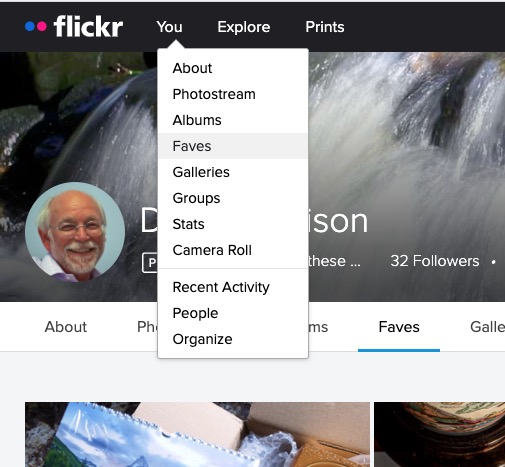
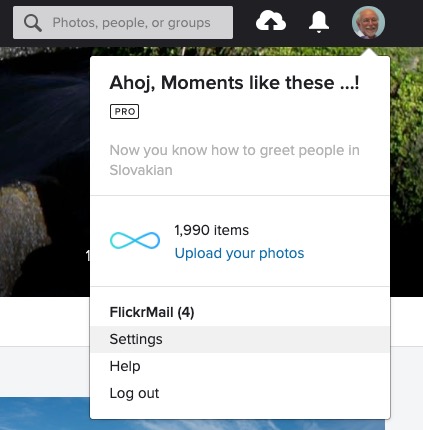
We’ll start by looking at the default privacy settings you can apply to the images you upload. The Settings page is accessed from your profile tab …

… which gives you access to a page with these headings …

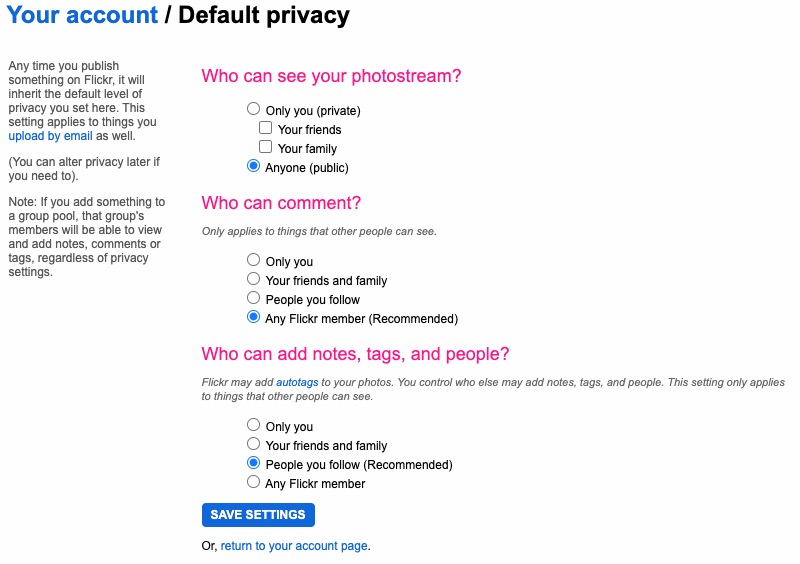
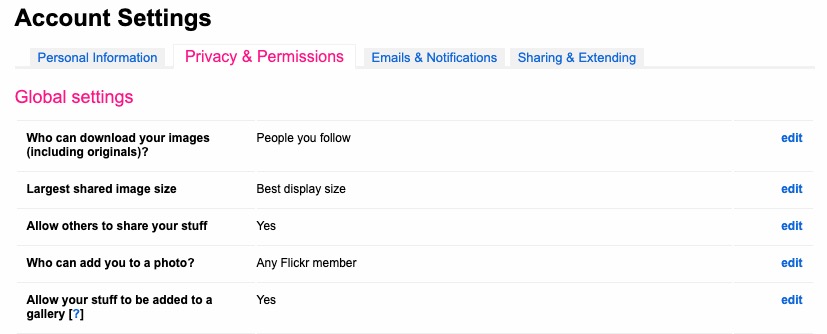
… clicking on Privacy and Permissions brings up this screen – from which you should first look at Defaults for new uploads

Read carefully the Note: “if you add something to a group pool, that group’s members will be able to view and add notes, comments or tags, regardless of privacy settings.” There’s no privacy within a group. All members of the group can see all members’ photos. If you’ve declared your image to have restricted viewing to Friends, or Family however they will not be visible for public viewing in the group, even though the group page might be visible for public viewing.

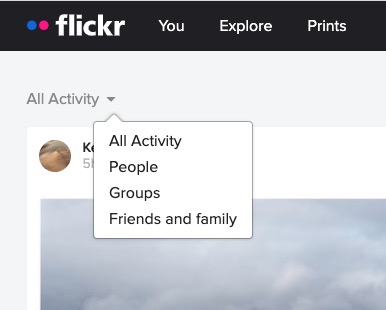
After uploading your photos they will (unless you’ve changed the default settings) appear by default in the Activity stream which you can access from the flickr logo …

… from which you will also be able to see the images of the people and groups you follow. This is the default view when you open Flickr on a mobile device.

Any photo you fave is then attached to your account so that you can return to view it on a later occasion.

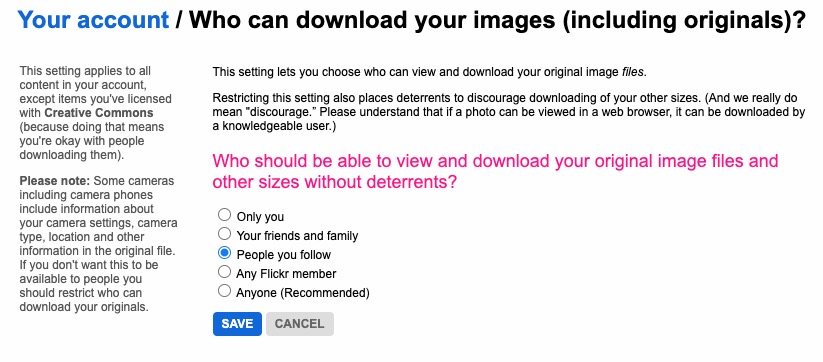
It is also possible – unless you’ve prevented it – for someone to download the photo, or add it to their own Photostream as their own! You might wish to check your settings to prevent that happening.

… and …

… so it’s important that you know what you’re doing when you follow someone – I certainly wouldn’t recommend the default setting of “Anyone”.

There are occasions however when you might wish to keep your photos completely private, or to share them privately within a Group. The settings in flickr to allow this are not exactly as intuitive as they might be so this post continues by seeking to help understand how you can “hide” your photos from the Public photostream, but to show them within a Group. Let’s start there.

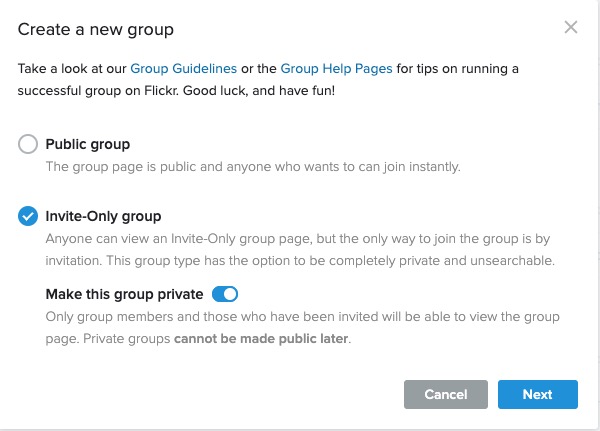
Groups can either be Public, open to invited membership (or upon application to join) and then also to be Private. Note especially carefully the note attached to Invite-Only Group which can be either Public or Private … “Anyone can view an Invite-Only group page …”

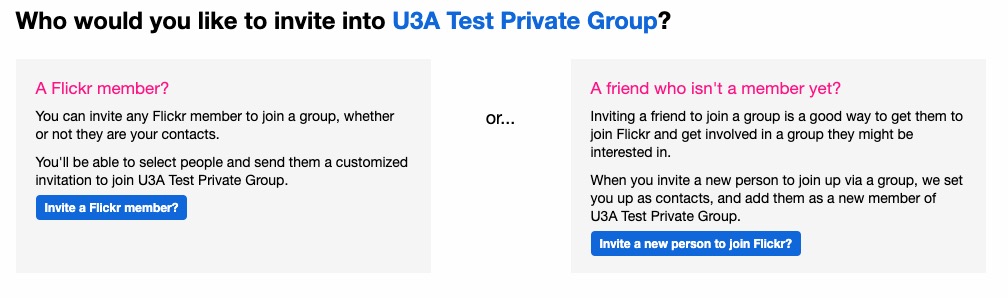
The last case is obviously the most restrictive and in this situation a Group is setup by a Flickr member and they invite either existing Flickr members, or non-members to join the group.

They will be sent an invite to join flickr, and the Group, as a member. You can therefore appreciate that you have to be a flickr member to view Photos which are in a Group. However if they’re not hidden from the Activity Stream by changing the default privacy settings (as above) and if it isn’t a Private group – they’ll still be visible to anyone unless you’ve also changed your search profile …

For the Invite-Only Group which has not been declared Private it is important to note that anyone (even non-Flickr members) can view the group page, so as we shall next, if you want your photos to be completely invisible to the outside world, you’ll have to do something else to make them invisible!!

If you want to keep your photos visible only to members of a Group, you need to specify on the Default privacy settings page either “Your friends”, or “Your family” depending upon the nature of the Group; similarly you should restrict Comments (and Notes, Tags and People) to “Your friends and family”.

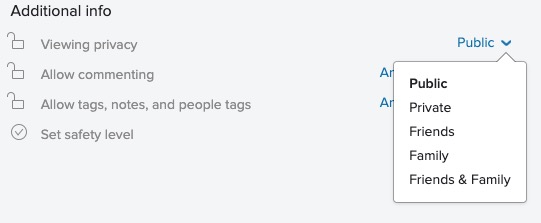
However these settings will then apply to every image that you upload and that might be more privacy than you really want, so you are able to choose the level of privacy on an image by image basis after you’ve uploaded them. This is done by looking at the information attached to an image after you’ve clicked on it in your Photostream …

… so, as an alternative, you could leave your Photostream relatively open using settings similar to the ones in the screenshots above and then restrict viewing of individual photos to Friends, or Family, etc. within Groups.

I hope this helps.

Is it time to move to more paid subscription services?

I have to admit, the events of the past few weeks have made me look much more seriously at paying more for the IT services that I’ve taken for free up until now. Of course they’ve never been free, I’ve had to put up with the adverts and the email messages I don’t really want – alerting me to this deal, or that deal, and I’ve willingly put up with that as a price worth paying for the service I’ve been receiving. But two events have changed my mind, and moreover I feel the IT world is actually changing slowly as a consequence of the mistakes (to be exceptionally generous) of Facebook and Google; and the decision of Apple to switch more attention to Services, targeting this as their  main income stream for the future, and not relying on Hardware alone.
So what were the earth-shaking events in the Harrison-IT-world? Well the first was Google’s announcement that having hidden the news of a potential security weakness in an API, for several months (presumably to secure their stock-market price at the time Facebook was struggling, and presumably also after ensuring that the potential breach was secured) they used this as an excuse to kill-off (sorry “sunset”) Google+ next August. Now this service was not the success Google hoped it to be, and most definitely has not generated the revenue they hoped it might, but for me, my family and for many communities (particularly of photographers – because of the close linkage to Google Photos) – it was a hugely valuable tool. Now, we have to look for another social media platform. It could be Google Photos – Google may have plans to “enhance” it to take on features from Google+, or it could be another platform, but it’s just a pain in the neck having to move off something we’re used to! Google have real history with “sunsetting” tools that people get used to using [Thanks to @MrSimonWood for this link.]
The second was Flickr’s announcement that they were going to limit their Free account to 1000 imagesexcluding those that were licensed under Creative Commons, which a lot of mine are. They are encouraging users to take out a Pro subscription to remove restrictions and allow more and larger images to be uploaded. This didn’t meet with the same “horror” feeling. I immediately felt that this was a decision that would secure the future long-term of the service under the new owners – SmugMug. [A feeling that I didn’t have when 500px made changes to their platform which led me to delete my account.] So I immediately subscribed and took advantage of the first-year discount price (still available for a few more days I believe).
So what am I saying. I’m saying that if there’s a service that I really want, and I really need some feeling that it’s going to be around for a while, I should pay for it. I wasn’t given that option by Google – shame on them; it appears I’ll never be given that opportunity by Facebook. Both of them are essentially marketing and advertising platforms. I don’t see either of them being able to develop a hybrid model as Flickr has been able to do.
This all makes Adobe’s Creative Cloud Photography Plan and Microsofts’ Office 365 seem so much more sensible. I’ll continue with the former, but decline the latter as my roots are now firmly planted in the Apple world where I look to see how they will develop their Service offerings in Music, TV, Home and Car fields.
Interesting times.