Notes from Zoom meeting – 5th November 2020

So once again I’ve been a bit slow with the Notes. Apologies. I’ve been waiting for a couple of things which I’ve now received – thanks Paul, Jim and Fred and I’ve also needed to write a couple of short posts on URL shorteners and taking screenshots – now done. That being done, what else happened?

Margaret had received a book from her son who worked at the Met Office in Exeter and she read from it to illustrate just how much the computing power had increased there over the recent past.

Owen reminded us that the U3A AGM was coming up as a Zoom event.

John reported that he was still coming to terms with his new iPad Pro, and expressed some problems with sync’ing Apple email. I hope we sorted that out, but if not please raise th matter again.

Don was having problems with his Google settings, and I remarked that it would probably be a good subject to look at at a meeting. He also indicated he’d value some advice on a wildlife camera – I obliged with information after the meeting. It was felt that WiFi probably wasn’t the best way to transmit the images, and that if power to the camera was necessary that might restrict positioning.

Jim indicated he was still thinking about replacing his laptop. I gave some advice after the meeting, both to Jim and to the WhatsApp group.

Paul told us about his encounter with PayPal and Pre-approved or Automatic Payments. I attach his notes here …

I did not know these existed until I made a purchase from Google. My PayPal account automatically paid from one of my debit cards without any further selection from myself regarding my preferred funding source etc. So I investigated…

Not obvious  you have them,  or where they are 
Not easy to Find in PayPal Headings, as they are then called “Automatic Payments”
Log in to your Pay Pal account
Go to Settings (Gear Wheel type icon)
Go to Payments
Go to Manage Your Automatic Payments and then  Select
Click on  Show Active  &  Show Inactive as nothing may be displayed !
Select item from the list to change or deactivate.

… and you should have removed the Pre-approved or Automatic Payment.

Fred reported back on his conversations with Digital Communities Wales and his minute of discussions is attached below

“ Fred D reported back on the minuted action aimed at establishing the need for support/contact arrangements for isolated/disabled households, amongst others, as highlighted in media /TV reports & whether there could be a role for  group members individually  or collectively

Following  consultation with Jenny Sims the work of Digital Communities Wales was highlighted ;The organisation has received an £800K WAG grant to address Digital Exclusion & the Web-site gives a clear indication of wide ranging all Wales supported projects including involving those as above.

Following discussion it was decided to invite the SE Wales Programme Manger (Matthew Lloyd) to participate in the next (19/11) group Zoom meeting; It was also recognised that this activity could in, due course, be of interest to the main U3a branch & wider network”

In her absence, by email, Jenny reported My good news is that my digital working party’s recommendations have been approved and the National Pensioners Convention will launch a campaign on February 1st to help more older people get online and support those who cannot or do not wish to be online.

Subsequently Fred sent me this message from Cardiff County Council …

Further from my telephone conversation earlier I (Katie Rapell) wanted to clarify some of the initiatives and projects that we are currently running: 

Tablet Gifting Scheme – Due to be launched formally in the coming days. Will seek to provide the most vulnerable in our community access to a FREE data enabled tablet which they can keep. Eligibility applies, applications are subject to assessment. 

Digital Surgery (Digital Drop in sessions) – one to one digital advice available over the phone or via video call, current turn around response is 2-3 hours. This service is open to anyone and welcomes any digital query. This service used to be face – to -face in hubs, and also offered a repairs service but due to Covid -19 we have had to move online. Typical enquiries involve : 

  • How to download apps or access information online 
  • How to enrol in Adult Learning courses online or access council services 
  • Online benefit or tax applications 
  • Scam help service, to identify potential correspondence from fake or scam services and verification of email. 
  • Installation  of broadband advice and signposting 
  • referral for training or activities

Basic digital skills courses (BT Skills for Tomorrow) – In partnership with BT, We offer a one day basic digital skills course that is delivered through the Learn My Way platform. The course is tailored to personal need and is accredited. 

Progressive/ Industry aligned digital skills courses – In response to the growing digital sector, we have been collaborating with local industry to develop progressive digital courses that will complement the technology industry in Cardiff and globally. 

More information can be found here: https://www.adultlearningcardiff.co.uk/digital-support/

Thank you so much Fred and Jenny. We look forward to meeting with Matthew and Jenny on Thursday. The Council is due to launch it’s initiative this week through Facebook, twitter and press releases.

Phil gave a live demonstration of how an Amazon Echo Show device could work, and he was confident that it could pass his “granny” test – if he had one!!

Ann raised an issue she was experiencing with Libre Office and databases. This arose from a WhatsApp conversation where she and Maragret had been very helpful in providing some guidance to a friend of Paul, who was trying to set up a database for slides. I undertook to investigate the problem and was able to confirm that the Java Runtime Environment needed to be installed. I’d done that successfully on my MacOS system.
Notes from Zoom meeting – 22nd October 2020

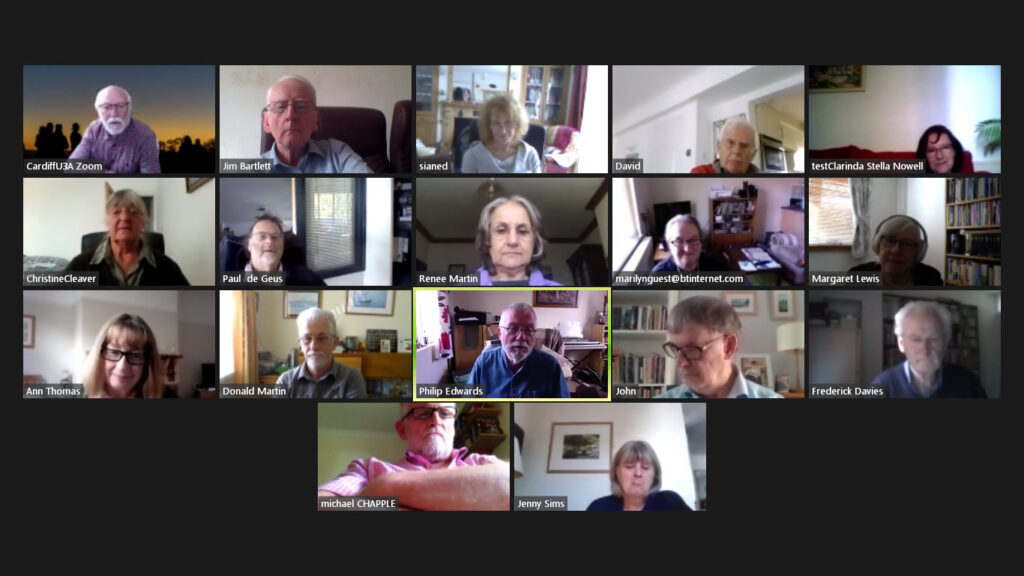
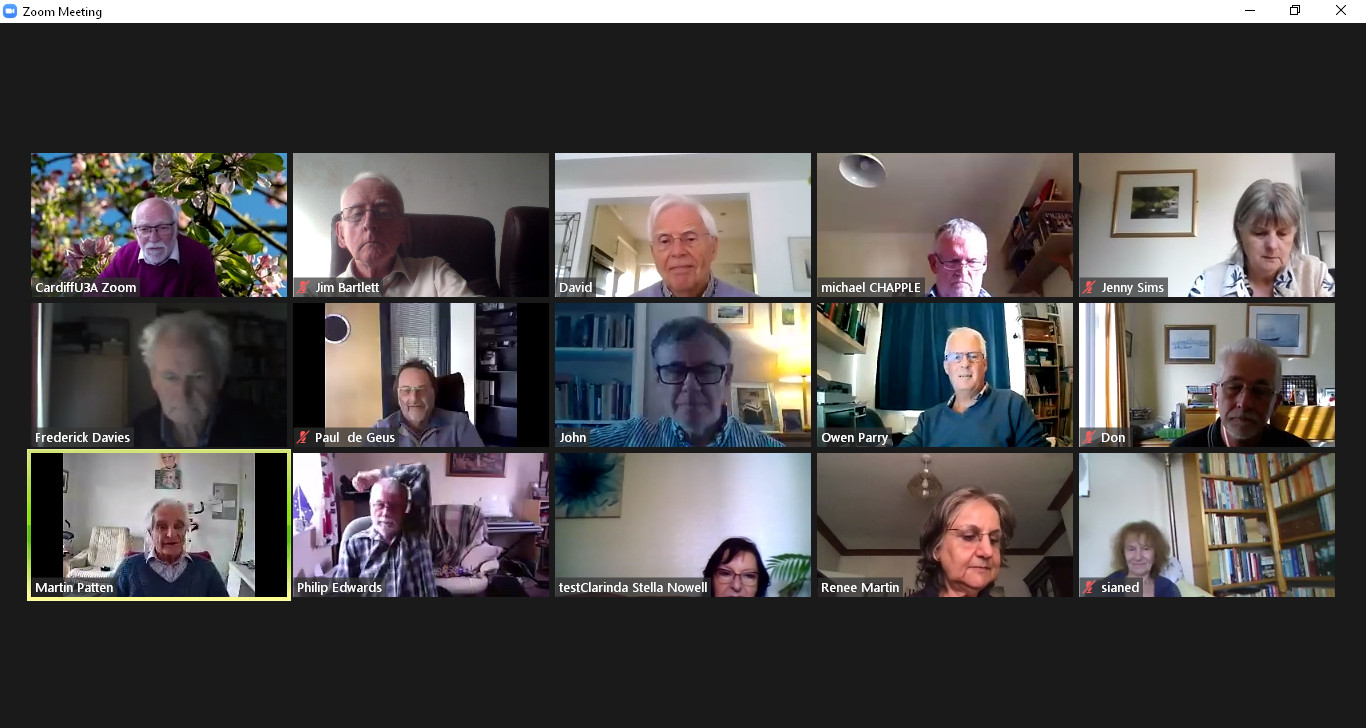
There’s a direct inverse correlation (I used to teach statistics) between the amount of talking we do, and the amount of notes I take. Whether that translates into a direct positive correlation between the value of what we say, and the amount of notes – I leave you to judge. Anyway, somehow with a good attendance admittedly of 17 (thanks Jim for the screenshot above) we managed to talk for over 90 mins and I didn’t have time to present what I’d prepared on Open Source and Free Software, although an article I prepared on the subject is available here, and my “Top of the Pops” for free software is to be viewed here.

Hopefully I’ll have made you feel “right guilty”, and I can write up the few notes that I’ve got 🙂

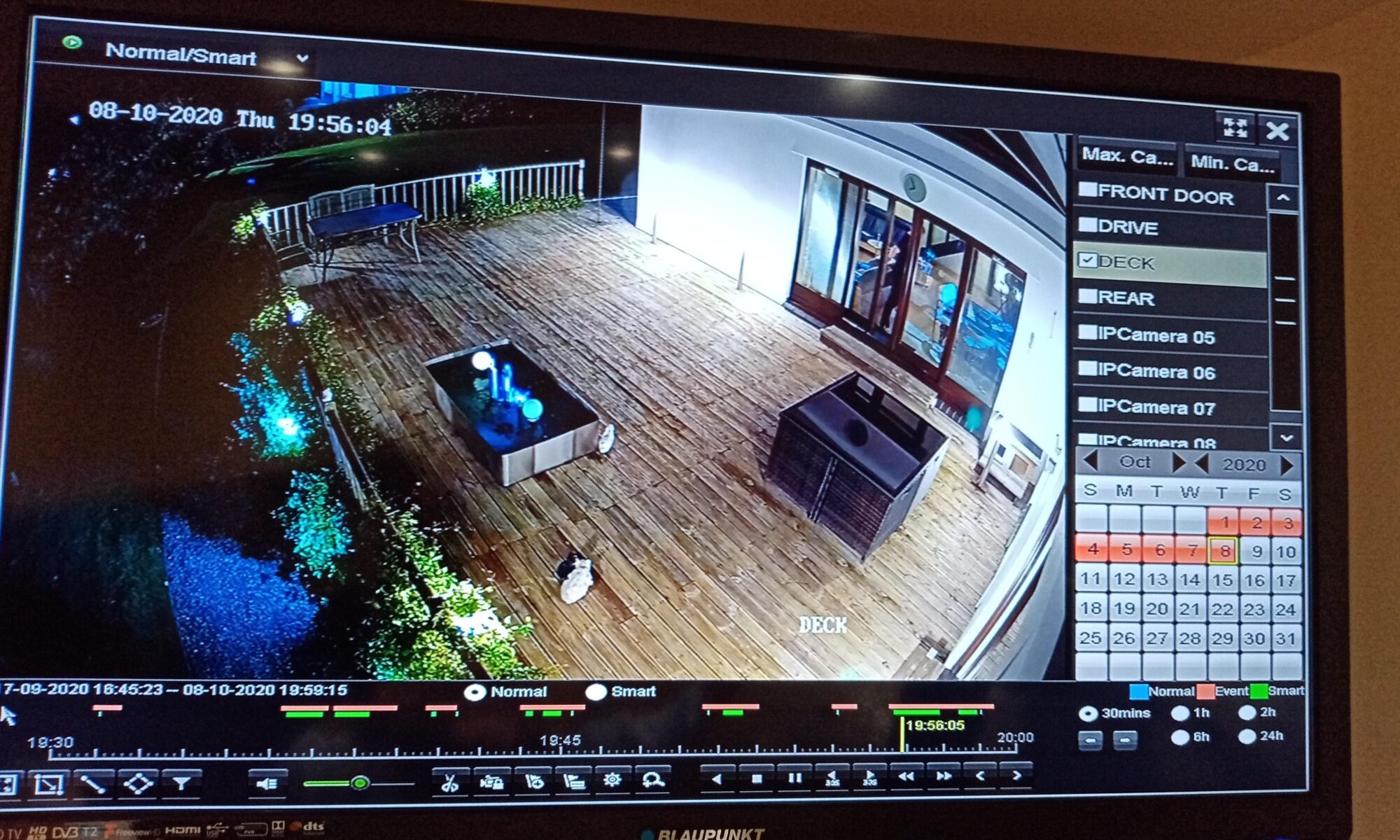
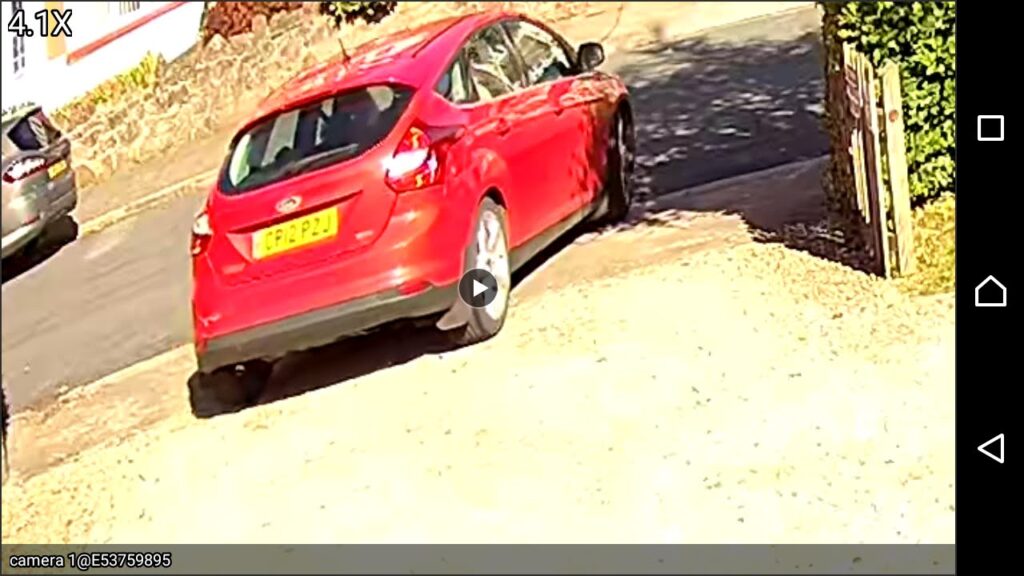
I started off with a review of the Notes from the last meeting – I don’t think there was too much to add to them; Paul will hopefully add an image of the day-time capture from his CCTV to his notes from his presentation last time; he also reported that his Vodafone phone had returned from its enforced holiday and was now working fine and no worse fro its swim; Jenny reported that she’d setup her first Zoom meeting fine and that it had been a success; David was ploughing his way through the massive manual for his new Tesco phone; and I reported that problems with Virgin Media seemed to be occurring in other parts of Cardiff as well.

I then turned to News items which I’d loaded into Flipboard and quickly went through them. We spent a little while in looking at the changes to the PayPal Terms of Business which for once needed to be looked at as they’re introducing a charge of £12 if you don’t access your PayPal account in a 12 month period. I’d already deleted an inactive PayPal account, and you’re advised to just check you haven’t got one too. You don’t need to do a transaction using the account (thanks Christine for clarifying that) – you just need to access it.

We started the meeting with a rendition from our very own “tattyjacket” – Phillip who demonstrated that time has not been wasted during lockdown because not only has he managed to find, purchase and re-acquaint himself with a childhood love – an identical bassoon – but also he has learnt how to use a piece of software – Acapella [iOS Download] [Android download] – to create multi-instrument recordings. Here are a couple …

As Phil himself said to me (about the second one) … “I’m improving”. Most certainly he is. Thanks for sharing with us.

Sianed had been having problems with her WiFi which were eventually resolved by a visit from an engineer who reset her router {I hope I’ve got that right}. We had a brief discussion about what you can do if your WiFi seems to be running really slow. The advisability of getting baseline figures of performance for both wired and wireless connections when your network is running well; and also the first port of call – switching your router off and leaving it for a few minutes before switching back on again. [Often the IP-addresses of your devices and the cache get muddled – a reset quite often sorts it out.] She also advised that there were some very acceptable “AirPods” earphones currently available in Lidl.

David told us that he was finding it as difficult to get an online booking to play a game of golf as I had to get a concert ticket from TicketMaster. Strange world! He also pointed us to Wales Online where the latest Covid-19 rules and regs were well explained.

Stella appears to have a rather strange problem with her Samsung TV in which she’s being asked to upgrade her Browser (Chrome ???) so that she can continue to watch YouTube videos. This is a bit of a problem with Smart TVs – they become increasingly non-Smart with age as software is not updated. A solution might be to look for a native YouTube app for the TV, rather than use the browser. Also updating the software on the TV might be possible. Alternatively you can see whether adding a dongle to enable streaming from the service might be possible. She also seemed to be having difficulty with the sound on her Mobile Broadband (from Three).

Christine reported that she was now having problems with household appliances and we all bemoaned the really long wait times that we were encountering during the lockdowns. The problem with her Beko dishwasher was causing the power circuit to drop out. Not a nice thing to happen – see Renee’s item below. I mentioned my problems with Dyson, and Renee reported similar problems with Anglian Windows.

Jim felt that he might need to research getting a new laptop because more problems seemed to be occurring, other than the colours of the screen which he’d previously reported.

Paul enthused about a Google Chromecast TV device – something like this, or a Firestick, or Roku, or … might be the solution for Stella??? He was not sure yet whether it was value for money but it looked a very professional piece of kit and it allowed him to “throw” what he was watching on his Android tablet onto his TV screen (a Sony Bravia I believe).

Renee raised the subject of surge protectors – a very good topic and one that I wholeheartedly support. I must have at least three multi-socket extension towers with surge protection built into them. They’re more expensive than a normal multi-socket extension but they’re really worth their weight in gold when there’s power problems around. She updated us on the “phishing saga” which without any intervention by herself went through the complete gamut of customer service steps! She resisted clicking on any links at each step.

Marilyn has a strange problem with her iMac not waking-up from sleep. I’ve sent her an email with some suggestions about what she should try, but it might be worth getting on to Apple Support as I believe the machine is still under warranty.

Margaret praised the information on the Cardiff U3A website – a BIG SHOUT-OUT here for Owen who’s improved the website immensely. Many thanks. She mentioned in particular the links to talks.

Ann taxed us with the problems a friend was having with McAfee software and Windows 7. We advised her that in all respects whether she liked Windows 10, or not, she really ought to take the machine to Neil and get him to do the upgrade and add any RAM that might be necessary to make the machine run well.

Don told us about unused Currency Cards being “absorbed” by the issuer and people losing funds. This may or may not be related to Britain leaving the EU – certainly Brits abroad will lose the capability of having British bank accounts. A possibility I’ve used is Revolut – a multi-currency debit card. You load it up over the internet from wherever you are, or before you go abroad, spend in the local currency, and then reclaim the remaining funds when you return to the UK. We used it on our trip to Norway and it worked very well.

John had a new iPad Pro and was loving it complete with it’s keyboard. He felt that it meant he wouldn’t need to have a laptop. We look forward for further updates as he gets to grips with it.

Fred and Jenny will get together through email to discuss the issues of online Covid access to those in care, or who are vulnerable at home. They may have something to report back on next time. Jenny also told us that it was Get Online Week – an initiative to attempt to get more older people using the internet.

Mike didn’t have anything he needed to add at this time.

We mentioned URL shorteners and I said I used bit.ly – I may try and write a short note on that; I also asked whether folk knew how to take screenshots – we’ll cover that next time, and I also thought it might be worthwhile re-visiting WiFi network problems in the loight of Sianed’s difficulties.

And that was that – unless, I’ve forgotten something, which If I have, please add in the Comment box below.

Notes from Zoom meeting – 8th October 2020

A good attendance to our meeting of 15 members, plus 1 guest – the convenor of Porthcawl U3A Computer Group, Martin Patten (a former work colleague of Paul).

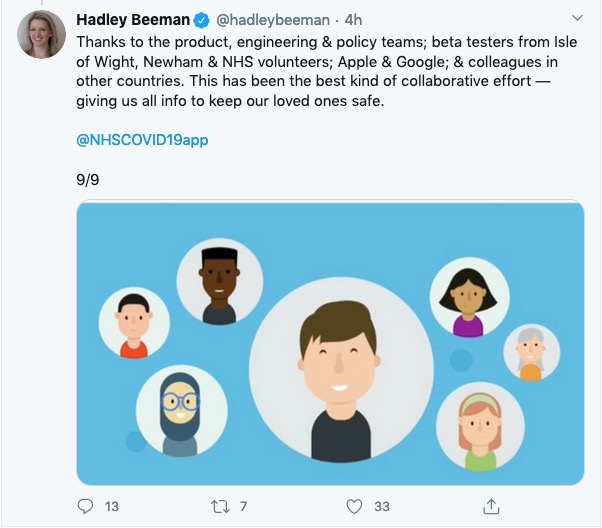
We started by me doing a quick review of the last meeting with a couple of updates from the Meeting Notes, and also the Topics created on the Forums. I urged all members to make use of them. Then I did a run through of what I’d sent to the Thought grazing Flipboard magazine – news so-to-speak – accessible also from the Thought grazing “home” page. In particular I highlighted the NASA daily photographs, which are spectacular, and which you can now set to be your homescreen on an iOS device – something I’m definitely going to set up. I mentioned that Microsoft will be trying to persuade users of Windows 10 to move to the new Edge browser more – as it has “settled down”; and I referred to the article about the NHS App – which I will also link to from the post that I wrote after the last meeting.

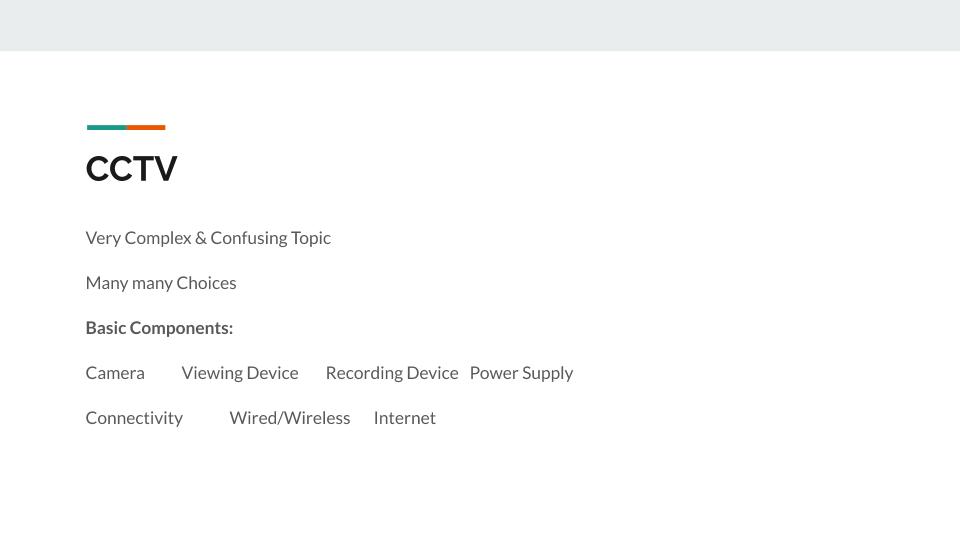
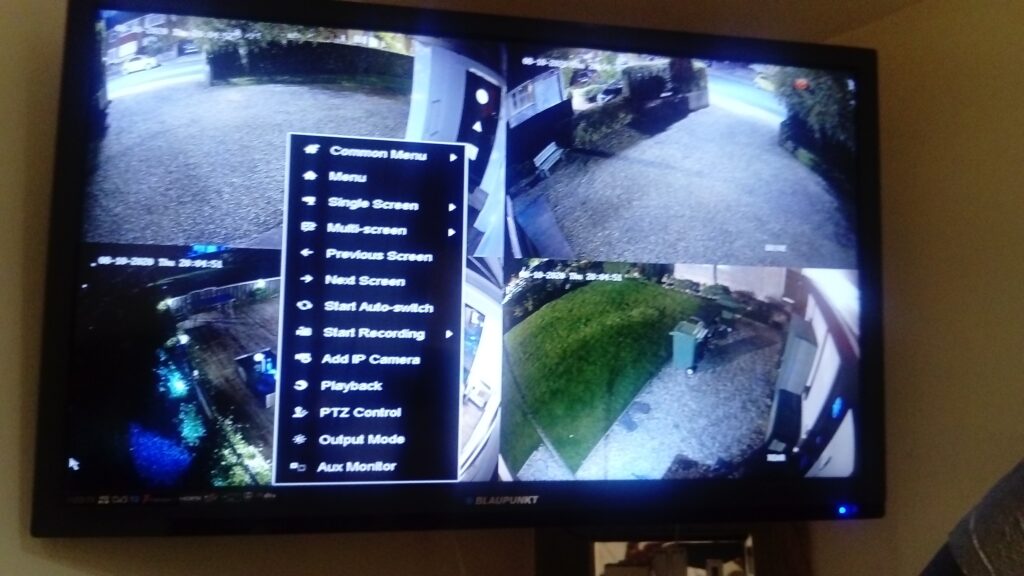
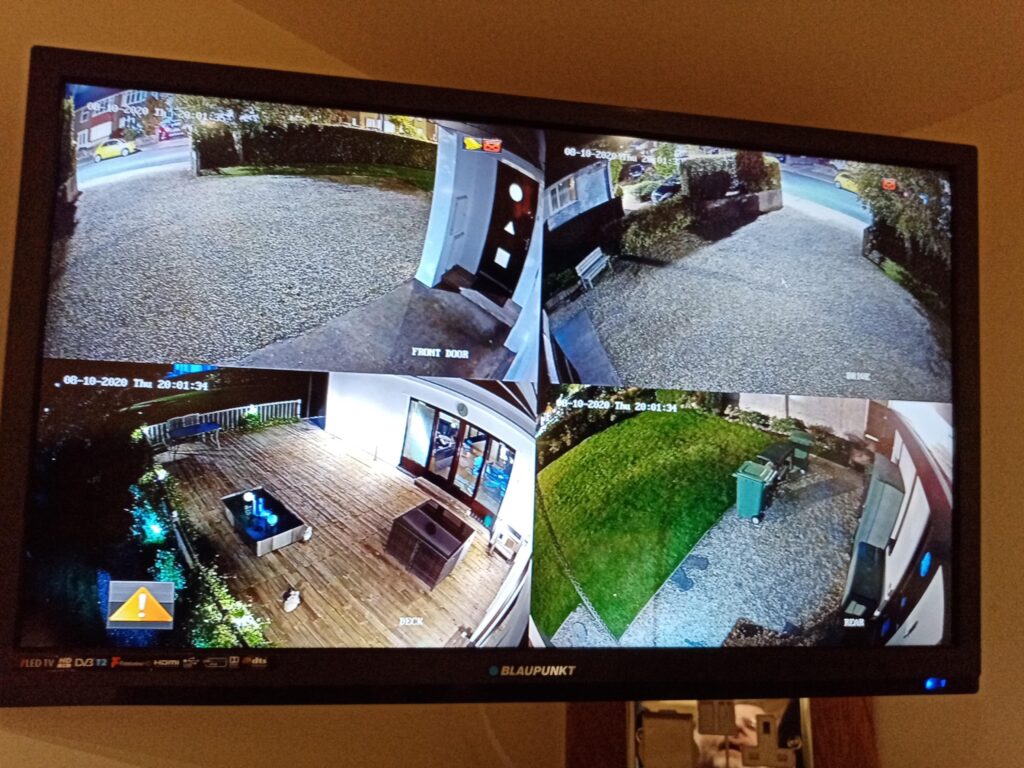
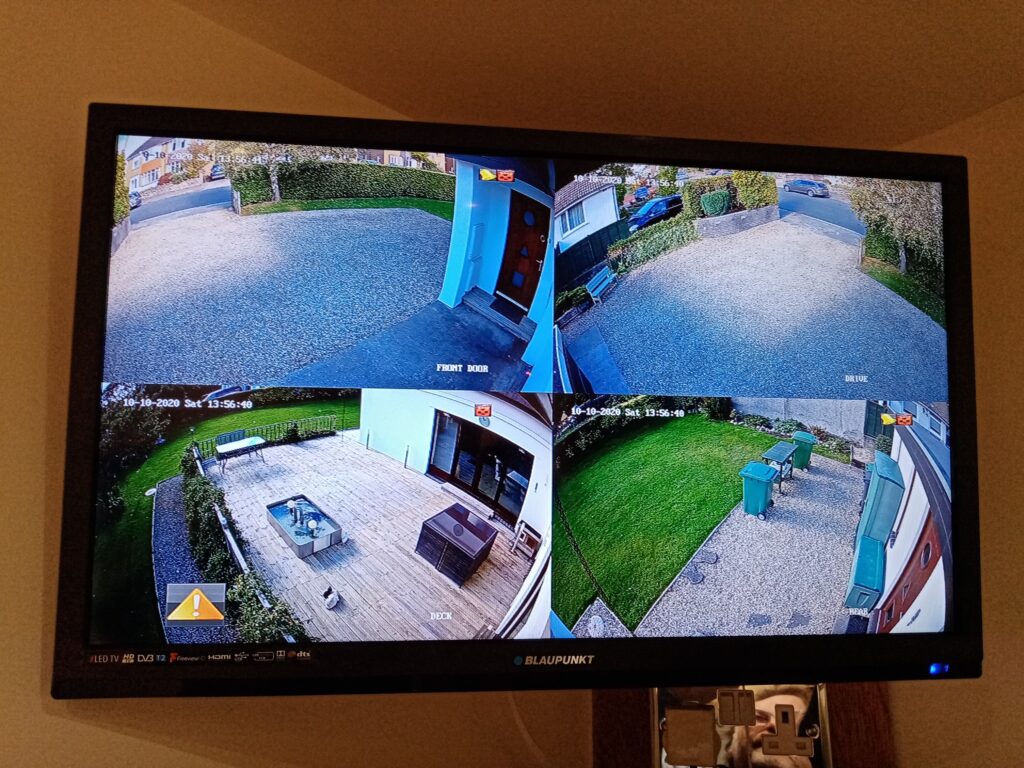
I ended this part of the meeting with a short video of a new Ring (Amazon-owned) security drone that flies around your house – which was by way of an introduction to Paul who took over the next part of the meeting to talk about CCTV and his experience of installing a system recently.

Here is a post of Paul’s presentation with links to further information.

So then we turned to members issues, concerns and questions.

Phil had been on holiday in Builth Wells (having left pre-lockdown lucky couple – we were unable to go to Raglan, so had to cancel our short break). He reported on hospitality venues use of the Track’n’Trace QR code (or not) which was a bit hit and miss in Powys. He also reported use of a bread-maker, but I’m struggling to see the relevance. As this was the first mention of the NHS App, a lively discussion and debate ensued on the appropriate use of an Excel spreadsheet which was out of date – probably by a factor of 13years plus as the .xlsx format replaced .xls in 2013. More important was “why use a spreadsheet?” Phil has sent me this graphic which is lovely …

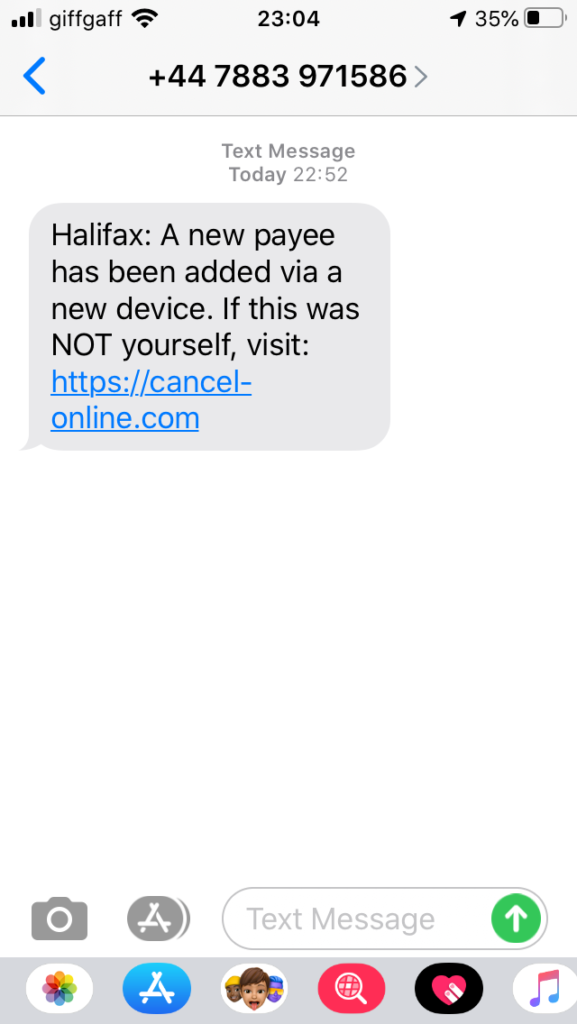
Sianed reported a recent HMRC scam she’d received – wanting to give her money back … as if!!! This prompted me to mention the scam I’d heard of recently which attempted to extort £900 from a person who’d crossed a “county line” – the first offence apparently would result in a £90 fine. However, this is disturbing in that it would indicate that someone must be watching CCTV cameras on the A470, and then doing a check back (somehow) on the DVLC database of car registrations and ownership. Watch-out, there’s a scam about! Sign up for the Which? Scam Alert service as well. Following the meeting I received this on my phone …

… which is totally believable isn’t it. Just type-in the URL above and if your browser is working properly you’ll get an alert.

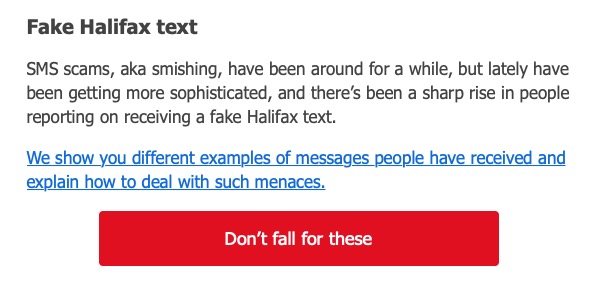
Following this I noticed that this one had appeared in the Which? Scam Alert Service

John reported his gmail problem from the previous meeting had been resolved by the classic uninstall/reinstall procedure. One that we can all do well to remember.

Don told us about his experiments using a Logitec 300 camera as a wildlife camera. This seemed to be work OK, but he was having problems mailing the resulting file using Gmail. It seemed that Outlook was necessary to do this. I promised to look into this. He also mentioned that Flash was possibly involved, and I alerted users to the perils of Flash and the fact that Adobe had stopped supporting it as had most web browsers. He also had come across a Raspberry Pi online course from the University of South Wales, which reminded me that I’d not mentioned the large number of online courses available from FutureLearn and the Open University.

Owen reported on his experience of having to learn Python so that he could attempt to create a link to the Cardiff U3A website from the online calendar in Beacon. He’d also had to move from Access to SQL Server as a database platform. [If Cardiff U3A members know the difference between a database and a spreadsheet – why doesn’t Centrica, or whoever Track’n’Trace had been contracted out to!!!]

Paul had offered his Vodafone phone the chance to learn to swim, it had declined and was now on an unintended holiday with Vodafone for repair!

Fred and Jenny had a conversation about the issue that Fred had raised at the previous meeting. I’m afraid my notes were a bit sketchy and incomplete so I don’t want to attempt to re-produce them – on the subject of IT assistance to residents in care facilities during the pandemic. Jenny, felt that a considerable amount of money had been offered, £800K. Fred was unsure whether it was going to sheltered housing as well. Anyway, I agreed to send them, their email addresses so that they could correspond offline.

Jenny reported that she had a complete new suite of kit – laptop, iPhone and BT fibre but was now a bit daunted at setting-up a Zoom conference. Owen pointed her to the Cardiff U3A webpages which might be of help.

Jim updated us on the trials and tribulations of his Broadband problem, and offered the theory that perhaps performance was in some way affected by the school gate times. It might, as students leave school each afternoon. At other times the bandwidth is acceptable. He also mentioned he’d been using Audacity. Both of these items he’d added as a Comment after the last meeting. You’re all encouraged to do likewise!

David Hughes thanked us for the suggestion of going to Tesco to get a new phone – he now had two Samsung A21’s. He also told the group about his horror story of trying to get rid of malware and crashing his computer. Luckily a local repair person (in Penarth) had been able to restore the machine and he’d got a more recent copy of Microsoft Office in the process. [NB You better just check that it can be upgraded – ie, do you have a licence. Worth a phone call.] He also advised us that subscribing to online concerts from the Barbican (and perhaps elsewhere) can be a bit “iffy”; but he reported that he had been able to get his money back.

Renee reported that she was having trouble with her Virgin Media connection and that it was not just her in the neighbourhood. She also reported her experience of using the NHS app and wondered whether people had looked at the Settings to see what could be gleaned from the Notifications. Furthermore it would appear that if you got a notification from Google (ie from an Android phone) you should wait for the second notification before getting alarmed.

Any amendments or additions, please let me know.

Bookmarking & browsers

At the meeting yesterday someone, I believe it could have been John, asked how you could move bookmarks from one browser to another. It’s a good question, and I’ll try and answer it below, but perhaps an alternative answer is even better and that’s what this post will also address. But first, exporting and importing bookmarks for the common browsers.

However Microsoft has been changing it’s browsers quite a bit over the past couple of years. Internet Explorer was phased out for a bespoke re-write which was called Edge; this in turn was then completely re-engineered to use the same Chromium platform as Google Chrome, Brave and others, which was called NEW Edge. Confusing eh!?

Internet Explorerread this article [Internet Explorer 11 was the default browser for Windows 10, but you may find that it’s been replaced in one of its automatic upgrades by Edge]. For all older versions of Internet Explorer including ones for versions of Windows older than Windows 10 – you might like to look at this article.

Edge – if you’ve got the NEW Edge browser rather than the old legacy EDGE version (which should still be on your machine, as should Internet Explorer 11, if you’re running Windows 10) – this is probably the easiest way of exporting your bookmarks/favourites from a Microsoft browser. Alternatively you should look to see how you can run Internet Explorer if you’ve got the OLD Edge installed on Windows 10. Then you could use the notes above for Exporting from Internet Explorer. Alternatively upgrade either of them to NEW Edge and use the first link in this paragraph to export your Favourites. Simples!

Note: Exported Microsoft Favourites (Bookmarks) are stored as .htm (HTML) files.

If you’re using Brave this article explains how you can Import and Export Bookmarks.

There must be a better way, and there is! You could use a third-party application such as Evernote, which can not only store Bookmarks, but also whole articles through the installation of a Browser Extension which allows you to “clip” content to a “note” in your Evernote datastore held in the cloud. Evernote has long been a favourite piece of software of mine and I pay an annual subscription to get an extended service from it, but there is a really good free version which you can use to trial it and see if you like it. The screen shot shows that you can save the whole article, or just part of it. [One great feature is that it only saves the article, not the additional content, sidebars, panels, etc which often hold ads.]

Alternatively, you could use a Bookmark Manager such as diigo. Again this sits as an extension in your Browser and every time you want to save the link to a website, you click on the diigo extension, and perhaps add some tags to help you find the site at a later date …

… and after pressing Save Bookmark, it saves the page with a brief excerpt …

Finally there’s Pocket which combines bookmarking with a facility for offline reading of webpages. This used to be a great feature when trains didn’t have good WiFi and you could catch-up on your reading, but it’s still a very useful way of storing web content for reading away from the Internet and it’s the way I store all articles that I come across that I’m going to use in Computer Group meetings. Again, you can install a browser extension for all the major browsers that makes it very easy just to click on a webpage and it’s immediately saved and synchronised to any device that has Pocket running on it.

Looking at the bar in the browser above (Brave) you can see icons for LastPass, Pocket, Feedly, diigo, Evernote, AdBlock Plus, GoFullPage (full page screen shot), Push to Kindle, and Flipboard plus the extension to open the Extensions Library. Of course the screen shots for an Android or iOS device would be different; these are just taken from a browser running on a desktop or laptop.

Extensions are really neat, BUT only install ones from the Extensions Library of your Browser. Generally Chrome Extensions will work in Brave. That’s probably a topic for another post at some later date.

Notes from Zoom meeting – 24th September 2020

Thanks Jim for the visual reminder of who was Zooming

We had apologies from Sianed and Owen.

I decided I ought to sit down immediately after the meeting to write up some notes this time. The first part of the meeting focussed on the NHS Covid-19 App which is the subject of a separate post. I’ll keep that updated as the days and weeks roll by, but please also make comments in the Covid-19 Forum, I’ve created a Topic for the app there as well.

As well as showing Forums and Topics (which I hope you will grow in time to use more than WhatsApp) I showed the Flipboard magazine for Thought grazing in which I’ll post articles for the fortnight prior to a meeting as the recent Computing/IT/Digital News. There’s a link to it on the Home page of the site too. I also enquired who used twitter as I had created a @thoughtgrazing account some time ago. Only four of you used twitter (and only occasionally at that), so I decided not to put any more effort for the moment into promoting, or using, that social media platform. It was noted that at times of crisis that twitter was probably the best means of finding out what was going on.

I took the opportunity of leading-off with what I’ve been up to since the last meeting, highlighting a really useful piece of software to scan for duplicate photos – PhotoSweeper (which cost me £9.99 form the Apple Store). I thought it was available for Windows PCs as well, but apparently not. The other piece of software I found when I came to wanting to share an old blog post with someone and found that the link to an embedded map no longer worked, was an upgrade to the OS OpenSpace Maps Plugin for WordPress websites which is now even better. This new Plugin (and the output from it) is called OS DataHub Maps and links to it are included in the first of the above relevant links.

So we moved to participants.

David was unconsolable that his phone didn’t appear to be able to take the NHS app and wanted advice on where to buy a no-contract smartphone. From the advice that was given – Carphone Warehouse, Argos, Amazon (used), Tesco – it was generally felt that Tesco (Western Avenue) would be a good starting point as they had a specialist desk to help people buying phones. He also praised the response he’d had from Public Health Wales on an enquiry about Covid and Indoor Bowls, and also the Vale of Glamorgan on the help and documents they’d provided on the subject of Public Space Protection Orders which he was progressing due to anti-social behaviour on The Esplanade at Penarth.

Mike was interested in the Covid app, which his wife installed whilst I was talking about it; Stella had a bad throat and couldn’t talk, and Marilyn had nothing to mention apart from reminding me about Tripod advice – which I’ve now given her!

Christine reported that she now had a fully-functional Cello TV connected to the Internet so she could partner her husband playing online bridge. Success. Paul reported he’d just purchased a similar TV for his garage – and Android TV – which was seemingly very easy to set up and connect to his other devices. She had to buy a wireless mouse (Bluetooth) to make it work as a computer though.

Fred was very concerned about the way that Zoom was not being used in Care Homes to bring residents and families closer together during these difficult time. He was going to pursue the matter through his policy connections, and I suggested that perhaps we ought to raise it with Owen as an issue U3A might like to raise nationally, or make a representation to a suitable body. Phil recommended the Amazon Echo Show device as an inexpensive device that would suit this purpose well. Don related that Liverpool FC had purchased iPads for all the Care Homes in their area (presumably not the Blue part of Liverpool).

Jim had been having troubles with his mobile broadband router and it looked now that being on the edge of a wireless zone (for Three) and maintenance work going on currently together might be the reason for the drop in bandwidth. The purchase of an antennae had don nothing to help, and keeping his window open was not going to be an all-the-year solution!

Margaret related her experience of online retail which had resulted in her being unable to route the gift that she’d wanted to send to her daughter but which she discovered too late (more than 30mins) she’d directed to her home house. Paul felt that District Selling Act should allow you to return any goods within 7 days – I’m not able to comment upon whether this does apply in this case, or not, as the mistake was being made by the purchaser, not the retailer and presumably the 30mins is the time from order to dispatch.

Don had experienced a recent PayPal scam, and had subscribed to the Which? Scam Alert Service. He was also considering how the images from his garden wildlife camera could be viewed on a computer. I offered to help if he was experiencing any problems which might involve AVI to MPEG conversion – perhaps using Handbrake, and also capturing a JPEG image from a movie.

Renee had been experiencing outages from VirginMedia; she’d had a reasonable response from the Support desk when she complained about the increase of £20 in her bill. The Retentions department gave her a re-worked cost £1 less than she was paying now. It pays to complain.

John enquired how to reverse the Gmail forwarding he’d implemented for his and his wife’s Gmail accounts – I pointed him towards the Settings > Forwarding options where he should be able to disable the feature.

Phil told about his discovery of Musescore which will enable him to read the music he needs to be able to play his newly found “love” his bassoon that much better as it can print scores larger. He also commended the use of Google Docs as a suite of applications which you can use to store and edit documents on any device, in the cloud.

Covid-19 NHS Tracing App

I will add more detail later, but just wanted to create this for the meeting later today.

The long-awaited app is launched today (24th September).

It’s a really positive step forward I feel, even though there’s the inevitable doom and gloom merchants already slating it.

What is really a sad state of affairs (and here I stray into political waters – dangerous, I know) is that the Track and Trace (outside Wales, where we have tried to do things much more locally and involved local Public Health experts from an early stage much more) is that it does appear to be putting the cart before the horse. The app should have been in place before they allowed the pubs/hospitality outlets to be opened. It should have been made mandatory. You shouldn’t have been able to enter unless you scanned yourself in (or failing that supplied a verifiable name and address. Mini-rant over!

So it’s available on iOS devices from the iPhone 6s onwards, and Android devices from 2017 (Android 6) onwards. You download it from the appropriate app store.

This is how it works …

I’ll get back on to this following the meeting. Please post Comments, or ask Questions below, or raise a Topic in the Covid-19 Forum.

How does it work? This article from Wired UK provides a comprehensive explanation.

The BBC’s explanation of how it works (as an infographic).

Screenshots from installing the app on my iPhone 6s

The app is highlighted on the App store (at least for Apple) today …

… download and install, and start the app …

You will be asked a couple of questions, including an age enquiry …

… and then a Privacy section, which is actually very good and worth reading. The developers have done all they can to make you aware of what the app does, and how it protects your privacy.

So if you click on the Privacy link you will be taken to the UK Government website that gives you more information, after first informing you that it uses cookies …

You might like to click through to the Welsh pages to find out more about Local restrictions …

… then you need to supply the first part of your postcode. The developers have acknowledged there’s a weakness in the app currently in that if you move your location, you can’t change it in the app. They are working on a workaround/fix/upgrade. This would apply if you were to go on holiday somewhere else, or if you were a student moving away from your home.

Having done that you’re into the app, it starts scanning and you’re on your part of the Covid-19 Tracing community.

You can see that north Cardiff is at a Medium risk level (as I believe the whole of Cardiff is) …

… and then you have access to the other features of the app, as shown below …

A recent article about the NHS app which addresses possible Security and privacy concerns.

I wondered about creating a QR code for our house

This is how you can do it

… and this is what it looks like …

cb7af8f1-5a66-4b22-888c-71fbb4057e40_R8K6W825

Notes from Zoom meeting – 10th September 2020

My apologies. My mind must have been a hundred miles away … or I was looking forward to the sunshine that I knew was coming at the beginning of last week. Anyway, I spent a few days in the garden, tidying-up, we had some friends round for “vintage tea”, and we looked after the youngest grandson a couple of times. Thus … I forgot to write up any notes. I can’t even distinctly remember who was in the meeting. I can remember a few apologies, but just in case I forget someone, I won’t even try to list them as I don’t want to offend.

Anyway, we had what I can only describe as a “jolly” meeting, the highlights being Phil’s contribution on his window to the outside world via YouTube and his new magic device, which he’s written up in the Computing and all things Digital Forum. Also the new exchange currency – diabetic cookies – which are now in open circulation for bribery of members. We also offered to help Mario upgrade his laptop which had (shock horror) Windows Vista as its operating system.

The focus of the “technical” part of the meeting – was reminding you about Forums and Topics as well as the gentle reminder about News being posted in Flipboard. I’ll continue to put news items there – that way we get more time to talk and exchange views, and raise issues in the meeting.

If there was anything of great importance that I’ve forgotten – please remind me and I’ll edit these notes. In fact if anyone can remember anything about the meeting – please let me know 🙂

All I can remember is that we had good craic!

See you this Thursday.

Great new Plugin from Ordnance Survey for Mapping Trails

I’ve been using a WordPress Plugin called OS OpenSpace Maps for quite a while that allows the mapping of trails (I use .gpx format to record the trails) onto an OS Map.

This has worked well, but in updating a blog post I came across the information that the Ordnance Survey has produced a new plugin that works with their DataHub Maps service. This is an even better service and if you’re a low-use user, you can upgrade to the Premium level subscription to get 1:25,000 scale maps.

The map can be easily zoomed and can be clicked to take to full screen size.

Here are a couple of links to help you along the way of installing and using the plugin.

The Plugin Page on WordPress – https://wordpress.org/plugins/os-datahub-maps/

Using the OS Maps API (which you have to obtain after creating an account – https://osdatahub.os.uk/docs/wmts/overview

A guide to using the plugin – https://skirridsystems.co.uk/wordpress-plugins/os-datahub-maps/

Really neat!


My new bit of gear – an Amazon Echo Show 8

It has to be said that I am a bit of a gadget geek. I was actually quite an early adopter of the Amazon Echo voice activated assistant. I bought a pair of them a couple of years ago and have since added some lights to my smart home. All in all, I’ve been delighted with the system although to be honest, I’ve sometimes felt that I wasn’t getting the experience quite right. Maybe I was missing something.

About six months into The Great Lockdown I noticed that Amazon had a special offer on the Amazon Echo Show 8; just £69.99 (it is now £89.99 so keep an eye on the price). It really is sinfully easy to click on the “Buy Now” button. Here’s what I’ve discovered.

First of all, I believe that you can only get the full value of the Echo experience if you are an Amazon Prime subscriber. I’ll tell you more about that later.

The Amazon Echo is a bit like a voice activated tablet screen. You can set it up to :-

  • Show a continuous slideshow of your photographs, cycling through your snaps at random.
  • Play your music. You can ask Alexa for a particular album, artist or genre of music. You can also get her to play your favourite radio station. You can control the volume with your voice.
  • Show recipes, with video and audio hints as you go along. Similarly, it can show exercise routines.
  • Show Youtube videos, Iplayer and news channels.
  • Show Amazon Prime movies.
  • Make phone and video calls.
  • Play a range of games and quizzes.

AND, it does all of this through voice control. It really is just like having your own personal assistant or butler even. You simply use voice commands like, “Alexa, phone Betty”, or “Alexa, send a text to Betty,” or “Alexa, play songs by Val Doonican.”

Setting up the device might be a bit tricky. You will need an Amazon account and you will probably need The Alexa app running on a phone or tablet. If you were setting it up for somebody with limited technical skills, you could use a friend’s phone or tablet. There is a video here to show you how to do this.

Now, since The Great Lockdown started, I’ve become a big fan of Slow Movies, It’s hard to explain this concept. Basically, it could be video taken of a view, or of a scenic route. Nothing happens but for me, they provide me with a link back to The Before Time. Alexa Show will show movies from the Prime catalogue. Besides a huge choice of regular movies and T.V.shows, there are plenty of Slow Movies available. Try one of my favourites, “Morning Jazz at the Coffee Shop,” takes me back to enjoying a cappuccino at Coffee #1 in Whitchurch.

Now, the Amazon Echo Show comes in three sizes; just like Goldilocks’ bears. The 5 inch would look great on your bedside cabinet. I have the 8 inch in my kitchen. There is a 10 inch model that would probably look great in your living room.

It really is a bit like having one of those Swiss Army knives, the ones that do everything. Besides being a digital photo frame, it plays music or radio, shows movies, acts as a clock and calendar, provides weather forecasts, does sums, tells you spellings,  gives you a cheery Good Morning greeting, acts as a timer or reminder turns lights on or off….I really could go on and on.

Now, as I said earlier, you probably won’t get much out of the device unless you have Amazon Prime subscription. Basically, for £79 per year, you get free next day (or fast ) delivery on many of the Amazon products. I’ve ordered something at 10 p.m. on a Saturday and it was delivered at 10 a.m. the next day. You also get access to a huge catalogue of music and videos. You might have to pay extra for some of the newly released videos but believe me, there is plenty of choice for free. It provides unlimited storage space for your photographs. You upload photographs to your storage area. You can then choose the ones that you would like to see on your Echo Show. Find out more about Prime here.

Those who know me, know that I really am a bit of a sucker when it comes to new gadgets. Believe me though, this one does something that most of my other gadgets fail to do quickly, easily and with minimum hassle. This one regularly makes me smile.