Notes of meeting – 14th September 2023

The first meeting of the new year saw 15 of us meet at Sight Life for our second year. We had apologies from Anne, Ian, Jonathan, Christine and Margaret (and my apologies if I’ve forgotten anyone). We welcomed back Phil and it was great to see Fred back after his “health adventures”, and were pleased to welcome Jo and Paul to their first meeting. We wish Paul de Guess all the best as he waits on his heart procedure, hopefully as soon as possible so that he can get back to the group. We say farewell to Ted, John and Elaine but of course they can keep in touch with us on Signal, and of course this website and Flipboard.

Notices:

Meet the Groups is on October 10th at URC in Windsor Place. Our stand is in Meeting Room 1 upstairs – where I think we were last year, and thanks to Yvonne and Stella for helping out behind the table. I think we’ll be able to accept about 4 new members immediately and then it will be necessary to have a Waiting List.

The Christmas Dinner is on the 8th December, and we felt that we didn’t want our own table – we’ll just mix with others!

We should have a meeting on the 28th December, but I suggest we meet on the 21st a little earlier perhaps 1:00pm at the Gatekeeper across from Sight Life, for a bite to eat (maybe) and a social pre-Christmas drink.

Updates:

Sianed and I flew the flag for the group and the possibilities of Artificial Intelligence at the inaugural Cardiff u3a Debate … and we won. I think it was 27 to 14 in favour of our arguments.

I gave a talk to Porthcawl u3a at their annual study day, and based it on the session we had last year on The Apps I use. Here’s the presentation for you to look at – it’s easier to follow than the separate posts in the Forum. I do intend to keep them up-to-date however as I find new apps I like, and I urge you to do likewise. [Please contact me if you have any questions on how to use Forums and Topics.]

What’s going on?

I’d had loads of website problems over the past couple of weeks that had forced me to look at the security of the sites in greater depth, as well as implementing a different back-up strategy. Hopefully, with those in place, life will be a bit calmer for me from now on.

I asked if anyone had a suggestion for a topic for discussion at our meeting on 28th September and Stella suggested Maintenance, a great idea, so that’s what I’ll lead on for that meeting.

I also advised that I wouldn’t be available on the 23rd November for the Presentation session scheduled for that day. I asked how many members had attended the General Meeting in August when Owen Hardy from South Wales Police of the Cyber Crime Protection Unit talked on Security. It appeared that no one had, so I said I’d invite him. [Unfortunately neither he nor his colleague Steve Davies can make it on that day so I’ll be looking for other possible speakers.]

Phil intimated that he would be unable to attend the next meeting as he was going to Bletchley Park – perhaps we might twist his arm to talk to us about his visit?

Lots of new ideas for the newly titled group. I’m tempted by the idea of getting an Apple Watch – that should take up quite a lot of learning time; we’ve invested in some smart technology and hope to be installing solar power and a battery with a gateway to the grid shortly – again some ideas for discussion; and all things “smart” and AI will undoubtedly get an airing.

I then ran through a number of articles I’d posted to the Flipboard magazine. I encourage you to go and look at them, and would be even more encouraging if anyone in addition to Jonathan and Paul would volunteer to be contributors. It’s very easy to add an online article that you found interesting that you think other might like to read.

Members News and Issues:

Jim told us that he’d been “experimenting” with the TfW app to purchase train tickets – he’s normally a bus person. All had gone reasonably well, apart from the fact that the trains didn’t turn up and he’d had to resort to the bus to get him home!

Sianed asked about iPhone batteries. She’ll have to remind me (us) what her actual query was, because I forgot to note it down!!!

Tony asked about battery replacement and performance of old phones. I had to disappoint him by saying that battery charging would improve, but there would be no performance improvement. Beyond a certain age, it was probable that a new machine would be preferable. He also told us about a new internet-only bank account he’d come across, and others in the group also chipped in with ones they’d signed-up for. [Again, I forgot to write these down, so please remind me and I’ll add them to this post.]

David H. told us about the hack of his 23-year Sky account which had needed replacement accounts and new phone numbers. A really unfortunate experience. All is well now, happily.

I showed Jo how to use my “new” discovery on the phone – Reminders. As my memory fails me more and more, this app could be a life-saver. Is that too dramatic?

Renee mentioned something about Libre Office and PDFs – again please help me – what did you say? She also recounted her experience of using the ChatGPT app in a multi-lingual context. As she switched languages it eventually “learnt” and caught up with her questioning – impressive!

Finally, Phil told us about his experience of using the McDonalds app, a bit like Jim’s use of the TfW app, some ups, and some downs. Life will get more and more linked to apps; that’s why digital does really matter.

Notes of meeting – 27th July 2023

A short set of notes to mark the last meeting of the Computer Group before it rises like a phoenix from the ashes as “Digital matters” in September (14th September to be precise). It was great to see some returning faces – David Hughes, Jonathan Guest, Steven Jones and Rob Morris; extend the welcome I should have made to Elaine Millward – attending her second meeting; report that Fred Davies was on the mend and hoped to be with us in the autumn and to accept apologies from Sianed, Don, Margaret and Sue.

But we still managed to have an attendance of 17 which was magnificent and which means we ended the year on a high point in terms of numbers. It was accepted that we would start the year in September with a subscription of £2.50 a meeting but would reduce it through the year if we were building up a surplus. [I’d much prefer to reduce through the year than increase.] My guess is that we are quite close to breaking even this year, but I’ve not done the sums yet. We started last year at £1.50each with a room fee of £15 an hour – but this increased at Christmas to £20 an hour with reducing numbers.

I encouraged members to join the Signal group and I have 4 members to add – Elaine, Rob, Steven and Tony – I should have sent the invites before these notes are published. I must also check that I’ve added members who have joined us through the year to the Thought grazing community – I know I must add Elaine, but there maybe others who might have been overlooked. In which case they’ll have a lot of reading to do to catch up!!!

I also mentioned the Meet the Groups event which will take place on October 10th at URC at 2:00pm. Yvonne and Stella offered to help me with the stall to describe what we do to prospective members who might have to go on a waiting list as I’m limiting the group size to 25 max. I mentioned that I had to write a new description for the group which I’d circulate for comment before submitting our new description to the u3a website.

Finally in the introductory remarks I mentioned to members that I was taking part in the inaugural Debating Society meeting opposing the motion “The Use of Artificial Intelligence will be a bad thing for mankind”. This will take place at URC on 5th September at 2:00pm. I’m looking for a Seconder and hopefully can get support from someone in the group.

I then presented the talk on Smart TVs which sparked some lively discussion, particularly from Ralph who would appear to be very knowledgeable on the subject and who contributed a lot to our understanding of colour and the need to really try and get to the point where we could appreciate that what you wanted to see in your home was the same as what you were being shown in the sale room.

Following that we had a discussion on developments in the ChatGPT/Bard and Artificial Intelligence space since we discussed it earlier in the year.

Have a great summer everyone. I hope to see you in September but if you don’t want to join the new Digital matters group, please let me know. You’ll always be able to access Thought grazing and I’ve no reason to take you off the Signal group.

Smart TVs

I last ran this topic in 2019 pre-Covid, so a lot of water (dare I say streams) will have gone under the bridge since then, but actually not much has changed either. Essentially screen technology has improved and some suppliers have adopted a standard LED technology across their range, which makes choice easier, and also they (particularly LG, but other main players too) now use the same operating system platform across their range – thus making it easier to use different TVs from the same manufacturer.

What hasn’t changed is the way they compete with each other for the “smartness” of their devices, so I will spend some time on that, without giving too much in the way of recommendations – that has to be a very personal choice, but hopefully if you’re undecided you may find something of use to make a choice.

So first the questions you need to ask yourself, with a guide to possible answers.

What size of TV do you need?

What is Smart TV?

Do you need a Smart TV? Concerns about privacy; advertising; snooping [Reveal – you don’t need a Smart TV, it’s just terribly difficult to avoid getting/buying a new one – and I certainly wouldn’t recommend buying an older model second-hand!]

Articles on “How to buy a dumb TV” and Best Dumb TVs (US-based articles) and in the UK

Links to non-Smart TVs (from Amazon UK) – one model from LG; Sharp quite possibly; Cello the major supplier in the UK market.

Finally a dated article from my last summary, but the findings are no less valid and do indicate that a streaming device might be worth considering.

Is the built-in Smart TV provided the best way forward? Well from a convenience point of view, quite probably yes; but if you’re concerned about obsolescence of the Apps on the platform; privacy etc – quite possibly not. An alternative is to buy a TV monitor (or a computer monitor) and pair it with a streaming box from Apple, Roku, Amazon or Google. [This is an option I’m carefully looking at for a new TV in the kitchen, because all the main suppliers don’t seem to supply an option smaller than about 29″ which would (I feel) be just too imposing in a relatively small space).]

Freeview or FreeSat? Both require an aerial or satellite dish, but there are ways of watching Freeview (Freeview Play) as a stream, or watch Freeview as an app on your mobile device and cast/play it to your TV. If you only want the main “terrestrial” services and don’t require streamed services (from the Internet) – these could be for you. There’s also YouView which is a packaged service combining terrestrial channels with some popular streamed services which is then available on certain platforms (ie BT TV, EE TV, TalkTalk TV and Sony TV) – a sort of semi-Smart TV service.

Do you need a TV at all, or could you just use your laptop/tablet instead? Well that’s certainly a possibility. For personal use I’d not discount it and all the major streaming services do have apps for laptops/tablets.

However as the reference to Youview (above) makes clear, if you choose to get your TV service from BT, or Virgin, or TalkTalk or EE, they will provide a box which could provide a lot of what you need for your TV viewing with out the need for Smart TV. These boxes will have replay, and recording as standard features.

Then there are the streaming service boxes – all of which have their own Smart TV features. I’ve mentioned Roku already, but there’s Google Chromecast, Now TV (which is built on the Roku platform) and of course Apple TV boxes, which can all run alongside your Smart TV apps, or add to your Dumb TV offerings. With a Roku device you can also use Apple’s Homekit and Airplay – useful for sending your Apple device’s screen to the TV – and control it with Amazon Alexa or Google Assistant.

Which neatly leads into Voice assistants and Sound.

Without much risk of contradiction I can say that the audio quality from all TVs is poor unless you are willing to pay mega-bucks. If you’re willing to pay a little bit extra, it’s worth investigating the Soundbar that pairs with your TV manufacturer, or alternatively to look at an offering such as Sonos – there are others, and I’m not going into this area.

What is worth considering when looking at a Smart TV is how it integrates into the rest of your Smart Home. It really is worth stopping and considering whether you’re a Alexa, Google Assistant or Siri home. You quite possibly have acquired devices from several manufacturers not realising that they all have different voice assistants and not all of them integrate easily (if at all) into your Smart Home Hub – Nest, HomeKit, Echo, or SmartThings – to name a few.

If we look at just the Voice assistants and TVs – Samsung supports its own Bixby (which integrates, I believe with it’s own SmartThings smart home platform), Google Assistant and Amazon Alexa and whilst it has a very good integration withe Apple through its Apple TV app, and through AirPlay doesn’t allow you to use Siri voice assistant, or integrate it into Apple’s Homekit ecosystem. Indeed it’s only LG that has a good integration with Apple Homekit enabling you to use Siri to control the TV. [Indeed LG is a good platform for voice assistants because it supports Google Assistant and Alexa as well as it’s own little known ThinQ system.]

To give you an idea of the complexity of the problem, this article lists the commands you can use with a Samsung TV to control it in three “languages” – native Bixby, Assistant and Alexa. You should really look at this article to get a better handle on Voice Assistants for your TV.

What other alternatives are there to watching streamed digital content on your TV?
Well the most obvious one is to use your PC/Mac as the TV and use software on the PC/Mac to record Free-to-Air content. You will need a digital tuner for the PC/Mac to get the content.

The best known company in this area is Hauppage and you can see a list of their products here … http://www.hauppauge.co.uk/site/products/prods.html

There are other companies in this field but I can only vouch for Hauppage. I once installed a card in my Windows PC, and I still use a USB Tuner with my MacBook Pro to watch TV.
Postscript.

There also DIY streaming solutions. I have built a Plex server, but Plex as an app is also a possibility, streaming content across the internet from an app. My Plex server allows me to archive content I want to watch and watch it from anywhere in the world from a server running at home. That used to be useful for my family in Australia before they started using a VPN.

I’d known about Plex for quite a long time but had (prior to 2016) not done anything about it. I’d formally used iTunes essentially as a media server built around a MacMini that sat under the TV with all content that I could record from Get iPlayer Automator and my media that I’d digitised including my CD collection, as well as the streamed versions purchased and downloaded from iTunes/Amazon.

I set about a project to install Plex on the MacMini (which I’d upgraded with a new SSD drive, an extra 4Gb of RAM and an install of the latest MacOS (then High Sierra, it now runs Catalina). Here are a few links to show you my direction of travel.

Plex now lets you stream and record live TV—if you have an antenna and tuner
How it works
Working with my Apple TV and Sonos
And I’ve signed-up for a lifetime subscription to Premium services so that I can …
Record free-to-air content … I’ll let you know how it goes!!

I forgot to mention new display technologies from LG/Sony/Panasonic called OLED, and Samsung – QLED. This article explains what these are. It would appear that Samsung and Sony just lead the pack on their use of QLED technology, but it is a race that all will try and compete and try to win. WYSIWYG or what you like is what you buy (WYLIWYB).

I haven’t handled other screen technology – 4K, 8K, HD-Ready, Curve-screen 3D and more – notes from the last time I did this topic, here and here (two different links).

Other links (useful if you have an online Which? account) – not sure whether they’re open to everyone …

http://www.which.co.uk/reviews/internet-tv-boxes/article/recommendations/which-best-buy-internet-tv-boxes
http://www.which.co.uk/reviews/pvrs-and-set-top-boxes/article/recommendations/which-best-buy-pvrs-and-set-top-boxes

Just too much to mention!!!!! So in conclusion, some more links …

For the Samsung aficionados – their argument why their platform is the best for Smart TV; a persuasive argument (for me) from LG as to why their support for Apple Homekit maybe the best way forward for me; a review of HomeHubs which might be of use/interest in helping to come to a decision on what you might want to do in your house re. smart homes (a topic we will definitely study again in “Digital matters”); and finally a review of all the major Smart TV platforms for you to ponder over and consider whether anyone has a significant advantage over any of the others FOR YOU! I stress again, this is a very personal decision.

And finally, some more links from the previous presentation to maybe make you think and help your decision-making.

Watching Sky TV without signing-up to a long-term subscription service

If you’ve got a Mac you can download programmes from BBC iPlayer and keep them forever using Get iPlayer Automator

Then there’s TVCatchUp – watching TV “on the go”

Notes of meeting – 13th July 2023

A busy meeting with far too much chat from me. So much so that we had to postpone the promised AI discussion to the next and final meeting of the year on the 27th July.

We started off with a discussion of the email (below) that I’d sent to members with my suggestions on how the group should work from next year when we start-up again on the 14th September.

As I’ve already shared with you, I’m planning to do a session with discussion and thoughts on Artificial Intelligence at our next meeting on 13th July and planning to do the TV/Digital session on 27th July.

Thanks for all the kind words about my cancellation of the meeting on the 22nd June. You’ll be happy to know that our slabs were laid successfully and are no longer the trip/fall hazard they had been.

I’m into planning mode for next year and there are a few things I’d welcome your feedback on. Please drop me a line as a reply to this email with your thoughts.

1) I think it’s time to give the group a refreshed title to reflect that we do very little on or about computers, and a lot on general and specific digital issues; that is the internet, apps, mobile computing, home devices, security, privacy, digital exclusion etc. etc. I’d like to change the name of the group to either “All things digital”, or “Digital matters”. Your thoughts, and your preference for a new title?

2) I’m sorry but I’ve decided that I can’t facilitate a Zoom meeting on the first Thursday of the month any more – it hasn’t met for the past couple of months in any case. If Paul would like to facilitate it and organise it, I’ll certainly attend when I can, but I’d like to split it away from the main group. Is there a demand for this meeting? Your thoughts Paul, and the thoughts of others who might wish to take part in such a group?

3) At the start of this year I expressed the desire I had to learn more about the devices I use every day. I mentioned that my knowledge of iPhone, iPad and Macs (and iOS, iPadOS and MacOS) had not really developed in at least 5 years and that I was sure there was more I could learn to make my life easier if I just applied myself. Being forced to research a few hints and tips, new apps, and better ways of working every month would really help me, and might be of interest to others. I’m therefore suggesting a lunchtime session (at 12:00 probably) to precede the discussion meeting on the 2nd Thursday of the month which I thought I’d call “Apple pie”. It would be an informal session (bring your own lunch for instance) – venue to be decided, but possibly the cafe area in URC – and contributions would be welcome from anyone. This idea would have to go to the Committee for approval as it might be thought to be exclusive, but there is a precedent in Phil Edwards iPad group, so I hope they will agree to it. I could make it open to all of u3a members as well. Your thoughts on this idea? How many of you might be interested in attending?

4) I’m proposing we move back to URC for our meetings next year. Whilst I personally will be very sorry to leave Sight Life, we have not been able to cover our costs since Christmas with a subscription of £2 a meeting. We need a minimum of 15 attendees each meeting to break even. The alternative is to pay £2.50 a meeting. What are your thoughts on this – the change of venue, or an increase in charges to stay at Sight Life?

5) Finally (and related in a perverse way to the above), I don’t want to have the same self-enduced chaos of having too large a group a group at the start of the year and all that shuffling around which nearly drove me mad (esp. when trying to do hybrid meetings as well, it has to be said). I’ve therefore put a max size on the group of 25 and re-introduced a waiting list. If you know definitely that you won’t be coming next year, it would be helpful to know now. You will always have access to the Thought grazing website and the Signal group, unless you ask to be removed from it. The former is open to all u3a members in any case.

Apologies for the length of this message. Congratulations if you’ve got to the bottom of it! I’d really appreciate your thoughts and input in helping to frame the direction of the group for next year.

First of all many, many thanks to the 13 (or more) members who replied to this message. From those replies I got a feeling of the way the group was thinking. We then discussed the points raised above.

From a vote, the majority of the group felt that the group should be renamed “Digital matters“. We confirmed there was not currently a need for the Zoom meeting on the first Thursday of the month – I had been in contact with Paul about that. Quite a few members felt that the idea of “Apple pie” was a good one – but the form it would take was not confirmed. There was quite a lot of discussion about the venue, but in the end there was a unanimous feeling that we should continue to meet at Sight Life, and coupled with that we would start with a meeting subscription of £2.50 and reduce it if numbers allowed in order to cover the cost of hire of the room at £20 per hour. Lastly we accepted that a Waiting List was an inevitable result of the over-subscription last year, and that if the numbers wanting to join were greater than 25, and the Committee didn’t like the idea of a waiting list, that the Committee should approach someone (other than me) to convene another group.

So there we are. Consequent upon the decisions we reached and after thought over the weekend, I decided that Apple pie wouldn’t work with meeting anywhere else but URC, and so I ‘m offering a “virtual” Apple pie Signal group, and added a Android alert group as well. These have now been setup and you are encourage to join using the links below …

Apple pie –

https://signal.group/#CjQKIIc4-QxKAiTPe_mR-zXT75dTymdhGSt4LC0vZqcJiO_7EhD80veTdB5689YNazCzUZIc

Android alert –

https://signal.group/#CjQKIP693Zm9STWTQhVyJqiQWxoH2edCDj3r-dUD2whDQaHlEhB9ZZAyEoR0AaTjD-4RrzeW

It had been 5 weeks since our last meeting and there was quite a bit of news to review. I had trouble finding the link to the Flipboard magazine – so subsequently I made it a main menu link …

… more about that later.

We touched upon Threads – the latest effort to wrest control of the social media world from Twitter, but noted that it didn’t contain news feeds, and that if you deleted your Threads account, it would also remove your Instagram account – an unintended consequence, or a planned tie-in for future monetisation? We also noted that it was not yet available in Europe, only in the US. It’s take-up therefore was quite exceptional.

I noted the cessation of support for Firefox updates/upgrades on older versions of MacOS. This was regrettable, but inevitable – you cannot make software run for ever on older hardware or software.

I mentioned the Apple Rapid Security Response release and recommended that all iPhone/iPad users should make sure that they have these releases enabled. They are not the same as Updates or Upgrades which I continue to recommend should not be installed immediately, but delayed for a couple of weeks – at least – to ensure that other people find the bugs that are always present in new software releases. I also highlighted the furore over Apple’s increase in costs for iCloud storage. I didn’t think it was unjustified and felt it was still excellent value for money – if you’re a Mac user.

We then had a chuckle over the Fox News item that advised you how to check whether the microphone on your device might be listening to you through certain apps. You might wish to check this!

I then noted that the demography of Facebook was aging which might be why Meta was trying to find new ways (eg Threads) to maintain their user base.

Then a note about enhancements to the Chrome browser for iOS users, and a shout-out for Video as an alternative to YouTube for hosting videos that you might want to share with family and friends but not the rest of the internet, and not without giving-up copyright.

Apple has joined Google, Facebook, Twitter and others in condemning the UK governments’ online security bill. They have stated that they will have to exit from the UK if it passes into law. I’m truly surprised that politicians and civil servants don’t draft this kind of legislation in partnership with the tech companies so that they don’t try and enact something that’s technically impossible to implement. I also highlighted an excellent interview that was on Channel 4 News with someone from Signal with an MP – worth a watch.

I revealed that the EU – a champion of privacy and data security legislation had now relaxed their objection to data transfer to the US – I await to see whether there is enough control in the US to encourage me to drop one of my objections to Meta and use of WhatsApp.

I reported on more steady progress towards the adoption of Passkeys through the latest news from the Fido Alliance.

Finally, I pointed members to a series of recent articles from Which? Technology newsletters which are free and which I encourage members to consider signing-up for – support for LibreOffice rather than Office365; the pitfalls of purchasing anti-virus software; when to decide to switch broadband provider; arguments to persuade you that it wrong NOT to consider switching.

All of that took far longer than I’d intended it should, so we only had time to consider member issues.

Jenny had problems with the hinge on her laptop, we advised her to go to “We will Fix your PC” – they might be able to help; she also had problems with her printing after using supposedly compatible cartridges. They might be able to help her with that too.

Margaret mentioned an issue with twitter which has transpired since Elon Musk’s takeover. She formerly was able to view tweets that she’d been sent – even though she didn’t have a twitter account. This has now been disabled as the API to twitter has been withdrawn. She also told us about her saga with her anti-virus provider and the fact that she was no longer able to install the latest version on a device that she had previously had it running on. Advice to uninstall completely the previous version was suggested by Sianed. She was however now content to just use Windows Defender and probably not renew the package next year.

Anne was having yet more challenging times with VirginMedia. This time over the failure of her email system; which was due to a failure by them, not anything she had done, which was confirmed by the engineer who eventually came to see her. She also reported that by switching (due to takeover) from VirginMobile to O2, the Facebook Messenger app was causing charges for MMS messages, which she’d not incurred previously.

Ian told us about the “What3Words” service and app to pinpoint your location in case of emergency, including getting lost! He also reported a way of completely wiping a disk in a Mac computer before disposing it. Just press CMD-R whilst booting-up and that takes you to a menu which enables a number of possible options to reconfigure a disk. He also reported on problems that he’d had when trying to “rescue” his iPhone, only to find that he was required to provide 2FA to access the website to get through to the Apple store. It transpired that there is a way to get through directly to the Cardiff store from the Apple website.

Renee had bought a Smart TV and was still trying to discover its capabilities, and she asked whether anyone had tried Bard – some members had.

Finally Tony asked for the URL of Papercut, the company that produces “easy to follow” manuals for lots of things. Here it is – https://www.pclpublications.com/catalogue/

I hope you agree with me, it was quite an enjoyable meeting.

Following the meeting, I did a bit of re-organisation of the Forums on Thought grazing, introduced new menu items under the Forums menu tab to make Topics more easily findable. Please use Topics as a way of reporting interesting items to the Group – they’re much more useful there than on Signal. I will try to copy relevant posts into Topics but it would help if you could do this yourself.

Notes of meeting – 8th June 2023

Apologies again – notes delayed by almost 5 weeks!

I started the meeting by checking up that we had members willing to staff the General Meeting – we did! I raised the issue of the VirginMedia Analog to Digital switchover and the potential problems we might have at home with our Hub in a cupboard! I also mentioned the recent huge data loss from my pension provider and the fact they were giving out an Experian tool to check that none of our accounts were compromised by the theft – worrying! I then went through the news items, some of which were on Flipboard and highlighted ones on ChatGPT – which we would discuss at our meeting on the 13th July; the important announcements from the Apple World Wide Developers Conference (including their Vision Pro virtual reality headset – which we would watch a video of at the end of the meeting; I also mentioned the progress that was being made with implementations of Passkeys and again expressed my support and excitement for this initiative that hopefully will see the beginning of the end for Passwords; I also mentioned a few frauds and scams that were making the rounds – and again recommended folk sign-up for the Which? Scam Newsletter.

My notes for member issues are surprisingly thin. Don was having a difficulty with a standoff between Norton and Google over passwords. Jim gave an update on Jonathan’s progress after his operation. I was able to assure a member (?) that you could get your complete health record from your GP – it will be on a CD and all your records back to birth should have been scanned. Anne had been having problems with her bank giving incorrect advice about security on her phone. I (DIH) had been tied to my computer copying files from my laptop to iCloud data storage having discovered that only two folders (Documents and Desktop) on iCloud Drive are kept in sync. This has led to a lot of re-organisation on how I do things; a lot of checking for duplicates; the bringing into service of a number of “old” external USB hard drives; and the reduction in used space on my iPad – which was most welcome!

Notes of meeting – 11th May 2023

Brief notes this time – apologies. I started the meeting by reviewing recent posts on Flipboard, looking at our Group webpage on the Cardiff u3a website and inviting help in facilitating the General Meeting on June 13th. I re-iterated my encouragement for members to subscribe to the free Which? Scam Newsletter, they also do a free Technology newsletter amongst others that members might also find of interest..

Anne was having problems with her TiVo box and the transfer tio VM360. Unclear instructions from VirginMedia. [Partly resolved by next meeting. Update??]

Tony had been searching for an alternative broadband supplier; he’d got a reduction from BT after price-matching from VirginMedia. He’d also had problems with unzipping files. [Update??] He was also more than a little disappointed at the way HP was blocking the use of compatible cartridges on their printers. A good reason to migrate/consider tank printers??

Ralph was unsure why Google seemed to cease working (or finding sites previously visited). Suggested that a solution might be to clear the browser cache.

Jim suggested that a solution to Stella’s previously reported problem might be to search the whole disk for missing files (TV programmes). He updated the group on what he had recently been doing using Audacity (see previous post). He’d wanted to take output from Video2MP3 music video (on YouTube??) and cut it into segments for easier playback. He’d used Audacity to do this. He was continuing to experiment with his new Pixel phone and was curious as to why some photos were being stored as thumbnails (I don’t know whether I’ve reported that one right??)

Ian was investigating a change in his iMac identity connected to separating work from home use. [Update??]

Keeping safe online

The threats – real and perceived

[First posted 10 September 2020]
[minor changes 21 June 2021]
[Revised 24 May 2023]
[MINor changes 25 January 2025 – links checked]
Luckily, there’s plenty of advice and guidance available – often slanted particularly towards our demographic (ie oldies) …
Those two sites are particularly easy to follow and understand, but others are equally informative and targeted. Your bank probably has guidance which it publishes online and which is accessible to everyone, not just their customers …
I’ll return to further information, guidance and references at the end of this post, but first we need to look at a few issues, discuss some terminology that’s widely used and try and tease out what’s really important, and what’s just an inconvenience and then it’s up to you to judge where you find yourself on the scale of …

Terrified -> Apprehensive -> Sensibly Aware -> Relaxed -> Unconcerned

First let’s distinguish the difference between online security and online privacy. These are two different issues which are however linked. Sometimes you have to relinquish some privacy to receive a service – unless you choose to pay for it (and I’ve long been an advocate of paying for services if they do a job that is necessary); exactly how much privacy are you prepared to relinquish? Security on the other hand is an absolute – you should not be prepared to accept less than your very best efforts . We’ll deal with that in the third part of the post.

How do you relinquish your privacy, and how much of a loss of privacy is acceptable?

Some services could not be offered without income from adverts, or paid-for advertising – eg Facebook, Twitter and Instagram; and some eg Google and Amazon track and provide information to resellers if you don’t block them from doing so. As an example of how much value Google sees in getting knowledge of what you’re doing and where you’re doing it, they pay Apple up to $20bn annually to remain as the default search engine for any browser that’s running on an Apple device! Sometimes you may click on a link and have been asked whether you wanted to accept cookies – what exactly are they, and what do they do. This article from Norton explains what they do quite well … Essentially, they record what you do on a website so that when you return to it some of the settings are remembered and applied. Cookies do however also have a downside in that some can also act to track your activity once you’ve left the site. For that reason, you should disable in your browser the ability of third-parties to glean information from a cookie, and also to prevent them tracking your activity once you’ve left the site. You can at anytime, clear the cookies from your browser, and indeed on some internet browsers set them up to delete cookies when you leave (close the window) the site. If you use Firefox as your browser it will alert you the first time you go to a site that it is using a Fingerprinting cookie itself. For instance from the Norton site above … … this is a nice feature, and should not be confused with the rather more annoying GDPR pop-ups which almost force you to accept because you can’t be bothered to check the detail that some sites force you to go to in selecting which cookies you want to store. I often just stop using that site rather than read through the options, or alternatively just click “Accept” and hope for the best!! Not exactly the privacy control that was envisaged when the legislation was enacted! Another thing you should consider is whether you want adverts to be shown, or not. You might get a request to enable adverts when you visit a site, the answer you supply will be held in a cookie in the browser – that’s how cookies work. Firefox, Brave and Microsoft Edge, by default, block most, if not all, adverts. These are often annoying and having a browser that blocks adverts, or if you use Chrome – using an ad-blocker like AdBlock Plus often makes for a more “pleasurable browsing experience” by limiting the intrusion you might feel upon your privacy.

Which brings us to browsers and search engines

Search engines are not created equal! Whilst Google is often thought to be the same as the internet and is often mistaken to be an internet browser itself, it is in fact just one of a range of possible search engines that you can use to look for information on the internet. It uses a platform called Chromium to display the results of its searches to you through a browser called Chrome. However, other browsers – Microsoft’s Edge, Brave and Opera all use the same underlying Chromium technology – the difference being they don’t track what you’re doing “to present the content that most meets your needs” (Google’s philosophy) and in some cases (eg Brave) they can actually prevent tracking of your browsing history. I use Safari – which on Apple is my default browser choice, but otherwise I would use either Brave or Firefox as my internet browser. So what safe and private search engine could you use as an alternative to Google. I use DuckDuckGo
… but others I could have used might have been Ecosia, Bing, Yahoo or another one you might choose from this article or the list of other articles at the end of it …
There are many specialist search engines (as explained in the above article) that can give you much better, and more targeted results than a broad-spectrum Google search with the priority of results returned by relevance, not payment received by Google. Finally, no discussion of Privacy can ignore Social Media and Facebook in particular. These applications, if left to their own default settings, are effectively personal information mining engines. They grab what information they can from you, and sell it on to whoever is willing to pay for it; or are indeed the platform for data mining, vis the Cambridge Analytica affair. Recent enforcement of data privacy legislation by the EU on Meta has resulted in them being hit with massive fines for breaches of GDPR law by Facebook, Instagram and WhatsApp. Online retailers are not exempt from this and Amazon for instance has a wonderful record of your browsing history! Are you sure you know what it’s doing with that information? So look at this table taken from a recent Which? supplement – Staying Secure in a Digital World – and just check whether you need to change your settings if you use any Social Media apps …
So that’s Privacy dealt with.

Should you be frightened?

The take away message I want you to have is Frightened – no; cautious – yes! Online banking is very secure – a recent survey in Which? produced the following scores …
… plus you are protected and most of the banks are increasingly opting to adopt an online and mobile guarantee to refund you where you’ve been the innocent victim of a fraud. Here for instance is Barclay’s “Online and Mobile Banking Guarantee.” They really don’t want to shell out money, so they are trying to educate us to be wise to scams. So let’s take a scam test
Banks are also often supplying software free (or at reduced cost) for you to install to protect your machine, to protect you from fraud – and of course themselves from having to pay out! I was recently offered a piece of software called Malwarebytes by the NatWest and although I have an Apple Mac computer which are well known to be relatively secure from Viruses, Spyware, Trojans and other malware, I installed it. I was pleased to note that I didn’t have any malware on the machine. Surprisingly you might think … it’s safer to use the mobile app on your phone, or tablet to do online banking and retail purchases than a web browser. This is because the app on the mobile device has to be verified by Google for Android (Google Play Store) or Apple for iOS/iPadOS (Apple Store). Whereas a browser could be infected, or compromised with malware. [That’s something I’ve learnt whilst preparing this post!!!] When you’re out and about and NEED to do an online transaction from your mobile – use cellular rather than WiFi. The latter can be really open to “sniffers”. [I must admit I try to avoid doing online transactions when away from a domestic network.] Alternatively consider buying and installing Virtual Private Network (VPN) software, such as NordNet so that you can use the free public WiFi in a public area. You can find out a whole lot about the range of scams at the NatWest’s Security Centre. However the most scary scam I’ve been made aware of is one that befell a member of my family when they were distracted sufficiently to become the victim of SIM swapping.
I’ve discussed this with you before and you can  read the updated post here. I also covered this issue in another post which involved stealing a phone, to obtain access to your identity and commit fraud, and we covered the even more disturbing theft of a credit card with the complicity of the US Postal service to obtain a SIM in a recent meeting as well.

What should you do to protect yourself?

Some of these pieces of advice are really quite straightforward, but some require some intervention by yourselves.
  • Keep your operating software up to date. This is particularly true if you’re a Windows user, and even more true if you are still running an older version of Windows than Windows 10. If you’re using Windows XP, Windows Vista or even Windows 7 you should seriously consider disconnecting your machine from the internet because even if you’ve got anti-malware software running this is probably not protecting you against the latest threats.
  • Install anti-malware, or anti-virus software, particularly if you’re a Windows user. Don’t pay more than you need to. Windows Defender from Microsoft is Free and for our demographic relatively undemanding and unsophisticated users, more than sufficient. Keep it up-to-date as well! [As I said previously, your bank might be offering free software as well.]
  • Keep the software you use regularly up to date as well. Consider removing any software from your machine that you don’t use – this is because software vulnerabilities are discovered sometimes quite a while after the software was first released. It will also save you disc space!
  • Be cautious over installing extensions into your browser. These are often extremely useful and valuable tools, ie password managers, Dropbox, note taking, Google Back up and Sync, but if you don’t get them from the official sources then you might be importing vulnerabilities, eg spyware and trojans to your system.
  • Very seriously consider logging-out from social media and other retail sites when you’ve finished using them, especially Facebook, you just don’t know what tracking and logging of what you do, even where you are, if you leave yourself logged in on a mobile device.
  • Free software is both a boon and a curse. Only download open source software from a reputable site such as Softpedia, and never try and get proprietary software for free. Read this article about Free download sites if you want to know more.
  • Remember the golden rule 1 – if it seems too good to be true, it probably is, so steer clear!
  • Remember the golden rule 2 – don’t speak to strangers (an oldie but goldie that one); in other words if you don’t know where an email has come from – ignore it; if the website address looks a little strange – do an internet search on the company or organisation to check if the address you’re looking at is a spoof of the proper one.
  • Have more than one email address. Use one as your personal address, then use other ones that you can “throw away”when you need to register to a website, but you’re unlikely ever to go back to it again. Or have an email address (UserID) specifically for online purchases. Splitting things like this reduces the risk of you being the victim of fraud.
  • Seriously consider using an email service that is NOT connected to your Internet Service Provider (ISP). If you decide to change your ISP, and you should review them periodically, then you will have real problems if your email address is linked to their service!
  • You’ve got Spam filters running? Of course you have – but you better check! Probably your ISP, or email provider (eg Gmail, Yahoo, Microsoft Outlook or Hotmail) is filtering out what it thinks is spam, but occasionally some gets through. If that’s the case then you can always look at the real sender of your message. Take a look at the examples below …
You can also apply filters to divert incoming email into different folders in your email system. That reduces the amount of Junk that you need to review. [I’ve also advocated using the “native” email application for your device rather than rely on the web-based service the email provider has. Thus on a Windows device – use Windows Mail (or Outlook); on a Mac use Mail. You can then easily synchronise your email between devices from multiple email accounts. Tidy!]

So we come to Passwords …

… this is the point at which you need to consider intervention and changing your behaviour! You might also need to do a fair bit of work, but it’s worth it if you want to have a secure internet experience. Let’s just see what using an insecure Password can lay yourself open to. Type in the word Password, or ABC123 from the link above – frightening eh!?
The most common password I use – and I know I shouldn’t reuse the same password, but I am human – has not been discovered on any pwned site. Phew!
What about the combination of your email address with your password – has that been “pwned” (ie stolen through a data breach)? Try typing your email address into the link above.
Oh no! I’ve been pwned … but it was a long time ago and I’ve changed my password many times since then!
Ah! That’s better – my “throwaway” email and passwords are “safe”!
And if you want to see a list of which websites have been breached, it’s alarmingly long! So … use a unique password for everywhere you sign on. There’s lots of tricks to achieve this; some of which I wrote about in a post quite a long time ago …
… but the real change of behaviour is to use a Password Manager – again I wrote about this a little while ago and linked it to using Two Factor Authentication, which is also covered in the same post …

Password managers

I still use LastPass, but as a back-up and archive of my old passwords. I now use Keychain as I only have Apple devices (as do most of my family, and so it makes sense to use a system that is linked to the hardware I use. Other common password managers  are Dashlane and 1Password. Please make up your own minds after reading some Reviews and seriously consider using one.
An authoritative article on using Password Managers is provided by the National Cyber Security Research Centre. They also give an opinion on whether you should use the browser offered option to save your passwords.

However … the future is Passkeys

The major tech companies – Microsoft, Google and Apple amongst them, have been working in alliance on a project called FIDO that will mean the combination of UserID and Password can be consigned to the waste basket. This article explains what they are, and what it means for us really well. Although Apple stole a lead, announcing their implementation a year ago, Google has now launched it’s implementation, and this article describes how to set them up on your Google account. Microsoft also allow a password-less way forward, but I’m not clear on how to set it up – not being a M$ user. On Apple – here’s how you set up Passkeys on your iPhone, iPad and Mac. Another reason why I chose to move from LastPass to Keychain. Whilst if you’re a 1Password user, you can combine your legacy use of a Password Manager with Passkeys, and these will also work much better together on your iPhone. Watch out for an announcement shortly! [NB It is possible to move between password managers, ie from LastPass to 1Password.] And that’s about it for this year. We can look forward to much more about Passkeys in the coming 12 months; much more about GDPR and how the UK government’s online security legislation is reviewed (and hopefully revised) before implementation; much more about “big tech” and corporations re-acting to whether they are responsible for content, or are just a platform providing a service, rather than a publisher. Interesting times!

Slides from talk given to Bridgend U3A

Keeping safe online

Slides from talk given to Cardiff U3A

Staying safe online

References

These may not be available in your Public Library, hopefully that isn’t the case.
… but these are available … Which? webpages – Scams & older people I seriously do recommend signing up for the Which? Scam Alert Service – sign up for an email alert – and I seriously recommend you NOT broadcasting other people’s warnings to you about scams; they could be old, they could be inaccurate, they could be scams in themselves. Look on the Age UK webpages – Staying safe in your digital world and specifically How to stay safe online Your bank will undoubtedly have Internet Security webpages. Mine has a Security Centre web presence and particularly they provide a number of Fraud Guides I could give a million references to changing your privacy settings on Social Media, but here are a couple relating to Facebook, perhaps the most challenging service of the lot. First – what Facebook unchallenged will want to get from you. You are able to disable (prevent) all or some of these … Sign up for Facebook – this is not sign-up site, it’s just one to educate you on the privacy you might give up without realising before you sign up (but of course you can run the checklist at any time); then How to change settings on Facebook and finally Securing Facebook: Keep your data safe with these privacy settings.

My Top of the Pops for freely available software – updated

[First published 22nd October 2020]

I’ve written before about how it might be wise to look at subscription services rather than rely on free services and back in October 2020 I wrote a piece about the distinctions between Open Source and “free” software in general. Now it’s time to pick (and update) my winners in a number of categories. They will have to work on multiple platforms as well – PC (Windows), Mac (MacOS and Linux, and hopefully on smartphones and tablets as well. I will stake my reputation on the fact that if you download any of these pieces from the links I provide that it will be safe, and reliable.

Office software – word processing, spreadsheets and slide presentation. Here there are two close contenders but I’ll tip towards the true Open Source offering which is LibreOffice. At one time I used to recommend OpenOffice as an alternative to Microsoft Office, but the better file formats supported in LibreOffice tips the balance in their direction. Here’s a review of LibreOffice – a brilliant piece of Donationware. The runner-up would be the Google suite of applications (Docs, Sheets and Slides), but they’re not truly free … are they? Alternatively, recognising the competition of Google, Microsoft has made Office 365 Online freely available to be used with OneDrive.

Desktop publishing – you might like to look at Scribus; I have no experience of using it but here’s a review.

Media Player – there’s really only one player in this category. It’s VLC Media Player. It runs on really old hardware too, and supports almost every media format – here’s a review.

Photo editor – if you don’t want to shell out on Adobe software (Photoshop and Lightroom) or Paintshop Pro, or others, then again there’s only really one leader in this class. It’s Gimp. Here’s a review. There’s plentiful documentation and videos on using Gimp available on YouTube too. If it looks too complicated for you then Paint.net, or the new Google Photos (yes I know I said it wasn’t truly free) would be worth looking at.

Video editor – one that I’ve begun to “get into” recently has been Shotcut. I can truly say that once you’ve got over the shock of so many panels and options, and have spent a little while reading the good documentation and watching a few YouTube tutorials, that this is a little gem. Here’s a review. If you want to change video formats, then take a look at Handbrake – it’s saved my life a few times; a brilliant piece of software that changes one format of video to another, and also allows you to copy non-copyright protected DVDs to MP4 (for instance).

Audio editor – this is one that Jim’s recently been using and one that I’ve relied on a few times too. It’s Audacity. A clean multi-panelled window that’s reasonably intuitive I felt. If you want to edit audio tracks, change their format, or create a playlist, give it a try. Here’s a review.

Password Manager – I’ve gone on about the importance to consider using a password manager as a way of allowing you to “remember” different passwords without resorting to yellow stickers, or notebooks. In a crowded field of freeware contenders I go with the one I used to use – LastPasshere’s a review, but you you might easily choose an alternative, eg the freemium 1Password or the open source KeePass. [NB I’m now using Apple’s Keychain as I only have Apple kit. I still have a LastPass as a legacy repository for quick checks, and you can migrate out of LastPass to Keychain, or any other password manager.]

Anti-virus – no real recommendation but the freemium possibility is Avast. If I was a Windows user, I’d rely on Windows Defender. As I’m a Mac user I’ve installed Malwarebytes – supplied by my bank – but it’s never recorded a virus, or any malware. [Fingers crossed.]

Email client – if you’ve got Outlook, use the Microsoft client (or app); if you’ve got a Mac, use the Mail app; if you solely use Gmail, use a Google client (or app); BUT if you want to try something different and Open Source why not look at Thunderbird. It’s from the Mozilla Foundation (where the Firefox browser comes from) and it’s multi-platform and multi-email system supporting. Here’s a review of it. [Health warning: I have used it in the past, but not using it now as I am so immersed in the Apple ecosystem, but if I wasn’t, I’d be seriously looking at using it.]

Group Messaging – it used to be WhatsApp, but now it’s Signal which is Open Source, and Donationware. I give a small monthly donation to support.

Web browsers – both a difficult and easy one. It has to be either Firefox, or Brave in my book. I can’t distinguish between them. I like them both, but I suppose I still just tip towards Brave because it’s more like Chrome (unsurprisingly).

Search engines – again, for me, a relatively easy one to pick; it’s DuckDuckGo. Don’t just Google It – DuckDuckGo It. It should be available as a choice on “all good browsers”. If it’s not – change your browser, or add it to the list offered by your browser.

Web-design, blogging and the rest – for me, no competition – it’s WordPress. You’ll need to shell-out to buy a domain (eg thoughtgrazing.org), but after that you can use wordpress.com to commit your thoughts to the internet. WordPress will offer to host your website for an annual fee, but the use of the software is free. If you want to take it further you can find a hosting company, move your domain there (or purchase it there) and install wordpress.org and have access to the vast number of plugins that are available to tailor your website to just the way you want it. Many of these plugins are free, or are made available as freemium software.

Miscellaneous

  • an AdBlocker – go for the freemium AdBlock Plus (look out for similar sounding ones, and avoid them).
  • Note-taking – it used to be EverNote for me, but now I’m recommending either Microsoft’s OneNote coupled with OneDrive (if you’re a Windows user) and the greatly improved Apple Notes (if you’re a Mac/iOS user).
  • RSS Reader to scrape and archive content from websites I follow – it’s Feedly. I subscribe to their premium service.
  • Bookmarking – I used to use diigo, but now find that with the improved functionality in browsers and the integration with the cloud that it’s best to use your browser capability.
  • For offline reading I find Pocket a wonderful resource which I subscribe to as a premium service as I do Flipboard, from which I curate magazines which you can share – and I do!. [NB I’ve updated a post I wrote back in 2018 which describes the workflow I follow EVERY morning to do this – aren’t I boring!!]
  • MappingOpenStreetMap is a great piece of software that I haven’t used in an active sense, but I must investigate! [As an aside, take a look at Open Canal Map, not software but a community initiative that uses other publicly available maps to build upon.]
  • Google Earth Pro – the often forgotten global visualisation software, available from your browser, or in an app.
  • Video-conferencing – it used to be Skype, now it’s the freemium Zoom.
  • Online communities – a replacement for the sadly “sunsetted” Google+ could be Discord. This has achieved some notoriety in recent weeks, but it is also used for more than gaming and sharing secrets.
  • Media-server – you don’t need to rely on Apple TV, Netflix, Britbox or whatever. You can setup your own media-server with the freemium Plex server, and add your videos, music and images to your own server which you can access anywhere in the world, or just use their Plex player to view their streaming service.

I could go on and on, but that’s enough for the moment. Have fun!

Creating your own online magazine

[Originally published 23rd Nov 2018]

I am a creature of routine. I used to listen to Today on Radio 4 when I got up in the morning; now because I can’t stand the egos being pushed into my ears, I have a much more peaceful and indeed useful start to the day – after I’ve scanned The Guardian and Independent (online subscriptions) and BBC News (online) websites, and checked my email and other social media such as Signal, Discord and Twitter (and possibly in the future Mastodon), I look to see what else is going on in “my world” – my internet of interests.


I’ll start at the beginning and describe what I do to curate my interests, my daily internet workflow. The jumping-off point is to check my RSS Feeds using Feedly. What is an RSS Feed I hear some of you say? Well it’s a signal from a website that new content has been posted on a website. So if there are a number of sites that you are interested in, you can get an alert with an extract of content sent to you by what is called a RSS Feed, which you can then pick-up and read in full using a RSS Reader.

Now the favoured Reader for a long-time was Reader (from Google) – but as is their wont, Google “sunsetted” it. That is they killed it off. Fortunately a really good alternative came to the rescue in Feedly. Every time I come across a website I want to follow, I add it to my Feedly and, as long as a RSS Feed can be setup for the site, I place it in a category for the feed (eg photography, or IT) so that my stream of reading is organised to some level. I could stop there, after all I’ve got the link to the webpage, it’s stored in a category and I can go back and read it anytime I’m online.

However, what if I just want to scan quickly the content, and go back to it later, or what if I want to read it online? That’s where Pocket comes in. If I see an article in Feedly that I want to read later, or even archive, I add it to my Pocket, giving it some tags to help me find it later. I do both of these tasks on a smartphone, or tablet, it’s much easier than using a desktop/laptop as there are good apps which work together for both Feedly and Pocket. Once in Pocket, the article, stripped of everything that is irrelevant, can be read offline – once it’s sync’d the content from the web to your device – or alternatively you can click on a button to read the original article online.

But then occasionally, I come across some content that I want to share more widely – to the Thought grazing community for instance; and for this I use Flipboard which is a really easy way of creating an online magazine; made up of articles (perhaps with comments added) which you found interesting. From my Pocket app, I just click on the Share button and select <Share via …> and chose Flipboard.

On Flipboard I’ve created a couple of “magazines”, so I chose which one I want to “publish” the article to, and perhaps write a comment about the article; and then Post it. That’s all there is to it, but what do you need to do to replicate my workflow and produce something like this …


View my Flipboard Magazine.

Curating the web
Step 1 – create a Feedly account, and download the app if you’re going to use a smartphone, or tablet
Step 2 – select websites you want to get an RSS feed from [see above, or read What is an RSS feed?]Step 3 – check periodically to see what has “popped-up” in your feed reader.


Saving for another day, or for off-line reading (bookmarking+)
Step 1 – create a Pocket account, and download the app if you’re going to use a smartphone, or tablet
Step 2 – save to Pocket from your browser (perhaps using a browser extension), or from a sharing icon in Feedly
Step 3 – tag your articles, and read at your leisure, or when you want to


Creating a magazine to share with others
Step 1 – create a Flipboard account, and download the app if you’re going to use a smartphone, or tablet
Step 2 – create a Magazine within your Flipboard account, and decide whether to make it Private or Public
Step 3 – add articles to your magazine from your Pocket app (as described above) , or from your web browser
Good luck!

Apple’s iCloud and Google Photos

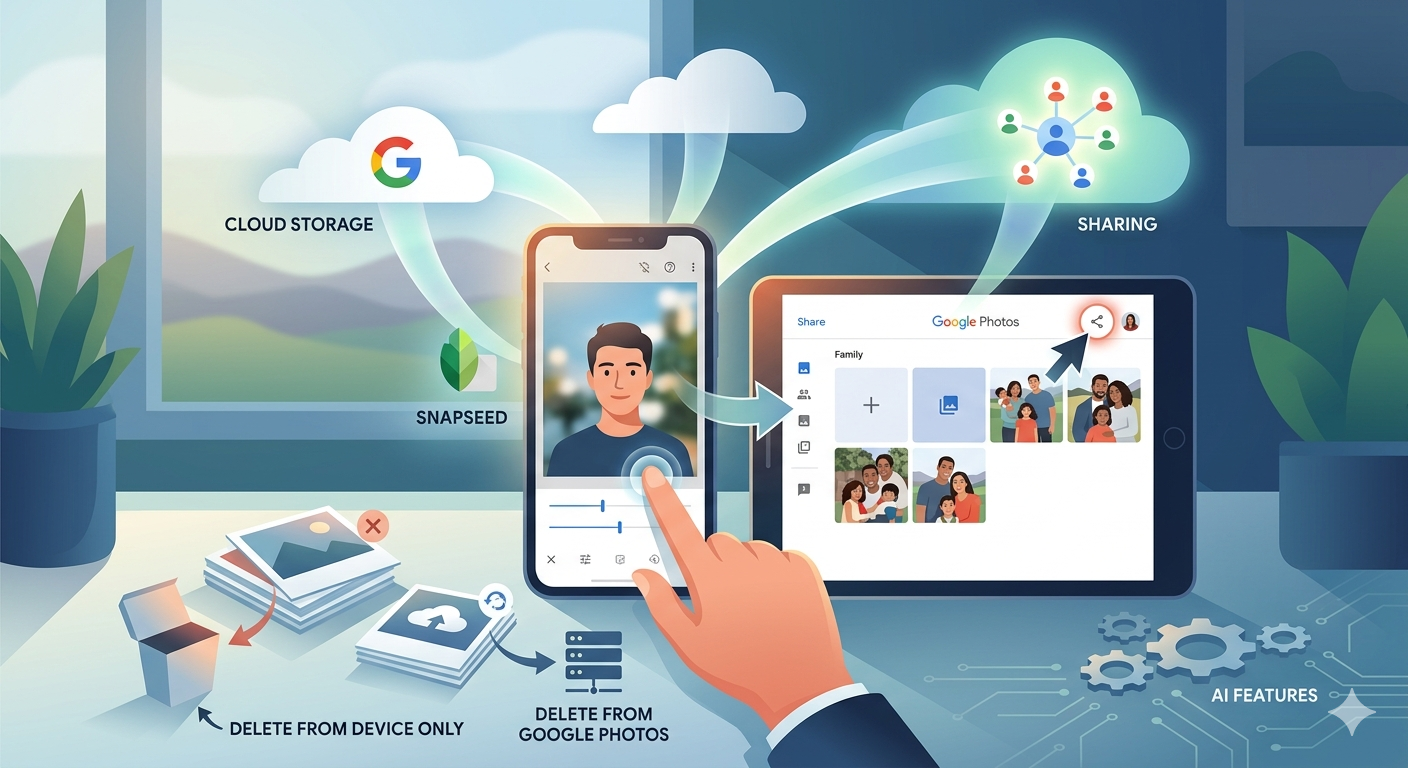
A short post to highlight an issue that I wasn’t aware of, and now have to be very wary of. Indeed Ian’s comment about whether you need the Google Photos app installed on your iPhone is prescient – you most probably don’t if you’re backing-up photos to your iCloud account. And if you’re backing-up photos to a google account (as described in the earlier post), there are different ways of doing it which means you quite possibly don’t need the Google Photos app on your phone.

Remember, you can always look at the photos stored in the Google cloud from photos.google.com on your Apple phone or tablet – you don’t need the app installed.

So here goes … another learning point. I’ll type it in capitals so that you don’t miss it!

IF YOU DELETE PHOTOS FROM THE GOOGLE PHOTOS APP ON YOUR IPHONE OR IPAD AND IGNORE THE WARNING – THEY WILL BE DELETED FROM ICLOUD AS WELL.

There, I’ve said it. I didn’t realise it, and always shied away from deleting photos in Google Photos because I didn’t really understand what the warning meant. But now I do and obviously that’s not something I want to do, so how do I go about removing photos from the app, and/or from the Google cloud. Read on!

Scary, eh?! Take care when deleting photos from your iPhone

What I’ve researched is well summarised in the following article …

How to Delete Photos from Google Photos But Not from iCloud

and a couple of posts on the Google Photos support forum …

Does deleting photos in Google Photos also delete them from my iCloud photo Library?

Google Photos deleted my iCloud Photos library

So what do I take from this?

  1. If you want to delete photos from Google Photos – do it on the Google Photos website, not in the app on your iPhone or iPad. If you have synchronisation active, they will then be deleted from the app on your device as well.
  2. If you want to quickly delete all photos from your Google Photos app, just delete the app having first ensured that you’ve switched off Backup and Sync, because if you don’t, when you re-install the app, they will be synchronised back to your iPhone/iPad.
  3. If you don’t need the Google Photos app, uninstall the app, no photos will be deleted from your phone, they will still be in your Camera Roll and will have been stored on iCloud, nothing will be deleted from the Google Photos website either, so you will have to do that deletion from photos.google.com – see Case 1 above.
  4. An unlikely scenario, but one to be aware of – If you turn off iCloud before deleting photos from Google Photos on iPhone, then the photo will be removed from your device and Google Photos. It will stay on iCloud. However, if you enable iCloud again on the same phone, the photo will be removed from it too.
  5. And even more unlikely, but probably unexpected and a potential surpriseDisabling Backup and sync will not have any effect on your iCloud photos as it is just a setting to enable or disable backup service on Google Photos. If you disable it and then delete photos from the Google Photos app on your device, they will be removed from the device as you are technically deleting the device copy on your iPhone/iPad. And once it is deleted, the iCloud copy gets deleted automatically.

Remember. Google Photos in the cloud, and iCloud Photos do NOT work the same way. Apple aims to synchronise all images across all devices with “the master” being held in the cloud. The Google Photos app is just a portal looking into the images on the device, and synchronising (if chosen) those images with ones stored on photos.google.com.

I hope that makes it all perfectly clear 🙂 🙂 🙂

In summary, do not delete photos in Google Photos directly from your iPhone if you have both apps on the device. Use the Google Photos website to remove photos. It is suggested that you should delete a few photos initially. Then, check them in iCloud after some time. If the photos are still there, you can go ahead and delete them in bulk.