
[Health warning: some of the links in this post may not be reachable.]
A lot to cover here. I’ll try and make it as readable as possible.
We found a great variety in the broadband speeds being experienced by members, but not surprisingly the best performance was obtained from those using BT fibre connections to the Cabinet at the bottom of the road (provided by a lot of Internet Service Providers – ISPs), or those using VirginMedia which delivers fibre to the property. I mentioned that it’s important to record your interest in having a VirginMedia Fibre Connection to Virgin – that’s how you’ll influence their infrastructure build.
[I was asked how much my VirginMedia connection cost. It’s difficult to provide a definitive figure as it’s bundled together with TV Services which includes a HD Recording Box. So £100.22 a month includes £50-£60 of TV services, I would guess.]
Follow this link to get a better idea of what you might have to pay …
http://www.virginmedia.com/shop.html
The question of whether one had a ‘n’ or an ‘ac’ router was asked. I promised to research that. Here’s a link that explains the difference between the protocols and when they’re most appropriate.
http://homenetworkadmin.com/wireless-b-vs-g-vs-n-vs-ac-difference/
It’s important to remember that the same protocol needs to be used at both ends (router and device) so it will always be the slowest and usually oldest protocol that a router-device connection defaults to. Often however a router can operate in more than one mode, so you need to look at your router to see whether you have to configure this. For instance my routers allow me to connect at 2.4Ghz and 5Ghz (these are the wireless bands,). These are different from the channels which we discussed before and which I wrote about under flaky WiFi.
I’m afraid I can’t find a definitive way of finding which of ‘b’, ‘g’, ‘n’ or ‘ac’ a router is operating in. This article and the links it has should tell you a bit more about your home network.
http://lifehacker.com/5830886/know-your-network-lesson-1-router-hardware-101
It also covers WiFi security and snooping, which is not a problem if you use the most secure protocols, eg WPA-2.
Then there was a discussion on WiFi extenders and boosters. Essentially, from what I’ve read, a booster is a device that receives your WiFi signal from the router using WiFi and amplifies it to allow you to be further away from the router. A booster will often work by using the electric power circuit of your house (as long as it’s a single fusebox) to connect Ethernet over Power devices – sometimes called PowerNet. The equipment I use is from TRENDnet, called Powerline adaptors, and I purchased from Amazon. Here’s what I purchased in June 2015 …
… it gives me WiFi in the kitchen as well as a wired connection there, if I wanted it. I could connect up to 8 Powerline devices through the electrical mains.
That’s about it. I think I need a glass of whisky!!
 WhatsApp
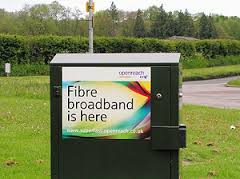 internet) enters your house. If you’re lucky you will have a fibre-optic connection which would give you the fastest speed and performance but the fibre only runs from the Exchange to a Street cabinet. From the cabinet to your house the connection will be by copper. You can
 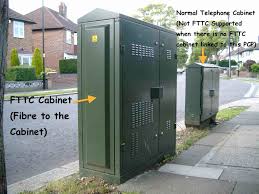 recognise whether you have fibre in your area by looking at the BT street cabinets. If they’re like the one on the left – you have. If they’re smaller like the one on the right of this picture and don’t have vents in them (necessary for cooling) – then you won’t … yet! Inside the cabinet it is still likely that there will be a tidy arrangement


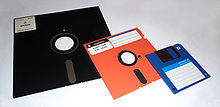
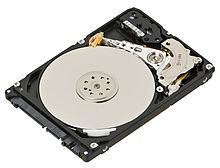 This need for additional storage meant first the introduction of
 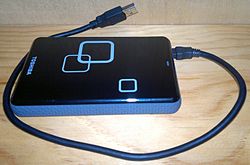 connected usually to a USB port on your computer and then
 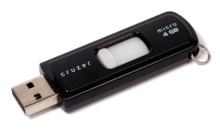 with you and then connect to a USB port on your computer.
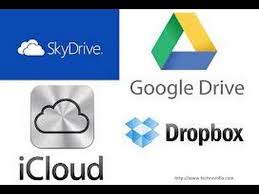 There are a number of Cloud Storage options you can use for free as long as you keep your storage below a certain limit. You can use as many as you want to and you might consider using different providers for different purposes. For instance I use Google Drive mainly for Photo Storage, Apple’s iCloud for documents, and Dropbox for sharing stuff. [I’ll maybe explain why I do this in another post.] The other main provider is Microsoft with their OneDrive (formerly SkyDrive) offering, I don’t tend to use this much, but the principles for using it are much the same as the others.
