
You will soon be able to keep your mobile telno. private on Signal by using a username
Notes from Zoom meeting – 17th February 2022
No photo of attendees this time as Jim presented his apologies as he was attending a re-scheduled and re-arranged Poetry and Prose group. I will need to find a “deputy” for those meetings he can’t attend, or alternatively Owen perhaps could prompt me to take a shot myself 🙂 I also had apologies from Ted and John who were not able to make the meeting.
We started with a quick review of the last meeting. Renee had downloaded Trello, and was going to look at using it, as was Jenny – who hadn’t yet had time to download it. Thanks Steve for the presentation again. I’m looking for more offers but during the meeting Stella told us about MapQuest which certainly is worth a look. I believe I’ve got it on my phone, but I also have Strava, PlotaRoute and Walkmeter, for walking – none of which I use to much I’m afraid to say.
I mentioned that I’d seen an item on the Welsh News on the “disappearance of copper from Ceredigion” – a reference to the PSTN switch-off and move to digital. I also mentioned that I’d move the post under Jenny‘s authorship to the public Thought grazing site where I will try and keep news up-to-date as the project proceeds. I also referred to Jenny‘s article in the Magazine (Page 81 she tells us).
Then we had a reference to Sianed‘s article on Printing Digital Photographs – which I found very interesting and which left me wondering how and why they do it for free! Finally I welcomed Jim‘s amplification as a Comment under the Notes on what he’d described at the last meeting in reference to deleting items from trash on external hard disks. I asked everyone to look at my notes and correct them in a similar way. Thanks.
I then reviewed a more interesting set of News which I’d sent to the Flipboard Magazine. I encourage you all to take a look occasionally.
We then went round my screen – I’m just picking up those that contributed in this part of the meeting.
David Hughes told us about his travails in negotiating anew contract with Sky, which ended with an upgrade to his Broadband speed from early March without an increase in cost. S0mething others (including me) commented on with VirginMedia and TalkTalk as well. He then told us about an interesting issue/problem the residents of his apartment block were facing – how to get EV charging points in shared landlord-owned buildings. He referenced this website which provided some guidance, and he’d been in touch with someone from Pontyclun who had some knowledge of installing EV-points in similar situations. Someone mentioned that there might be a WiFi solution that linked back to your apartment. Definitely a case of “watch-this-space”. He then finished with a mention of his grand-daughter’s website that worked perfectly on his phone and web browser, but not his iPad. After a bit of scrabbling about, I advised that he need to tell her to investigate Responsive web design technologies – this is often a feature of themes in WordPress for instance.
Owen advised us that his wife was recovering well after the shock of a hospital admittance at the time of the previous meeting. He had progressed with his investigations of using WordPress for the Cardiff u3a website, was re-visiting his knowledge/use of PHP as a programming language and had come across a piece of software called LocalWP that allowed website developers to build a fully-blown WordPress website on a local machine without need for hosting. I offered when he wanted to trial a hosted site that I could provide a sub-domain on my hosted account for testing purposes. This environment might be of interest to Ted and Philip as well as me. I saw the possibility of archiving all my sites onto a machine for posterity!!!! [Or at least my family’s attention]
Paul had been “hit” by a scam suggesting he invest in Anti-virus software – that didn’t go too far!!! He then advised us that within the browser-version of Gmail, you could click on the three dots above a message and Report it as a Scam. This could be very useful to members. In similar vein (but later) Don told us he’d used the Print function under the “three dots” to print an email out, rather than get a screenshot with sidebars added.
Steve updated us on his “negotiations” with TalkTalk which had also led to the cancellation of his NowTV. He had also spent sometime looking at LastPass.
Stella was beaming!!! She’d purchased a replacement 2-in-1 machine from eBay but it had come without being cleaned-off and she found out she would need to re-set it back to Factory Settings. This she had done successfully and she thanked members of the group for giving here the confidence to attempt it herself. She then did the same thing to an older machine. It took longer but she was impressed at how easy it had been to do the task just by watching a YouTube video. Well done Stella.
Renee had a conundrum which hadn’t been resolved by Apple. The number of photos on her phone and laptop didn’t coincide. This was disturbing because sjhe wanted to move the photos off her phone and through the laptop to an external hard disk. I said I’d had a similar experience recently but couldn’t for the life of me remember what I’d done to resolve the problem – but I had. I said I’d try to get the little grey cells working a bit better and let her know if they came back with anything of any use!!!
Don told us he’d been reading a Customer Satisfaction report from Which? on Broadband suppliers. He noted that some of our members would not be that impressed by some of the suppliers (no names, no pack drill). He’d also come across a definition of phishing and had been amazed by the different flavours and terms used.
Christine had also been talking to their broadband supplier (VirginMedia) and had been advised to change their mobile contract (part of the package) to O2 – which were partners of VM to get a better deal – you can’t make up these stories can you! She had also pulled-out of a Lloyds Bank scam when it asked her for the “number on the back of the card” – no, that’s not right!!!!
Ann reported that she’d solved the camera on her Lenovo not working. She inadvertently must have toggled the F8 key on the machine which is a “privacy feature” to switch-off the camera. Glad that one’s been resolved.
Fred reported that he’d been puzzled by a GreenCard Travel email that would appear to be a scam. Something to look out for now that we were all perhaps looking to start driving abroad again.
We then had a discussion on the LastPass video which Sianed thought had been quite good. Several questions were asked and I attempted to answer them as best I could. Some of these I answered subsequently (mainly on subscription costs) on Signal. I refer everyone to their website which has a quite good set of FAQs.
Lastly we went round the screen again to find out if anyone had used, or discovered, useful speech-to-text applications. Owen reported that he’d discovered the wonders of CarPlay on their new car. Messages went from the iPhone to appear as text on the screen of what we used to call the SatNav – but it’s far more now. Paul told us he used the microphone in Text, WhatsApp and Signal (and Notes and Word, etc) to prepare messages, which were surprisingly accurate. I tried to do a demonstration, but failed – I must do some revision on how you can switch to share an iPhone screen over Zoom. That was not the case for Sianed. She found the speech-to-text failed miserable with a Welsh accent. Ann agreed. I suggested they try speaking in Welsh as there might well be a more accurate result. It will be interesting to see. Steve on the other hand was more interested in text-to-speech and he’d been looking at Speechify, but it was costly. I investigated other options and sent a message to Signal. Renee had tackled Siri – she’d meant to do that for some time and found it acceptable, and did arithmetic well!! She also advised Steve to have a look at text-to-speech on Safari – one for me to check out as well. That plus Reader View is making Safari my browser of choice at the moment. Finally, Don had been trying out talking to Google (using the Google Assistant) – we must have another go at this really useful tool again.
Non Digital Photographs
Most people now use digital photographs on our phones/tablets/laptops. But If you still like to have some printed (at a reasonable price) there are apps available which you can download onto your smart phone. – “FreePrints” (also a similar deal with the PhotoBox app and the Snapfish app)
They work by downloading the app and set up a free account with them – the app is free from the Google Play Store on an Android phone or the App Store on an iPhone.
You can choose up to 45 (or 50, depending on the app) standard-sized photos to print each month. The prints themselves are free you just pay for the postage. The FreePrints app postage is roughly between £1.49 and £3.99 depending on the number of prints ordered in a month. Exact postage costs will vary a bit from app to app.
There’s no subscription, so there is no need to order every month. The small downside is, that if your free photo allowance for one month is not used, you can’t carry it over to the next month. These apps are useful if you like to order a small number of prints regularly, rather than a load in one go.
If you’ve saved up a big batch of photos to get printed all at once, maybe stored on your computer or a service like Google Photos, it may be worth looking at deals on websites like Snapfish, Photobox or Boots Photos (there are others too). They’ll often have free photo deals for new customers, or give you free postage if you spend over a certain amount with them. They usually charge around 10p per print.
Both the apps and these websites are also handy for other photo products to put on your wall – poster-sized prints, canvases, mugs, T-shirts, calendars. Prices vary quite a bit between the different websites.
Switch-off of analogue PSTN
This article will record the progress of the planned switch-off of the analogue PSTN (public switched telephone network) by 2025, and its implications to all of our generation, as Openreach moves to implement a fully digital service. The issue was brought to the attention of the Cardiff u3a Computer Group by Jenny Sims, a group member, who has a number of roles including being Chair of the National Pensioners Convention (NPC) Digital Working party and an NPC Executive Member.
It’s an article that will change over the next few months and years, so please look back for updates and further information as we become aware of issues, problems and hopefully solutions.
What implications might this have for older people?
- Digital services are not universally good across rural areas
- There will need to be a solution to the issue of digital services requiring power – what happens if there’s a break in power supply, this has been highlighted recently after the storms brought down power lines in Scotland and NE England
- Cell telephony doesn’t provide a 100% coverage as a backup to digital services
What implications might this have for people with certain disabilities?
- It’s been reported to us that certain people with visual problems have been experiencing difficulties in the Salisbury pilot area with the withdrawal of the 1471 service, with call-back not working, and with needing to install a new phone number
A video showing the opportunities and issues for Telecare
Here’s a link to the Progress Openreach has reported by January 2022. Much of this is very technical, so some of the following information might be more readable.
Here’s a briefing from BT on the project; and an update on what’s happening in Wales forwarded to Jenny in her role sitting on the National Pensioners Convention. Which? have also published a briefing on the subject which I encourage you all to look at.
Some additional references
Switchover from analogue to digital telephony: UK consumer and micro-business reactions
The UK’s PSTN network will switch off in 2025 – BT Business
Internet revamp for the humble landline – BBC News
OpenReach PSTN Switchover – a technical presentation
Jenny has also written the article below, which will hopefully appear in the latest Cardiff u3a magazine …
====
Ring, ring: Ready for the big ‘phone switchover?
Only three years until 2025 when all telephone providers will do the big “switchover” moving landline customers from the country’s traditional telephone network to digital technologies and analogue services are finally shut down.
Though BT published a timescale back in 2019, many older people’s organisations have expressed concern that the public have not been given enough information about the Public Switched Telephone Network (PSTN) moving to Voice Over Internet Protocol (VoIP), what it really means and how it could adversely affect older and vulnerable people.
Among them is the National Pensioners Convention (NPC), which represents 1.5 million members in Wales, England and Northern Ireland.
Among the big questions is what happens if there’s a break in power supplies and people need to access emergency services – because the new system will run off broadband – and handsets will have to be plugged into an electricity socket.
Providers say solutions will be found – which will include the provision of emergency battery-powered backups for phones and routers.
This scenario became a reality last November when Storm Arwen hit the UK, causing widespread power outages and left 9,000 homes without power for more than a week.
Jan Shortt, NPC General Secretary did interviews with Talk Radio and other stations, and heard from affected listeners.
She said: “They raised the issue of not being able to charge mobile phones and other devices and therefore not able to summon help. It is clear that the majority of the population had not heard of the digital switch.”
In January Ofcom held an online public meeting to give an update on the “switchover” rollout throughout the UK and provide an opportunity to ask questions.
Jeff Richards, an NPC Wales executive member and a retired Swansea BT engineer, attended. He said: “Unfortunately they did not answer any questions that I raised regarding vulnerable customers nor anything on power supply. I felt that my questions were merely swatted away.”
BT have agreed to meet the NPC to address their concerns – which include, who will pay for the battery packs (some around £160) – the customer or provider?
Virgin Media has already promised that vulnerable customers with “accessibility needs or don’t have a mobile phone” will be given an emergency backup line at no extra cost.
Unsurprisingly, customers in various areas have reported teething problems as the system is being rolled out. For example, people in the Salisbury pilot area with visual problems have experienced difficulties with the withdrawal of the 1471 service and the need to get new phone numbers.
Hopefully, in the three years left of the rollout, teething problems will have been sorted. But be prepared: only an estimated 1.5million out of 29million landlines have so far been converted – and one day those old phones will stop ringing!
For further information:
- Which guide, Digital Voice and the landline phone switch-off: what it means for you https://www.which.co.uk/reviews/broadband/article/digital-voice-and-the-landline-phone-switch-off-what-it-means-for-you-aPSOH8k1i6Vv
- Moving to Digital Voice https://www.bt.com/help/landline/digital-voice-migration
Jenny Sims is a Cardiff U3A Computer Group Member, Chair, NPC’s Digital Working Party and an NPC Wales Executive Member
Notes from Zoom meeting – 3rd February 2022

Quick out of the blocks today – probably as I don’t have so much to write given the excellent contributions from Steve, Phil, Ted and Jenny. I had to do very little; I didn’t even have time to do anything on LastPass – but more about that later.
We started off by reviewing the Notes from the last meeting (finished only about an hour previously – many apologies). Fred noted that the Institute of Government have a series of podcasts which are free and worth listening too, and after the meeting Phil offered a list of a number of podcasts that he often listened to … Dan Snow’s History Hit; The Battersea Poltergeist (spooky); Mark Steele What the F #### is going on (bit sweary but hilarious); and Aaron Mahnke’s Cabinet of Curiosities.
We then launched into a demonstration of Trello, a piece of work organisation software based on Japanese Kanban principles. It seeks to help you manage small projects, and other aspects of your life. Steve guided us through its basic principles and offered to provide assistance if anyone wanted help in using it. We then went on to hear about Phil Edwards’ experience of using Google Sites to build a website with the useful additional piece of information that Google will provide a domain name (eg thoughtgrazing.org) for c.£10pa. This is not out of line with the pricing of other domain name registries. Phil showed and told us about the family history website he’d just finished called Rum and Gunpowder, I encourage you to go and give it a look, and Phil would like feedback on it as well. Then Ted who’d written a post for this site, talked about the Virtual Travels he was doing, I urge you to have a look at the inventive activities he and his wife have recently started. Finally Jenny gave us a short updarte on the article she’d written for the Cardiff u3a Magazine, which should appear in the digital version at least. I’ve added it to the post I wrote on the Analog to Digital switchover and will now transfer it across to the “public”Thought grazing site.
That was a great start to the meeting and the individual contributions were somewhat limited due to time. Please excuse me for not mentioning your name if you didn’t contribute in this section.
Jenny reported that her freebie (except the cost of a lunch) monitor was not working and she might have to ask for help at the next meeting.
Steve had of course been working on Trello and we thank him again for his demonstration.
Jim continues to work on adding information to the EXIF data in his photographs; currently he’s been labelling works of art that he has photographs of – adding titles and locations. He also raised an issue of whether instructing the deletion of material from external hard drives had to be done separately from that of internal drives. I didn’t know the answer for Windows/Chromebook machines, but thought in the MacOS world, although the recycle bins, or trash, were separate they were all cleaned out as long as the disks were attached to the computer at the time the instruction to delete was raised.
David Hughes raised the interesting point (that we’ll add to the webpage that Jenny and I have setup on the “PSTN switchover”) that some Households in rural areas don’t have a mobile signal, so that in the case of a power cut they would have no means of raising the emergency services. This was the case in point just recently in NE Scotland after the storms that brought down the power lines. Apparently this was raised as an issue in a recent episode of RipOff Britain too.
Renee picked-up on a point I’d earlier raised about the NHS Portal. This was something new that Cardiff and Vale Trust is using to record their Correspondence with you as well as your Appointments. Here’s a link that tells you more about it. We had quite a few discussions relating to health at the meeting. There was general agreement that not all GP Surgeries were the same; not all practices used the MyHealth Online Portal – in fact one had stopped using it as it was deemed to be “unfair” during the pandemic to not have the same “vanilla”service for all patients. Duh!; that not all health boards were working the same way; that the eConsult service was generally “a good thing” and often allowed access to your GP (usually over the phone) in much less than the 48hrs promised; and that finally telephone and video consultations were definitely “a good thing” to have come out of the pandemic.
Margaret reported that her TalkTalk service had gone down and that after switching off all devices and having found that made no difference , the service came back the next day. It was frustrating. A lot of work is being done by OpenReach currently in North Cardiff and they really should communicate to their (and associated service users) customers when ourtages are likely to happen.
Stella told us about a really alarming episode involving Alexa which had suggested as a challenge that an 11yr old girl should short-circuit a plug inserted in a socket. Here’s a link that tells you more about this shocking episode.
Ted informed us that he’d recently come across an app that transcribed speech to text called Speechnotes. This is a very interesting idea and it raises the possibility that all group members should examine the apps they use and see whether there is an inbuilt speech-to-text facility that they might use. A challenge for next time then – all group members to investigate the possibility of using speech-to-text on their smartphones and report back for the next meeting. He also mentioned there was a facility built-into the Chrome browser to provide Live Captioning. This is how you do it …
Open Google Chrome
Click on the dots on top right hand side
then:
Settings
Advanced
Accessibility
Toggle on Live Caption
(it will probably only work for windows you have open in that Google Chrome session)
Paul reported (with glea) that his road was now fully fibre. He also showed us a multi-connect SD-Card Reader that could plug into USB-C, USB-A and mini-USB sockets. He also told us he’d now got a much more sophisticated Dashcam which even had a parking mode, and which could transmit recordings using WiFi to the house. He offered to do a presentation, an offer that was gladly accepted.
Don noted that he had to re-format his SD-Cards for DashCam and wildlife cameras to avoid corruption. I reported that I always re-formatted cards on the external device as it was just as easy to do that as delete them in the computer.
Fred suggested that we meet in person, a couple of other members also expressed that wish. I explained my thoughts and feelings on the subject and told the group that I’d been in contact with Nonn (the Groups Liaison Officer) and had suggested that a suitable venue with WiFi was still required before we could start regularly to meet in person. However the Group felt it would be “a good idea” to have a social meet (perhaps in the Castle) sometime soon. I agreed to plan for this in the near future.
Sianed advised us of our Consumer Rights under the 2015 Act, and that this over-rides the expiry of a Warranty if you can demonstrate it to be unreasonable for a device to be not working in an out of warranty period which was deemed to be reasonable. You might need to have expert opinion to press home your case to the retailer.
So … homework for next time.
- Please (if you’re interested) watch this LastPass video and then we can have a discussion about issues, questions, etc at the next meeting.
- Look at the applications you use on your smart devices (in particular) and see which of them a) have speech-to-text provided, and b) which ones you think you might find useful. [This is in addition to all the AI speech facilities such as Alexa, Siri and Google Assistant.]
Notes from Zoom meeting – 20th January 2022
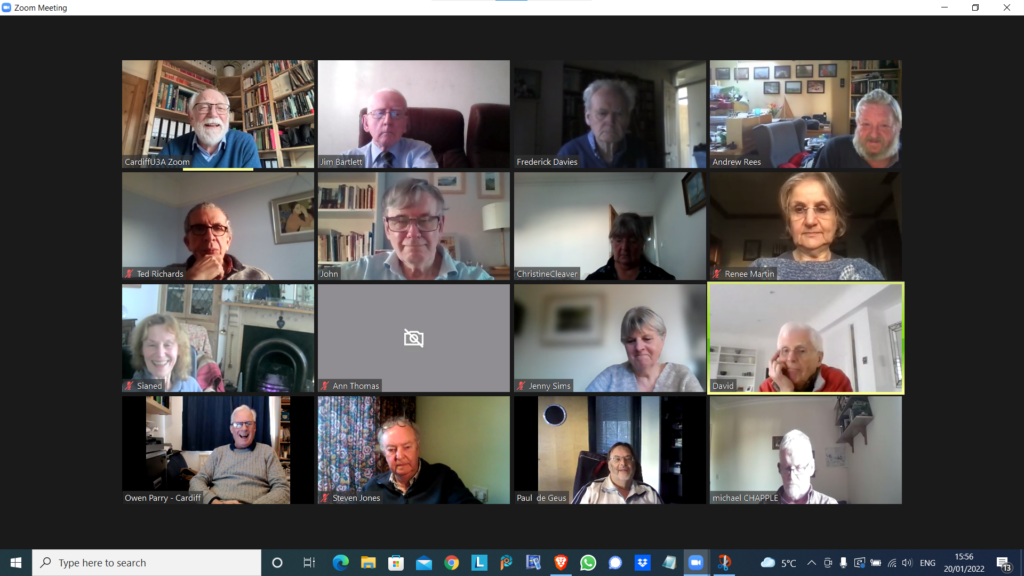
We received apologies from Ann, Margaret, Jenny ( who arrived later) and Don.
I asked if anyone would be willing to share their favourite app with the group bu way of a demonstration. Steve offered to do something with Trello – a work organisation application, and I asked Ted whether he’d be willing to do something on Ancestry. Steve also asked me whether I’d do something on LastPass – so I said that I’d do that as a return favour for his offer which we agreed he’d do at the next meeting.
I then did a demonstration of flickr and will write an article up on what I’ve found out in doing the preparation for it! This will be on my Just thoughts blog in due course!
Owen reported that he’d been working on ways to move the Cardiff u3a website over to WordPress, in conjunction with some other local groups which were doing the same, and away from the SiteBuilder software he’d been using to date. They all needed to find a way to get it to work with the Beacon membership system, but there was a problem that there was no api (application programming interface) for Beacon that would allow easy import/export of information between the two systems. As a first step a read-only access api would be valuable and would allow the two to be linked together. Owen was now learning how to use WordPress, and I offered to provide help if required.
Mike has discovered the the iPlayer app on his desktop which he is very happy with. Steve suggested he looks into the Sounds app as well. I queried whether people listened to Podcasts much – quite a few members did.
David Hughes recommended the Sounds app and podcasts and said he’d just recently been listening to one from a family member – Jon Ronson – I for one, will try and catch-up on this!. We then started a discussion on David’s IT-phobic friend who lived in the Marina and somehow was receiving more than one incoming call on two handsets – that’s different calls!. It appears his son had purchased broadband and OpenTReach had installed a landline and a router. His landline is now digital (see Jenny’s article) and it appears he can use two handsets off the broadband landline for incoming calls. Renee reported problems with interceptions, and conversations being repeated on her landline. VirginMedia engineers had replaced the the handset to a broadband connected router. Maybe (she suggested) David’s friend had a legacy connected analog line? Owen offered the information that you could buy two-line cordless phones, but they did have separate numbers. [In later conversations on Signal it was mooted whether it was possible to put n answer machine on one of the lines, or not.] I can see us returning to this one.
Sianed advised us of a scam asking a user by TEXT to update their PayPal account. Watch out for that one.
Paul reported that Amazon and Visa had come to an arrangement so that Visa Credit cards could be used with Amazon. Good news. He also recommended All 4 as another possibility for streamed TV. I mentioned BritBox as another source of good binging boxset TV.
Steve had started using LastPass and wondered whether I could do something on using it, and was also looking at Flickr. He reported that he wouldn’t have problems with Chrome updates as the renewal date was 1st March. [I think this note needs reviewing.]
Ted was off to Rwanda. I won’t say more, just read his wonderful blog post on this site, and go look at his website for more information. He had us all in stitches describing his challenges with getting Banana Beer and doubts as to whether his payment using PayPal had been a scam because of links to a sister company offering him handbags and selling chilli paste. The mind boggles, or at least mine did!
Jim was transferring information from photos that went back to the early 2000’s into a Comment field in the EXIF data held on the photos. He also reported the problems that American airlines were having with 5G and their altimeters s they approached airports. The switch-on had been delayed until problems were resolved. Apparently 5G in the US is on a higher frequency than in the UK and transmits more power. Whether the problem is in the airports, or the planes is uncertain.
John reported that Flickr was working well. He’d uploaded lots of p[hotos of clouds and created a few albums of them too!
Christine was now a happy Real Bridge user. All her difficulties had been resolved [insert solution here as note not clear] She, like others, had been finding the process for getting a digital Covid Pass from the NHS website, more than challenging and was now printing off a paper version.
Renee had solved the problem with her landline; she said she was receiving emails from Royal Mail re. tracking deliveries that she was uncertain about. We suggested that they be best ignored.
Ann had updated her Zoom software. She had looked at her Firewall settings and chose to view blocking and now video not showing in Zoom. It was suggested that she look at her firewall settings and review Allow/Deny options. Jim suggested looking at the choices with Zoom itself that might be causing the problem. Owen suggested looking at another app that uses the camera to see if the problem was replicated.
Jenny (having managed to make the meeting after an earlier appointment) wondered whether she should get a replacement battery for her laptop – depends on whether she thinks £100-£140 is a good investment and whether she can do the replacement herself – perhaps get a view from Neil (our helpful IT fixit man!) and also said tht her external monitor was not working as well as she’d hoped.
Armchair Travel Challenge
I’m a man who likes to set myself a challenge. About 40 years ago I set myself the challenge of walking around the entire coastline of England and Wales. It took me 20 years to complete but I did it. Then I set of walking up all the mountains and 15 years later I finished that list. At about the same time I set off trying to find a pint of Guinness in all 52 European Capital cities. Fortunately I completed that challenge in 2019, just before Covid hit.
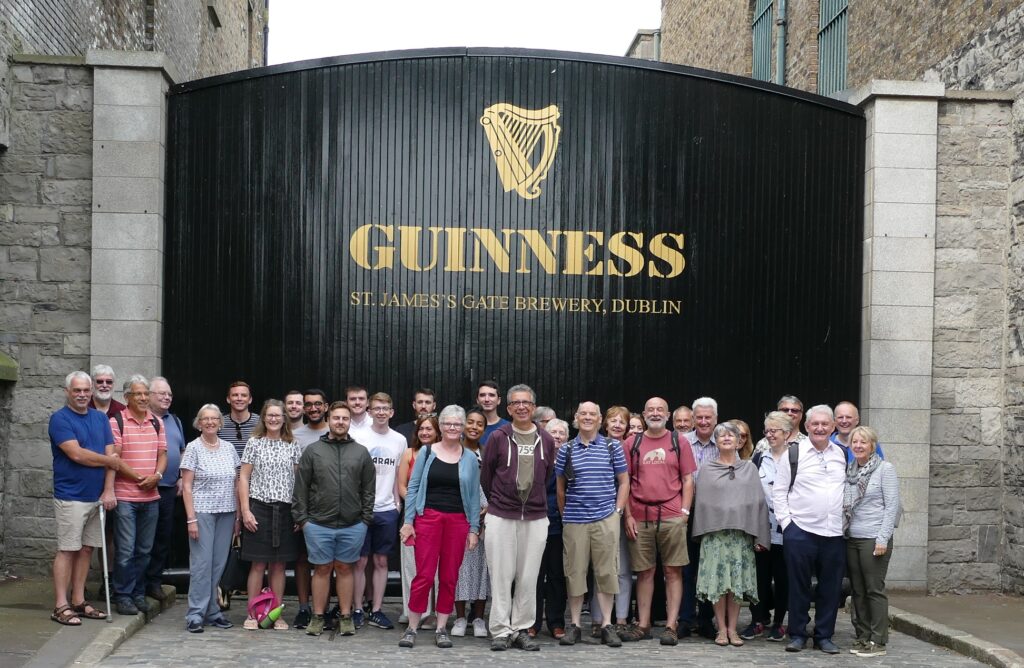
Ever since then people have been asking me what my next challenge is. I kept saying I hadn’t got one as yet but I was beginning to feel under pressure to think of one. And this is what I have come up with – the Armchair Travel Challenge.
Travelling at the present time is itself a bit of a challenge. Plus there are other factors to consider such as advancing age, cost and the environment. So I thought do I need to travel? Why not do it virtually. There’s a lot I can do from home to take in the atmosphere of a destination such as the food and drink and music. It would also have the advantage that I wouldn’t get robbed, lost or fall ill with and exotic disease.
There are around 197 countries in the world. If I were to spend about a month in each that should take me about 16 years. I like the random nature I approached the Guinness challenge where my next destination was picked out of a hat by the person pouring me the Guinness in the previous destination. In this challenge I would use a random number generator to pick the next country.
So far my list of things to do in each country includes:
Try to eat and drink something typical of that country, either in a restaurant or making it at home.
Read something of the history, culture, politics, news etc.
Read something by a local author (or a book set in that country).
Read a travel book or travel blog based in that country
Listen to some of their music.
Watch a film made in that country.
Make a clock in the shape of that country (that sounds weird I know but believe it or not I used to make clocks in the shapes of different countries)
Try to meet someone from that country (and maybe give them a clock!)
Sporting – follow the football or cricket team or some other sporting event.
Go on some ‘virtual trips’ within that country – using my vivid imagination.
Railways – I especially like train travel so a ‘virtual’ rail trip would be good.
Highest point – anther ‘virtual’ trip – to climb the highest mountain in that country.
Geocaching – solve a puzzle cache in that country. That’s another fairly specialist one, but geocaching is a hobby of mine and they can be found all around the world.
Stamps – purchase some stamps from that country
Charity – find a way of helping someone out in that country in some small way
I’m wondering what you, my U3A friends, would if you tried to travel to a country ‘virtually’?
Progress to date
We started in mid-November and have so far spent a month in Burkina Faso and a month in Libya. This month we are in Rwanda (the random number generator seems to like Africa!)
We met up with someone from Libya but are still trying to find someone in Cardiff from Burkina Faso and Rwanda. If anyone in U3A can help put us in touch with someone from either of those countries then please let us know.

Remember lessons learnt form the U3A Computer Group
So what’s this got to do with the U3A Computer Group? Well, last week I tried to order some Rwandan banana beer from a website, U&I Drinks. I forgot some of the basic advice we had spoken about at some of our previous meetings, manly is the website genuine? It looked genuine but the beer hasn’t arrived as yet. What I forgot to do was to search to see if there were reviews of that company online, positive or negative. Going back now and doing a search I can’t find any independent reviews. The thing which raised my suspicions was that as soon as I placed my order I received 3 emails back, an order confirmation, a PayPal confirmation and an e-mail from a USA tracking company implying my luxury handbag was on its way! I’ll keep you all updated as to whether I receive some banana beer, a luxury handbag or nothing.
In the meantime, here’s a link to the Armchair Travel Challenge
Zoom with a view!

It was suggested that members might be interested in finding out how one group – the Computer Group – has handled and coped with the Covid pandemic by using Zoom. We haven’t actually met in person since the beginning of the 2020 session in September. We were quick out of the blocks however even before that and we held our first Zoom meeting on the 23rd April even before the Committee had taken out a subscription to Zoom I believe. Since then, almost without a break, we’ve met virtually every fortnight.
Supporting us in our meetings we’ve kept Notes and added them to our website – “Thought grazing” at https://thoughtgrazing.org – which any Cardiff u3a member is welcome to view by just sending an email message to computer@cardiffu3a.org.uk.
We’ve had an attendance of between 12 and 24 at our meetings with 16 being an average number, so that means probably 50% of the group have been able to participate at any meeting, but of course it’s not always the same 16!!! We’ve adopted a new way of organising the meetings to match with the virtual world, focussing on getting members to share issues and problems, matters of interest and general chitchat about matters digital. It’s become a much more social group with everyone encouraged and requested to participate – when it’s their turn at the very minimum. This has led to reduced time for presentations and facilitator-led talks. Some might say this is a good thing … I couldn’t possibly comment!
The pluses …
- We’ve enjoyed each others company and supported each other through these difficult times.
- The technology has really helped, since we’ve found screen-sharing to be an excellent way of showing and telling what we’re discussing. [Not having to rely on the venue WiFi has also been a real boon!]
- The technology, I think, has actually made us much more inclusive as every member has a chance to make a contribution – far more so than when we met face-to-face.
... and the minuses.
- Nothing can make up for meeting people face-to-face, the chance for casual chatter, the chance to add a cup of coffee or share lunch before (or after) the meeting.
- Perhaps the number of informational presentations has dropped, but this doesn’t seem to have been a factor in attendance.
- As a technology group we would hope that our members would find using Zoom relatively straightforward. Hopefully, we can still encourage some “lapsed” members to try this way of meeting, but we do accept that some memberts are perhaps “over-Zoomed” as well.
Could we manage so-called hybrid-meetings?
The occasional one-off event with some members remote on Zoom and some face-to-face might work but it would have to be a presentation-style meeting.
We have concluded that we might try an alternate meeting style when we are able to return to face-to-face, with Zoom meetings still being scheduled.
Would we miss meeting over Zoom?
In the end, probably not, because the benefits of face-to-face would outweigh any benefit from the new form of interaction, much as we like it. However, I think we’d want to take some of what we’ve learnt from our Zoom meetings into the way we organised our in-person meetings in the future. Roll on that day when Zoom doesn’t have that view!
Out with the old … in with the new
This article is a place-holder to the progress of the planned switch-off of the analogue PSTN (public switched telephone network) by 2025, and its implications to all of us, as Openreach moves to implement a fully digital service. It’s a dynamic document that will change over the next few months and the next couple of years so please look back for updates and further information.
What implications might this have for older people?
- Digital services are not universally good across rural areas
- There will need to be a solution to the issue of digital services requiring power – what happens if there’s a break in power supply
What implications might this have for people with certain disabilities?
- It’s been reported to us that certain people with visual problems have been experiencing difficulties in the Salisbury pilot area with the withdrawal of the 1471 service, with call-back not working, and with needing to install a new phone number
Here’s a link to the Progress Openreach has reported by January 2022. Much of this is very technical, so some of the following information might be more readable.
Here’s a briefing from BT on the project; and an update on what’s happening in Wales forwarded to me in my role sitting on the National Pensioners Convention. Which? have also published a briefing on the subject which I encourage you all to look at.
I’ve also written the article below, which will hopefully appear in the latest Cardiff u3a magazine …
====
Ring, ring: Ready for the big ‘phone switchover?
Only three years until 2025 when all telephone providers will do the big “switchover” moving landline customers from the country’s traditional telephone network to digital technologies and analogue services are finally shut down.
Though BT published a timescale back in 2019, many older people’s organisations have expressed concern that the public have not been given enough information about the Public Switched Telephone Network (PSTN) moving to Voice Over Internet Protocol (VoIP), what it really means and how it could adversely affect older and vulnerable people.
Among them is the National Pensioners Convention (NPC), which represents 1.5 million members in Wales, England and Northern Ireland.
Among the big questions is what happens if there’s a break in power supplies and people need to access emergency services – because the new system will run off broadband – and handsets will have to be plugged into an electricity socket.
Providers say solutions will be found – which will include the provision of emergency battery-powered backups for phones and routers.
This scenario became a reality last November when Storm Arwen hit the UK, causing widespread power outages and left 9,000 homes without power for more than a week.
Jan Shortt, NPC General Secretary did interviews with Talk Radio and other stations, and heard from affected listeners.
She said: “They raised the issue of not being able to charge mobile phones and other devices and therefore not able to summon help. It is clear that the majority of the population had not heard of the digital switch.”
In January Ofcom held an online public meeting to give an update on the “switchover” rollout throughout the UK and provide an opportunity to ask questions.
Jeff Richards, an NPC Wales executive member and a retired Swansea BT engineer, attended. He said: “Unfortunately they did not answer any questions that I raised regarding vulnerable customers nor anything on power supply. I felt that my questions were merely swatted away.”
BT have agreed to meet the NPC to address their concerns – which include, who will pay for the battery packs (some around £160) – the customer or provider?
Virgin Media has already promised that vulnerable customers with “accessibility needs or don’t have a mobile phone” will be given an emergency backup line at no extra cost.
Unsurprisingly, customers in various areas have reported teething problems as the system is being rolled out. For example, people in the Salisbury pilot area with visual problems have experienced difficulties with the withdrawal of the 1471 service and the need to get new phone numbers.
Hopefully, in the three years left of the rollout, teething problems will have been sorted. But be prepared: only an estimated 1.5million out of 29million landlines have so far been converted – and one day those old phones will stop ringing!
For further information:
- Which guide, Digital Voice and the landline phone switch-off: what it means for you https://www.which.co.uk/reviews/broadband/article/digital-voice-and-the-landline-phone-switch-off-what-it-means-for-you-aPSOH8k1i6Vv
- Moving to Digital Voice https://www.bt.com/help/landline/digital-voice-migration
Jenny Sims is a Cardiff U3A Computer Group Member, Chair, NPC’s Digital Working Party and an NPC Wales Executive Member
Notes from Zoom meeting – 6th January 2022
We start a new year much in the same way as we ended the old one. I invited members to volunteer any digital gifts they’d received. Somewhat surprisingly there weren’t many. David Hughes had given his wife a smart watch so that they could monitor things like heart rates and blood pressure; Sianed had been promised an iPad and we discussed possible options – I was looking at doing the same with a present from my Jenny; Paul had bought some replacement Dect phones and wondered whether they would work when the PSTN switched to digital (more later); Jenny had got an Apple Watch and I “appointed” her as our specialist/expert moving forward; Steve had got a Chromebook and was looking to get the most out of it whilst concerned about what we’d discussed last time in respect of the possible problems with ongoing support of the operating system and finally Christine was looking at the possibility of a webcam as another possible solution to her ongoing bridge game issues. I had been given a Wacom Intuos tablet but hadn’t started using it.
We turned to issues.
Ann had other pressing issues as a lath and plaster ceiling had collapsed; Fred shared an amusing story dating from when he was working in London relating to a ceiling collapse as well.
Christine was looking at possibly trying to return her Lenovo laptop and she was advised where she could find the AEU date.
Don had started storing passwords in his Google Chrome browser. We expressed some reservations about doing that, our strong preference is for using a password manager, but for the Apple fraternity there might be a possibility of using Keychain.
Sianed mentioned that she’d started using an ecologically friendly/green search engine – ecosia. I said I would be interested in looking at it.
Ted had started a migration from his personal blogspot (Google) website to one based on using WordPress. I offered advice and assistance if required. I also told members that Phil had recently migrated this website – for the clog team his wife organised – to Google sites.
David H reported that after guidance from a friend he’d been advised of a system that allowed multiple calls to come into the same landline. I was surprised and had never heard of such a possibility. It would be interesting to find out more about such a system.
Renee had wanted to extract messages from her iPhone to make them a document. I promised to investigate a solution I’d used for my Jenny. This I found to be called iMazing.
We then had a brief discussion on the withdrawal of the PSTN service by the telcos by 2025. Jenny and I were going to write something for the Magazine on it, and were also to provide Tony Baines with a briefing to take to Region. Paul told us about the problems a cousin (in the Salisbury area where the initial trials were being carried out) who was blind had experienced with 1471 not working any more; he’d had to change his number and there didn’t appear to a call-back facility which he’d relied upon before.
Jenny then told us she’d received a note of briefings on good use of Zoom, and I offered to put a link to them on this website. You’ll see it here.
The meeting finished with a demonstration of the 1921 Census to be found on Find my past. I suggested that all members might offer to demonstrate a website they found useful. At the next meeting I would show the photo sharing site Flickr and how it works..