Digital sound

Starting small

Our smartphone capability – (audio memos, sound recording apps for Android and Apple music recognition (Shazam) and streaming services.

The terminology and technology involved in audio is mind-boggling. You really have to be an expert to get your head around it – and I’m not going to try. There are a wide range of differences in Audio Formats – What is HiRes Audio? It would appear that Spotify has only just recently entered the field of HiRes audio. I’ll just take it as read that I want the best, if I possibly can get it. Currently Apple seem as good, if not better, than the rest.

How to play hi-res music and lossless audio on your iPhone

To get the best quality audio for iPhone and for Android, you may need to dip into those two articles. For the Apple user, you can use AirPlay to stream audio (Apple) to a different device (eg a TV or HomeHub), or use Bluetooth (both Apple and Android) – but Bluetooth is generally not up to the mark on both platforms. Alternatively you should seriously consider using a wired connection using the headphone jack (some Android) or a lightning to aux (headphone jack) dongle (Apple). On my MacBook I do have a headphone jack and when on the desktop it’s connected to a pair of powered Logitech speakers.

Streaming services and their apps

As mentioned above, there a huge set of services requiring you to set up accounts, and install apps – unfortunately (but understandably) most of the free ones are not ad free, which can be distracting …

Best free music apps 2023: free music on Android and iPhone (from What Hi*Fi?)

The best free music apps for iOS and Android (from Digital Trends)

The 7 Best Free Music Streaming Apps for iOS and Android (2023) (from LifeWire)

8 Best Streaming Music Services With an Offline Mode (from LifeWire)

My conclusions from this? We use Apple Music with the recently launched and integrated Classical service as well. Both of these are part of our Apple One subscription which we share with other members of our family. Three of the family still use Spotify, but our son in Australia uses Tidal (for HiRes streaming) and Soundcloud (for new music). You can (and I have) convert Spotify playlists to Apple Music playlists (and vice versa) and I have using this app – Songshift but there are other apps.

Then we turn to Audiophiles, and the world of digital to analog convertors. By an audiophile (in this instance) I’m really just talking about someone who wants to connect a better set of speakers to their digital devices than the internal speakers that are supplied with the device. [In other words I’m setting the bar very low.]

The starting point is to begin to understand the world of Digital to Analog convertors (DACs), so this video hopefully will give an introduction and explain what’s going on in this mysterious world of interconnecting equipment.


I’ll follow this with a couple of articles that you might wish to peruse ..

What is a DAC? And why do you need one? (from What Hi*Fi?)

What is a DAC and why would you need one? (from Digital Trends)

You want to use your mobile device as your music player? Use a lightning to USB dongle to connect Apple to a DAC and then to your speakers, or headphones, but be sure to get a Samsung ACTIVE USB to AUX dongle for Android phones, or a USB-C to USB-C (or USB-A depending on your DAC) dongle to connect to your DAC, and on to the headphones or speakers.

So, if you’ve got this far, you might wish to really play your music at the best quality that it has been stored in digital format on your device Watching these two videos might help – or confuse you even more!

For Android …

For iOS …


Recording and editing music/sound on your device – use Audacity, Garage Band (iOS, MacOS) or BandLab (Android or iOS).

Then we turn to digital sound playing systems.

A wide field of options including the portable MP3 player – but would anyone want one of these nowadays – and the smart home speaker (with voice assistant) – which we looked at last year, and is definitely a device to look at.

Finally integrating with your home HiFi system.

I wrote about my setup in 2016 and again in 2019 for the group. I also wrote about my experiences on trying to make iTunes work for me better back in 2018 – from this latter post, the MacMini and Plex still remain as part of my setup but I don’t use either to stream music, and iTunes is thankfully dead and buried – well almost!

So what has changed from 2016? Well the external speakers connected to the Marantz amp have disappeared to be replaced by a Sonos Beam Soundbar connected to a new Samsung TV. All the other HifI components remain and are connected to the Marantz amp which is in turn connected to the Sonos Connect “hub”. The Bose speakers are still connected to the Marantz amp, but are rarely used now as we now have an Apple HomeHub which I can stream to using AirPlay, and which can be integrated with the Sonos speakers (I now also have a Sonos Move portable speaker) to provide home wide sound.

It has to be said this is a technological project, rather than an audiophile one, as my hearing has deteriorated to the point where I couldn’t detect HiRes from ordinary sound anyway, and the last time we actually had the same music in the whole house must have been the week after we bought the HomeHub.

The Apple HomeHub is a delightful device – we can “talk” to it using Siri or from Apple Music, and link the Sonos devices to it so that we can direct music to different speakers as required. It’s also the heart of our SmartHome project – more another day, and will provide moths of technology challenges for me using the Apple HomeKit and the interfaces that are being developed to link smart devices to that platform.

The next project – we’re installing solar panels this week, with a battery and a gateway to link to link to the Grid (using Octopus flexible tariffs) – definitely a topic for next year when we’ve got it all sorted.

Jonathan sent me his Sound setup which I reproduce below …

Just for info. – my home audio/cinema set up has some similarities to yours.

When we moved to Cardiff we bought a new house in Pontcanna which was still being built and I took the opportunity to have wiring installed in the walls to ceiling speakers in three rooms. I took advice from an AV specialist who advised Sonos, Spotify, blu-ray player and mini mac for my digital collection. 

Sonos serves all 3 rooms, plus a portable speaker, via a marantz amp in the main tv room ( surround plus sub ) and Sonos amps in the other two ( stereo )

Spotify provides all my music needs and I never now use the mac. Nor do I have a CD player in the house since the blu ray/receiver packed up. My cds are all packed up in boxes in the loft! The only stuff I miss is Neil Young and Joni Mitchel after Neil left in a huff!

I have Samsung tvs in 4 rooms – 3 of them Smart and all of them now support Spotify, Youtube, netflix etc. We subscribe to Sky with a main Sky Q box in the main tv room and mini boxes in 3 others.

I’m really happy with it but conscious that the Sonos gear is now 12 years old. They keep trying to get me to upgrade. One day it will be inevitable I guess. Sky might be considered an expensive luxury but we all need one or two of those. It’s brilliant!

Autumn cleaning – maintenance

First, an overview

This article from Norton is as good as any at summarising what you should do by way of maintenance – regular tasks that will make your machine run smoother, and possibly faster.

Backups

There are built-in options supplied for both Windows and MacOS – there’s no real reason to look beyond these. This table (for Windows 10) shows the different methods you might consider. I’ve also included this article that might help you understand what your need to do. However, with Windows (it’s never straightforward) you have another option File History, which maybe a better option, as it focuses on saving files to an external hard disk.

For the Mac, I wouldn’t bother going further than TimeMachine. You’ve heard me rave on about the Mac, but it’s true. You may do things differently on a Mac, but they’re just easier.

The most important thing is to do Backups, and do them regularly. My TimeMachine does an incremental backup every hour to an external hard disk. So the most I can lose should the machine crash, is the last 59 minutes. Some items will be excluded from this backup (eg photos) as they are backed-up automatically to iCloud when I import them on to my machine.

Windows 10 and 11 Maintenance

Let’s start by looking at this short video. You’ll want to go back and watch it more than once. Although it is aimed at Windows 10, I think all the utilities mentioned are available from Windows 11 too.

If you prefer reading to watching, and you’re a Windows 11 user, you will possibly find this article useful. If you don’t trust yourself to do the maintenance regularly, then Windows 10 users might find this article useful as it tells you how to schedule automatic maintenance and what it will do, but if you prefer your instruction to be visual you could watch this video instead, or as well.

If it’s just a speed-up you want from your Windows 11 system, you could work your way through the list in this article, but I’d be tempted to do the more comprehensive list of tasks mentioned in the videos above.

MacOs Housekeeping

Here it’s more housekeeping than maintenance, there are some things you can do to improve performance on your Mac, regular maintenance (as mentioned above) is not really required. This article aims to make your machine run better and faster – I’ll have to read it!!

The software I use on my Mac is CleanMyMac X – this article describes what you should do to automatically do some decluttering, which is probably a good thing and which I run once in a while; it obviously recommends that you use CleanMyMac to do it. Quelle surprise!

Operating system updates and upgrades

These are usually well announced by Microsoft and Apple. Generally, if the update is described as a Security Update, you should do it immediately; if it’s described as a bug-fix, or a point release with new features, I would counsel waiting a while … perhaps a couple of weeks, before installing it. Of course you can leave your operating system to do these automatically, so check your settings (as described in the videos) and select the time that your updates will be done.

More substantial upgrades are less frequent and my advice is to wait a while before installing these as it’s always challenging to go back to a previous release, and sometimes the upgrade will affect the running of one of your applications. All serious software developers will apply to get advance access to operating system upgrades to test their software on the new platform; but even with this access some bugs may not appear until the operating system is “out-in-the-wild”.

Internet history, cache and cookie cleaning

These were covered in the earlier videos but you should probably do these quite regularly anyway. You might have noticed that cookies weren’t “cleaned-out”. That’s probably because the majority of them will be re-installed the next time you go to a website, and cleaning them will also mean you have to re-enter information again. Generally, with good anti-virus software these days, cookie cleaning is not essential, as the malware threat has been reduced before they’re added to the browser.

Anti-virus and malware checking

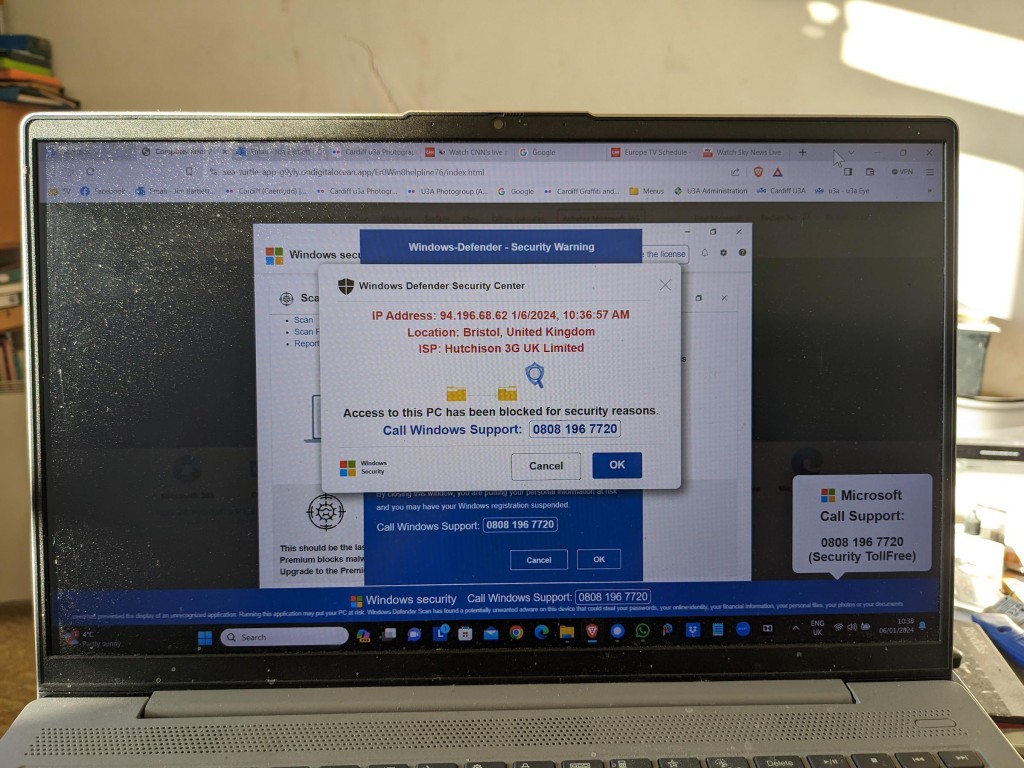
For the Mac I have MalwareBytes (supplied by my bank). For the PC/Windows you know that I recommend Widows Defender, as it’s more than adequate for the “ordinary” user who’s not surfing the dark web! It’s evident that Microsoft have upped their game in this area and you can also deploy other tools to protect your machine. Take a look!

Hardware upgrades – memory, batteries

You might wonder whether you’re up to upgrading memory or batteries on your laptop or desktop, but actually this is a relatively easy job. You can use components from Crucial for memory and hard disk upgrades, and they describe how to do it for specific machines, or you can search for compatible components on the internet. Search for the instructions on how to fit for the specific DIY task. You’ll feel a sense of pride when you’ve completed the task too! A triumph for “person kind” over the machine

A really good upgrade is to replace an old Hard Disk Drive (HDD) with a Solid State Drive (SSD). The performance enhancement you will experience will be noticeable. You can always deploy the old HDD as an external disk and maybe use it for your backups when you place it in an appropriate caddy.

If you’ve not got the courage to do it yourself, you can always ask We will fix your PC to do it for you.

Cleaning screens and keyboards

Often overlooked, your screen and keyboard can always do with a clean, and you’ll be surprised at the difference it makes – to your mood if nothing else. I recently purchased this kit from Amazon to clean screens, keyboards and TV.

Application housekeeping

Another often overlooked consideration. You should look at whether your software should be upgraded. If it was purchased through an AppStore then you should be able to find out if there’s an upgrade available – you may have to purchase it, but often the upgrade will be free. Often the software provider – if you’ve registered your ownership – will inform/advise you of an upgrade to a new version, or release. Generally bug-fixes are not chargeable, but you may have to pay for feature-enhancements.

Please be aware that it’s impossible to expect that a software developer will keep their software compatible with every release of operating system software, so if advised that this is the case you should seriously consider an Upgrade, or finding a replacement if the software passes “out-of-support”.

You should also look to see whether (as was mentioned in the videos) you actually need the software anymore. At best it might just be taking up disk space you might need, at worst (as it becomes more outdated) it might provide a “backdoor” for malware to enter your system and upset your life!

Some applications (as was mentioned in the videos) also have local data caches and backups (genealogy database software is notorious for this). As you exit your session you are prompted to save a backup – the question is … how many backups do you actually need!!

All-in-one solutions

For the PC/Windows you could look at CCleaner (free version) – I love this quote from the article “Macs don’t need standard cleaning” but I do have MacPaw’s CleanMyMac X on my machine, and I bought it! However if you’re a Windows user there’s a lot to be said to doing the cleanup manually following the suggestions mentioned in the videos, I have shown.

Miscellaneous – eMail, Contacts, Calendars, Reminders, Notes, Photos

Not strictly maintenance but something to bear in mind and perhaps make a regular task, is maintaining your “everyday” applications.

Do you need to keep all your eMails? It may be possible to Archive them outside the Mail application – thus making it run faster and more efficiently. You can also if you’re using a local mail client (recommended) occasionally rebuild, or optimise, the email storage. It’s just a database and it will run more efficiently if it doesn’t have a lot of redundant links to deleted messages, and the like, contained in it. You may be surprised at the large number of files (especially photos) that are stored in your email. Perhaps you should save them to a Photos app, or at least download them to a folder on your machine – they’d be more accessible there.

It’s surprising how many Contacts are duplicated, or how details and lists can get out-of-date. Always a good idea to review them and merge duplicates, edit changes and delete no longer needed entries.

Calendars are less needing of maintenance. If the day has passed, so what; it’s more important to know the forthcoming events are accurate and up-to-date. However recurring entries should be reviewed occasionally.

Again, like the above, it’s more important to keep Reminders up-to-date, and if you decide to use that utility, to stick to it. It’s an application that you shouldn’t use occasionally, you should commit to using it, and then be able to rely on it. As I demonstrated recently you can talk to it – as of course you can with a lot of utilities and applications.

Notes can become a bit of a dustbin, and I suppose you should be allowed to have somewhere you just dump stuff. However, they do have a very useful role in planning, and charting progress of a project, or a trip – especially when you can show completion with a bullet-point format. The functionality is always improving and now you can store website addresses, photos, maps, music and more in a note and then share it with someone else so that they can collaborate with you on the topic. It’s just a bit embarrassing when you look back at what you’ve “noted” and realise it never actually “turned-out-like-that”.

Finally Photos. Probably the biggest hard disk grabber of all. You need to plan a strategy for what you want to keep, the application you want to use to access them, or share them, and then – if at all possible – stick to your plan! Not always easy, but for your sanity, probably essential. The first task is to work out your duplicates. This is where DupeGuru comes in. Apiece of open source software that has proven to be a life-saver to me, and a tool that has allowed me to recover a lot of disk space. It works well with phoitos, but can also be used to find duplicates of other file types as well.

… and there’s probably more – over to you!!!

More reading

PC Maintenance Software: 6 Best to Use in 2023

Best free PC optimizer of 2023

The 5 Best Free Repair Tools for Windows 11

Top Free Software Picks: System Maintenance Utilities

Notes of meeting – 14th September 2023

The first meeting of the new year saw 15 of us meet at Sight Life for our second year. We had apologies from Anne, Ian, Jonathan, Christine and Margaret (and my apologies if I’ve forgotten anyone). We welcomed back Phil and it was great to see Fred back after his “health adventures”, and were pleased to welcome Jo and Paul to their first meeting. We wish Paul de Guess all the best as he waits on his heart procedure, hopefully as soon as possible so that he can get back to the group. We say farewell to Ted, John and Elaine but of course they can keep in touch with us on Signal, and of course this website and Flipboard.

Notices:

Meet the Groups is on October 10th at URC in Windsor Place. Our stand is in Meeting Room 1 upstairs – where I think we were last year, and thanks to Yvonne and Stella for helping out behind the table. I think we’ll be able to accept about 4 new members immediately and then it will be necessary to have a Waiting List.

The Christmas Dinner is on the 8th December, and we felt that we didn’t want our own table – we’ll just mix with others!

We should have a meeting on the 28th December, but I suggest we meet on the 21st a little earlier perhaps 1:00pm at the Gatekeeper across from Sight Life, for a bite to eat (maybe) and a social pre-Christmas drink.

Updates:

Sianed and I flew the flag for the group and the possibilities of Artificial Intelligence at the inaugural Cardiff u3a Debate … and we won. I think it was 27 to 14 in favour of our arguments.

I gave a talk to Porthcawl u3a at their annual study day, and based it on the session we had last year on The Apps I use. Here’s the presentation for you to look at – it’s easier to follow than the separate posts in the Forum. I do intend to keep them up-to-date however as I find new apps I like, and I urge you to do likewise. [Please contact me if you have any questions on how to use Forums and Topics.]

What’s going on?

I’d had loads of website problems over the past couple of weeks that had forced me to look at the security of the sites in greater depth, as well as implementing a different back-up strategy. Hopefully, with those in place, life will be a bit calmer for me from now on.

I asked if anyone had a suggestion for a topic for discussion at our meeting on 28th September and Stella suggested Maintenance, a great idea, so that’s what I’ll lead on for that meeting.

I also advised that I wouldn’t be available on the 23rd November for the Presentation session scheduled for that day. I asked how many members had attended the General Meeting in August when Owen Hardy from South Wales Police of the Cyber Crime Protection Unit talked on Security. It appeared that no one had, so I said I’d invite him. [Unfortunately neither he nor his colleague Steve Davies can make it on that day so I’ll be looking for other possible speakers.]

Phil intimated that he would be unable to attend the next meeting as he was going to Bletchley Park – perhaps we might twist his arm to talk to us about his visit?

Lots of new ideas for the newly titled group. I’m tempted by the idea of getting an Apple Watch – that should take up quite a lot of learning time; we’ve invested in some smart technology and hope to be installing solar power and a battery with a gateway to the grid shortly – again some ideas for discussion; and all things “smart” and AI will undoubtedly get an airing.

I then ran through a number of articles I’d posted to the Flipboard magazine. I encourage you to go and look at them, and would be even more encouraging if anyone in addition to Jonathan and Paul would volunteer to be contributors. It’s very easy to add an online article that you found interesting that you think other might like to read.

Members News and Issues:

Jim told us that he’d been “experimenting” with the TfW app to purchase train tickets – he’s normally a bus person. All had gone reasonably well, apart from the fact that the trains didn’t turn up and he’d had to resort to the bus to get him home!

Sianed asked about iPhone batteries. She’ll have to remind me (us) what her actual query was, because I forgot to note it down!!!

Tony asked about battery replacement and performance of old phones. I had to disappoint him by saying that battery charging would improve, but there would be no performance improvement. Beyond a certain age, it was probable that a new machine would be preferable. He also told us about a new internet-only bank account he’d come across, and others in the group also chipped in with ones they’d signed-up for. [Again, I forgot to write these down, so please remind me and I’ll add them to this post.]

David H. told us about the hack of his 23-year Sky account which had needed replacement accounts and new phone numbers. A really unfortunate experience. All is well now, happily.

I showed Jo how to use my “new” discovery on the phone – Reminders. As my memory fails me more and more, this app could be a life-saver. Is that too dramatic?

Renee mentioned something about Libre Office and PDFs – again please help me – what did you say? She also recounted her experience of using the ChatGPT app in a multi-lingual context. As she switched languages it eventually “learnt” and caught up with her questioning – impressive!

Finally, Phil told us about his experience of using the McDonalds app, a bit like Jim’s use of the TfW app, some ups, and some downs. Life will get more and more linked to apps; that’s why digital does really matter.

Notes of meeting – 27th July 2023

A short set of notes to mark the last meeting of the Computer Group before it rises like a phoenix from the ashes as “Digital matters” in September (14th September to be precise). It was great to see some returning faces – David Hughes, Jonathan Guest, Steven Jones and Rob Morris; extend the welcome I should have made to Elaine Millward – attending her second meeting; report that Fred Davies was on the mend and hoped to be with us in the autumn and to accept apologies from Sianed, Don, Margaret and Sue.

But we still managed to have an attendance of 17 which was magnificent and which means we ended the year on a high point in terms of numbers. It was accepted that we would start the year in September with a subscription of £2.50 a meeting but would reduce it through the year if we were building up a surplus. [I’d much prefer to reduce through the year than increase.] My guess is that we are quite close to breaking even this year, but I’ve not done the sums yet. We started last year at £1.50each with a room fee of £15 an hour – but this increased at Christmas to £20 an hour with reducing numbers.

I encouraged members to join the Signal group and I have 4 members to add – Elaine, Rob, Steven and Tony – I should have sent the invites before these notes are published. I must also check that I’ve added members who have joined us through the year to the Thought grazing community – I know I must add Elaine, but there maybe others who might have been overlooked. In which case they’ll have a lot of reading to do to catch up!!!

I also mentioned the Meet the Groups event which will take place on October 10th at URC at 2:00pm. Yvonne and Stella offered to help me with the stall to describe what we do to prospective members who might have to go on a waiting list as I’m limiting the group size to 25 max. I mentioned that I had to write a new description for the group which I’d circulate for comment before submitting our new description to the u3a website.

Finally in the introductory remarks I mentioned to members that I was taking part in the inaugural Debating Society meeting opposing the motion “The Use of Artificial Intelligence will be a bad thing for mankind”. This will take place at URC on 5th September at 2:00pm. I’m looking for a Seconder and hopefully can get support from someone in the group.

I then presented the talk on Smart TVs which sparked some lively discussion, particularly from Ralph who would appear to be very knowledgeable on the subject and who contributed a lot to our understanding of colour and the need to really try and get to the point where we could appreciate that what you wanted to see in your home was the same as what you were being shown in the sale room.

Following that we had a discussion on developments in the ChatGPT/Bard and Artificial Intelligence space since we discussed it earlier in the year.

Have a great summer everyone. I hope to see you in September but if you don’t want to join the new Digital matters group, please let me know. You’ll always be able to access Thought grazing and I’ve no reason to take you off the Signal group.

Smart TVs

I last ran this topic in 2019 pre-Covid, so a lot of water (dare I say streams) will have gone under the bridge since then, but actually not much has changed either. Essentially screen technology has improved and some suppliers have adopted a standard LED technology across their range, which makes choice easier, and also they (particularly LG, but other main players too) now use the same operating system platform across their range – thus making it easier to use different TVs from the same manufacturer.

What hasn’t changed is the way they compete with each other for the “smartness” of their devices, so I will spend some time on that, without giving too much in the way of recommendations – that has to be a very personal choice, but hopefully if you’re undecided you may find something of use to make a choice.

So first the questions you need to ask yourself, with a guide to possible answers.

What size of TV do you need?

What is Smart TV?

Do you need a Smart TV? Concerns about privacy; advertising; snooping [Reveal – you don’t need a Smart TV, it’s just terribly difficult to avoid getting/buying a new one – and I certainly wouldn’t recommend buying an older model second-hand!]

Articles on “How to buy a dumb TV” and Best Dumb TVs (US-based articles) and in the UK

Links to non-Smart TVs (from Amazon UK) – one model from LG; Sharp quite possibly; Cello the major supplier in the UK market.

Finally a dated article from my last summary, but the findings are no less valid and do indicate that a streaming device might be worth considering.

Is the built-in Smart TV provided the best way forward? Well from a convenience point of view, quite probably yes; but if you’re concerned about obsolescence of the Apps on the platform; privacy etc – quite possibly not. An alternative is to buy a TV monitor (or a computer monitor) and pair it with a streaming box from Apple, Roku, Amazon or Google. [This is an option I’m carefully looking at for a new TV in the kitchen, because all the main suppliers don’t seem to supply an option smaller than about 29″ which would (I feel) be just too imposing in a relatively small space).]

Freeview or FreeSat? Both require an aerial or satellite dish, but there are ways of watching Freeview (Freeview Play) as a stream, or watch Freeview as an app on your mobile device and cast/play it to your TV. If you only want the main “terrestrial” services and don’t require streamed services (from the Internet) – these could be for you. There’s also YouView which is a packaged service combining terrestrial channels with some popular streamed services which is then available on certain platforms (ie BT TV, EE TV, TalkTalk TV and Sony TV) – a sort of semi-Smart TV service.

Do you need a TV at all, or could you just use your laptop/tablet instead? Well that’s certainly a possibility. For personal use I’d not discount it and all the major streaming services do have apps for laptops/tablets.

However as the reference to Youview (above) makes clear, if you choose to get your TV service from BT, or Virgin, or TalkTalk or EE, they will provide a box which could provide a lot of what you need for your TV viewing with out the need for Smart TV. These boxes will have replay, and recording as standard features.

Then there are the streaming service boxes – all of which have their own Smart TV features. I’ve mentioned Roku already, but there’s Google Chromecast, Now TV (which is built on the Roku platform) and of course Apple TV boxes, which can all run alongside your Smart TV apps, or add to your Dumb TV offerings. With a Roku device you can also use Apple’s Homekit and Airplay – useful for sending your Apple device’s screen to the TV – and control it with Amazon Alexa or Google Assistant.

Which neatly leads into Voice assistants and Sound.

Without much risk of contradiction I can say that the audio quality from all TVs is poor unless you are willing to pay mega-bucks. If you’re willing to pay a little bit extra, it’s worth investigating the Soundbar that pairs with your TV manufacturer, or alternatively to look at an offering such as Sonos – there are others, and I’m not going into this area.

What is worth considering when looking at a Smart TV is how it integrates into the rest of your Smart Home. It really is worth stopping and considering whether you’re a Alexa, Google Assistant or Siri home. You quite possibly have acquired devices from several manufacturers not realising that they all have different voice assistants and not all of them integrate easily (if at all) into your Smart Home Hub – Nest, HomeKit, Echo, or SmartThings – to name a few.

If we look at just the Voice assistants and TVs – Samsung supports its own Bixby (which integrates, I believe with it’s own SmartThings smart home platform), Google Assistant and Amazon Alexa and whilst it has a very good integration withe Apple through its Apple TV app, and through AirPlay doesn’t allow you to use Siri voice assistant, or integrate it into Apple’s Homekit ecosystem. Indeed it’s only LG that has a good integration with Apple Homekit enabling you to use Siri to control the TV. [Indeed LG is a good platform for voice assistants because it supports Google Assistant and Alexa as well as it’s own little known ThinQ system.]

To give you an idea of the complexity of the problem, this article lists the commands you can use with a Samsung TV to control it in three “languages” – native Bixby, Assistant and Alexa. You should really look at this article to get a better handle on Voice Assistants for your TV.

What other alternatives are there to watching streamed digital content on your TV?
Well the most obvious one is to use your PC/Mac as the TV and use software on the PC/Mac to record Free-to-Air content. You will need a digital tuner for the PC/Mac to get the content.

The best known company in this area is Hauppage and you can see a list of their products here … http://www.hauppauge.co.uk/site/products/prods.html

There are other companies in this field but I can only vouch for Hauppage. I once installed a card in my Windows PC, and I still use a USB Tuner with my MacBook Pro to watch TV.
Postscript.

There also DIY streaming solutions. I have built a Plex server, but Plex as an app is also a possibility, streaming content across the internet from an app. My Plex server allows me to archive content I want to watch and watch it from anywhere in the world from a server running at home. That used to be useful for my family in Australia before they started using a VPN.

I’d known about Plex for quite a long time but had (prior to 2016) not done anything about it. I’d formally used iTunes essentially as a media server built around a MacMini that sat under the TV with all content that I could record from Get iPlayer Automator and my media that I’d digitised including my CD collection, as well as the streamed versions purchased and downloaded from iTunes/Amazon.

I set about a project to install Plex on the MacMini (which I’d upgraded with a new SSD drive, an extra 4Gb of RAM and an install of the latest MacOS (then High Sierra, it now runs Catalina). Here are a few links to show you my direction of travel.

Plex now lets you stream and record live TV—if you have an antenna and tuner
How it works
Working with my Apple TV and Sonos
And I’ve signed-up for a lifetime subscription to Premium services so that I can …
Record free-to-air content … I’ll let you know how it goes!!

I forgot to mention new display technologies from LG/Sony/Panasonic called OLED, and Samsung – QLED. This article explains what these are. It would appear that Samsung and Sony just lead the pack on their use of QLED technology, but it is a race that all will try and compete and try to win. WYSIWYG or what you like is what you buy (WYLIWYB).

I haven’t handled other screen technology – 4K, 8K, HD-Ready, Curve-screen 3D and more – notes from the last time I did this topic, here and here (two different links).

Other links (useful if you have an online Which? account) – not sure whether they’re open to everyone …

http://www.which.co.uk/reviews/internet-tv-boxes/article/recommendations/which-best-buy-internet-tv-boxes
http://www.which.co.uk/reviews/pvrs-and-set-top-boxes/article/recommendations/which-best-buy-pvrs-and-set-top-boxes

Just too much to mention!!!!! So in conclusion, some more links …

For the Samsung aficionados – their argument why their platform is the best for Smart TV; a persuasive argument (for me) from LG as to why their support for Apple Homekit maybe the best way forward for me; a review of HomeHubs which might be of use/interest in helping to come to a decision on what you might want to do in your house re. smart homes (a topic we will definitely study again in “Digital matters”); and finally a review of all the major Smart TV platforms for you to ponder over and consider whether anyone has a significant advantage over any of the others FOR YOU! I stress again, this is a very personal decision.

And finally, some more links from the previous presentation to maybe make you think and help your decision-making.

Watching Sky TV without signing-up to a long-term subscription service

If you’ve got a Mac you can download programmes from BBC iPlayer and keep them forever using Get iPlayer Automator

Then there’s TVCatchUp – watching TV “on the go”

Notes of meeting – 13th July 2023

A busy meeting with far too much chat from me. So much so that we had to postpone the promised AI discussion to the next and final meeting of the year on the 27th July.

We started off with a discussion of the email (below) that I’d sent to members with my suggestions on how the group should work from next year when we start-up again on the 14th September.

As I’ve already shared with you, I’m planning to do a session with discussion and thoughts on Artificial Intelligence at our next meeting on 13th July and planning to do the TV/Digital session on 27th July.

Thanks for all the kind words about my cancellation of the meeting on the 22nd June. You’ll be happy to know that our slabs were laid successfully and are no longer the trip/fall hazard they had been.

I’m into planning mode for next year and there are a few things I’d welcome your feedback on. Please drop me a line as a reply to this email with your thoughts.

1) I think it’s time to give the group a refreshed title to reflect that we do very little on or about computers, and a lot on general and specific digital issues; that is the internet, apps, mobile computing, home devices, security, privacy, digital exclusion etc. etc. I’d like to change the name of the group to either “All things digital”, or “Digital matters”. Your thoughts, and your preference for a new title?

2) I’m sorry but I’ve decided that I can’t facilitate a Zoom meeting on the first Thursday of the month any more – it hasn’t met for the past couple of months in any case. If Paul would like to facilitate it and organise it, I’ll certainly attend when I can, but I’d like to split it away from the main group. Is there a demand for this meeting? Your thoughts Paul, and the thoughts of others who might wish to take part in such a group?

3) At the start of this year I expressed the desire I had to learn more about the devices I use every day. I mentioned that my knowledge of iPhone, iPad and Macs (and iOS, iPadOS and MacOS) had not really developed in at least 5 years and that I was sure there was more I could learn to make my life easier if I just applied myself. Being forced to research a few hints and tips, new apps, and better ways of working every month would really help me, and might be of interest to others. I’m therefore suggesting a lunchtime session (at 12:00 probably) to precede the discussion meeting on the 2nd Thursday of the month which I thought I’d call “Apple pie”. It would be an informal session (bring your own lunch for instance) – venue to be decided, but possibly the cafe area in URC – and contributions would be welcome from anyone. This idea would have to go to the Committee for approval as it might be thought to be exclusive, but there is a precedent in Phil Edwards iPad group, so I hope they will agree to it. I could make it open to all of u3a members as well. Your thoughts on this idea? How many of you might be interested in attending?

4) I’m proposing we move back to URC for our meetings next year. Whilst I personally will be very sorry to leave Sight Life, we have not been able to cover our costs since Christmas with a subscription of £2 a meeting. We need a minimum of 15 attendees each meeting to break even. The alternative is to pay £2.50 a meeting. What are your thoughts on this – the change of venue, or an increase in charges to stay at Sight Life?

5) Finally (and related in a perverse way to the above), I don’t want to have the same self-enduced chaos of having too large a group a group at the start of the year and all that shuffling around which nearly drove me mad (esp. when trying to do hybrid meetings as well, it has to be said). I’ve therefore put a max size on the group of 25 and re-introduced a waiting list. If you know definitely that you won’t be coming next year, it would be helpful to know now. You will always have access to the Thought grazing website and the Signal group, unless you ask to be removed from it. The former is open to all u3a members in any case.

Apologies for the length of this message. Congratulations if you’ve got to the bottom of it! I’d really appreciate your thoughts and input in helping to frame the direction of the group for next year.

First of all many, many thanks to the 13 (or more) members who replied to this message. From those replies I got a feeling of the way the group was thinking. We then discussed the points raised above.

From a vote, the majority of the group felt that the group should be renamed “Digital matters“. We confirmed there was not currently a need for the Zoom meeting on the first Thursday of the month – I had been in contact with Paul about that. Quite a few members felt that the idea of “Apple pie” was a good one – but the form it would take was not confirmed. There was quite a lot of discussion about the venue, but in the end there was a unanimous feeling that we should continue to meet at Sight Life, and coupled with that we would start with a meeting subscription of £2.50 and reduce it if numbers allowed in order to cover the cost of hire of the room at £20 per hour. Lastly we accepted that a Waiting List was an inevitable result of the over-subscription last year, and that if the numbers wanting to join were greater than 25, and the Committee didn’t like the idea of a waiting list, that the Committee should approach someone (other than me) to convene another group.

So there we are. Consequent upon the decisions we reached and after thought over the weekend, I decided that Apple pie wouldn’t work with meeting anywhere else but URC, and so I ‘m offering a “virtual” Apple pie Signal group, and added a Android alert group as well. These have now been setup and you are encourage to join using the links below …

Apple pie –

https://signal.group/#CjQKIIc4-QxKAiTPe_mR-zXT75dTymdhGSt4LC0vZqcJiO_7EhD80veTdB5689YNazCzUZIc

Android alert –

https://signal.group/#CjQKIP693Zm9STWTQhVyJqiQWxoH2edCDj3r-dUD2whDQaHlEhB9ZZAyEoR0AaTjD-4RrzeW

It had been 5 weeks since our last meeting and there was quite a bit of news to review. I had trouble finding the link to the Flipboard magazine – so subsequently I made it a main menu link …

… more about that later.

We touched upon Threads – the latest effort to wrest control of the social media world from Twitter, but noted that it didn’t contain news feeds, and that if you deleted your Threads account, it would also remove your Instagram account – an unintended consequence, or a planned tie-in for future monetisation? We also noted that it was not yet available in Europe, only in the US. It’s take-up therefore was quite exceptional.

I noted the cessation of support for Firefox updates/upgrades on older versions of MacOS. This was regrettable, but inevitable – you cannot make software run for ever on older hardware or software.

I mentioned the Apple Rapid Security Response release and recommended that all iPhone/iPad users should make sure that they have these releases enabled. They are not the same as Updates or Upgrades which I continue to recommend should not be installed immediately, but delayed for a couple of weeks – at least – to ensure that other people find the bugs that are always present in new software releases. I also highlighted the furore over Apple’s increase in costs for iCloud storage. I didn’t think it was unjustified and felt it was still excellent value for money – if you’re a Mac user.

We then had a chuckle over the Fox News item that advised you how to check whether the microphone on your device might be listening to you through certain apps. You might wish to check this!

I then noted that the demography of Facebook was aging which might be why Meta was trying to find new ways (eg Threads) to maintain their user base.

Then a note about enhancements to the Chrome browser for iOS users, and a shout-out for Video as an alternative to YouTube for hosting videos that you might want to share with family and friends but not the rest of the internet, and not without giving-up copyright.

Apple has joined Google, Facebook, Twitter and others in condemning the UK governments’ online security bill. They have stated that they will have to exit from the UK if it passes into law. I’m truly surprised that politicians and civil servants don’t draft this kind of legislation in partnership with the tech companies so that they don’t try and enact something that’s technically impossible to implement. I also highlighted an excellent interview that was on Channel 4 News with someone from Signal with an MP – worth a watch.

I revealed that the EU – a champion of privacy and data security legislation had now relaxed their objection to data transfer to the US – I await to see whether there is enough control in the US to encourage me to drop one of my objections to Meta and use of WhatsApp.

I reported on more steady progress towards the adoption of Passkeys through the latest news from the Fido Alliance.

Finally, I pointed members to a series of recent articles from Which? Technology newsletters which are free and which I encourage members to consider signing-up for – support for LibreOffice rather than Office365; the pitfalls of purchasing anti-virus software; when to decide to switch broadband provider; arguments to persuade you that it wrong NOT to consider switching.

All of that took far longer than I’d intended it should, so we only had time to consider member issues.

Jenny had problems with the hinge on her laptop, we advised her to go to “We will Fix your PC” – they might be able to help; she also had problems with her printing after using supposedly compatible cartridges. They might be able to help her with that too.

Margaret mentioned an issue with twitter which has transpired since Elon Musk’s takeover. She formerly was able to view tweets that she’d been sent – even though she didn’t have a twitter account. This has now been disabled as the API to twitter has been withdrawn. She also told us about her saga with her anti-virus provider and the fact that she was no longer able to install the latest version on a device that she had previously had it running on. Advice to uninstall completely the previous version was suggested by Sianed. She was however now content to just use Windows Defender and probably not renew the package next year.

Anne was having yet more challenging times with VirginMedia. This time over the failure of her email system; which was due to a failure by them, not anything she had done, which was confirmed by the engineer who eventually came to see her. She also reported that by switching (due to takeover) from VirginMobile to O2, the Facebook Messenger app was causing charges for MMS messages, which she’d not incurred previously.

Ian told us about the “What3Words” service and app to pinpoint your location in case of emergency, including getting lost! He also reported a way of completely wiping a disk in a Mac computer before disposing it. Just press CMD-R whilst booting-up and that takes you to a menu which enables a number of possible options to reconfigure a disk. He also reported on problems that he’d had when trying to “rescue” his iPhone, only to find that he was required to provide 2FA to access the website to get through to the Apple store. It transpired that there is a way to get through directly to the Cardiff store from the Apple website.

Renee had bought a Smart TV and was still trying to discover its capabilities, and she asked whether anyone had tried Bard – some members had.

Finally Tony asked for the URL of Papercut, the company that produces “easy to follow” manuals for lots of things. Here it is – https://www.pclpublications.com/catalogue/

I hope you agree with me, it was quite an enjoyable meeting.

Following the meeting, I did a bit of re-organisation of the Forums on Thought grazing, introduced new menu items under the Forums menu tab to make Topics more easily findable. Please use Topics as a way of reporting interesting items to the Group – they’re much more useful there than on Signal. I will try to copy relevant posts into Topics but it would help if you could do this yourself.

Creating shortcuts – to Thoughtgrazing in particular

Image of iPhone Share

Did you know … you can create a shortcut to Thought grazing on an iPhone (probably similar on an Android phone) by pressing the Share button when you’re on a page you want to have a quick link to; and then selecting Add to Home Screen and possibly editing the suggested name; then moving it to where you can easily find it on your phone Home screen. You can setup any number of shortcuts this way to any website you frequently use.

Notes of meeting – 8th June 2023

Apologies again – notes delayed by almost 5 weeks!

I started the meeting by checking up that we had members willing to staff the General Meeting – we did! I raised the issue of the VirginMedia Analog to Digital switchover and the potential problems we might have at home with our Hub in a cupboard! I also mentioned the recent huge data loss from my pension provider and the fact they were giving out an Experian tool to check that none of our accounts were compromised by the theft – worrying! I then went through the news items, some of which were on Flipboard and highlighted ones on ChatGPT – which we would discuss at our meeting on the 13th July; the important announcements from the Apple World Wide Developers Conference (including their Vision Pro virtual reality headset – which we would watch a video of at the end of the meeting; I also mentioned the progress that was being made with implementations of Passkeys and again expressed my support and excitement for this initiative that hopefully will see the beginning of the end for Passwords; I also mentioned a few frauds and scams that were making the rounds – and again recommended folk sign-up for the Which? Scam Newsletter.

My notes for member issues are surprisingly thin. Don was having a difficulty with a standoff between Norton and Google over passwords. Jim gave an update on Jonathan’s progress after his operation. I was able to assure a member (?) that you could get your complete health record from your GP – it will be on a CD and all your records back to birth should have been scanned. Anne had been having problems with her bank giving incorrect advice about security on her phone. I (DIH) had been tied to my computer copying files from my laptop to iCloud data storage having discovered that only two folders (Documents and Desktop) on iCloud Drive are kept in sync. This has led to a lot of re-organisation on how I do things; a lot of checking for duplicates; the bringing into service of a number of “old” external USB hard drives; and the reduction in used space on my iPad – which was most welcome!